.webp)


.jpg)


Halo ITSM AI Deep Dive: Automated IT Service Management 2026
Technology changes quickly, and IT service management is no exception.
Today, many organizations look for ways to handle requests, incidents, and changes with less manual effort. Artificial intelligence (AI) is being used more often to help automate these IT processes.
Halo ITSM AI is part of this shift. It combines the tools needed to manage IT services with AI-powered automation. This means that some tasks are handled by software that can learn from patterns and data.
.jpg)
For example, when a user submits a ticket saying, "My laptop won't connect to the office Wi-Fi," Halo AI can instantly recognize this as a network connectivity issue, assign it to the right team, check past solutions for similar problems, and even suggest a fix. It can do all this without a human touching the ticket.
.jpg)
The goal is to create IT service desks that are more consistent and efficient, using technology that understands and responds to requests in real time.
What is Halo ITSM AI?
Halo ITSM AI is an all-in-one IT service management platform that brings together ticketing, change management, asset tracking, and automation. "Powered by Halo" AI means the system uses artificial intelligence to handle certain tasks automatically, such as sorting requests, suggesting solutions, and even interacting with users.
.jpg)
In practical terms, this AI-driven approach allows the platform to analyze incoming information, detect patterns, and take actions without needing constant human input. For example, if a user submits a support ticket, the AI can categorize it, offer possible fixes, or even resolve simple issues on its own.
AI-driven ITSM refers to using artificial intelligence to improve and automate the way IT services are delivered and managed. This approach helps IT teams handle higher volumes of requests, reduce manual work, and deliver more accurate responses.
Core AI features in Halo
Halo includes several artificial intelligence features as part of its standard platform, rather than offering them as paid add-ons. These features work together to create a more automated service desk experience.
.jpg)
AI triage and ticket prioritization analyze each support request by looking at the language used, past ticket data, and the possible impact on business operations. The system automatically assigns a priority level to each ticket based on this information. Triage is the process of deciding which requests are most urgent and which can wait.
AI categorization and smart routing examine the details in each ticket to classify the type of issue by comparing it to patterns in previous tickets. It then sends each ticket to the most appropriate team or person without manual sorting.
Case clustering for related incident groups together tickets that share similar subjects or causes. This allows agents to address several related problems as a batch and helps identify patterns or trends in incidents.
Case summarization for faster resolution generates short summaries for each ticket by pulling out the most important details from the conversation history. This makes it possible for agents to quickly understand the main issue without reading through long message threads.
Halo ITSM pricing
HaloITSM pricing follows a subscription model where organizations pay a monthly or annual fee per user. The platform includes core AI features in all standard plans without charging extra fees. This means that AI capabilities such as ticket triage, categorization, routing, clustering, and summarization come out-of-the-box.


The main AI functions for automating IT service management remain standard across plans. For current pricing details, contact us now!
How Halo AI automates ticket management
Halo AI follows a series of steps to manage IT tickets from the moment a request arrives until a solution is suggested. Each step uses artificial intelligence to handle specific tasks:
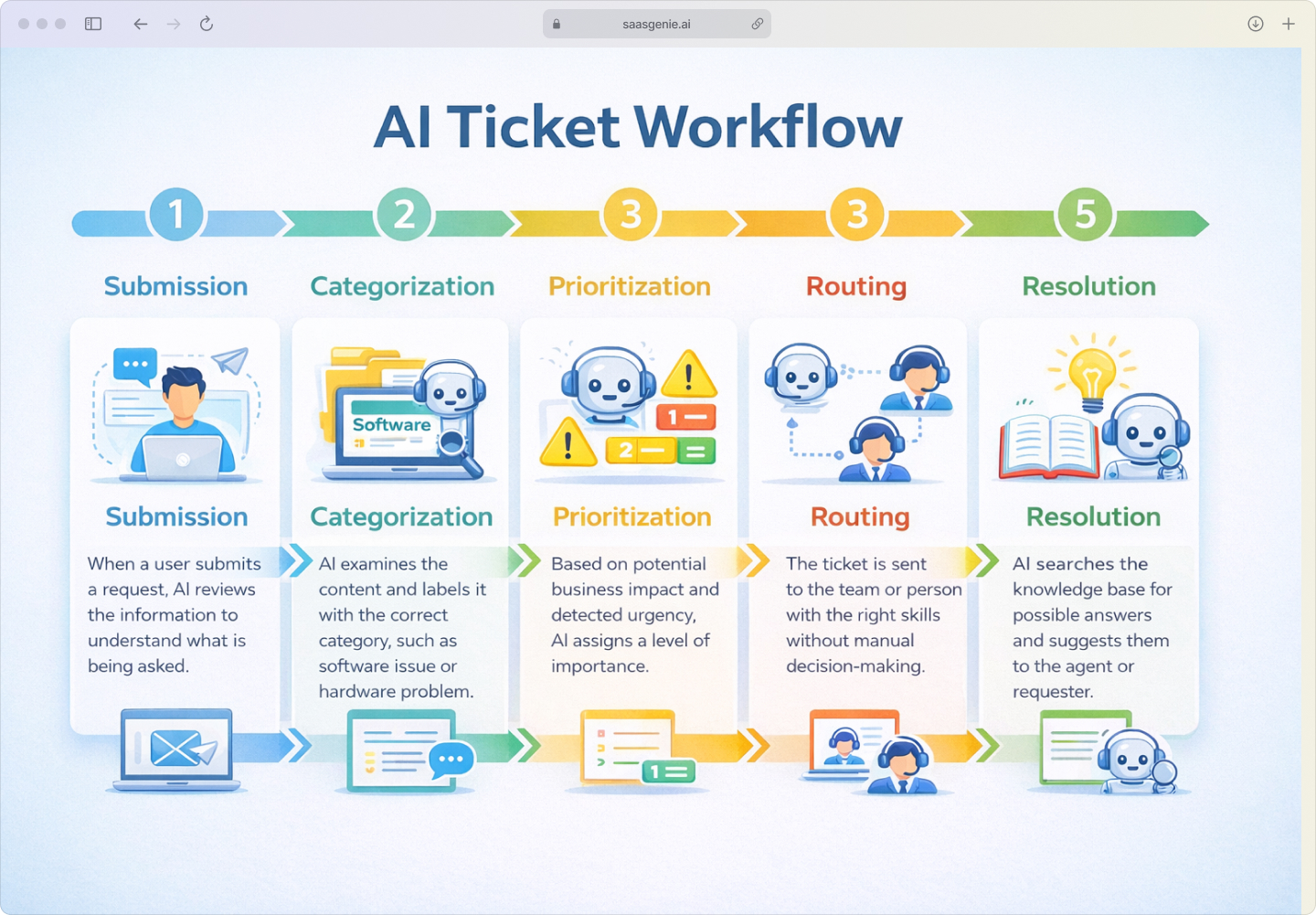
This step-by-step process allows Halo AI to manage tickets with fewer manual actions and more consistent paths from start to finish
AI knowledge management and virtual agents
Halo AI uses artificial intelligence to organize information and help users find answers on their own. This includes creating new articles for common issues and offering automated chat support.
Automated knowledge article creation reviews tickets that have been resolved successfully. When it finds solutions that work for repeated problems, it collects the key steps and details. Halo AI then creates articles from these solutions and adds them to the company's knowledge base.
.jpg)
Knowledge discovery with RAG technology combines searching and generating text. Retrieval Augmented Generation (RAG) searches through saved documents, guides, and sometimes external sources when someone asks a question. It gathers the most relevant information and uses it to create a clear answer for the user.
A virtual agent for instant self-service includes a chatbot that interacts with users. This chatbot can answer questions, give instructions, and complete simple service requests. It works without human help by using information from the knowledge base and connected systems.
Emotion AI for customer experience
Emotion AI is a type of artificial intelligence that can recognize and interpret the emotional tone in written or spoken messages. In the context of IT service management, Halo uses Emotion AI to analyze the language used by customers in real time as they submit tickets or interact with support agents.
Halo's Emotion AI examines words, sentence structure, and message patterns to estimate whether a customer is frustrated, satisfied, confused, or calm. This analysis happens automatically as each message arrives in the system.
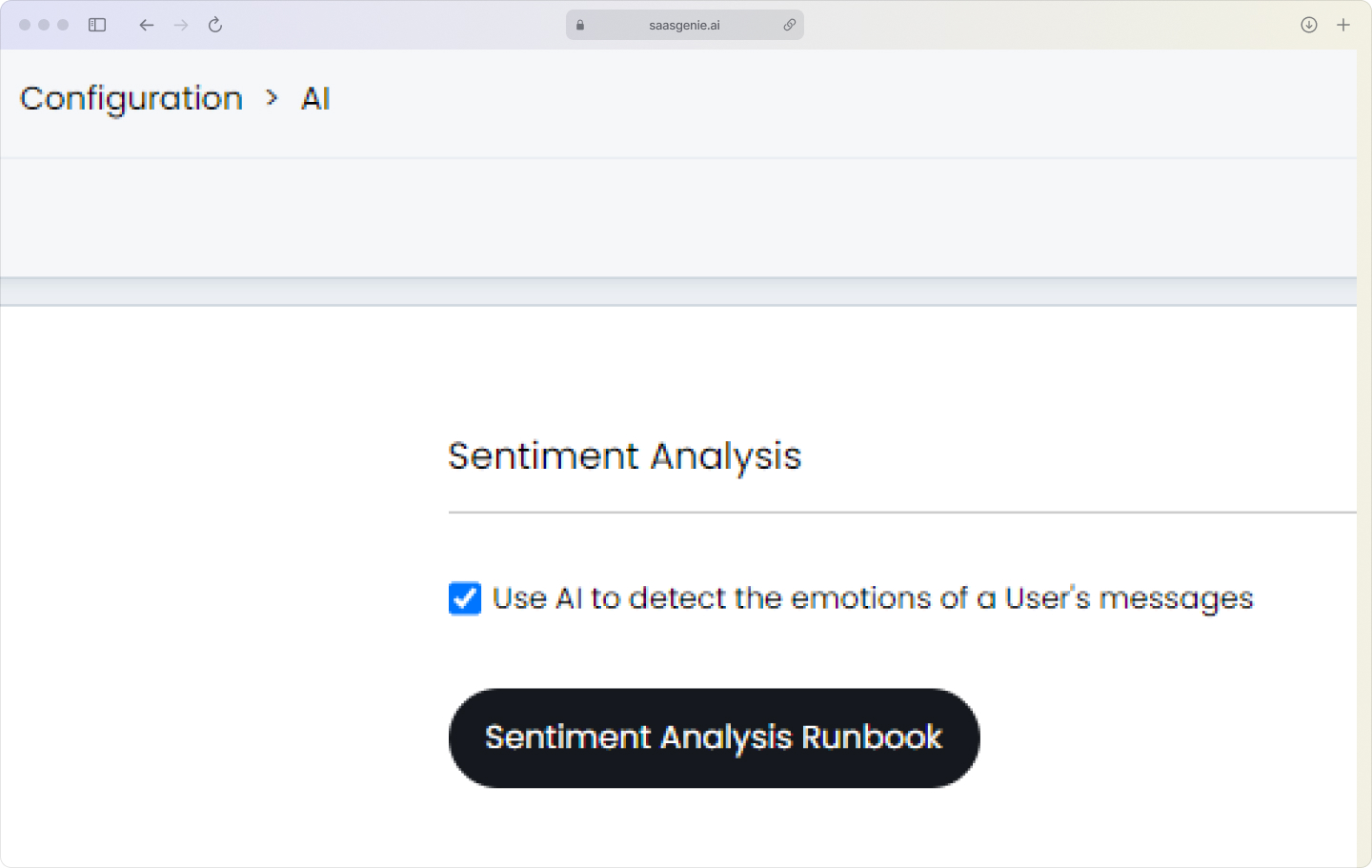
When Halo detects signals of stress or dissatisfaction, it can notify agents so they are aware of the customer's mood before responding. Agents can then choose a language that is more empathetic or escalate cases sooner if needed. The system can also track mood trends over time, which helps organizations identify areas where customer experience could be improved.
Business benefits of Halo AI for IT teams
Halo AI in IT service management produces measurable outcomes that matter to IT leaders and teams:
- Reduced ticket resolution times: Automation and AI-driven routing move tickets to the right person or team as soon as they arrive.
- Lower operational costs: AI takes over routine and repeated tasks, allowing teams to handle more tickets without adding new staff.
- Improved agent productivity: Summaries and suggestions from AI give agents clear starting points for each ticket.
- Better end-user satisfaction scores: Faster and more accurate responses mean users wait less and receive answers that address their needs.

Integrations in the Halo console ecosystem
Integrations connect Halo ITSM AI with other systems, applications, and tools. The console ITSM ecosystem refers to Halo's ability to manage, monitor, and automate IT services across different platforms from a single dashboard.
Native connectors and REST APIs include built-in connectors for commonly used business applications. These connectors allow information to move between Halo and systems such as Active Directory, Microsoft Azure, and cloud storage platforms. REST APIs provide a standard way for software to communicate, enabling organizations to create custom connections.
Common integration points include:
- Active Directory (user management)
- Microsoft Azure (cloud services)
- Office 365 (email, calendar)
- Google Workspace
- Monitoring tools (Datadog, SolarWinds)
- Identity providers (Okta, OneLogin)
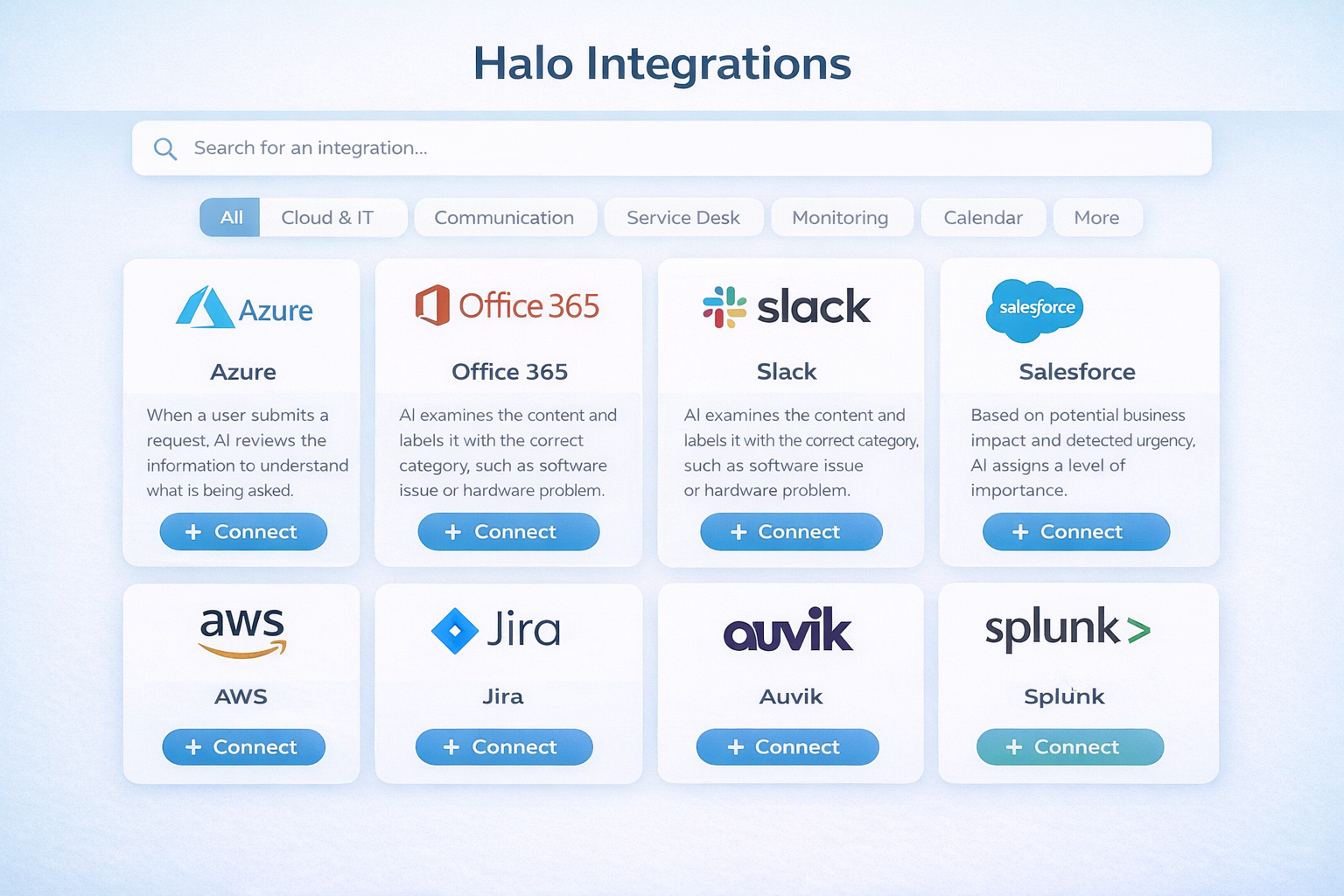
Microsoft Teams and Slack integration allows agents and end-users to create, update, and manage service desk tickets directly from their collaboration tools. Notifications, ticket status updates, and automated replies can be accessed without switching to a separate application.
Custom runbooks and workflow automation use no-code automation builders to create custom runbooks. A runbook is a set of steps that Halo can perform automatically when certain conditions are met. These automation builders connect Halo to other systems and trigger responses without manual intervention.
How Halo AI compares with ServiceNow and Freshservice
Halo ITSM, ServiceNow, and Freshservice are three platforms used in IT service management. Each one uses artificial intelligence in its own way.

Halo ITSM includes AI in its base price and is easier to set up. ServiceNow is complex and tailored for large enterprises, while Freshservice offers a balance between ease of use and customization, often serving mid-sized organizations.
For a detailed comparison of how Halo ITSM stacks up against ServiceNow, read our HaloITSM vs ServiceNow guide. If you're weighing Freshservice against ServiceNow, check out Freshservice vs ServiceNow. Looking for more options? Explore our list of the best ITSM ServiceNow alternatives.
Implementing Halo AI for better ROI
Getting value from AI in IT service management depends on setting it up with clear intent and ongoing attention to how it is working.
Start by identifying the main problems in your IT service management process. Match each challenge to an AI feature. For instance, if sorting tickets takes a lot of time, look at AI triage and categorization. If many users ask the same questions, consider using the virtual agent and knowledge article creation.
Set up rules that tell the AI how to assign priorities to different types of tickets. These rules can be based on urgency, impact on business operations, or specific keywords. Aligning the triage logic with the organization's existing service level agreements helps the AI make decisions that fit established standards.
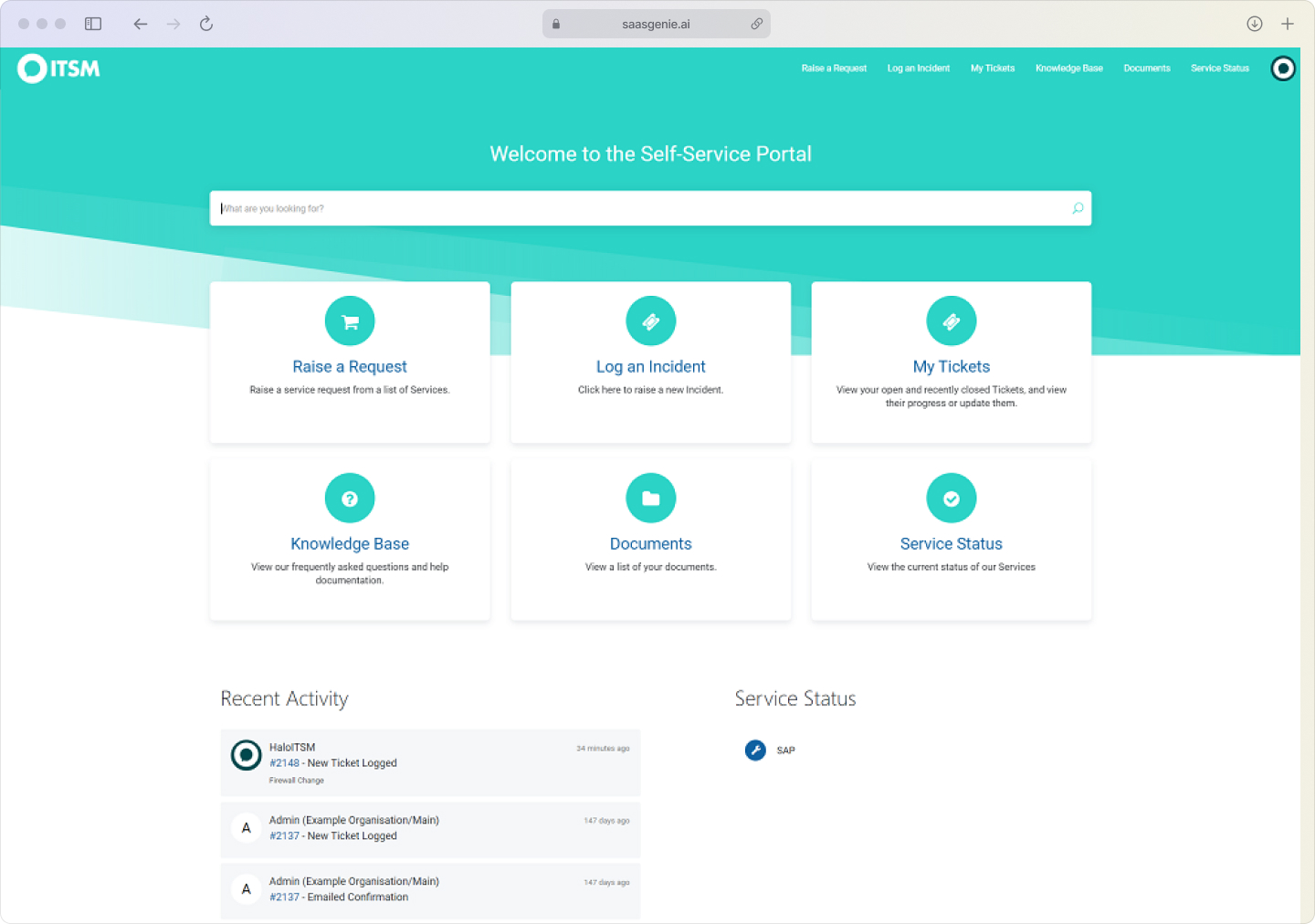
Upload or connect existing help articles, manuals, and frequently asked questions to the system. The AI uses this information to generate responses and suggest solutions. The more relevant and up-to-date the source material, the more accurate the AI's answers will be.
Monitor how well the AI is sorting, routing, and resolving tickets. Collect data on how often the AI's suggestions are accepted or edited by agents. Use this information to adjust rules, update documentation, or fine-tune AI configurations over time.
Security and compliance for Halo AI
Security and compliance are important for organizations that use AI in IT service management. Halo AI processes and stores data using secure methods to protect information from unauthorized access or changes. The platform uses encryption to keep data private during transfer and while stored.
AI processing in Halo can take place in the cloud or, for some organizations, on their own servers. The exact location of processing depends on the deployment option the organization chooses: cloud-based or on-premises.
Halo AI supports compliance with common standards and regulations. The platform is designed to align with SOC 2 and ISO 27001 frameworks, which are widely recognized for information security management.
.jpg)
Halo AI also includes features to help organizations follow data privacy regulations, including the General Data Protection Regulation (GDPR) in the European Union. This includes tools for managing personal data, controlling access, and supporting data subject requests.
Get expert help for your Halo ITSM AI deployment
saasgenie is a certified implementation partner for Halo ITSM. We have experience setting up, configuring, and optimizing Halo for organizations of different sizes and industries. saasgenie uses AI-first accelerators, which are methods and tools designed to speed up the deployment process and help organizations use Halo's automation and AI features efficiently.
Working with saasgenie includes step-by-step guidance, starting with an analysis of the organization's requirements, continuing through system setup, data migration, integration with other platforms, and post-launch adjustments. The approach is structured and based on tested frameworks that align with best practices for IT service management and AI adoption.
Organizations interested in exploring Halo ITSM AI or seeking support with deployment can book a strategy call with saasgenie by visiting https://www.saasgenie.ai/contact-us. This call provides an opportunity to discuss specific goals, technical questions, and the steps involved in a successful implementation.