.webp)




Complete Halo ITSM Asset Management Platform Overview 2026
Managing IT assets is a core part of every organization's technology operations. As digital workplaces grow, keeping track of computers, software, and equipment becomes more complex, with 53% of IT teams lacking full visibility into their technology assets. Many organizations use IT asset management platforms to organize this process.
Halo ITSM asset management is a system designed to help organizations track, organize, and manage all their technology assets in one place. This platform brings together information about hardware, software, and related resources. It is more than a simple inventory list.
Now for the fun part.
Ever feel like managing IT assets is like being a digital librarian in a tornado?

You know the books exist somewhere, but good luck finding that specific laptop when Karen from HR needs it replaced.
Meet Halo ITSM asset management: your organized filing cabinet that actually talks back. It doesn't just store information about your tech. It connects dots, predicts problems, and turns "where did we put that server?" into "here's everything you need to know about that server, plus three alerts about why it might need attention."
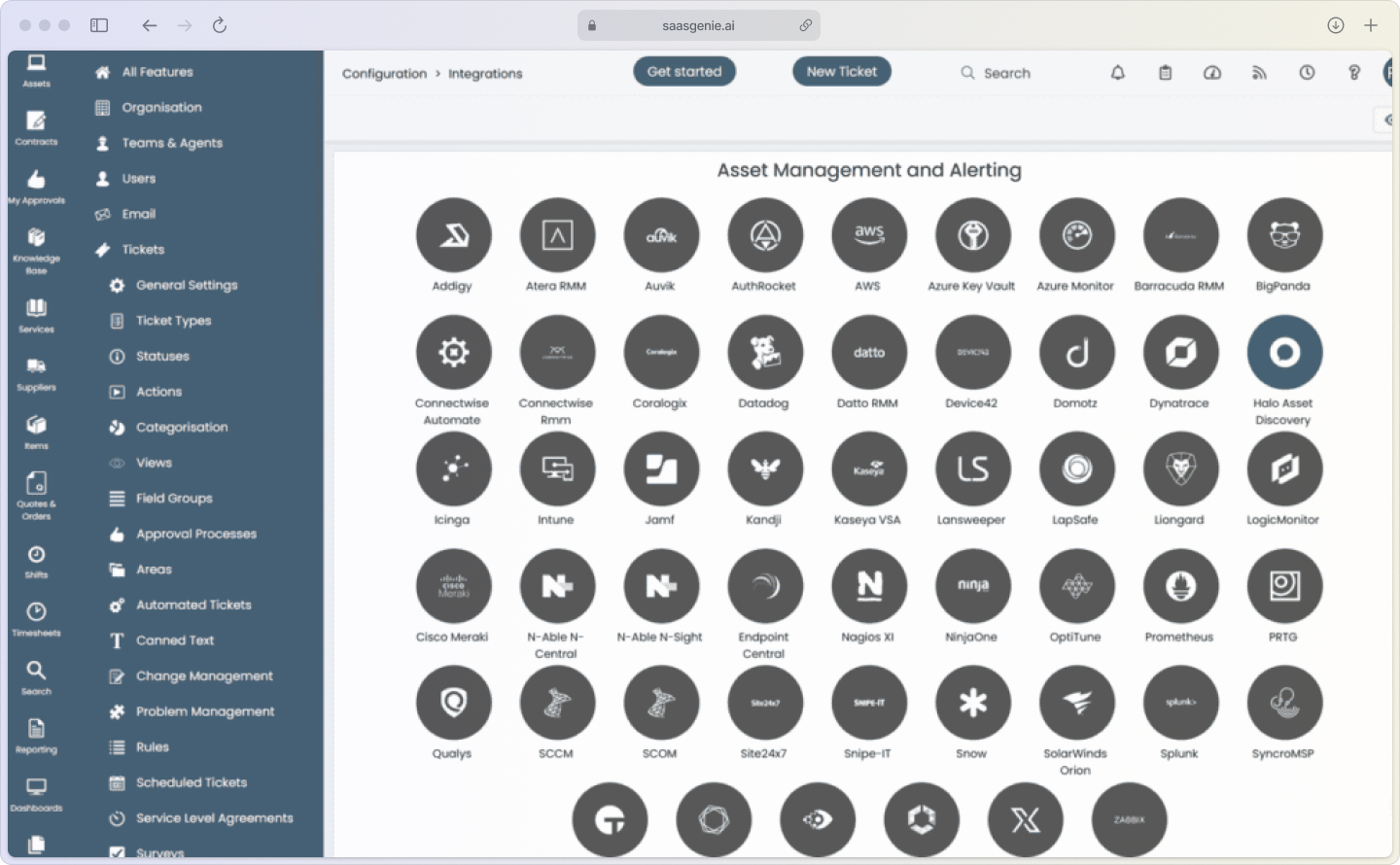
Halo ITSM asset management in a nutshell
Halo ITSM asset management is a cloud-based, ITIL-aligned solution that tracks and manages IT assets across an organization. IT asset management (ITAM) refers to cataloging, tracking, and maintaining all technology assets so teams know what equipment exists, where it lives, and how it's being used.
This goes beyond basic inventory tracking. Instead of simply listing equipment, ITAM links assets to users, tracks their status, and connects them with service requests or incidents. Organizations can manage the full lifecycle of each asset, from purchase to disposal.
Key capabilities include:
- Complete visibility: Single source of truth for all IT assets.
- Lifecycle tracking: Monitor assets from purchase through retirement.
- ITIL alignment: Follows industry best practices for service management.
- Integration-ready: Connects with other IT operations management tools.
The platform creates a Configuration Management Database (CMDB), a structured data store that keeps detailed records about IT assets and their relationships. It is crucial since only 25% of organizations get meaningful value from their CMDB investments without proper implementation. Think of it as your asset family tree, showing how everything connects.
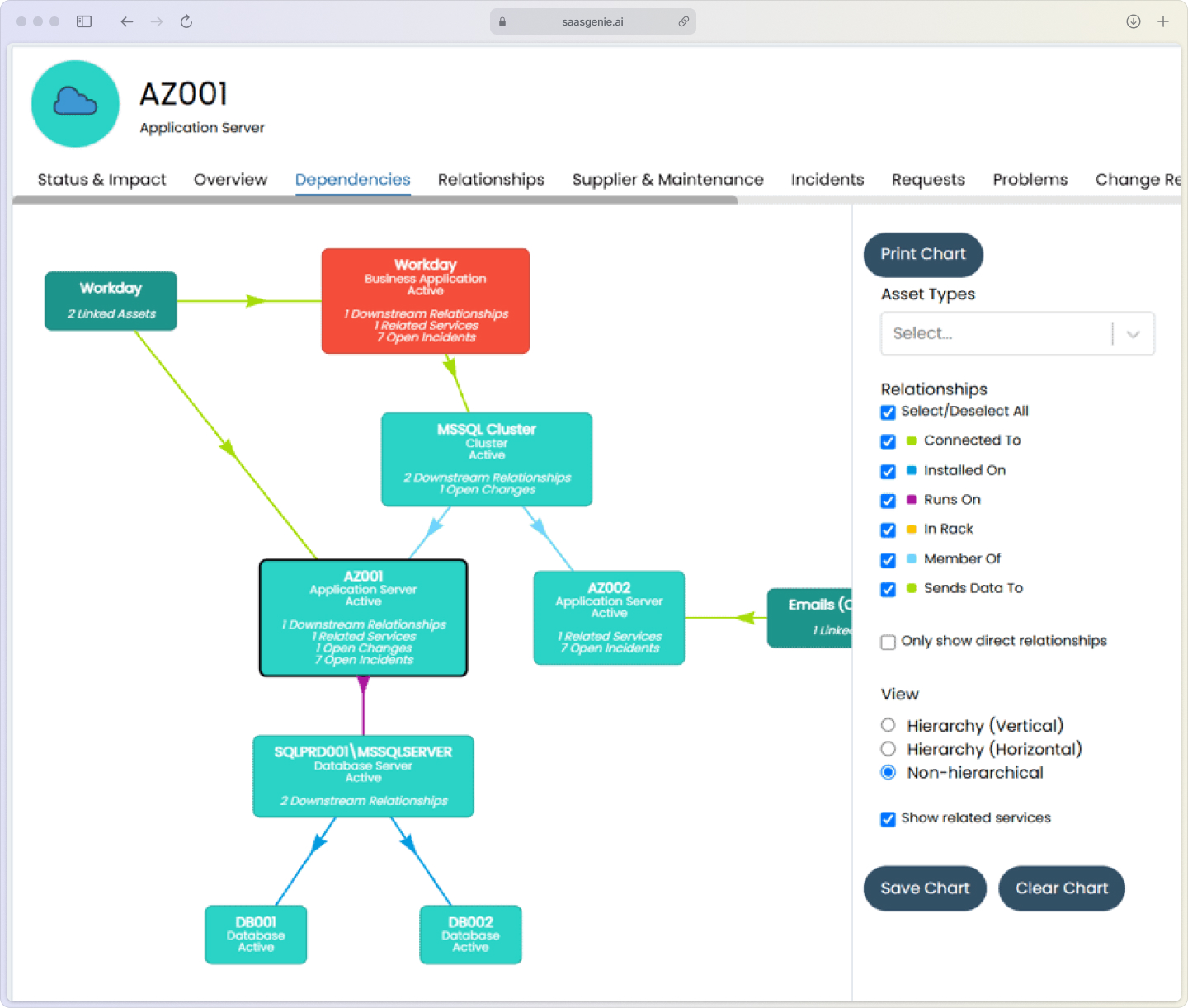
Supported asset types and discovery methods
Halo ITSM tracks various asset types through both automated discovery and manual entry. The platform scans networks to find devices automatically, while also allowing teams to add items manually when needed.
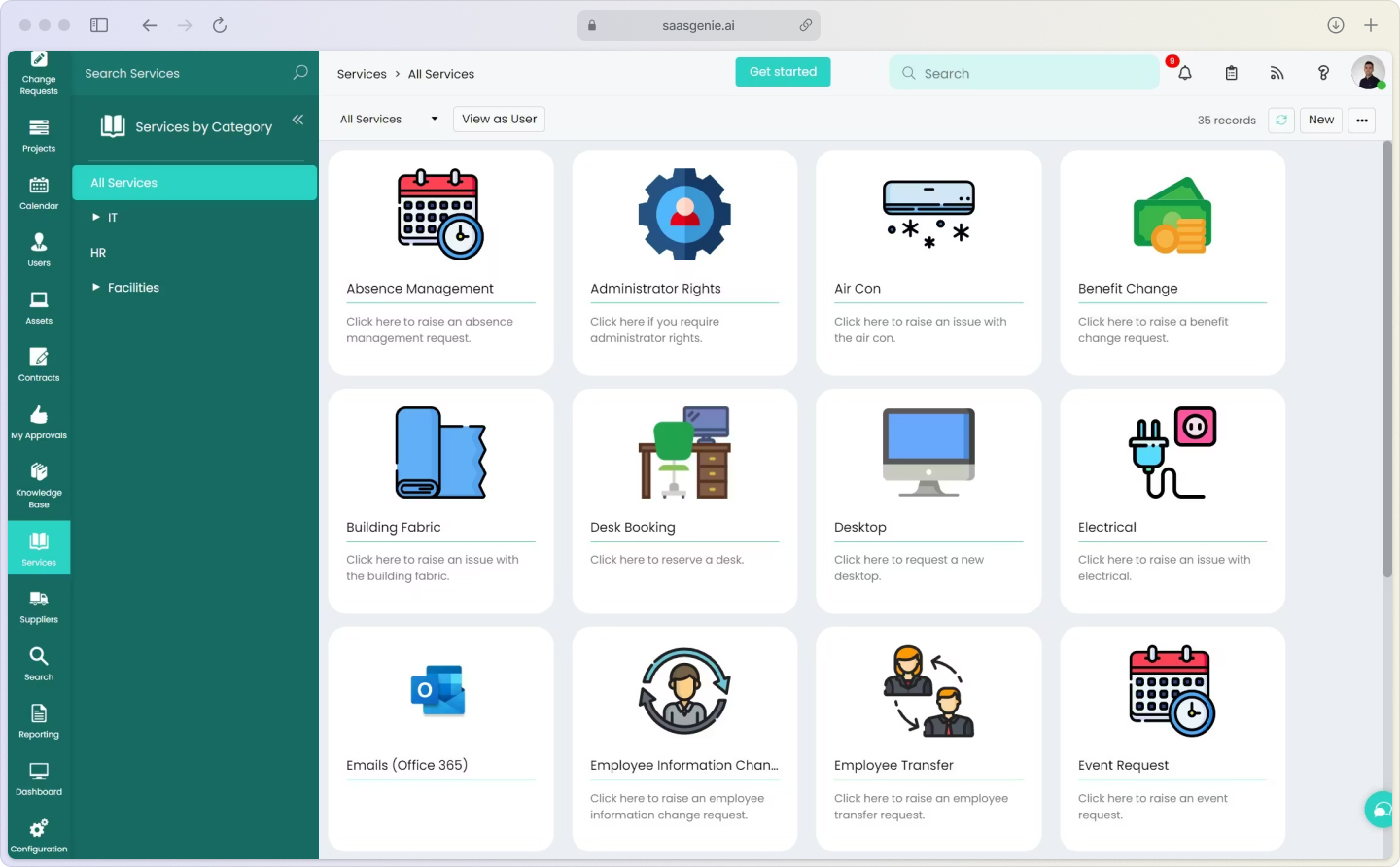
Hardware assets include:
- Desktop computers and laptops
- Servers and networking equipment
- Mobile devices like phones and tablets
- Printers and peripheral devices
- IoT devices and specialized equipment
Software and digital assets cover:
- Licensed software: Microsoft Office, Adobe Creative Suite
- SaaS subscriptions: Salesforce, Slack, cloud-based tools
- Cloud resources: AWS instances, Azure services, Google Cloud storage
- People assets: Employee and contractor user records linked to their assigned hardware and software
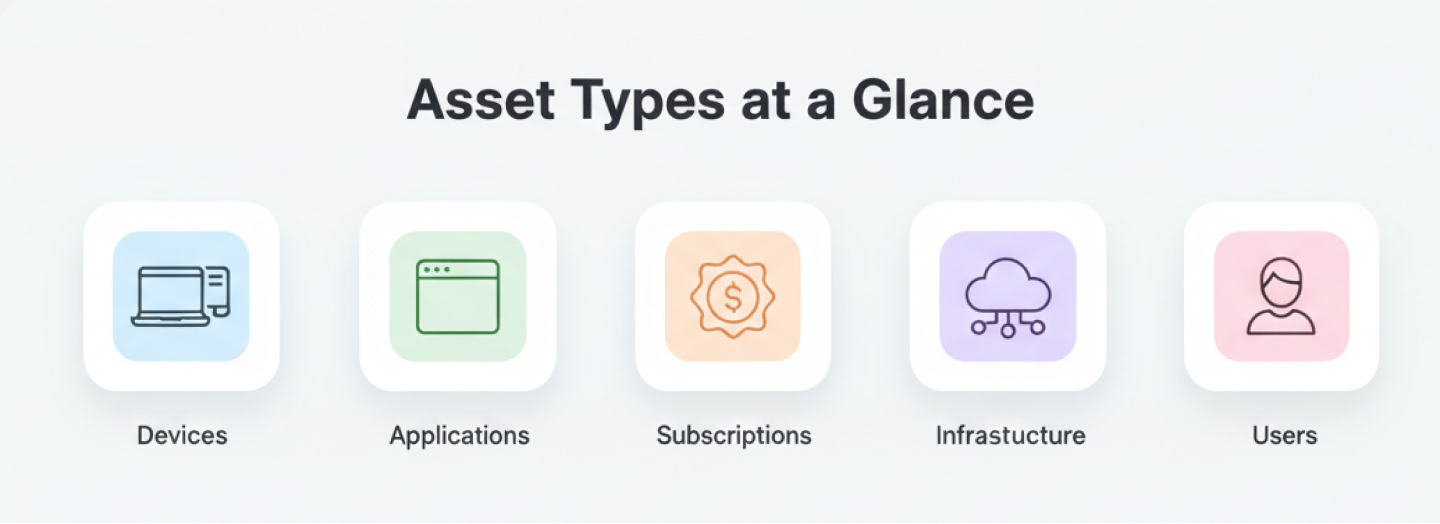
The discovery process uses network scanning tools and agents to populate the asset database automatically. This reduces manual data entry and helps maintain accurate, up-to-date records without constant human intervention.
Want to take discovery beyond basics? See how agentic AI automates enrichment, correlation, and actions across ITSM/ESM in our guide: Implementing Agentic AI in ITSM & ESM.
Discovery methods:
- Network scanning: Automatically finds connected devices
- Agent-based: Software installed on devices reports back details
- API integrations: Pulls data from cloud providers and other systems
- Manual entry: For assets that can't be discovered automatically


Want to see how smooth your implementation can be?
Book a free strategy call today and let's map out your path to Halo ITSM success.
Linking assets to incidents, changes, and projects
Asset management doesn't exist in isolation within Halo ITSM. Asset records connect directly to other IT Service Management (ITSM) processes like incident management, change control, and project tracking.
When someone reports a printer issue, HaloITSM automatically links the incident ticket to that specific printer's asset record. Anyone reviewing the ticket can see the printer's maintenance history, warranty status, and location without hunting through separate systems.
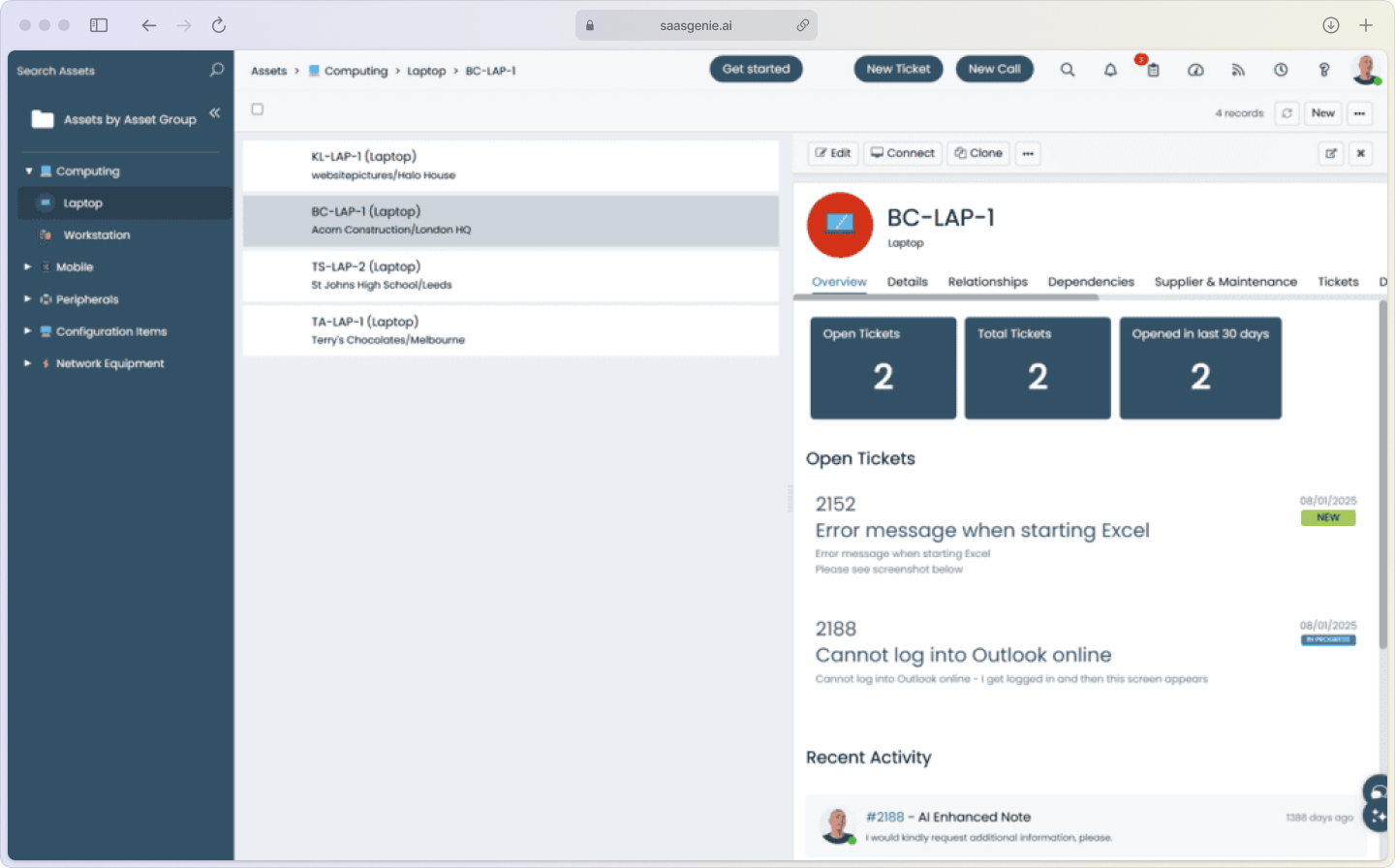
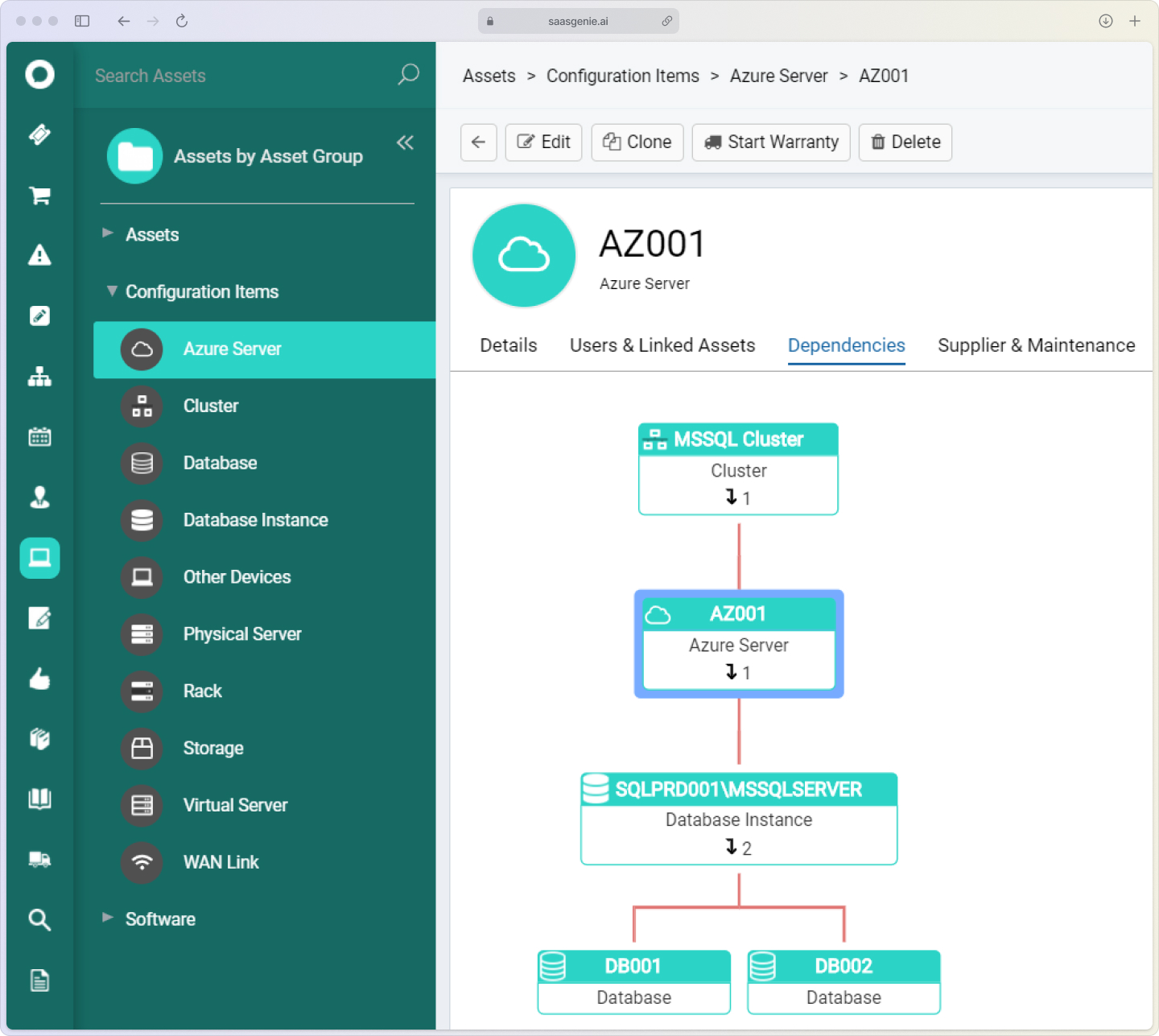
Impact and dependency mapping shows how different devices and services rely on each other. If a server runs multiple applications and fails, those applications become unavailable too. The system displays these relationships, helping teams understand the wider impact when one asset experiences problems.
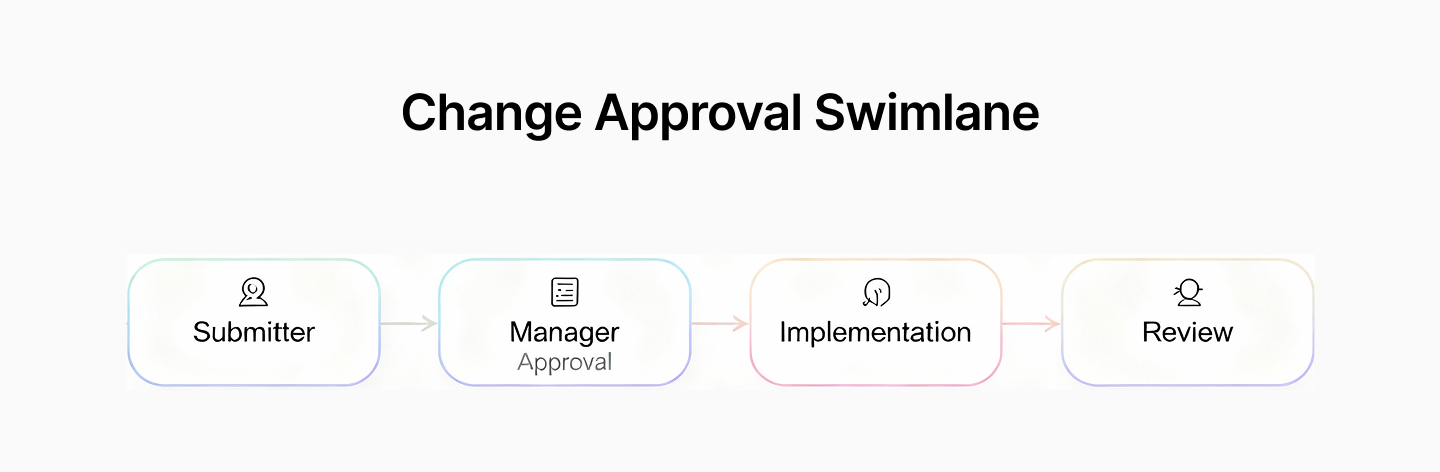
For change management, asset updates can trigger approval workflows. Planning a software update for 50 computers? The system routes the change request to managers for approval before implementation, creating an audit trail of who approved what and when.
AI and automation use cases for proactive ITAM
Halo ITSM taps into Halo AI, the platform’s built-in intelligence layer, to spot problems before they blow up and to slash the repetitive tasks none of us enjoy.
Predictive hardware failure alerts analyze data from components like disk drives to identify patterns that often appear before failures. If a hard drive shows frequent error messages or slower performance, the system creates warnings so teams can replace it before it breaks completely.
License optimization recommendations review software usage across the organization. The AI identifies unused licenses or duplicate software that performs the same function, suggesting opportunities to reassign or reduce licenses. This is critical since 48% of software spending is wasted on unused or underused licenses.
Self-service provisioning bots handle asset requests for new employees automatically. When someone joins the company, the system assigns a laptop, phone, and required software access based on their role, with no manual intervention needed for standard equipment setup.
These automation features connect with Enterprise Service Management processes, extending beyond IT to support HR onboarding, facilities management, and other departmental workflows.

Integrations, APIs, and marketplace add-ons
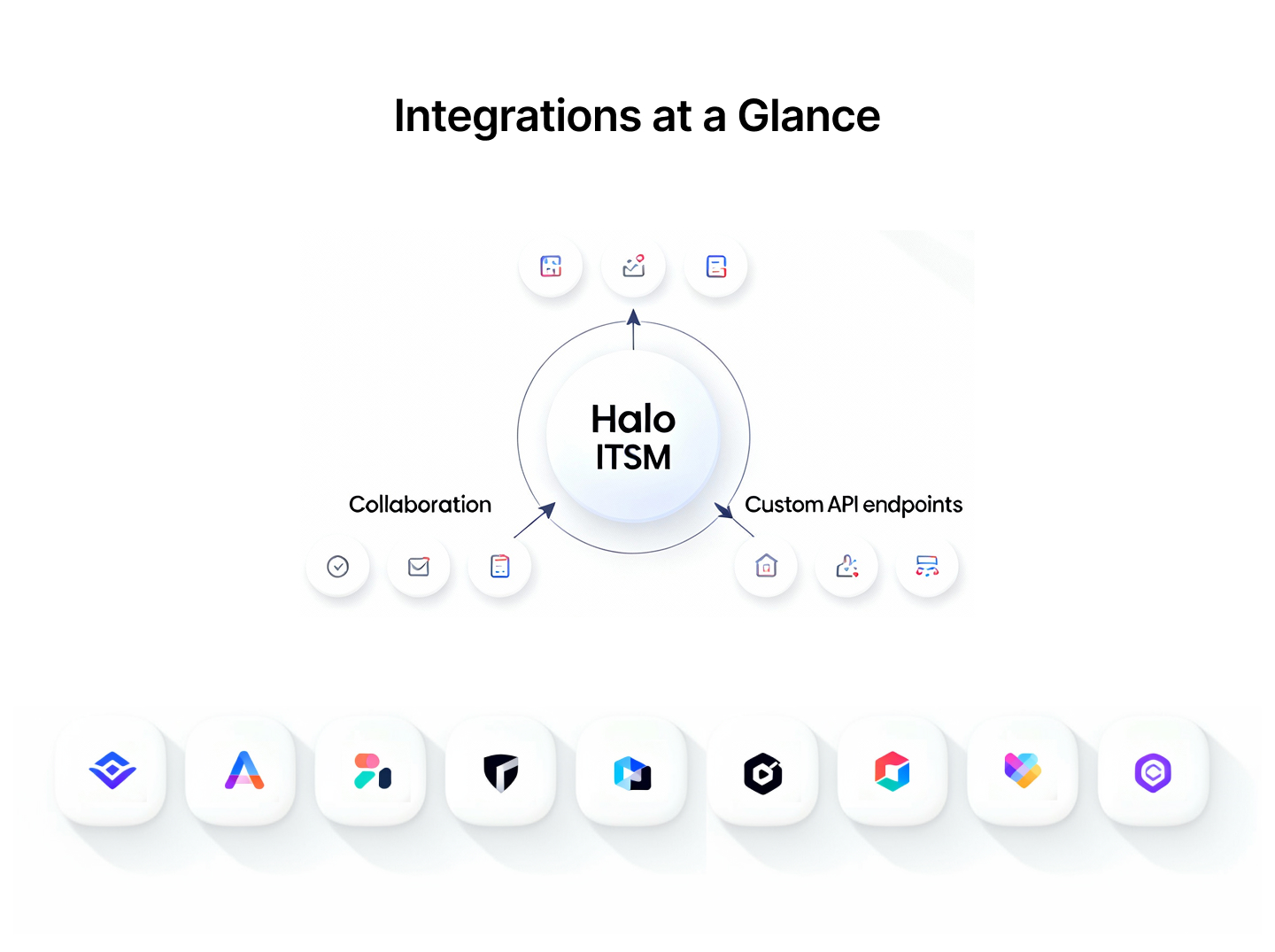
Halo ITSM connects with other tools in your IT stack. Everything from collaboration platforms to IT Operations Management (ITOM) systems through pre-built integrations and open APIs.
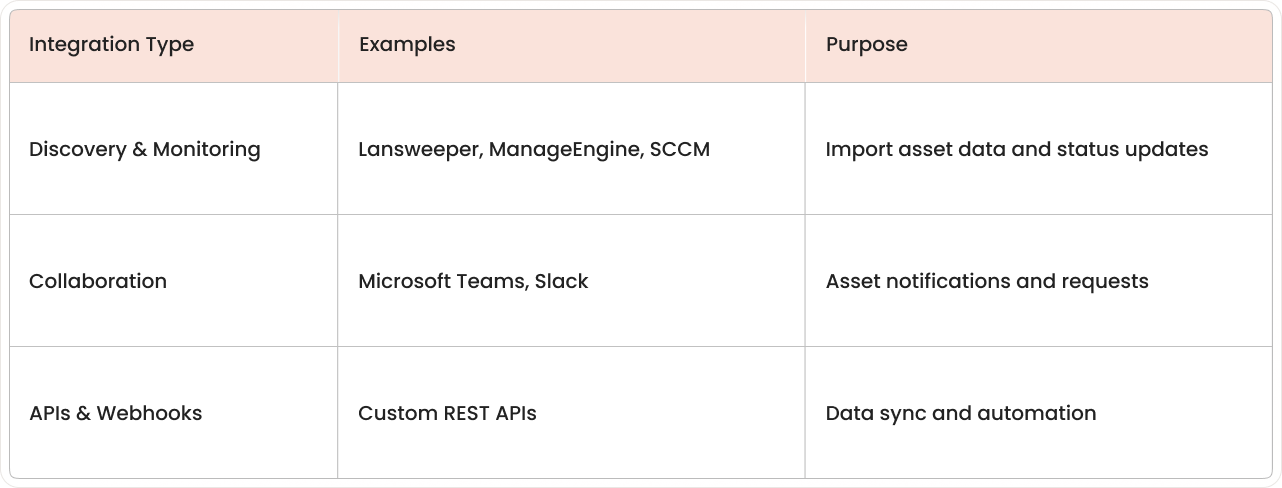
Discovery tool integrations keep asset records current by automatically importing device information from network scanning tools. Popular options include Lansweeper, ManageEngine, and Microsoft System Center Configuration Manager (SCCM).
Communication platform integrations with Microsoft Teams and Slack let users receive asset-related notifications and submit requests directly from the tools they use daily.
For custom connections, Halo ITSM provides REST APIs and webhook support. Technical teams can build integrations with other applications, automate tasks, or sync asset data with external databases without requiring advanced programming skills.
Licensing options, costs, and ROI comparison
Halo ITSM asset management pricing is typically based on the number of assets managed and the included features. When comparing costs, consider both the upfront investment and long-term value of integrated ITSM capabilities.
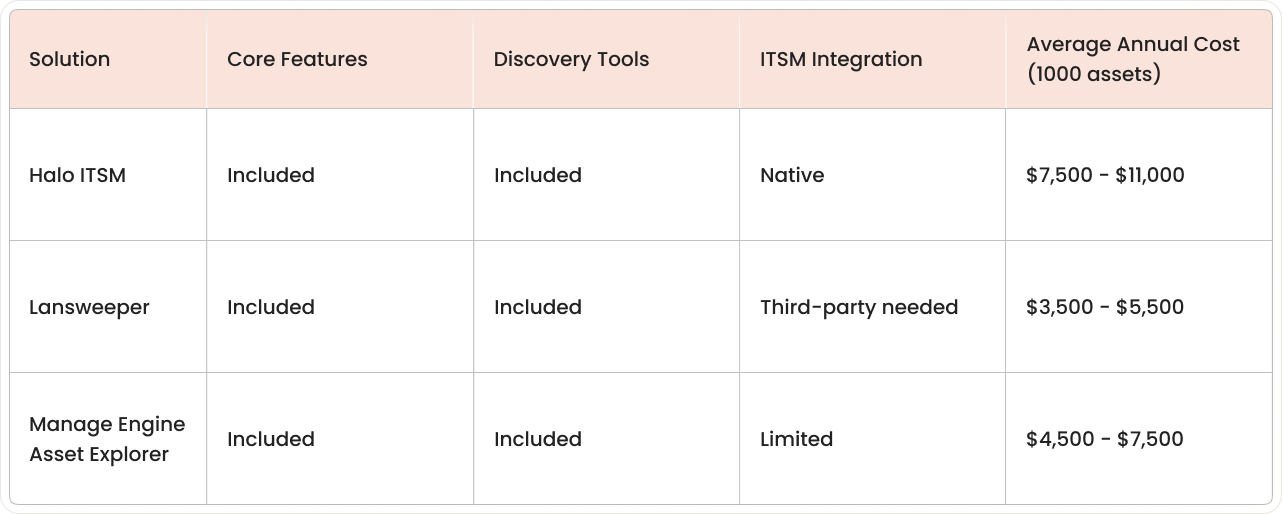
Standard licensing includes:
- Asset inventory: Complete lifecycle management
- Hardware discovery: Automatic device detection
- CMDB functionality: Relationship mapping and tracking
- Incident linking: Connect assets to support tickets
- Basic reporting: Standard dashboards and analytics
Add-on modules provide enhanced capabilities like advanced analytics, multi-site management, and extended automation workflows. Organizations often start with core features and expand as their asset management needs grow.
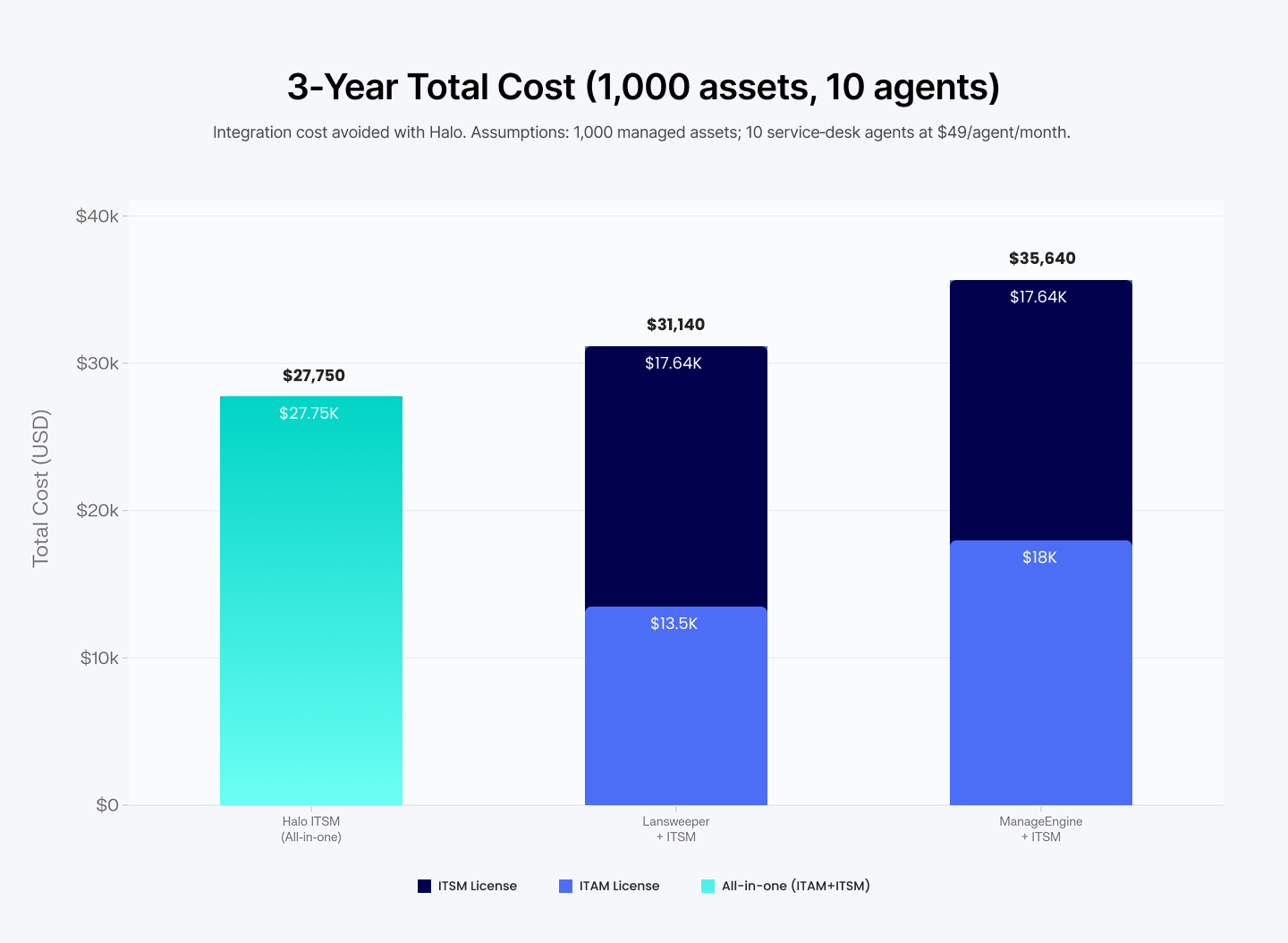
The three-year total cost typically runs higher than standalone ITAM tools but includes integrated ITSM processes that would otherwise require separate platforms or custom integrations.
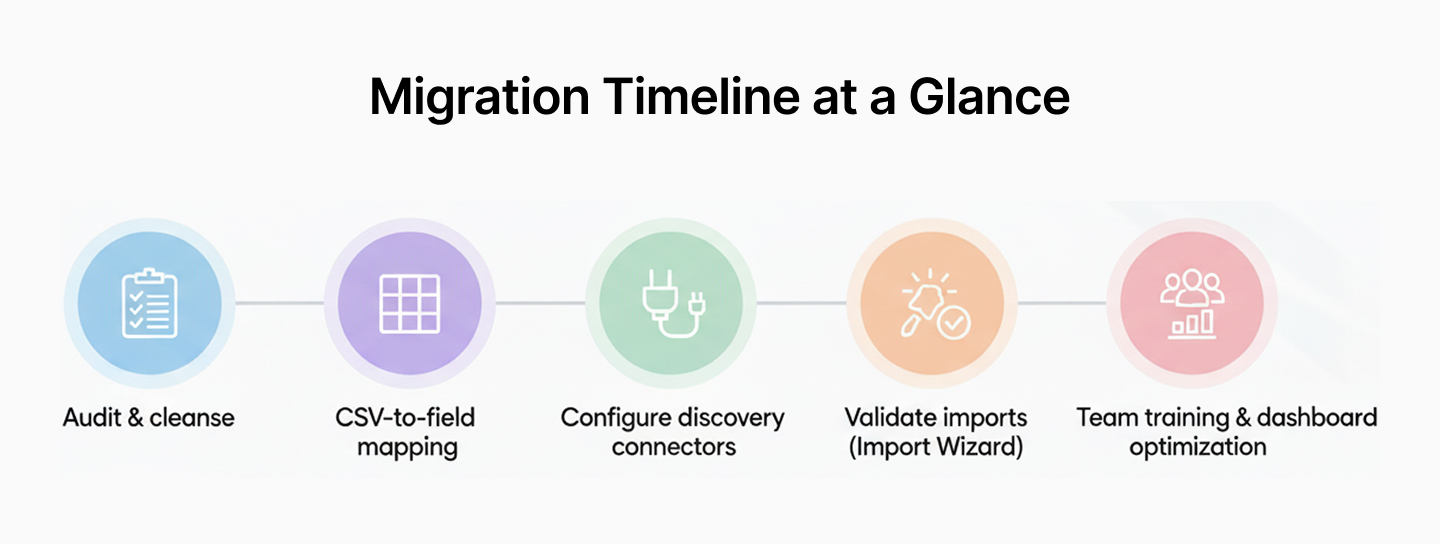
Five-step migration roadmap from spreadsheets or a legacy CMDB
Moving asset data to Halo ITSM follows a structured approach to ensure accuracy and completeness. Each step builds on the previous one to create a reliable foundation.
Step 1: Audit and cleanse existing data: Review current asset records in spreadsheets or legacy databases. Remove duplicates, correct errors, and fill in missing information. Consistent naming and updated details prevent import problems.
Step 2: Map fields and dependencies: Identify how current system fields correspond to Halo ITSM fields. A "Device Name" column might map to "Asset Name" in Halo ITSM. Document asset relationships like user assignments and location mappings.
Step 3: Configure discovery connectors: Set up automated discovery tools to scan networks and collect device details like operating systems and installed software. These connectors update the database and identify previously unrecorded devices.
Step 4: Validate and reconcile imports: After importing data, compare Halo records to source files and discovery tool findings. Resolve discrepancies and missing assets to ensure the database accurately reflects the current environment.
Step 5: Train teams and optimize dashboards: Provide user training on accessing and updating asset information. Customize dashboards so that different roles, including IT support, asset managers, and facilities, see the most relevant data for their responsibilities.
Who does Halo ITSM asset management serve best
HaloITSM asset management works for various organization types, from growing companies to large enterprises, replacing legacy systems.
Mid-market IT teams with 100 to 1,000 employees often choose Halo ITSM for better device and software tracking without overwhelming complexity, particularly as enterprises track an average of 166,000 assets daily.
Enterprises replacing legacy ITAM suites use Halo ITSM when older systems become difficult to maintain or can't handle new requirements. The platform supports complex environments while integrating with existing IT service management processes.
Managed service providers (MSPs) managing technology for multiple clients use Halo's multi-tenant capabilities. Asset data stays organized by client within one system, simplifying administration and reporting across different customer environments.
Keep moving; book a free Halo ITSM strategy call with saasgenie
saasgenie specializes in Halo implementation and optimization as a certified partner. Our team provides guidance for setup, configuration, data migration, and system integration based on your specific business environment.
A 30-minute strategy call covers your current asset management challenges and outlines how Halo ITSM features align with organizational goals. We identify integration points with existing IT systems, map migration steps from spreadsheets or legacy platforms, and provide demonstrations of key workflows.
During the consultation, we provide:
- Current state assessment: Review existing processes and pain points
- Feature mapping: Connect Halo ITSM capabilities to business needs
- Integration planning: Identify connections with current IT tools
- ROI estimation: Calculate potential efficiency improvements and savings
The rapid ROI assessment uses information about asset volumes, current processes, and IT management costs to estimate efficiency improvements. We calculate possible savings and outline implementation timelines, giving a clear view of transition duration and when results become measurable.
Ready to explore Halo ITSM for your organization?
Contact us to schedule your strategy call and discuss next steps.
