.webp)



Modern Incident Management with Atomicwork ITSM Platform
In today's digital environment, IT teams encounter service disruptions that affect business operations, with unplanned downtime costing enterprises over $14,500 per minute. Managing these disruptions requires clear processes, fast response, and reliable tools. Many organizations have used traditional ticketing systems to organize and resolve incidents.
Artificial intelligence is now changing how incident management works. New platforms use AI to help teams spot, respond to, and solve problems faster than before.
One such platform is Atomicwork.
Your IT team just resolved a critical server outage.
Before anyone can even update the status page, five new tickets flood in: a network slowdown, two password resets, a software crash, and another server alert. Each one screaming for attention like a dumpster fire you can't ignore.

Sound familiar?
Meet Atomicwork, your digital incident commander: an AI-native platform that turns chaotic fire drills into orchestrated responses and gives every problem a smart solution path.
What is Atomicwork incident management?
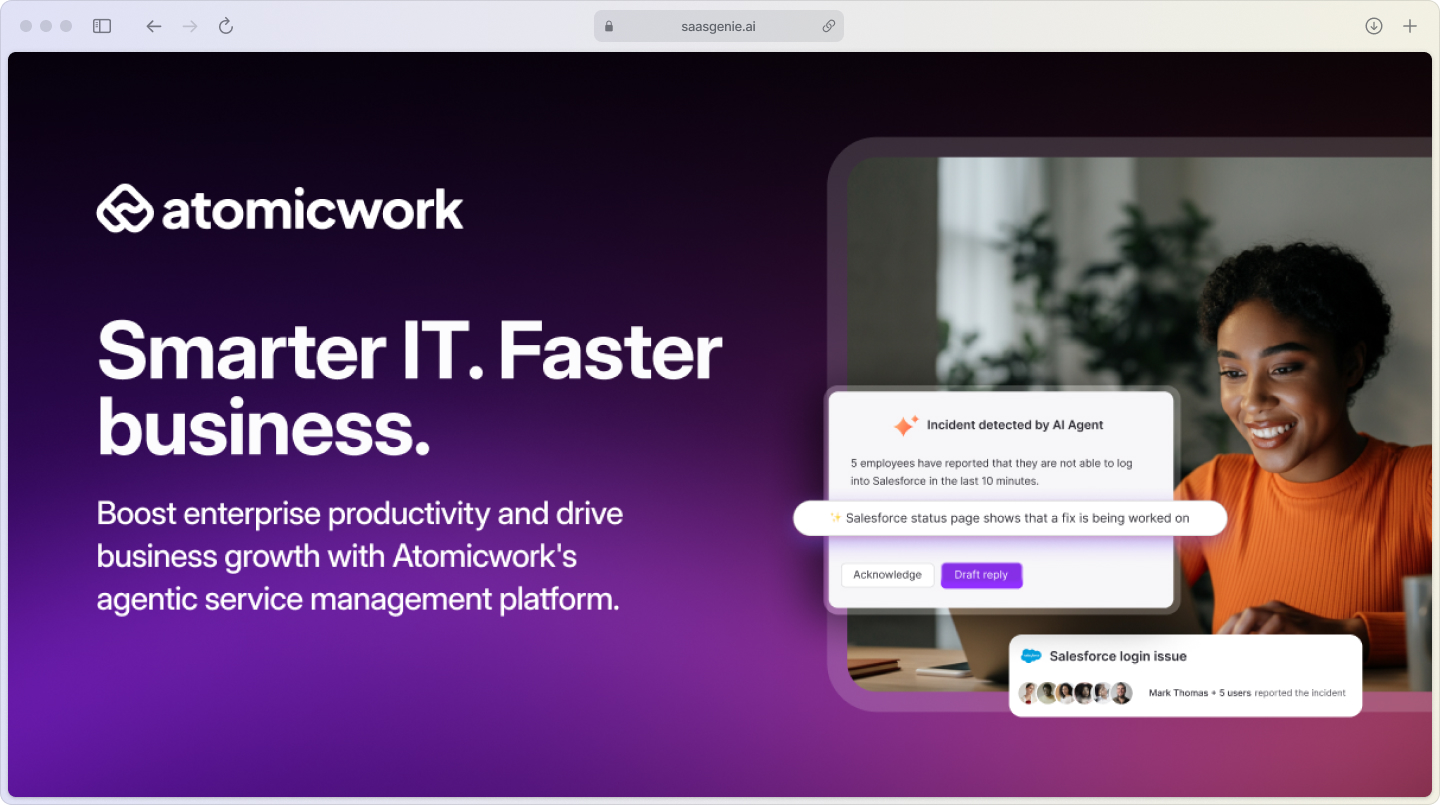
Atomicwork is an AI-native ITSM platform built specifically for modern IT teams who want to handle incidents without the headaches of legacy systems.
Think of it as your smart incident control center; one place where problems get detected, routed, and resolved automatically.
Unlike traditional ticketing systems that require manual sorting and routing, Atomicwork uses artificial intelligence from day one. When an incident hits, the platform instantly analyzes what's wrong, figures out who should fix it, and starts the resolution process without human intervention.
Core capabilities:
- Smart detection: Spots problems before users complain.
- Automatic routing: Sends incidents to the right team instantly.
- AI-powered workflows: Handles routine responses without manual work.
- Real-time collaboration: Teams work together on complex issues seamlessly.
The platform launched as part of the modern ITSM movement with tools designed for speed and automation rather than heavy customization and admin overhead.
Why IT teams switch to AI-native incident management
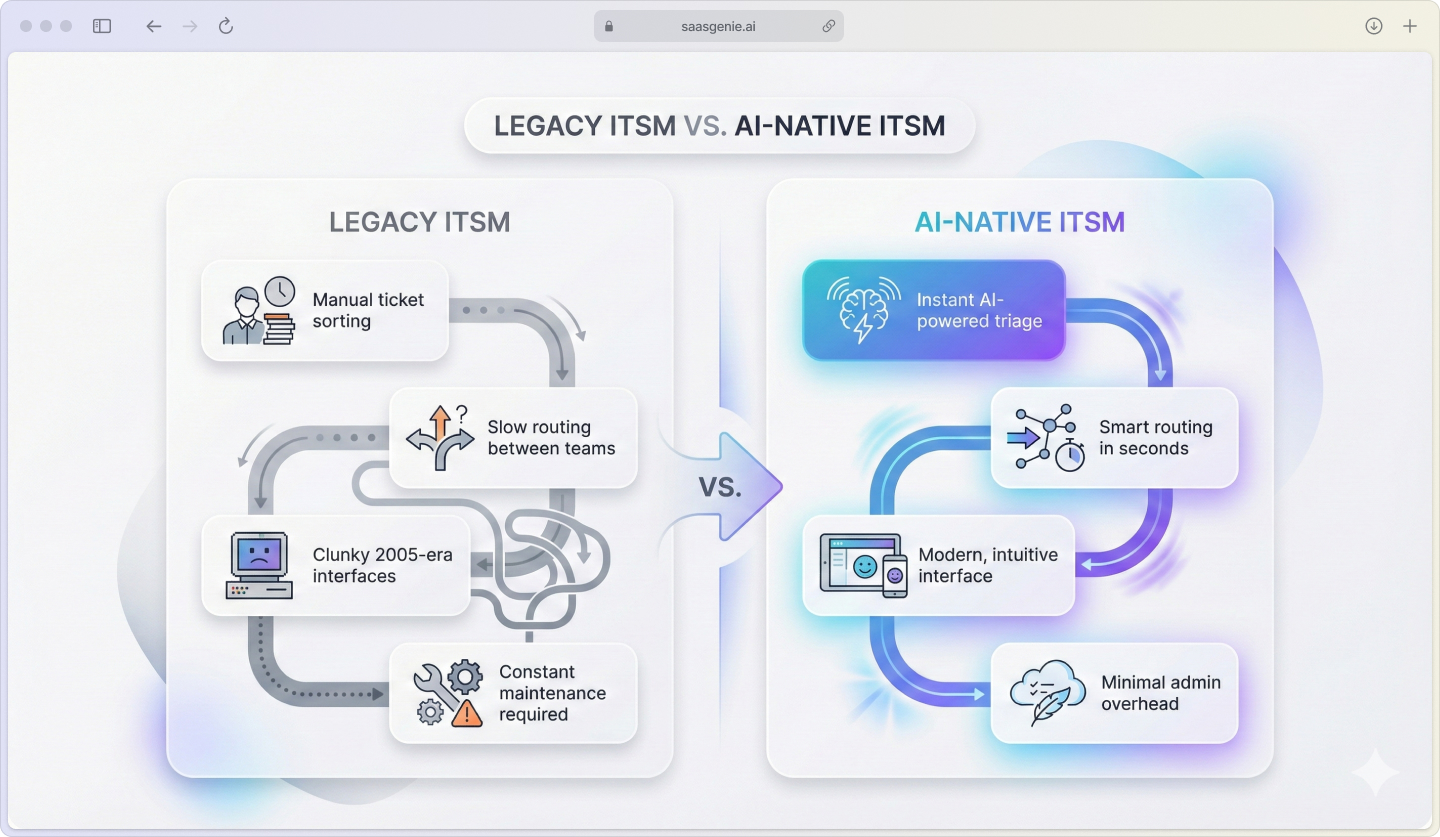
Traditional ITSM tools feel like using a flip phone in a smartphone world.
They were built before AI showed up, so nearly every task still takes manual effort, sorting tickets, routing requests, and updating stakeholders.
It's exhausting and slow, with up to 70% of service desk time consumed by low-value work.
Problems with legacy platforms:
- Manual triage: Someone has to read every ticket and decide where it goes.
- Slow routing: Incidents bounce between teams while problems get worse.
- Poor user experience: Clunky interfaces that feel stuck in 2005.
- Heavy admin overhead: Constant tweaking and maintenance required.
Modern employees expect IT support to work like their favorite apps: fast, intuitive, and helpful.
When your incident management feels like filing paperwork, adoption suffers, and problems take longer to solve.
Atomicwork addresses this by using AI to handle the busywork, letting IT teams focus on actually solving problems instead of managing tickets.
Key incident management features in Atomicwork
Atomicwork packs several smart features that make incident handling feel less like work and more like having a capable assistant.
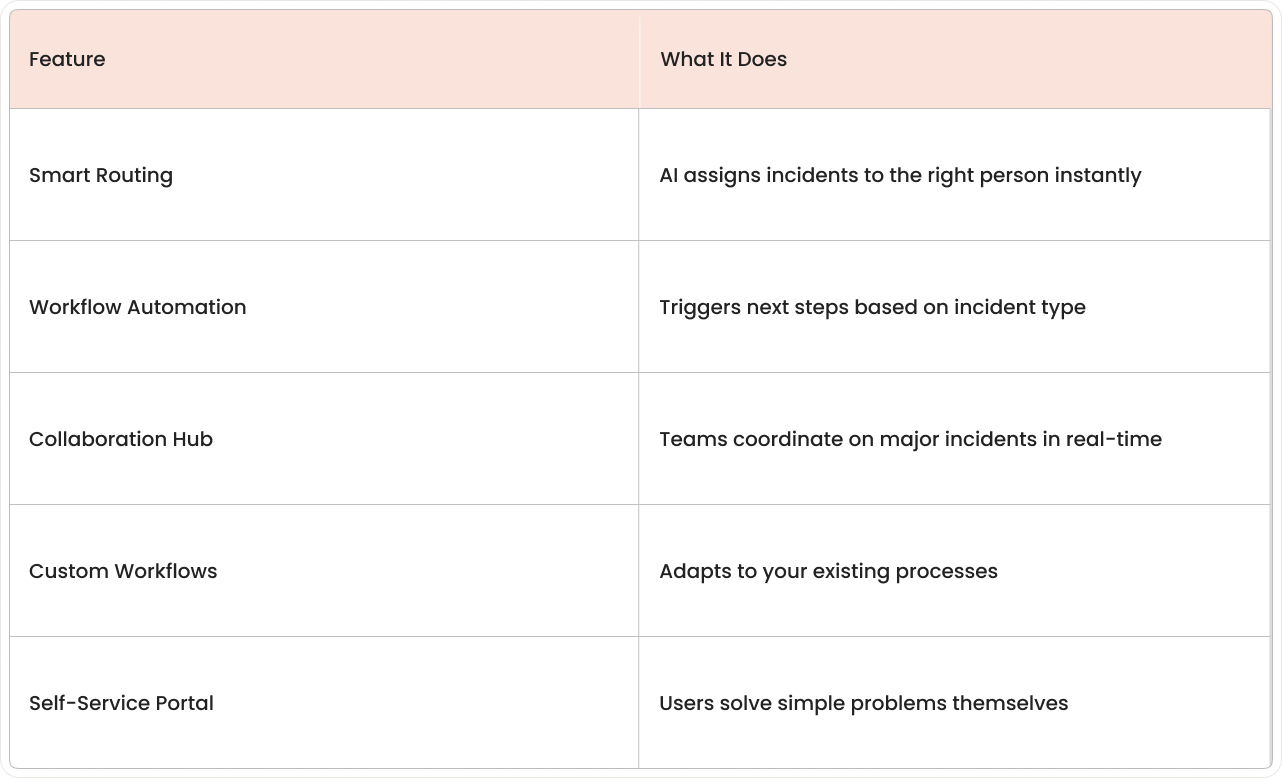
It even keeps every stakeholder in the loop automatically.
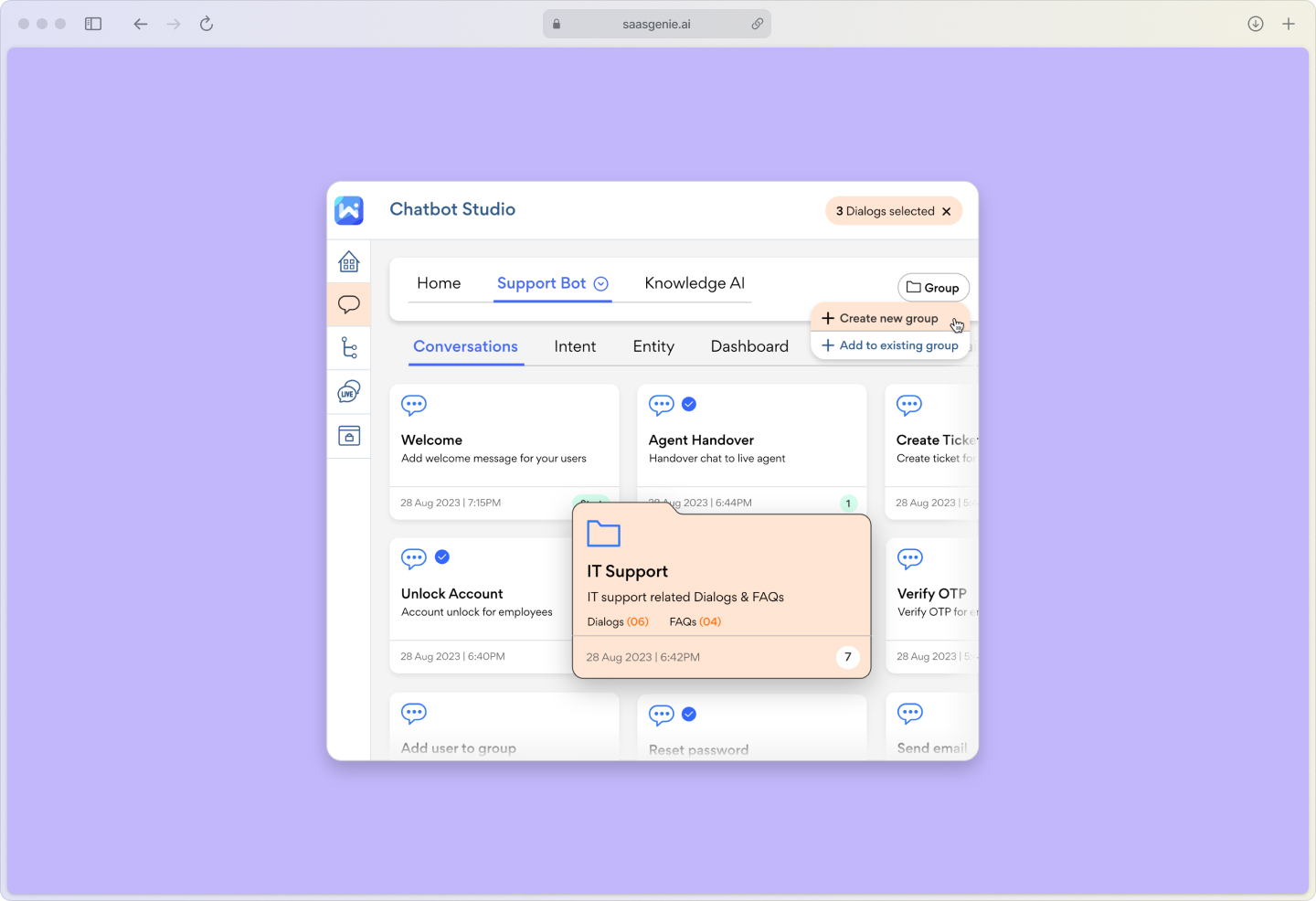
Smart incident routing and assignment
The platform reads each incident as it arrives and immediately knows where it belongs.
Hardware problem? Goes to the infrastructure team.
Software bug? Routes to applications.
Security alert? Lands with the security team.
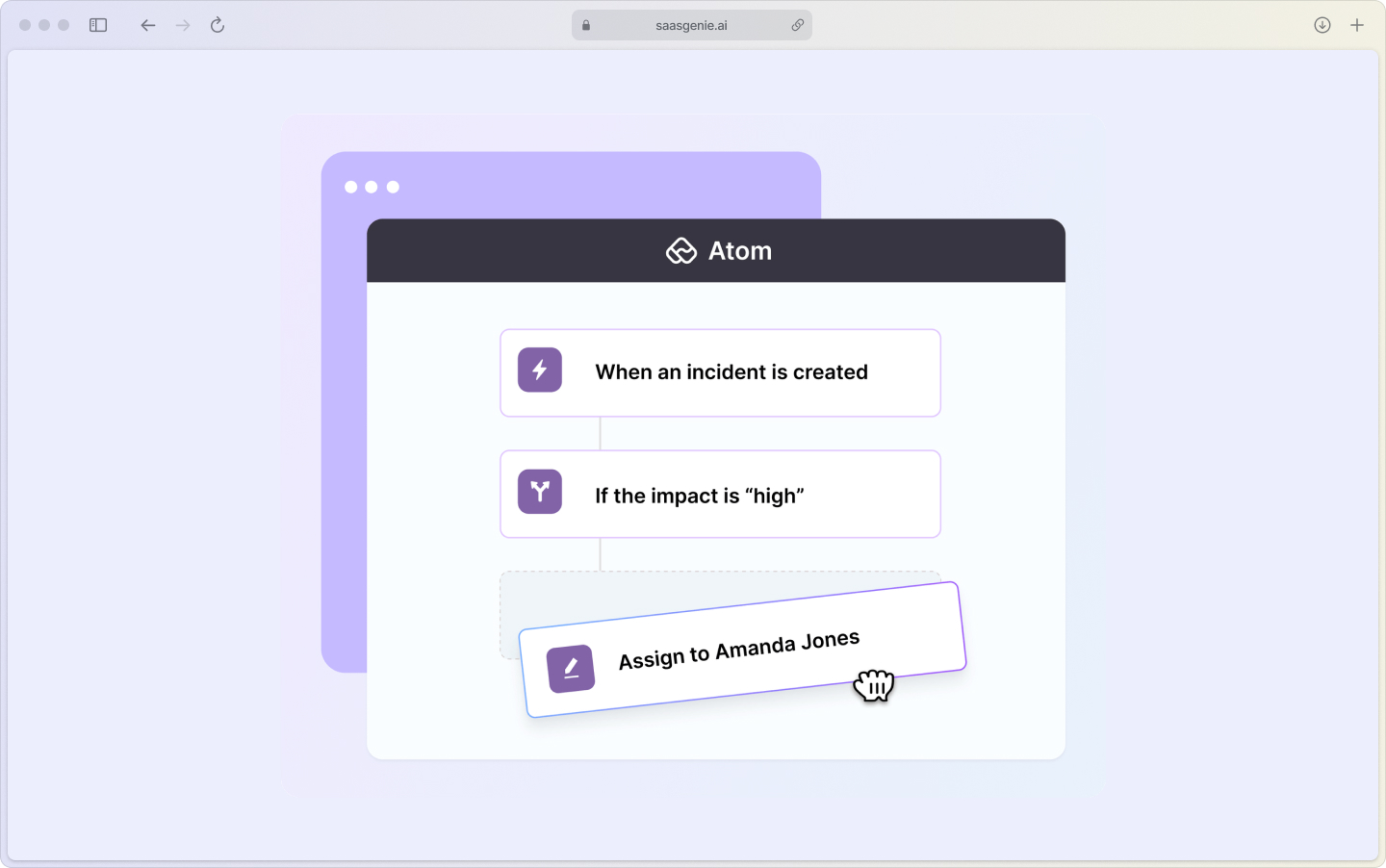
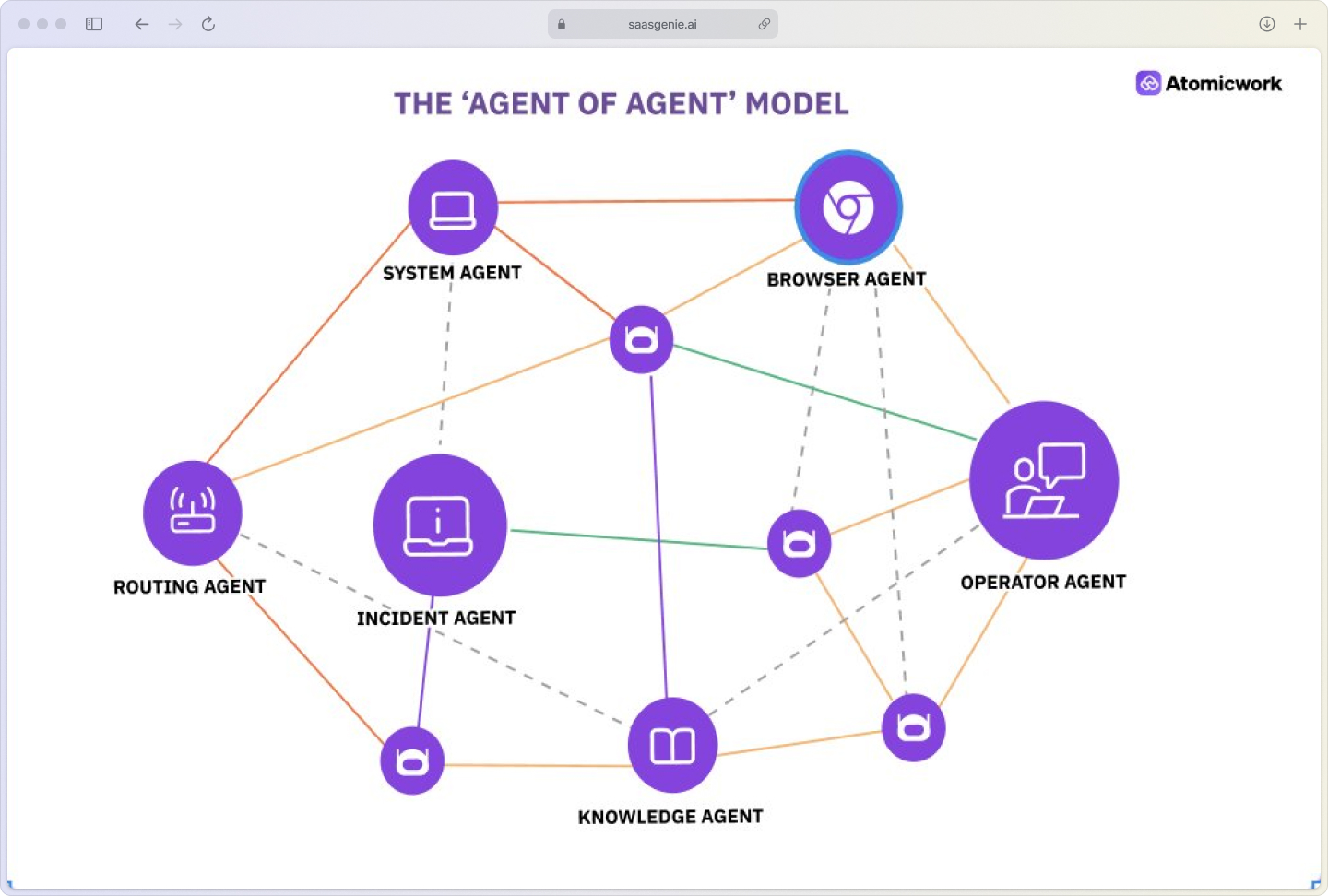
Better yet, the Universal AI Agent spots patterns across multiple reports, clusters them into one master incident, and kicks off the right workflow before anyone even opens the queue.
This happens in seconds, not hours. No more incidents of sitting in a general queue while someone manually sorts through the pile.
Automated workflow triggers
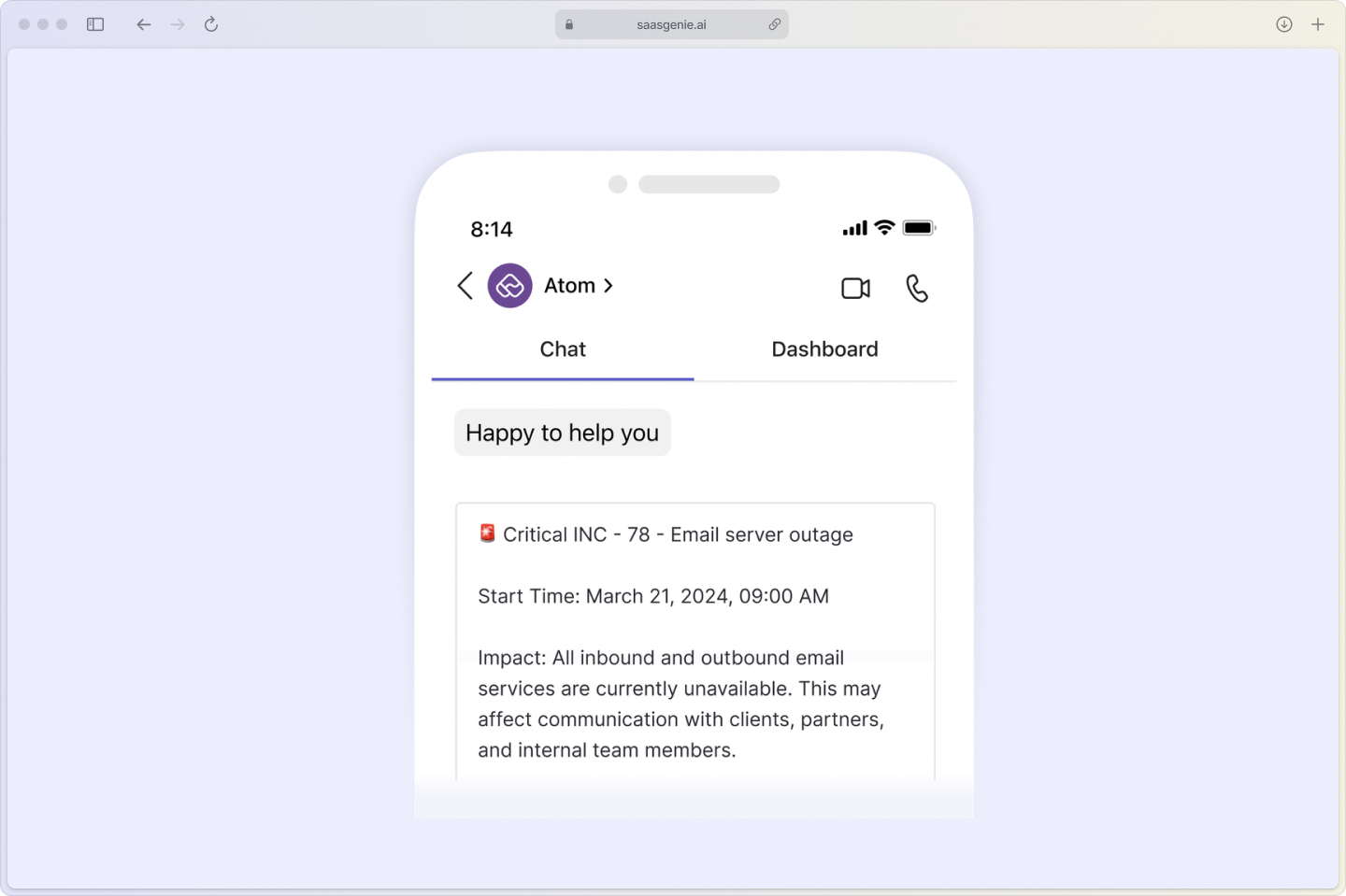
When specific conditions are met, Atomicwork automatically kicks off predefined actions.
High-priority incident? Instant notifications to managers.
Security breach? Emergency protocols activate immediately.
These workflows run without human intervention, ensuring consistent responses even when key people are unavailable.
Real-time collaboration for major incidents
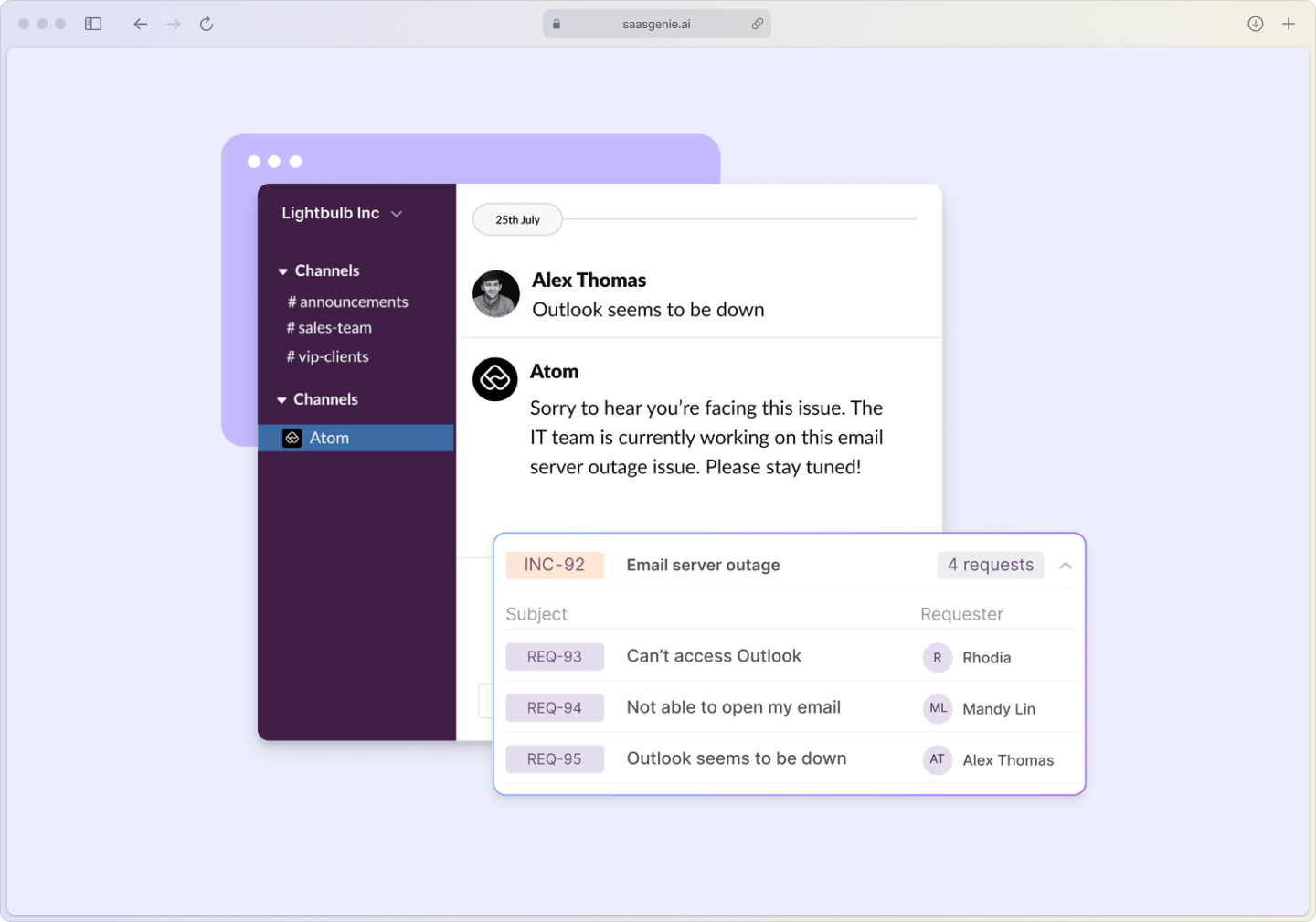
During big problems affecting multiple systems, Atomicwork creates a virtual war room where teams can coordinate. Everyone sees the same information, updates happen in real-time, and nothing falls through the cracks.
Better still, the platform writes the status updates for you; its AI fires off concise summaries to every stakeholder so they stay informed without distracting the response team.
Self-service portal integration
Employees can report problems or find solutions through a clean, simple interface. Common issues get resolved instantly through the knowledge base through self-service, reducing ticket volume and freeing up IT staff for complex work.
How incident management works in Atomicwork
The incident lifecycle in Atomicwork follows proven ITIL practices, but with AI doing the heavy lifting at each stage.
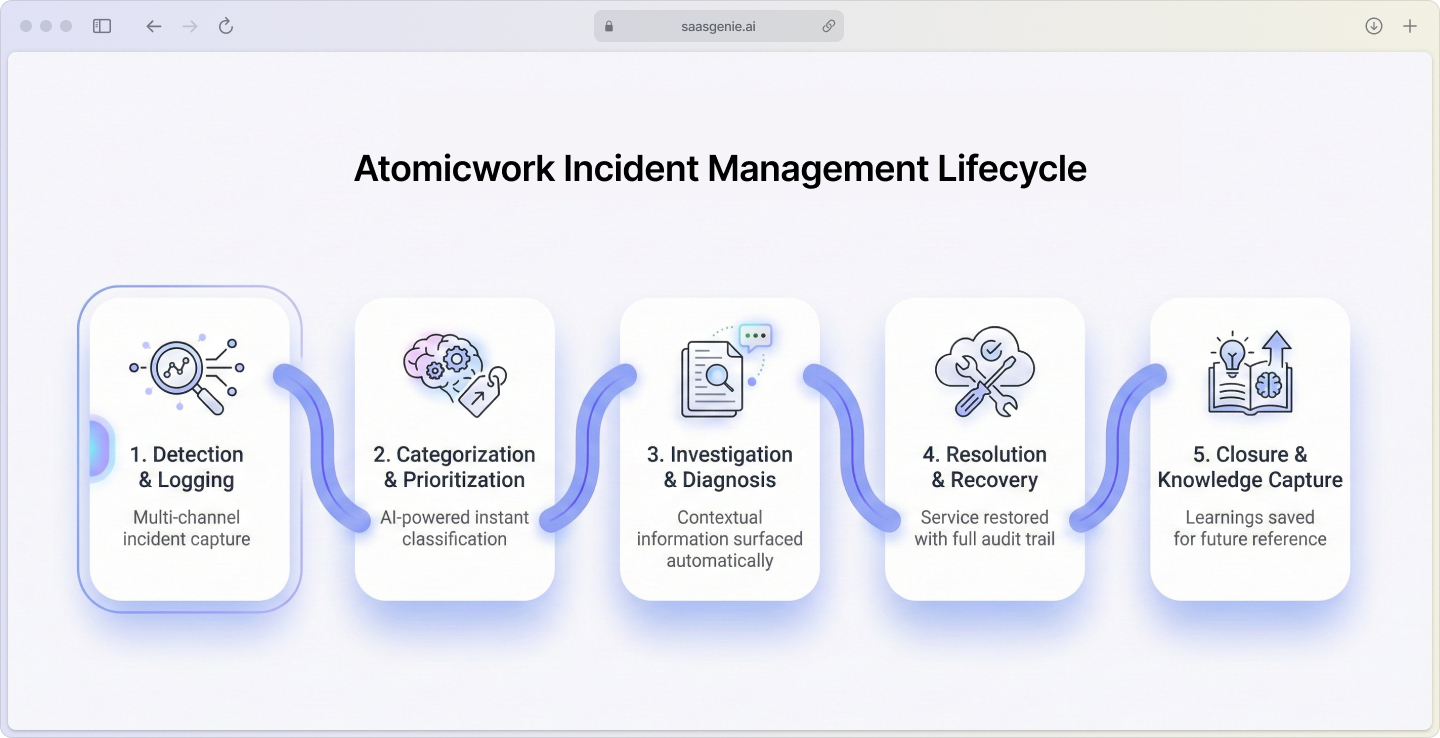
1. Incident detection and logging
Problems get discovered through multiple channels:
- Monitoring tools: System alerts flow directly into Atomicwork.
- User reports: Employees submit issues through the portal or email.
- AI detection: The platform spots unusual patterns before they become incidents.
- Ticket clustering: The Universal AI Agent groups similar reports into a single incident, giving your team one clear target instead of twenty duplicate tickets.
Every incident gets logged with complete context: who reported it, what systems are affected, and initial classification.
2. Automatic categorization and prioritization
Atomicwork's AI reads the incident details and instantly assigns:
- Category: Hardware, software, network, security, etc.
- Priority: Based on business impact and urgency.
- Initial assignment: Routes to the appropriate team or specialist.
This classification happens consistently, eliminating the guesswork and human error common in manual triage.
3. Investigation and diagnosis
IT teams investigate using contextual information provided by the platform. Related configuration items, recent changes, and similar past incidents are surfaced automatically to speed diagnosis.
4. Resolution and recovery
Teams work to restore normal service while Atomicwork tracks resolution time and keeps stakeholders updated. The platform maintains a complete audit trail of all actions taken.
5. Closure and knowledge capture
Once resolved, incidents are closed, and key learnings are captured in the knowledge base for future reference.
Automation and smart workflows with AI
Atomicwork's AI handles routine tasks that typically consume hours of manual work each week.
AI-powered incident triage
The platform analyzes incoming tickets and automatically:
- Categorizes incidents based on description and affected systems.
- Sets priority levels using business impact criteria.
- Assigns to appropriate teams without human review.
- Suggests solutions based on similar past incidents.
Intelligent escalation rules
When incidents aren't resolved within SLA timeframes, Atomicwork automatically escalates to senior staff or management. The platform tracks response times and adjusts escalation paths based on incident severity.
Proactive alerting
Rather than waiting for problems to become critical, the system monitors for early warning signs and alerts teams before incidents escalate.
Virtual agent support
A conversational AI handles common requests through chat, resolving simple issues instantly and collecting detailed information for complex problems that require human attention.
Incident analytics and reporting
Atomicwork provides clear visibility into how your incident management performs:
- Volume trends: Track incident patterns over time to spot recurring issues
- Resolution metrics: Measure how quickly different types of problems get solved
- Root cause analysis: Identify underlying problems causing repeat incidents
- SLA performance: Monitor compliance with service level commitments
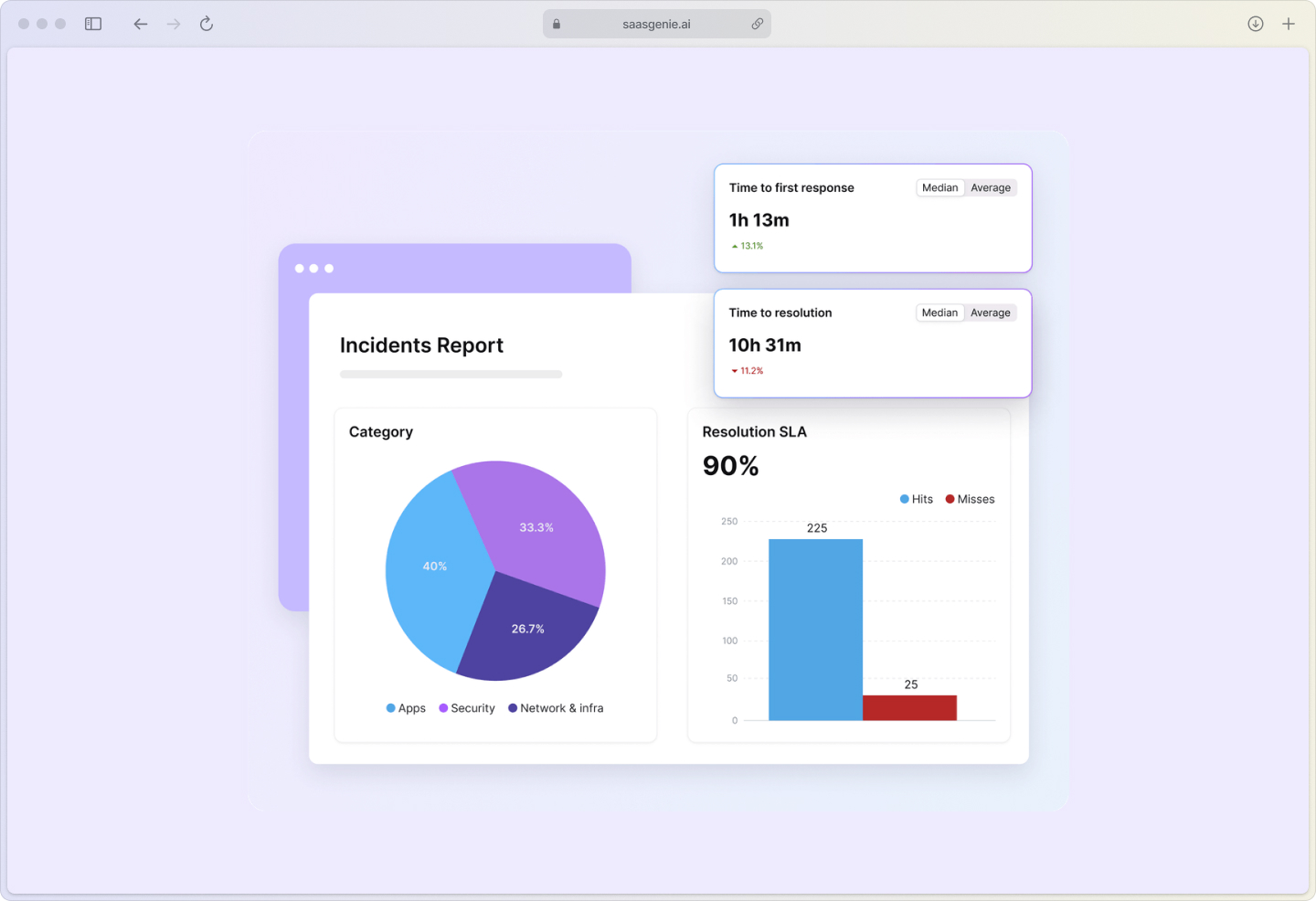
These insights help teams improve their processes and prevent future problems rather than just reacting to current ones.
How to evaluate incident management tools
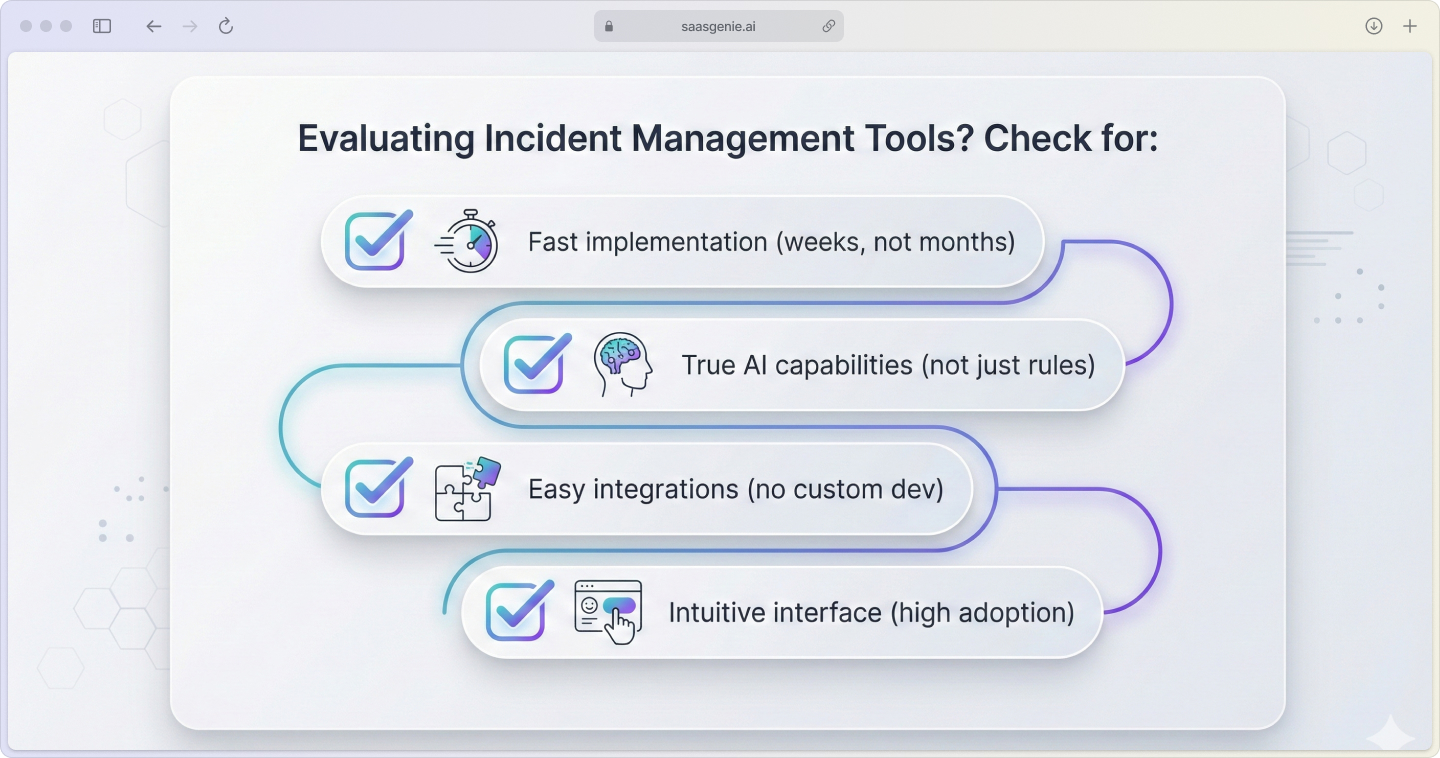
When comparing incident management platforms, focus on these key areas:
Speed of implementation
Some ITSM tools require months of configuration before going live. Atomicwork's cloud-native design means most teams can start using core features within weeks.
AI and automation depth
Look for genuine AI capabilities, not just basic rule-based automation. True AI learns from your environment and improves over time.
Integration capabilities
Your incident management tool should connect easily with existing monitoring, communication, and business systems without custom development work.
User adoption factors
The best features are useless if people won't use them. Platforms with intuitive interfaces and mobile support typically see higher adoption rates.
Atomicwork integrations
The platform connects with tools your team already uses:
Monitoring platforms
Integration with Datadog, New Relic, and other observability tools means alerts automatically become incidents without manual intervention.
Communication tools
Native connections to Slack and Microsoft Teams keep everyone informed and enable chat-based incident management.
Identity systems
Single sign-on with Active Directory and other identity providers ensures secure, seamless access.
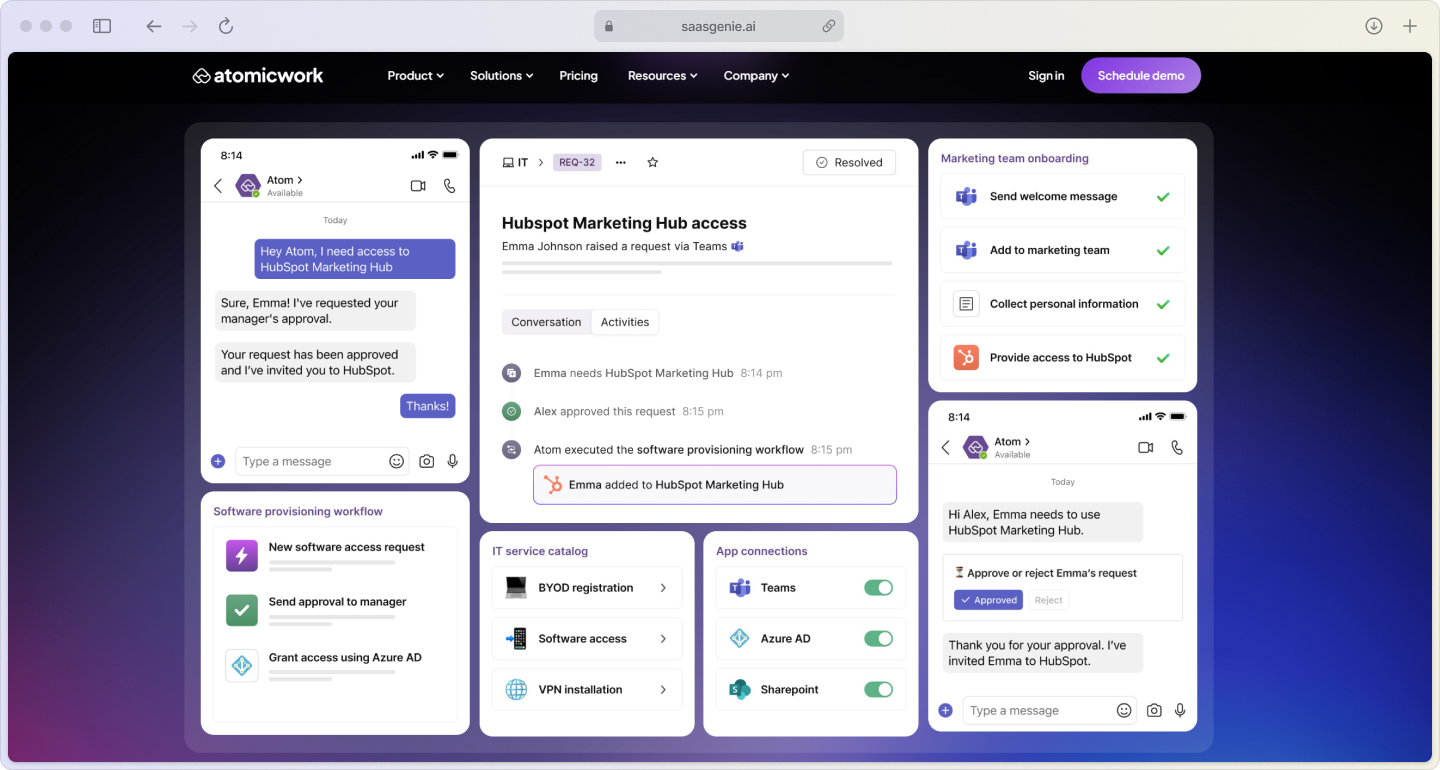
ITIL alignment in Atomicwork
Atomicwork supports established ITIL practices while making them easier to follow:
Standardized categorization
Consistent incident classification ensures problems are handled the same way every time, improving both speed and quality.
Defined escalation paths
Clear rules about when and how incidents escalate prevent important issues from getting stuck in queues.
Continuous improvement
Built-in analytics help teams identify trends and optimize their incident response processes over time.
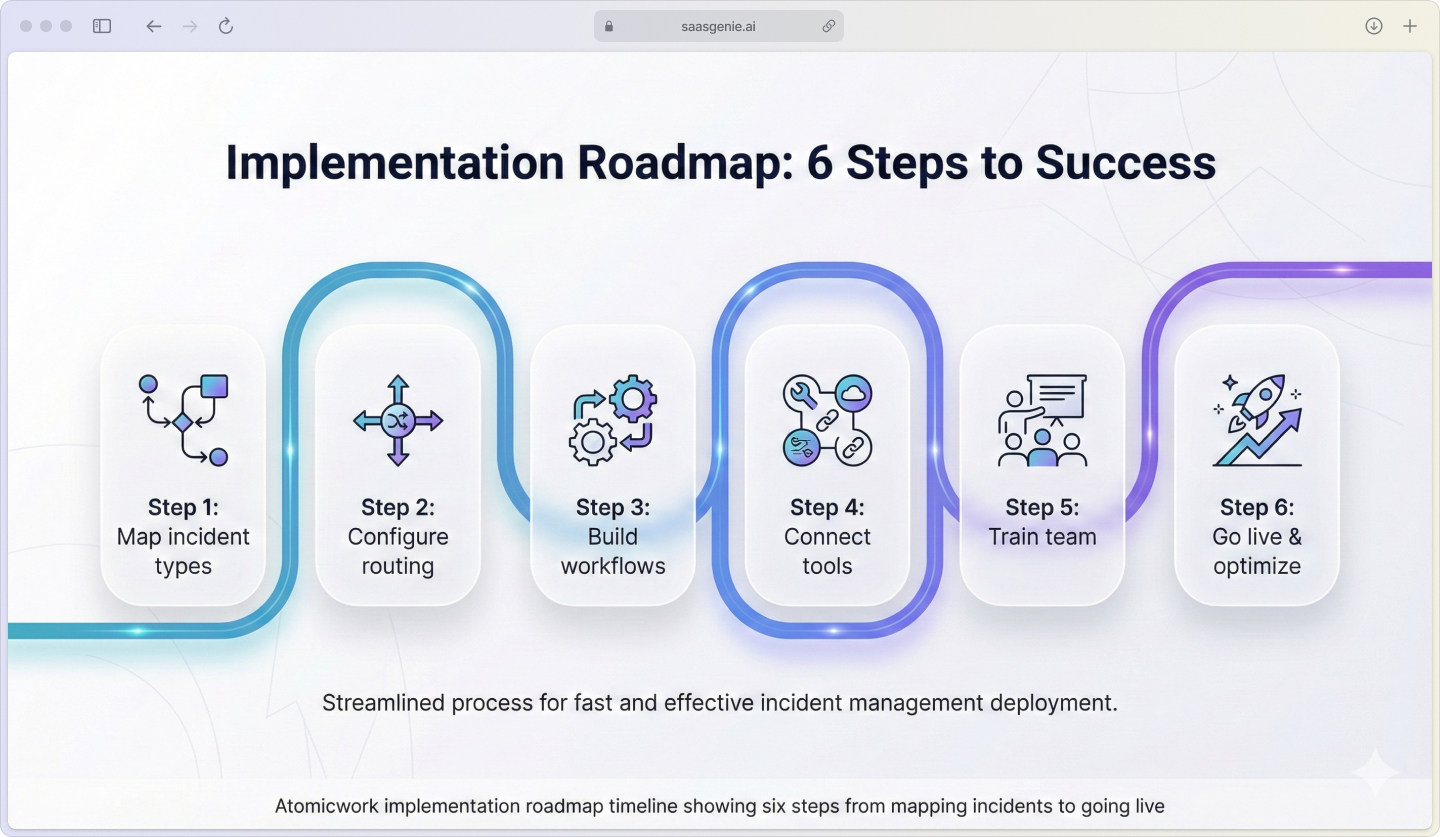
Atomicwork implementation roadmap
Getting started with Atomicwork follows a logical sequence:
1. Map your incident types and priorities
Define categories that match your environment and establish priority levels based on business impact.
2. Configure routing rules
Set up automated assignment so incidents reach the right teams without manual sorting.
3. Build workflows
Create automated processes for common incident types, including notifications and escalations.
4. Connect your tools
Integrate monitoring systems and communication platforms for seamless information flow.
5. Train your team
Ensure everyone understands the new processes and platform capabilities.
6. Go live and optimize
Launch with core functionality and refine based on real-world usage patterns.
Get more from Atomicwork with saasgenie
Getting the most from any ITSM platform requires proper setup and ongoing optimization. saasgenie specializes in Atomicwork implementations that deliver results quickly.
As certified partners, we handle the technical setup while helping you design workflows that match your organization's needs.
Our approach focuses on fast deployment with minimal disruption to current operations.

Ready to see how Atomicwork can transform your incident management?
Schedule a consultation to discuss your specific requirements.