.webp)




What is Customer Experience Automation, and How Does It Work?
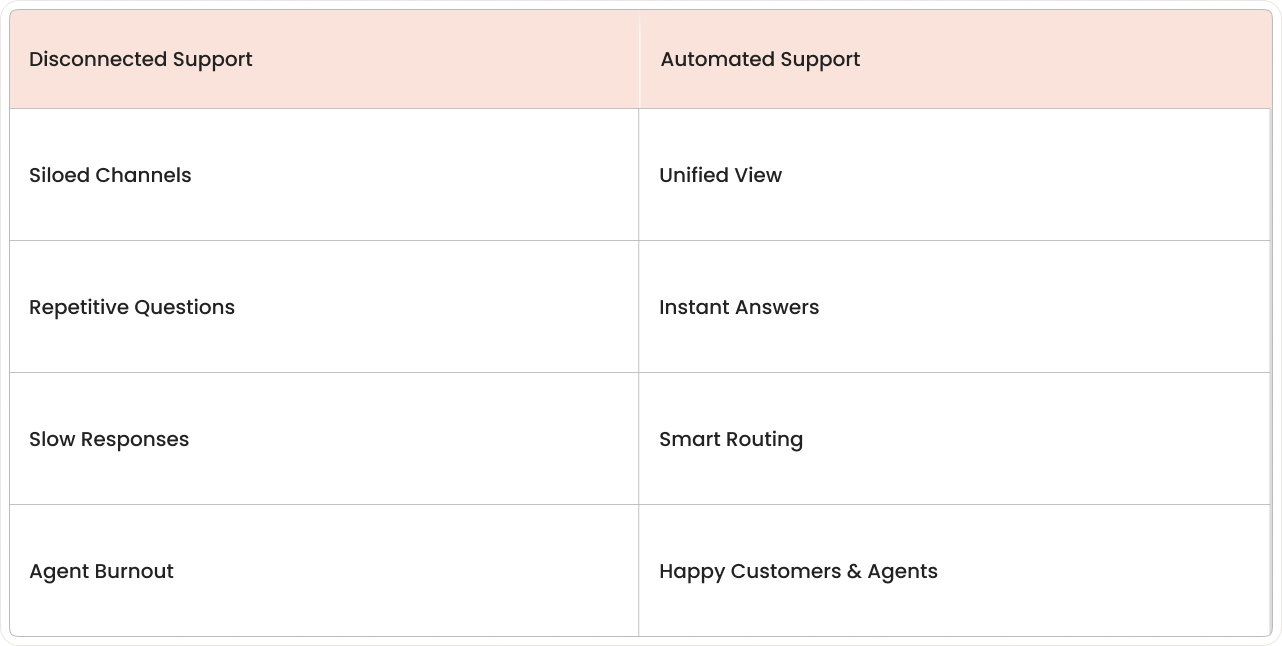
Customer support happens in many places at once: email, chat, social media, phone, and self-service portals. When every channel runs on separate steps and separate tools, customers see delays and repeated questions.
Customer Experience Automation explains how software coordinates those interactions. The goal is consistent, fast handling of common customer tasks without relying on manual work for every step.
Support teams often face a whack-a-mole scenario with customer requests—

knocking down one inquiry only to see three more pop up, each asking the same question in slightly different ways.
Customer experience automation acts as a digital air traffic controller that routes conversations, answers questions, and keeps everything moving without human agents burning out on repetitive tasks.
What is customer experience automation?
Customer Experience Automation (CXA) is software that brings AI, connected data, and no-code workflows together to streamline and personalize interactions across every stage of the customer journey, no matter which channel a customer chooses. Instead of every chat, email, or phone call requiring manual attention, CXA systems can greet customers, understand their questions, pull relevant information, and either solve the issue or route it to the right human agent with full context.
The technology functions as an always-available assistant that never forgets customer history and can handle dozens of conversations simultaneously. When a customer asks, "Where's my order?" the system instantly connects to shipping data, finds the tracking info, and delivers a complete answer, no human typing required.
The key difference from basic chatbots: modern CXA platforms understand context and intent, not just keywords. They can handle follow-up questions, manage complex workflows such as returns or account changes, and learn from every interaction to improve over time.
Core capabilities include:
- Intent recognition: Understanding what customers actually want, even when they phrase it differently.
- Omnichannel coordination: Same conversation quality across chat, email, social media, and phone, crucial since companies with strong omnichannel strategies retain 89% of their customers.
- Smart routing: Connecting complex issues to the right specialist with full conversation history.
- Automated actions: Completing tasks like password resets, order updates, and appointment scheduling.
How customer experience automation works
Modern CX automation platforms combine several technologies to create seamless customer interactions. The system starts by collecting data from existing tools, CRM records, order systems, and knowledge bases, then uses AI to understand customer messages and decide what action to take next.
- Orchestration
- Segmentation
- Personalization
- Automation
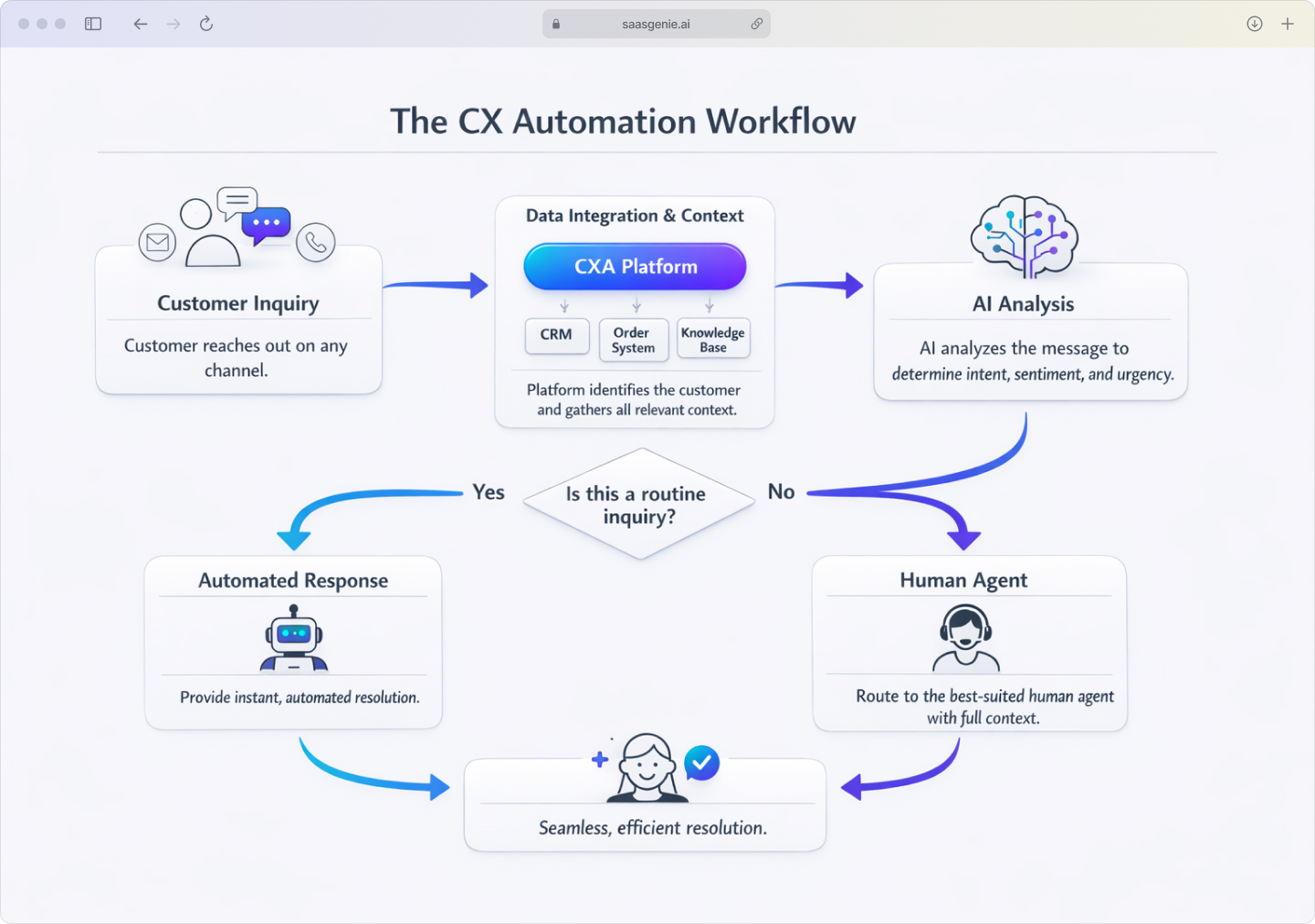
When a customer reaches out, the automation platform immediately identifies who they are and pulls their account history. AI analyzes their message to determine intent: are they asking about an order, reporting a problem, or trying to make a change? Based on that analysis, the system either provides an instant answer or creates a workflow to resolve the issue.
Collect data and integrate customer context
CX automation platforms connect to existing business systems to build a complete customer picture before responding. This includes CRM data, purchase history, previous support conversations, subscription details, and any open issues or recent changes.
The system matches customers across channels, so someone who started a conversation via email can continue it through chat without repeating information. Context also includes preferences like language, communication style, and past resolution methods that worked well.
AI analysis and smart decision making
AI models interpret customer messages to understand both explicit requests and underlying intent. Today's generative AI even suggests the next best action in real time, custom-tailoring each response or offer to what that individual is most likely to need next. Modern natural language processing can distinguish between "I want to cancel" (which might mean pause service, downgrade, or actually cancel) and route accordingly.
The system also extracts key details like order numbers, product names, error messages, and urgency indicators. Sentiment analysis flags frustrated customers for priority handling or immediate escalation to human agents.
Automated responses and intelligent routing
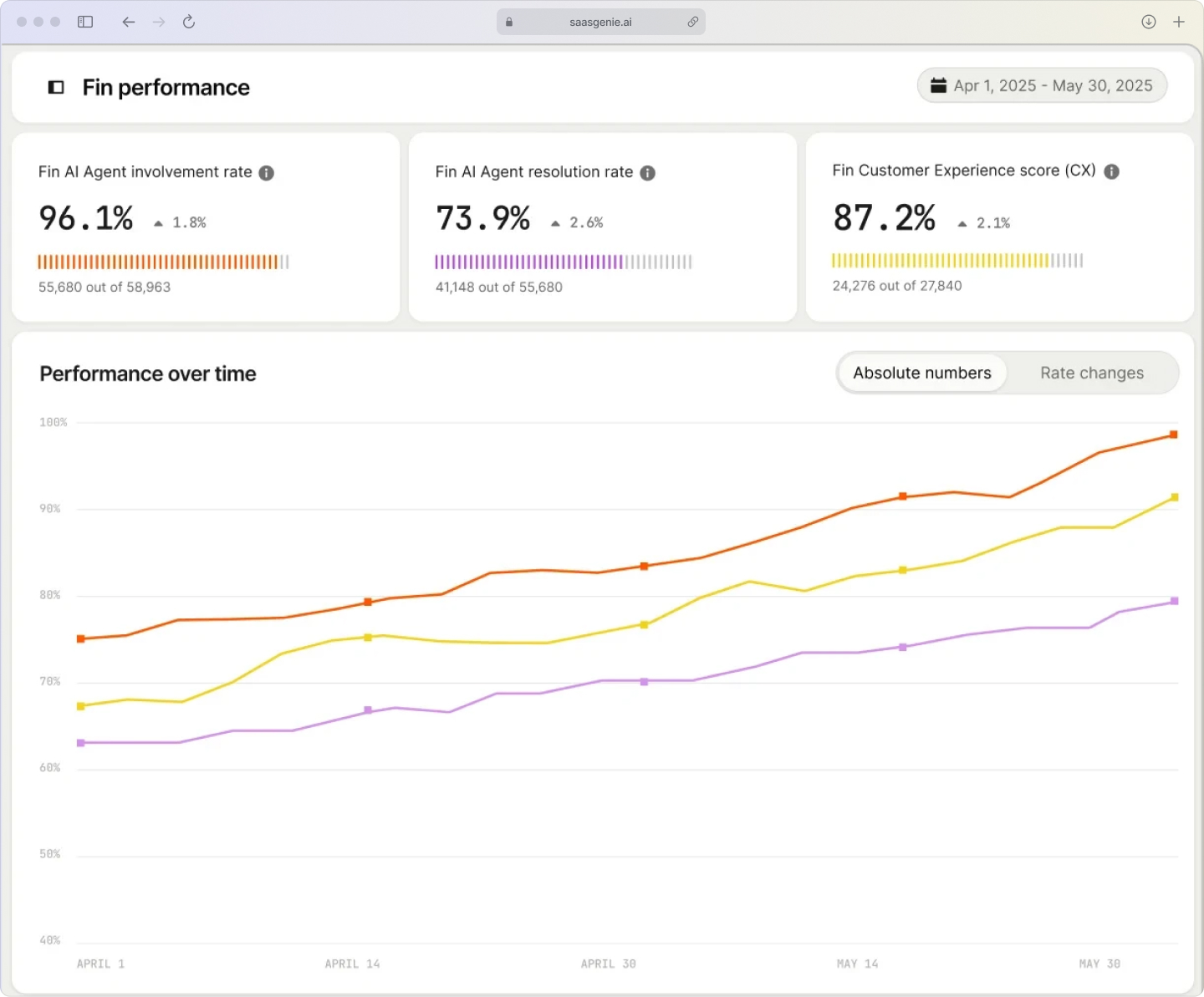
For routine questions, CX automation can provide complete answers using verified information from connected systems. Password resets happen instantly, order status updates pull real-time shipping data, and account changes execute automatically when permissions allow.
This frees agents to tackle the trickier issues, lifting customer satisfaction while quietly trimming operational costs.
When automation can't fully resolve an issue, intelligent routing considers factors like topic complexity, customer value, agent expertise, and current workload. The human agent receives the full conversation history plus relevant account context, eliminating the need for customers to repeat themselves.
CX automation vs CRM and marketing automation
These three platforms often get confused because they all involve customer data and automated workflows. The key difference is timing and purpose: CRM stores customer information, marketing automation sends planned communications, and CX automation responds to real-time customer interactions.
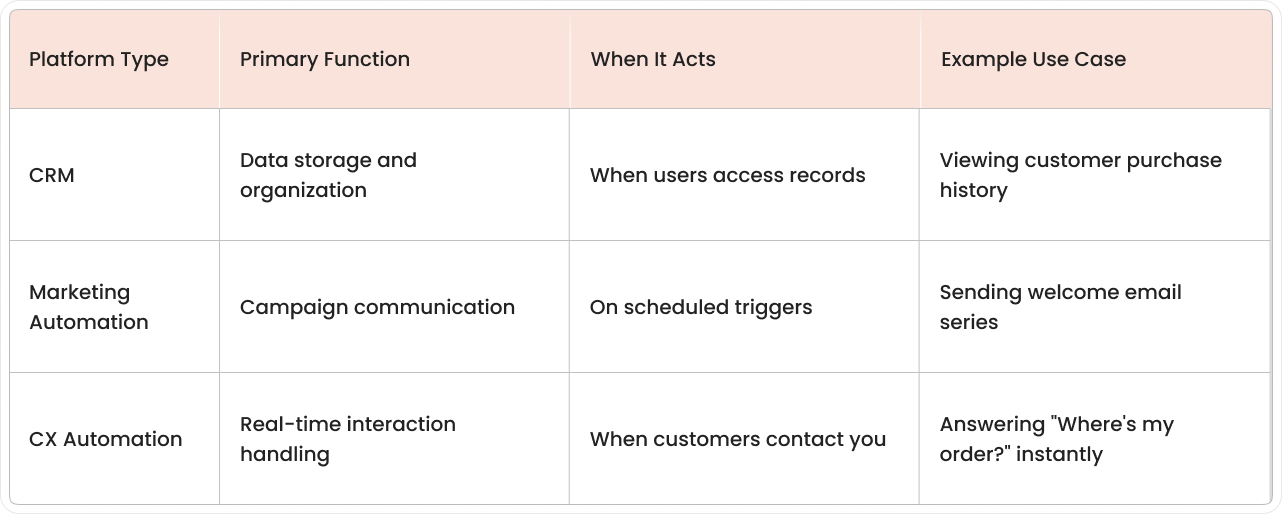
CX automation vs CRM
A CRM system organizes and stores customer data, but doesn't automatically respond to customer inquiries. It's essentially a database with reporting features. CX automation uses CRM data as input to take action during live customer conversations.
For example, when a customer asks about their account, CX automation pulls their CRM record, analyzes their question, and either provides an answer or routes them to the appropriate team with their full history attached.
CX automation vs marketing automation
Marketing automation focuses on planned outbound communication, while CX automation handles inbound service interactions. Marketing automation sends email campaigns, nurtures leads, and manages scheduled touchpoints. CX automation responds to customer-initiated conversations across support channels.
The overlap occurs in proactive customer communication—both can send order updates or service notifications, but CX automation specializes in real-time, conversational interactions rather than broadcast messaging.
CX automation tools and platforms
Customer experience automation platforms typically bundle several specialized tools that work together to handle different parts of the support journey.
- Conversational AI: AI agents and chatbots that handle customer conversations.
- Self-service: Self-service options like portals and knowledge bases.
- Workflow automation: Workflow builders that automate multi-step support processes.
- Quality monitoring: Tools for evaluating and improving interaction quality.
- Workforce planning: Features for staffing and workload forecasting.

AI agents and chatbots
Modern AI agents can handle complete conversations, not just answer FAQ questions, with IBM reporting chatbots handle up to 80% of routine inquiries. They understand context, ask clarifying questions, and complete multi-step processes like troubleshooting technical issues or processing returns.
Advanced agents can switch between topics within the same conversation, remember previous interactions, and maintain a consistent personality and tone that matches the brand voice.
Self-service portals and knowledge bases
AI-powered self-service goes beyond simple search to understand customer questions and surface the most relevant help content. Smart knowledge bases can suggest articles while customers type, provide step-by-step guided troubleshooting, and offer related solutions.
Some platforms also enable customers to complete common tasks directly through the portal, updating contact information, downloading invoices, or changing subscription settings, without creating support tickets.
Workflow automation builders
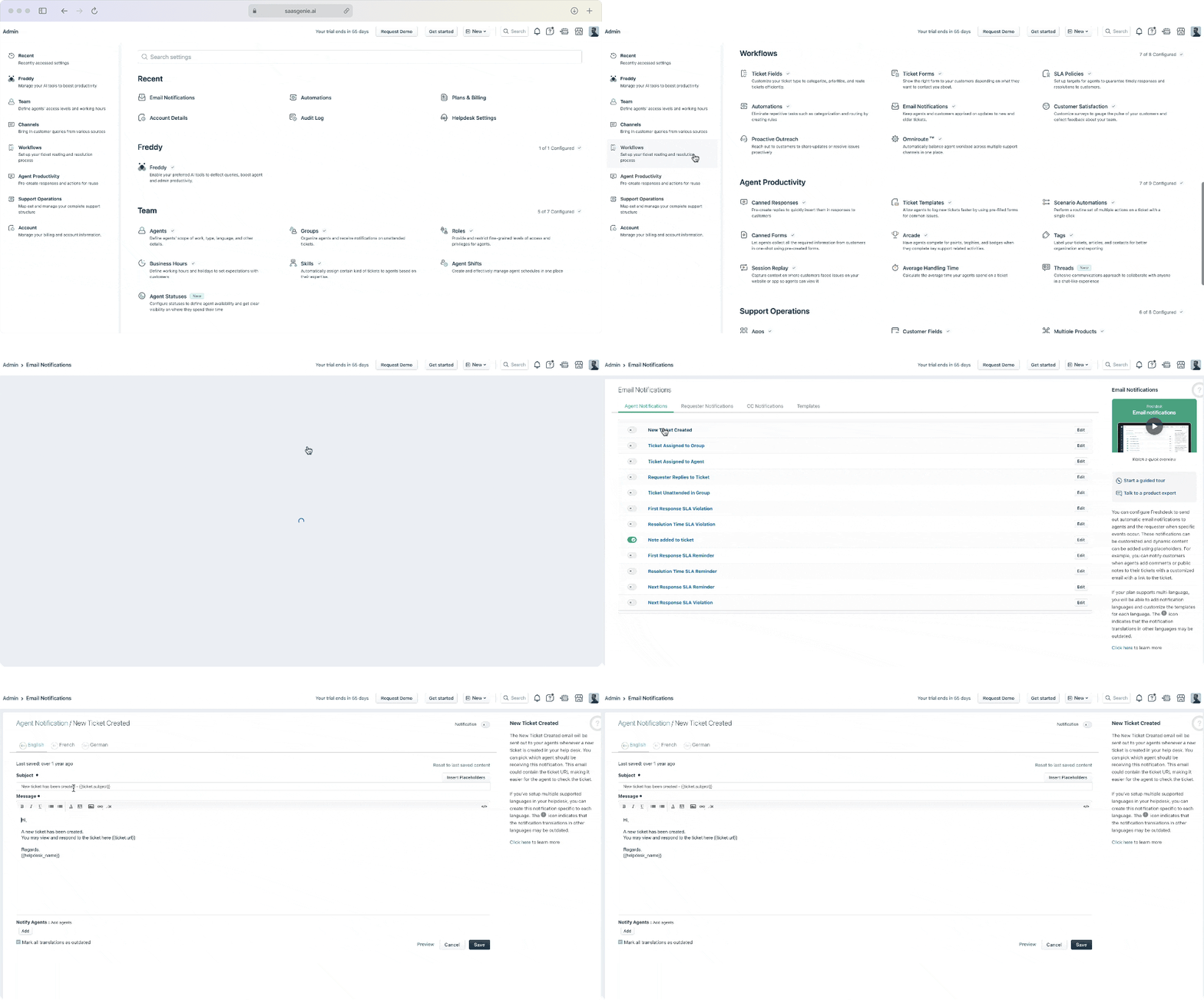
No-code workflow tools let teams design complex support processes without technical expertise.
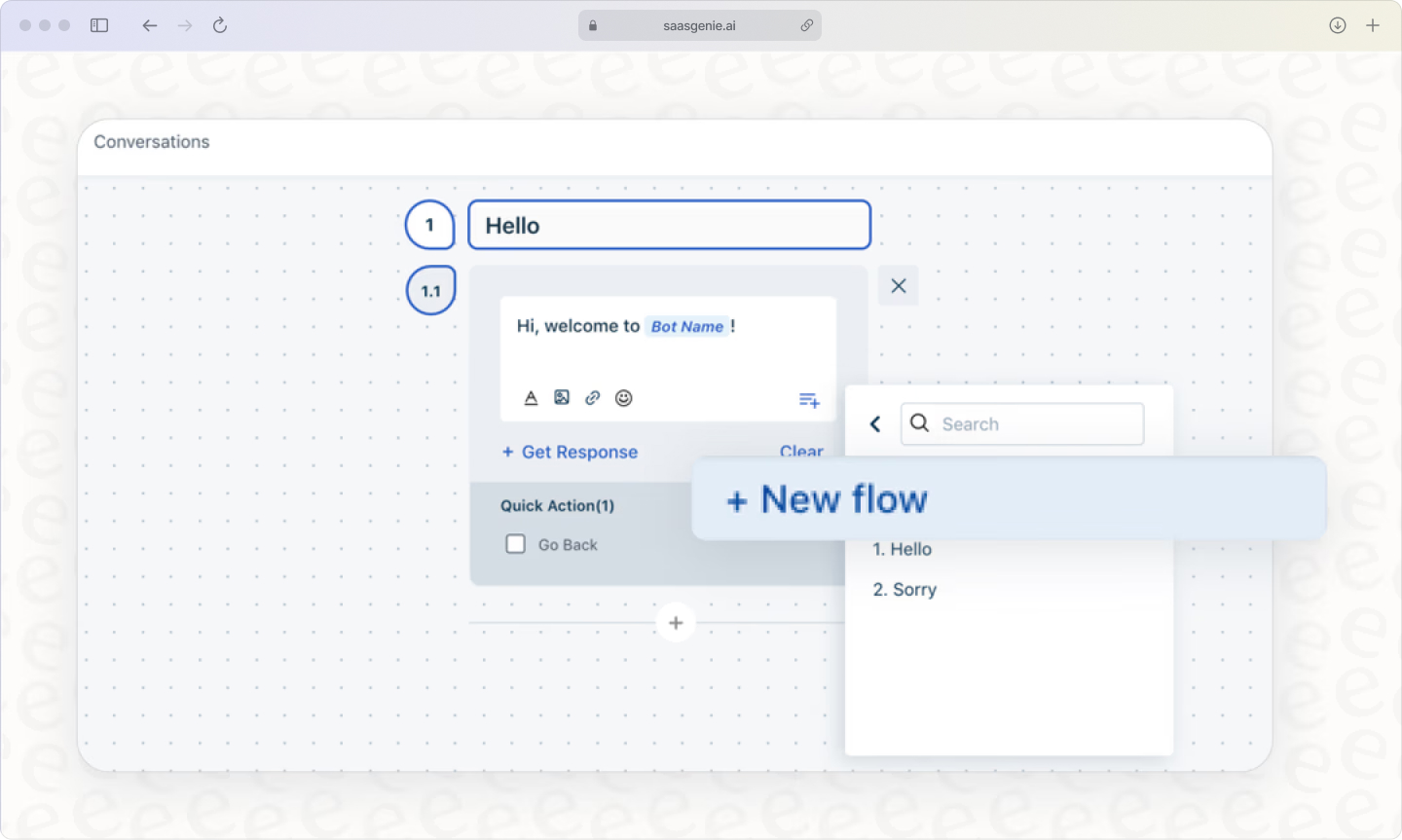
These workflows can include approval steps, data validation, system integrations, and conditional logic based on customer type, issue complexity, or business rules.
For example, a refund request workflow might automatically approve amounts under $50, route mid-range requests to supervisors, and require manager approval for larger amounts, all while keeping customers updated on status.
Benefits of customer experience automation
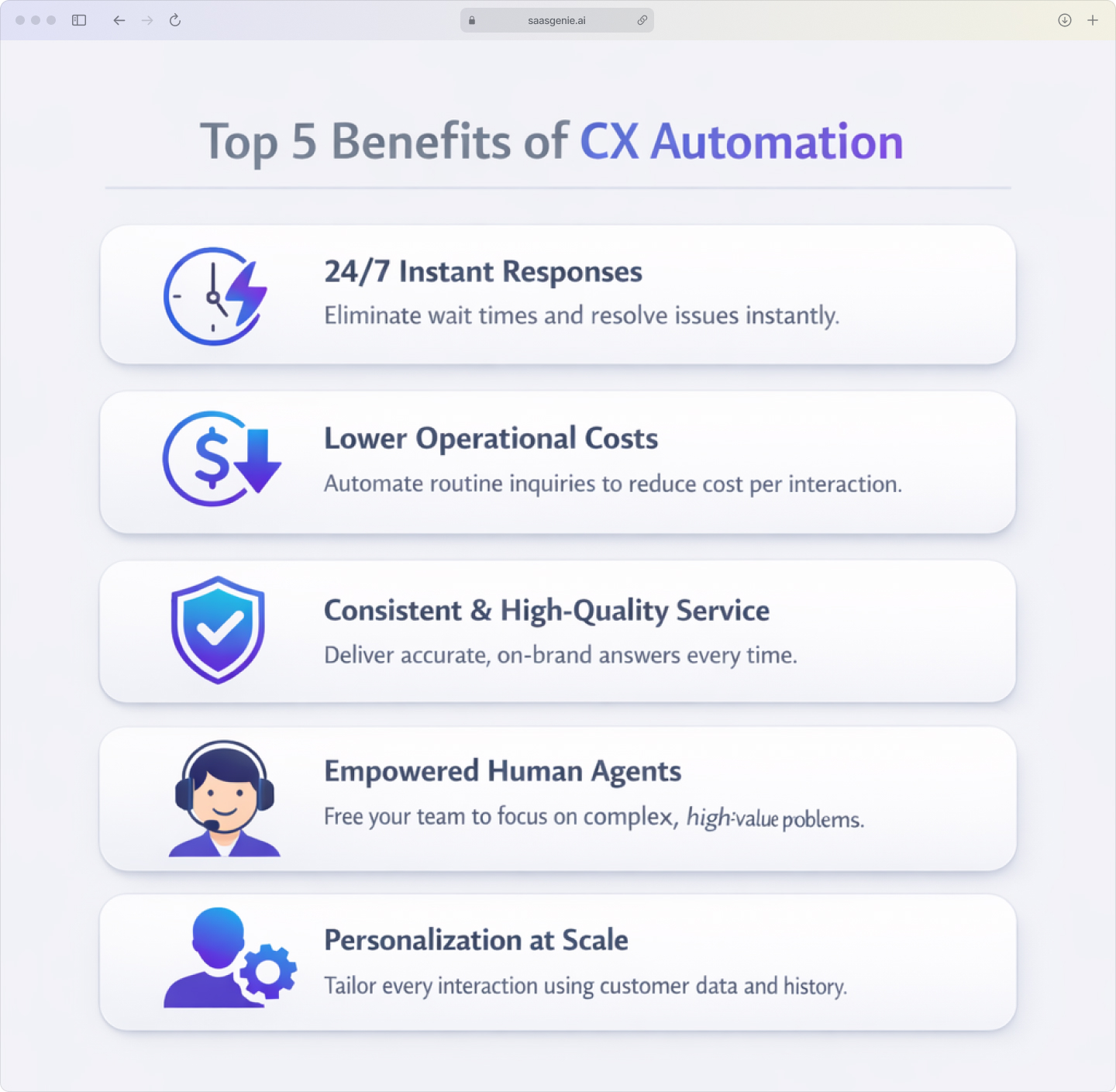
Immediate response capability: Customers get instant acknowledgment and often complete resolution, regardless of time zones or business hours. This eliminates the frustration of waiting for initial contact.
Consistent service quality: Automation applies the same knowledge, policies, and tone across all interactions. Customers receive accurate information whether they contact you at 9 AM or 11 PM, through any channel.
Reduced operational costs: Handling routine inquiries automatically significantly lowers the cost per interaction while allowing human agents to focus on complex issues that require judgment and empathy.
Scalable personalization: The system can tailor responses based on customer history, preferences, and account details for thousands of simultaneous conversations, something impossible with manual processes.
Higher agent satisfaction: By eliminating repetitive work, automation allows support staff to engage with interesting problems and have more meaningful customer interactions.
Examples of automated customer experiences
AI chatbot handles routine inquiries
A customer types "I need to change my delivery address," and the chatbot immediately authenticates them, pulls up their recent orders, confirms which shipment needs updating, validates the new address, and processes the change, all within 30 seconds.
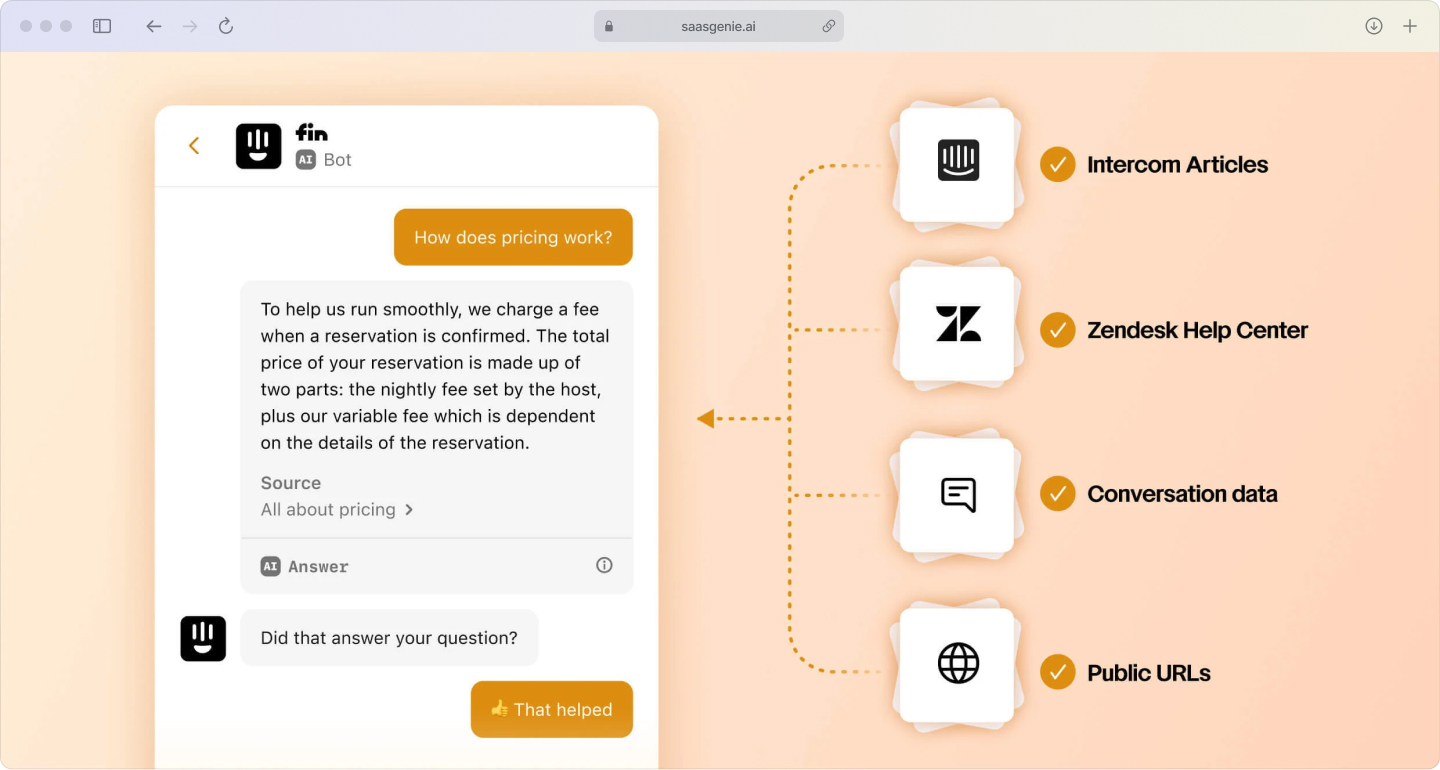
The system can handle variations like "Can you send my package somewhere else?" or "Wrong address on my order" because it understands intent rather than matching exact phrases.
Automated ticket routing and escalation
When someone emails about a billing discrepancy, the system analyzes the message content, identifies it as a financial issue, checks the customer's account value and history, and then routes it directly to the billing specialist team with priority flagging and full account context attached.
If the ticket isn't acknowledged within defined time limits, automatic escalation ensures nothing falls through the cracks while keeping the customer informed of progress.
Proactive customer outreach
The system monitors order status, shipping updates, and service incidents to automatically notify affected customers before they contact you. A delayed shipment triggers a message with new delivery estimates and options to reschedule or redirect.
This proactive communication often prevents support tickets entirely while demonstrating active monitoring of customer experience.
How to get started with customer experience automation
1. Map your current customer journey touchpoints
Start by documenting how customers currently contact you and what happens next. Look for patterns in common questions, long response times, repeated handoffs, or cases where customers have to explain their situation multiple times.
Simple metrics like average response time by channel, ticket volume by category, and customer satisfaction scores provide baseline measurements for improvement.
2. Define specific automation goals and success metrics
Choose measurable objectives that align with customer experience improvements. Common goals include reducing first response time, increasing self-service completion rates, improving customer satisfaction scores, or decreasing cost per interaction.
Each goal needs a clear measurement method and target, like "reduce average first response time from 4 hours to under 30 minutes" or "achieve 70% first-contact resolution for password reset requests."
3. Select a CX automation platform that integrates with your existing systems
Platform evaluation should focus on how well the system connects with your current tools and data sources. Look for pre-built integrations with CRM, help desk software, e-commerce platforms, and communication tools.
Consider factors like setup complexity, ongoing maintenance requirements, and whether teams have the skills to configure and optimize the system effectively.
4. Start with high-volume, low-complexity use cases
Begin automation with straightforward, repetitive tasks that have clear answers and predictable workflows. Examples include order status inquiries, password resets, basic account information updates, and simple troubleshooting steps.
These initial use cases provide quick wins while teams learn the platform and build confidence in automated responses.
5. Monitor performance and iterate based on results
Track both operational metrics and customer feedback to identify areas for improvement. Monitor resolution rates, escalation patterns, customer satisfaction with automated interactions, and agent feedback on workflow effectiveness.
Regular optimization based on real usage data ensures the system becomes more accurate and helpful over time.
Implement CX automation with expert help
Successful CX automation implementation requires more than just installing software; it involves redesigning workflows, training teams, and optimizing based on real customer interactions. Many organizations struggle with integration complexity, change management, or achieving the expected ROI from their automation investments.
saasgenie specializes in implementing customer experience automation platforms like Freshworks and Intercom, helping organizations design workflows that actually work for their specific customer scenarios. Our approach includes the discovery of current processes, identification of automation-ready use cases, and ongoing optimization to ensure measurable results.
Common implementation challenges we address:
- System integration complexity: Connecting automation platforms with existing CRM, billing, and support tools.
- Workflow design: Creating conversation flows that handle edge cases gracefully.
- Team adoption: Training agents to work effectively alongside automation.
- Performance optimization: Continuously improving accuracy and customer satisfaction.

Ready to Build a Smarter Customer Experience?
Don't let integration complexity or workflow design slow you down. saasgenie provides expert, end-to-end implementation for platforms like Freshworks and Intercom, helping you turn CX automation goals into measurable results.