.webp)



Enterprise Service Management System: Modern Implementation Guide
An enterprise service management system organizes how internal teams handle requests from employees. The system brings different service desks into one shared way of working.
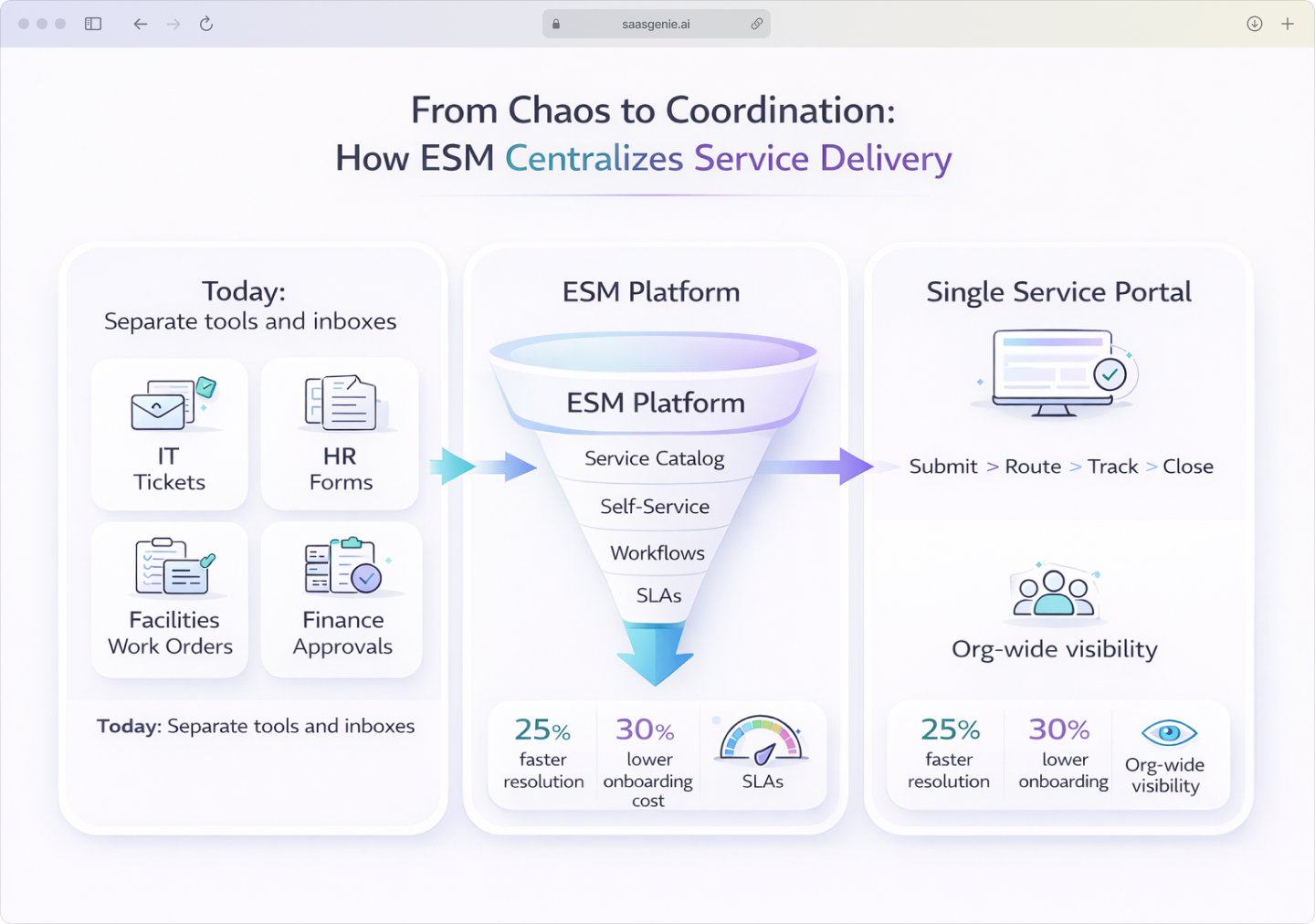
Many workplaces run separate tools for IT help, HR questions, facilities issues, and finance approvals. That separation can hide request status, ownership, and deadlines.
Enterprise Service Management (ESM) connects these internal services using the same structure across departments. The goal is one place to request help, track progress, and document outcomes.
Ever feel like your workplace runs like a game of telephone, where "I need a laptop" somehow becomes "Why is my payroll broken?" by the time it reaches the right person?

Meet enterprise service management: your digital air traffic control that turns departmental chaos into coordinated service delivery. No more hunting down the right email address or wondering if your request disappeared into the void.
What is enterprise service management?
Enterprise Service Management (ESM) applies the same service management methods used in IT departments to other business areas like HR, finance, legal, and facilities. Instead of each department running its own request system, ESM creates one unified platform for handling work across the organization.
In other words, “ESM is the use of IT service management (ITSM) principles and capabilities in other business areas to improve their operational performance, services, experiences, and outcomes.” You might also hear ESM described as:
• Digital workflow enablement • Service management outside IT • Beyond IT or shared services
ITSM stands for IT Service Management, the structured way IT teams deliver services and support to employees through processes like incident management and service requests.
ESM extends those same proven methods beyond IT. When someone needs time off approval, office space, or a contract review, the request follows the same clear path: submit, route, track, resolve, close.
Core components include:
- Service catalogs: Menu-style lists of what employees can request from each department.
- Ticketing systems: Structured tracking from submission to completion.
- Automated workflows: Rules that send requests to the right team without manual sorting.
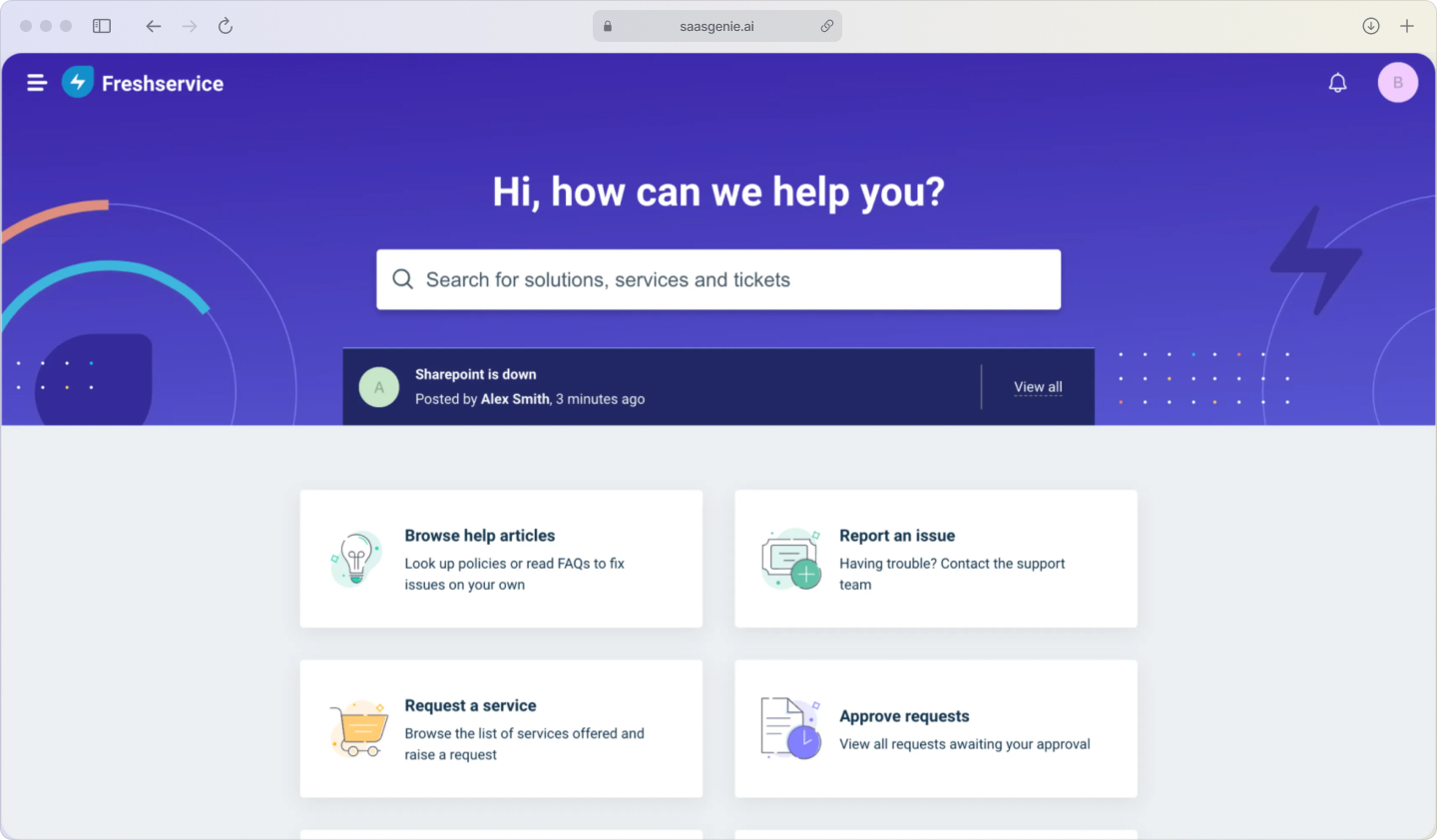
- Self-service portals: Employee-facing websites to submit and check request status.
How does ESM differ from ITSM?
The main difference is scope. ITSM focuses on IT department requests, password resets, software installs, and hardware issues. ESM uses the same framework but extends it to every department that handles internal requests.

Think of it this way: ITSM is like having one really good restaurant. ESM is like turning that restaurant into a food court where each department runs its own counter, but they all use the same ordering system and kitchen workflow.
Why enterprise service management matters?
ESM replaces scattered inboxes and ad‑hoc approvals with a single, consistent way to request, route, and resolve work. As employee expectations rise, hybrid operations expand, and tool sprawl grows, a unified platform boosts speed, transparency, and governance.
The outcome: better employee experiences and measurable efficiency across every department.
Rising employee experience expectations
Employees compare workplace support to consumer apps that show clear status and quick updates. When requests require hunting for the right email or repeating details across multiple conversations, the experience feels broken.
Modern workers expect the same transparency they get from tracking a package, real-time status, clear next steps, and predictable timelines.
Digital workflow demands across departments
Remote and hybrid work eliminated walk-up support and hallway handoffs. Paper forms and email chains make it difficult to track approvals, assign ownership, and maintaincomplete records. A critical gap when 72% of employees consider the digital workplace extremely important.
Digital workflows become essential when teams can't tap someone on the shoulder to check request status.
Tool consolidation pressures
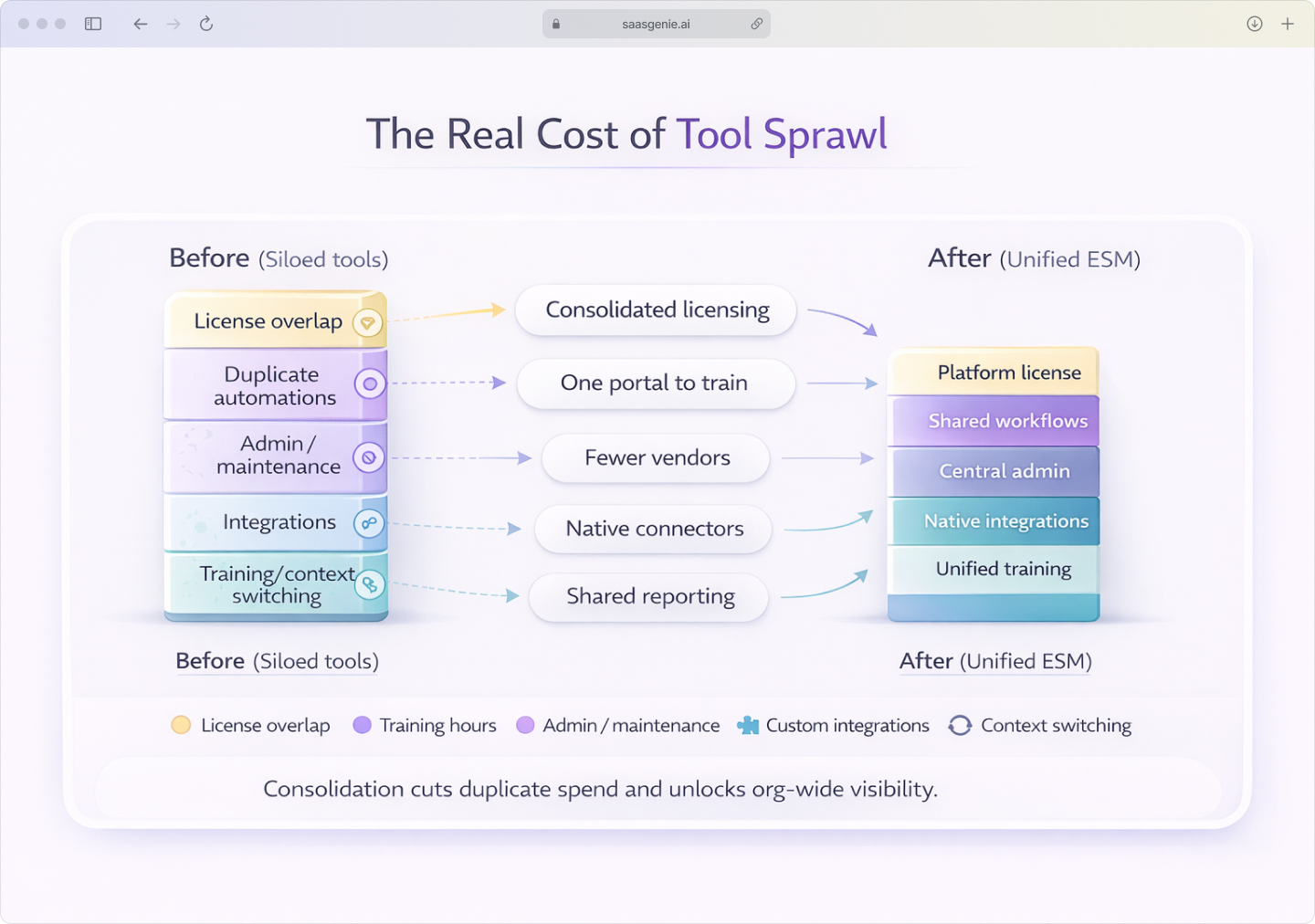
Organizations often run separate request systems for each department. One for IT tickets, another for HR forms, a third for facilities requests. This creates:
- License overlap: Paying for similar functionality across multiple tools.
- Data silos: No visibility into total request volume or cross-team bottlenecks.
- Training overhead: Employees learn different systems for different request types.
An enterprise service management platform consolidates these into one system with department-specific permissions and workflows.
Key benefits of enterprise service management
The value of ESM shows up in daily operations, faster resolutions, fewer lost requests, and clearer accountability. When departments share the same platform and processes, both employees and service teams experience measurable improvements in speed, transparency, and consistency.
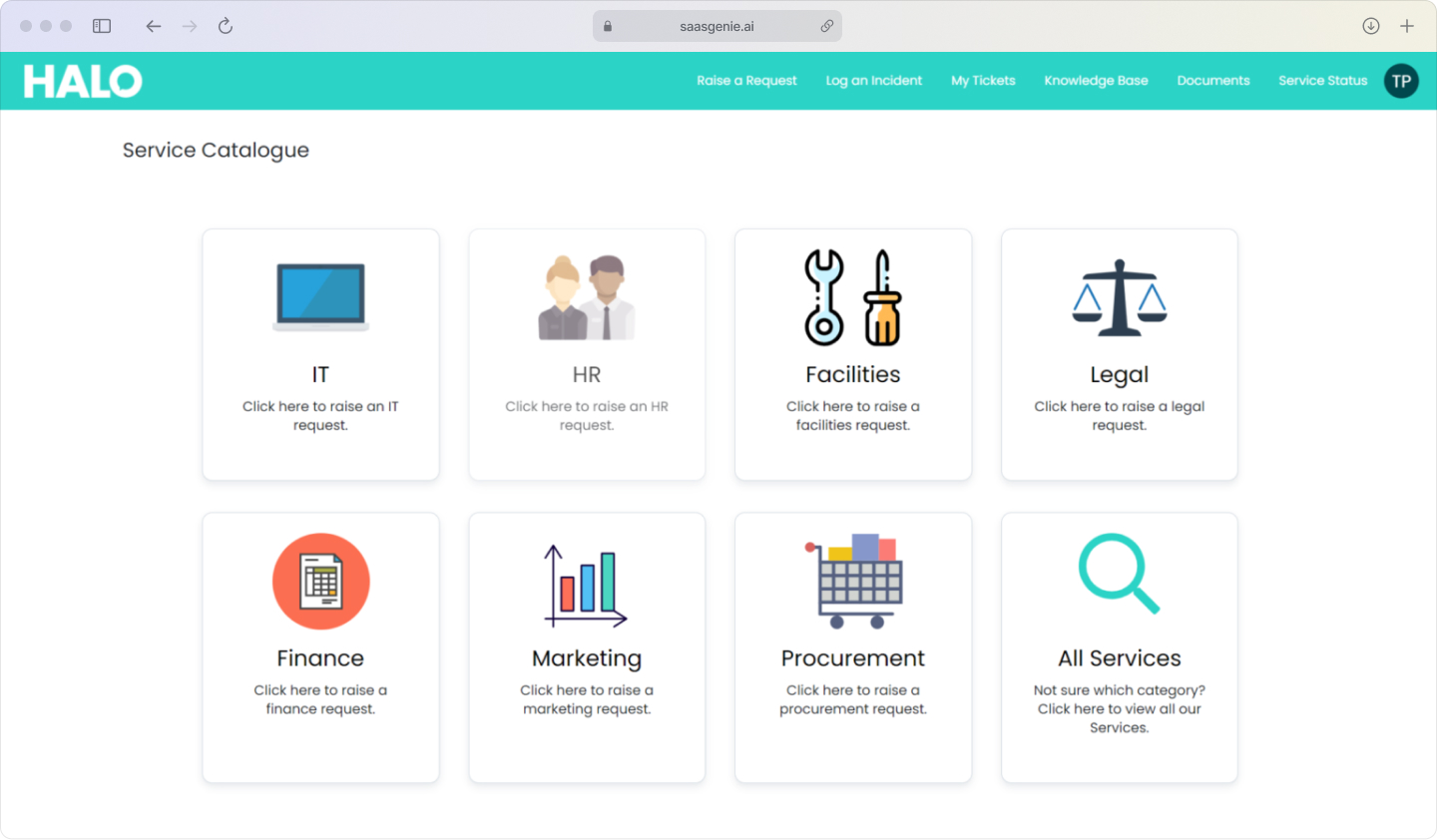
Single service portal for every department
One entry point for all requests eliminates the guessing game of which department to contact. Employees submit requests through the same interface whether they need IT help, HR support, or facilities maintenance.
This reduces misrouted requests and duplicate submissions while creating consistent data for reporting across departments.
Automated workflows speed resolution
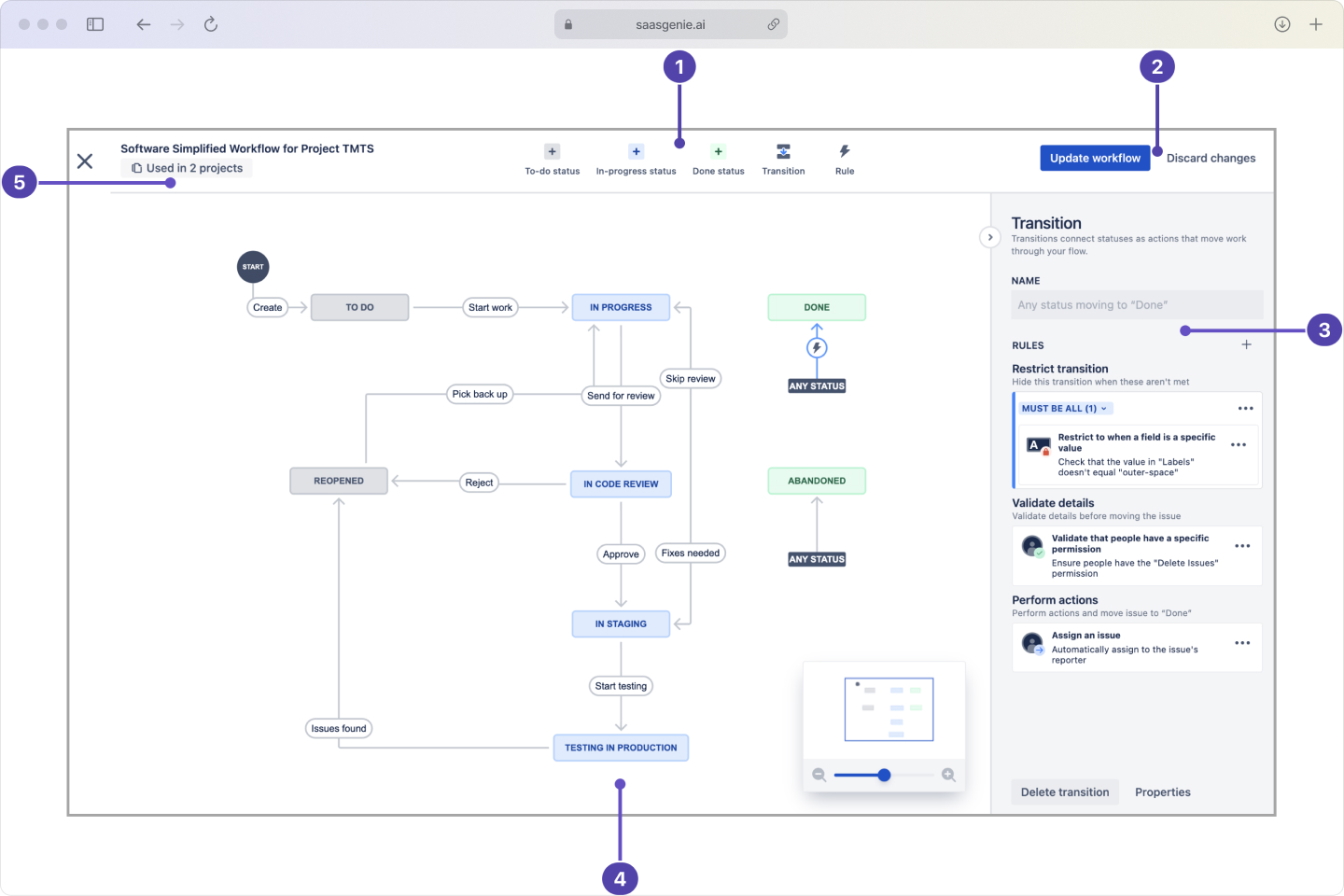
Routing rules automatically send requests to the right team based on category, location, or employee role. Approval workflows move requests through required steps without manual handoffs.
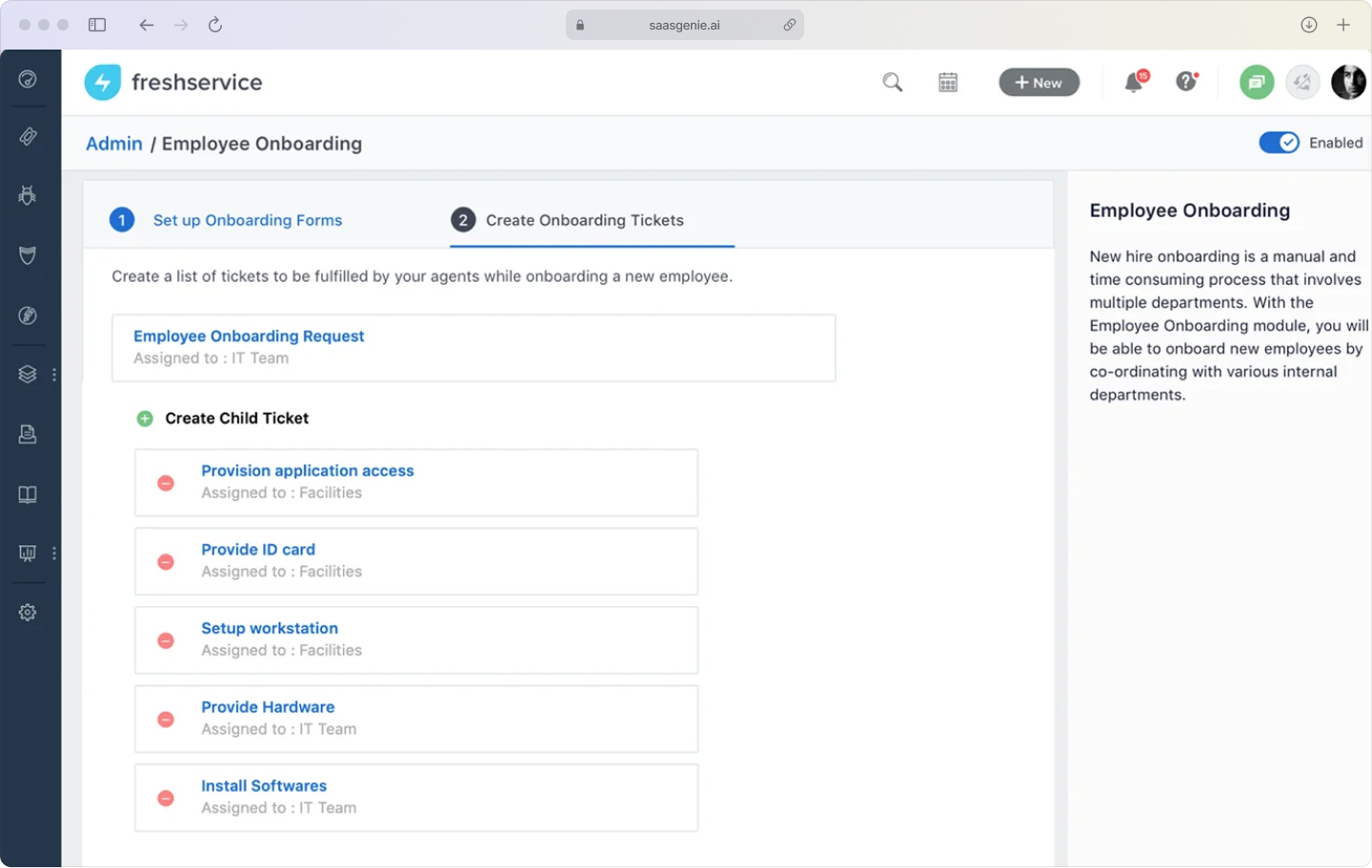
Example workflow:
New hire equipment request → HR approval → IT assignment → Facilities desk setup → Automatic completion notification, streamlined workflows that enable a 25% reduction in service delivery times. Cloud-based platforms unify these workflows into one workspace for faster resolution.
Better visibility and governance
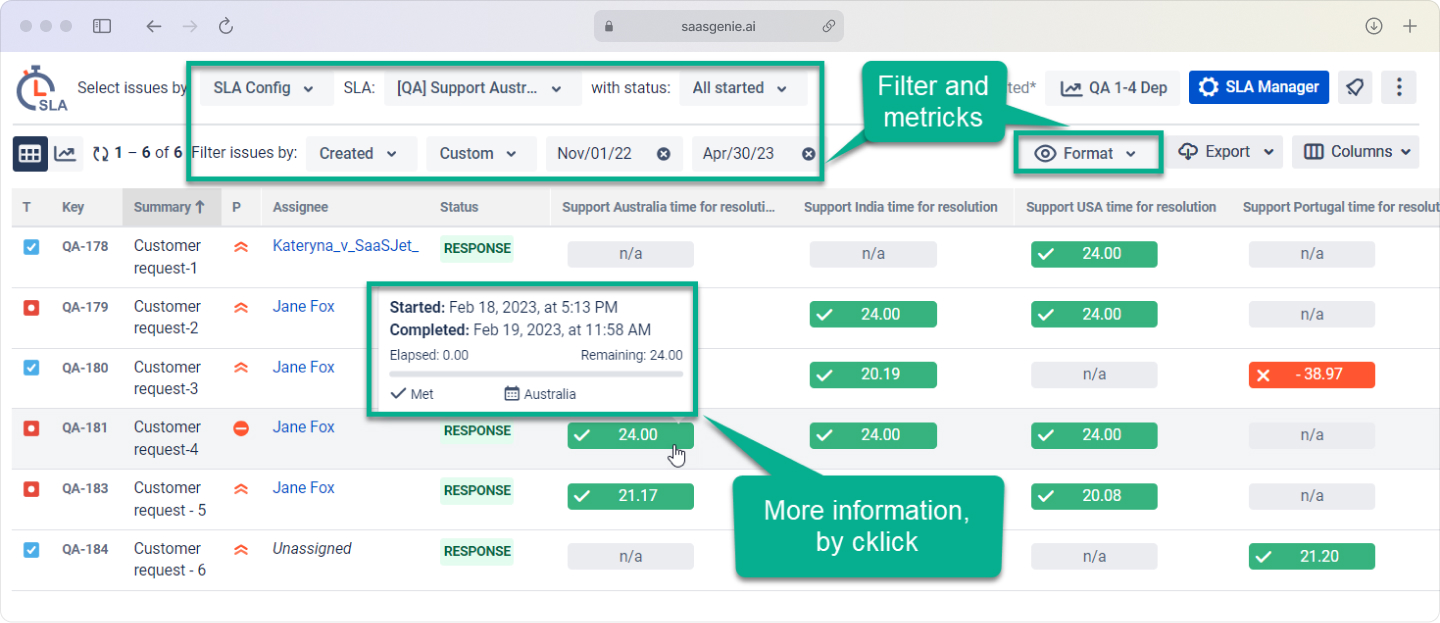
Central dashboards show request volume, resolution times, and service level performance across all departments. Leaders can spot bottlenecks, balance workloads, and plan capacity.
Audit trails record every action, approval, assignment, change, and supporting compliance requirement without additional documentation work.
Better employee experience across the organization
Consistent request handling creates predictable experiences regardless of which department employees contact. Clear status updates reduce follow-up emails and phone calls.
When internal service delivery improves, employees can focus more energy on customer-facing work.
Which departments benefit most from ESM
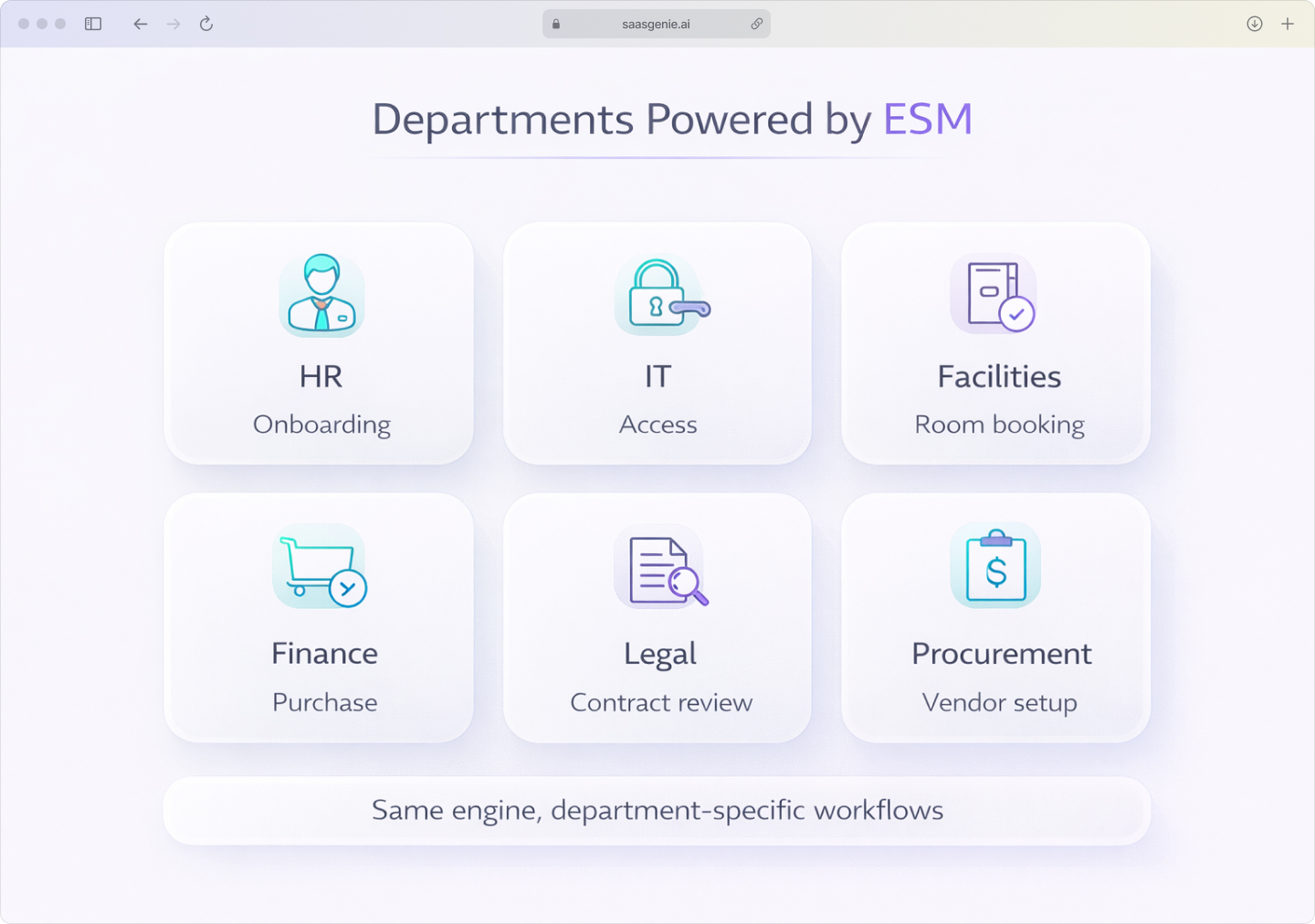
Enterprise service management works best for departments that handle frequent, repeatable requests with clear steps and approvals.
Human resources
Typical request: "Set up onboarding for the new hire starting March 15, including payroll enrollment, benefits selection, and manager assignment."
HR requests often involve multiple approvers and systems. ESM tracks each step while maintaining privacy controls for sensitive employee data, with automation delivering 30% cost savings per hire in screening and hiring processes.
Facilities management
Typical request: "Book conference room B for weekly team meetings, Tuesdays 2-3 PM, starting next month."
Facilities teams manage physical spaces, maintenance schedules, and equipment. ESM helps coordinate timing and resource conflicts.
Finance and procurement
Typical request: "Purchase two monitors under $800 total, charge to marketing budget, deliver to 5th floor."
Financial requests require approval hierarchies and audit trails. ESM automates routing based on amount thresholds and department budgets.
Legal and compliance
Typical request: "Review vendor contract for data processing terms, approve for signature by Friday."
Legal teams handle confidential documents with specific review requirements. ESM tracks versions and approval status while protecting sensitive content.
How ESM enables digital transformation
ESM is the engine that powers digital transformation. I'm talking about moving from manual, disconnected processes to automated, measurable workflows. ESM provides the foundation by standardizing how work gets requested, approved, and completed.
Breaking down departmental silos
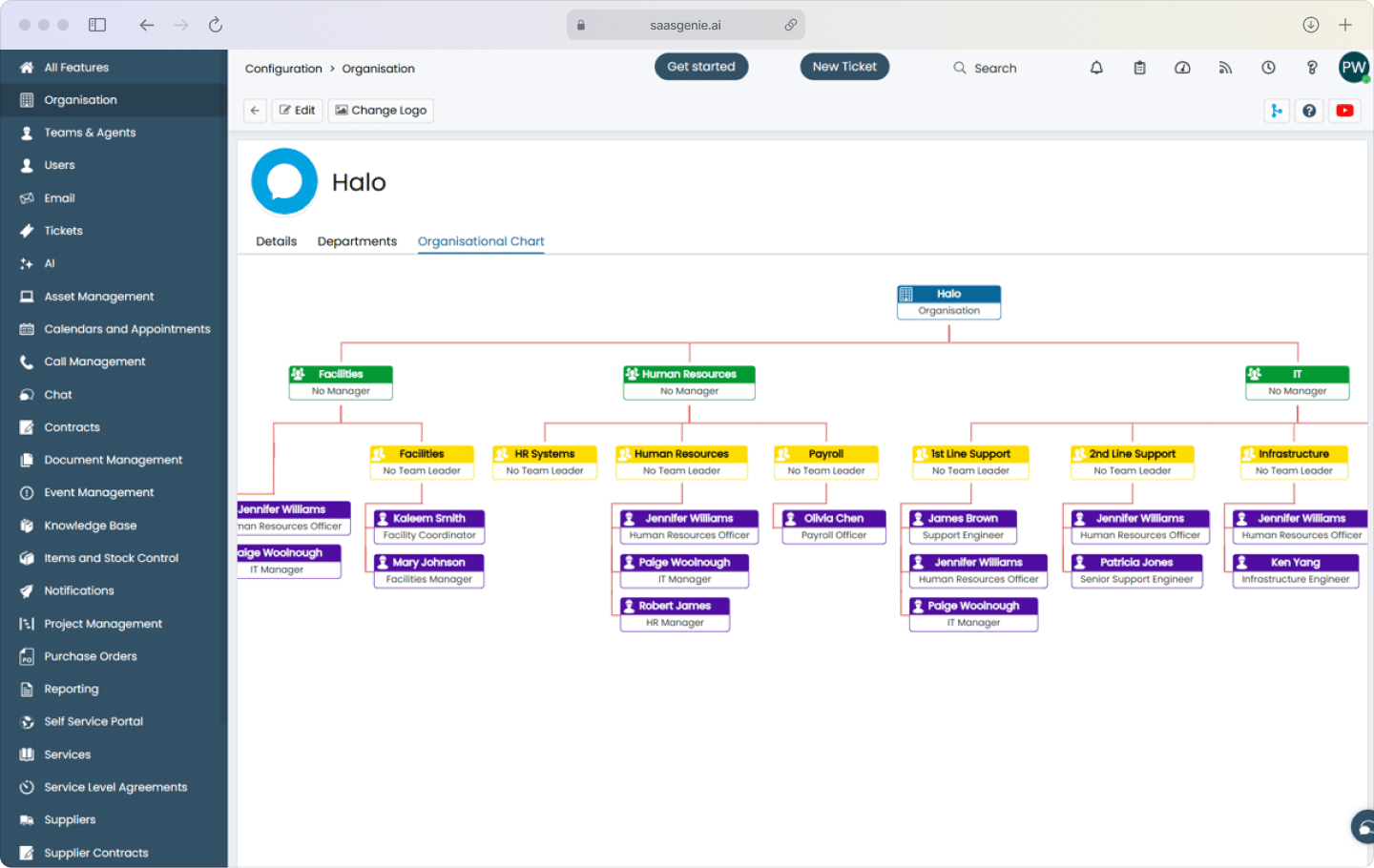
When each department uses different request methods, cross-team work becomes complicated. ESM connects departments through shared workflows and data.
Example: Employee onboarding creates linked tasks for HR (paperwork), IT (accounts), and facilities (workspace), all tracked in one timeline.
Standardizing service delivery models
Every department follows the same basic pattern: intake, categorization, assignment, completion, and documentation. This consistency makes training easier and reporting more reliable.
Employees get familiar experiences whether they're requesting vacation time or office supplies.
Streamlining control and governance
Central oversight comes through shared metrics and audit capabilities. Role-based permissions protect sensitive information while maintaining operational visibility.
Compliance becomes easier when all service requests follow documented, auditable processes.
How to choose enterprise service management software
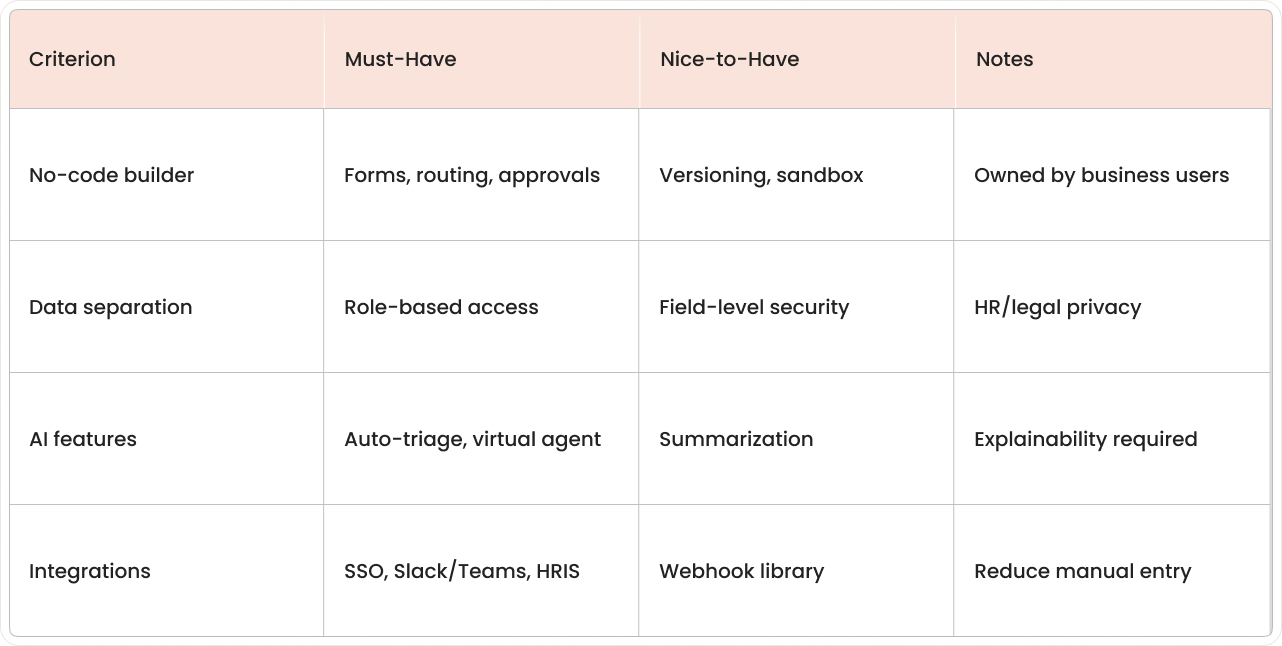
Selection focuses on fit for your departments, data requirements, and operational preferences. The evaluation process typically involves documenting current request types, mapping approval flows, and defining integration needs.
No-code configuration capabilities
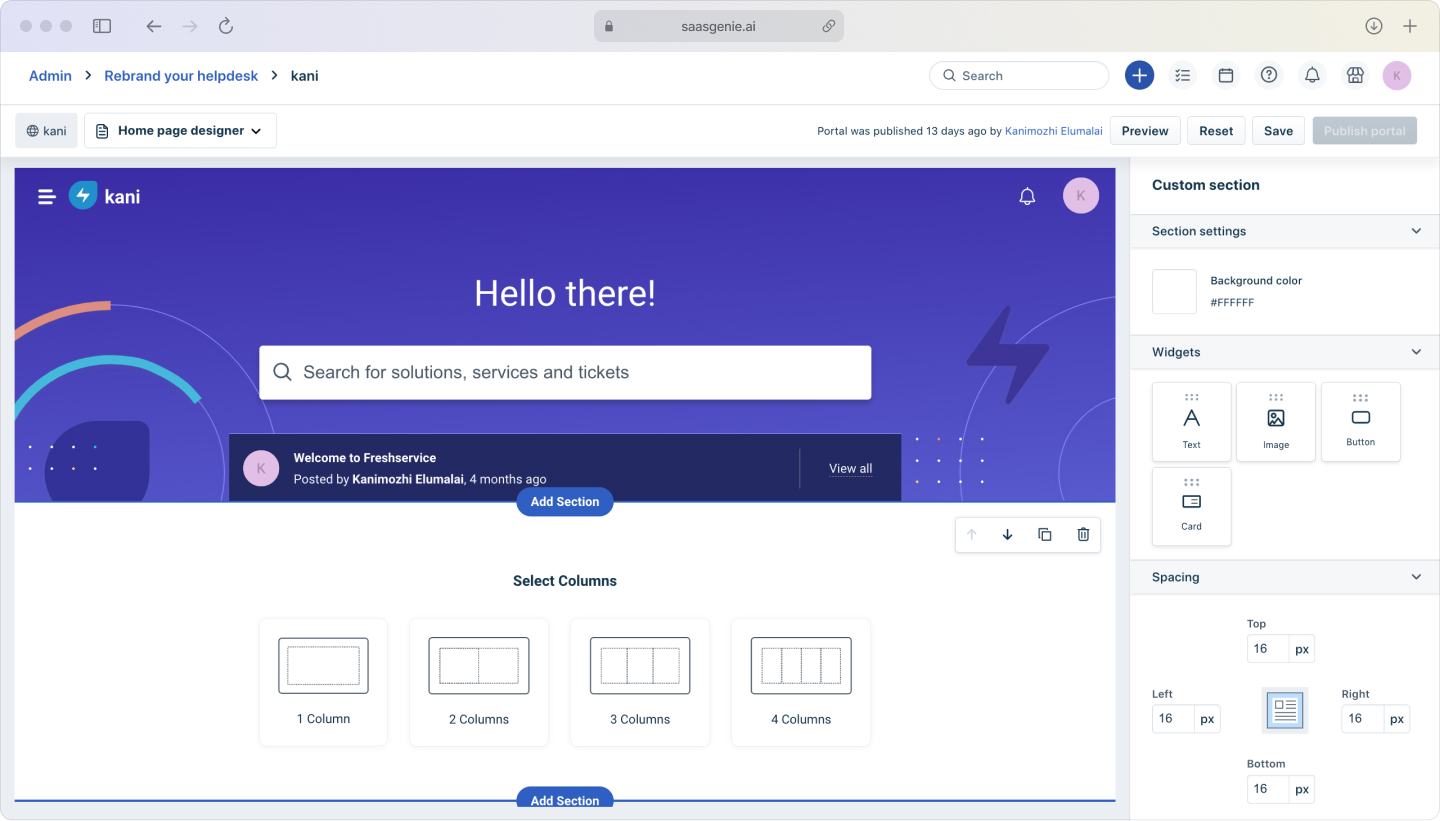
Look for platforms where business users can build forms, routing rules, and approval workflows without developer involvement. Because the goal is to “harness the power of a synchronized platform… easy to configure and deploy,” you’ll see the fastest wins when non-technical teams can tweak workflows on day one. Test whether department owners can adjust request categories and add fields independently.
Configuration flexibility matters because request types evolve as business needs change.
Multi-department scalability with data separation
The platform should support multiple service desks with appropriate privacy controls. HR requests need different visibility rules than IT requests.
Data separation requirements include role-based access, department-specific reporting, and audit controls for sensitive request types.
AI and automation features
Modern ESM software includes intelligent routing, auto-categorization, and virtual assistants for common questions. These features reduce manual triage work and improve response consistency.
Evaluate AI capabilities based on accuracy, transparency, and your team's comfort with automated decision-making.
Integration ecosystem strength
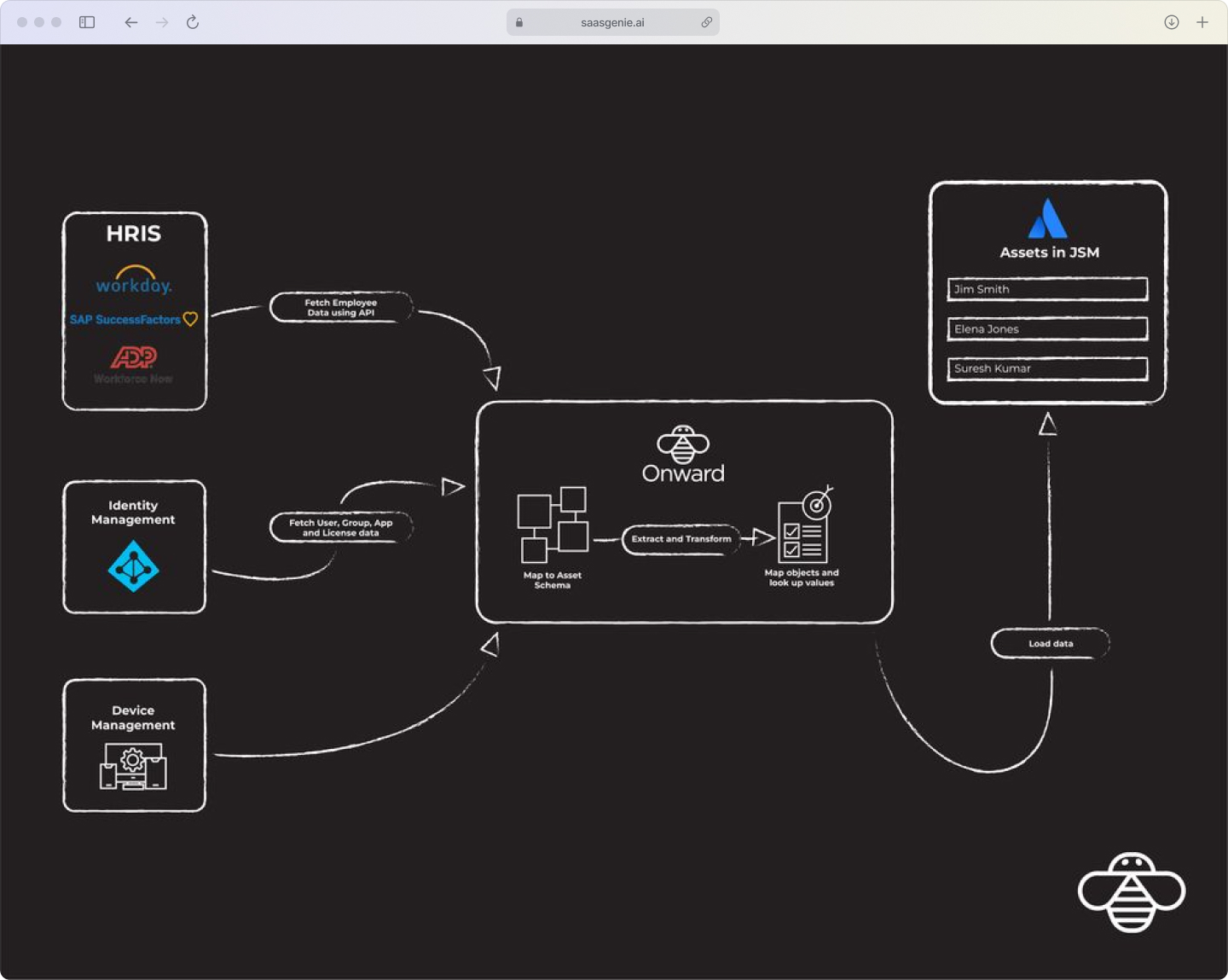
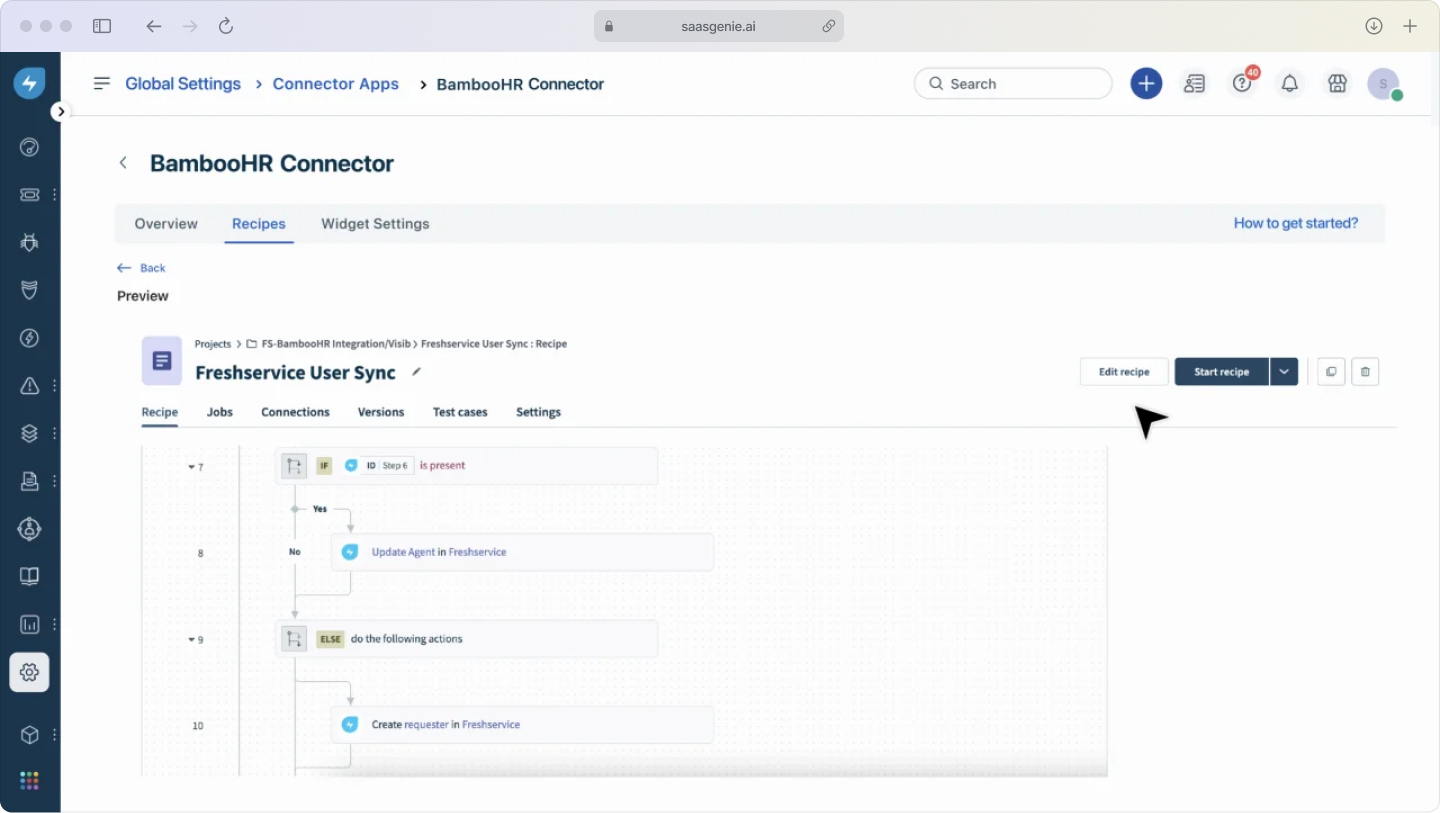
Check native connections to your existing tools, communication platforms like Slack or Teams, identity systems like Active Directory, and business applications like Workday or SAP.
Strong integrations reduce data entry and enable automated triggers based on events in connected systems.
ESM implementation best practices
Start with high-impact departments
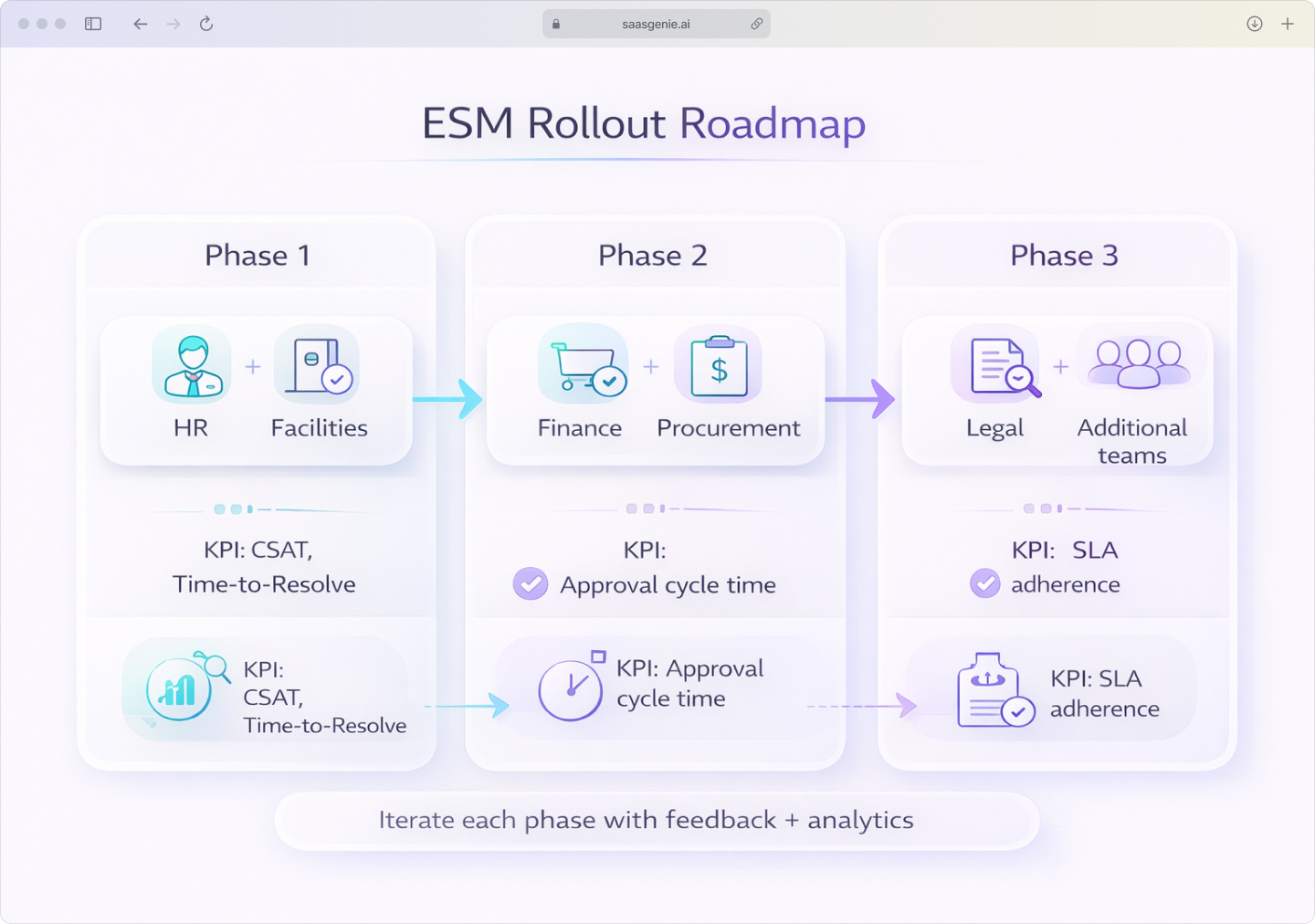
Choose one or two departments with clear pain points and repeatable request types for the initial rollout; think HR onboarding or facilities maintenance. Professional ITSM services can help evaluate modern, AI-powered alternatives that provide enterprise capabilities without enterprise complexity. You’ll grab quick wins and build internal buzz precisely because modern, no-code platforms let you “get up and running quickly” without weeks of scripting.
Prove value with a focused launch before expanding to additional departments.
Design intuitive service portals
The employee-facing portal determines adoption success. Use clear categories that match how people describe their needs, not internal department structures.
Prioritize search functionality since many employees start with a search box rather than browsing categories.
Map existing workflows before automating
Document current processes from request submission to completion. Identify approval steps, handoffs, and common delays.
Automation works better when underlying processes are clear and standardized first.
Plan comprehensive change management
Communication and training determine whether employees adopt the new system. Address common questions about where to submit requests, how to check status, and what to do for urgent issues.
Role-based training works best; employees need different guidance than service team members.
Automation and AI capabilities in ESM platforms
Virtual agents and self-service
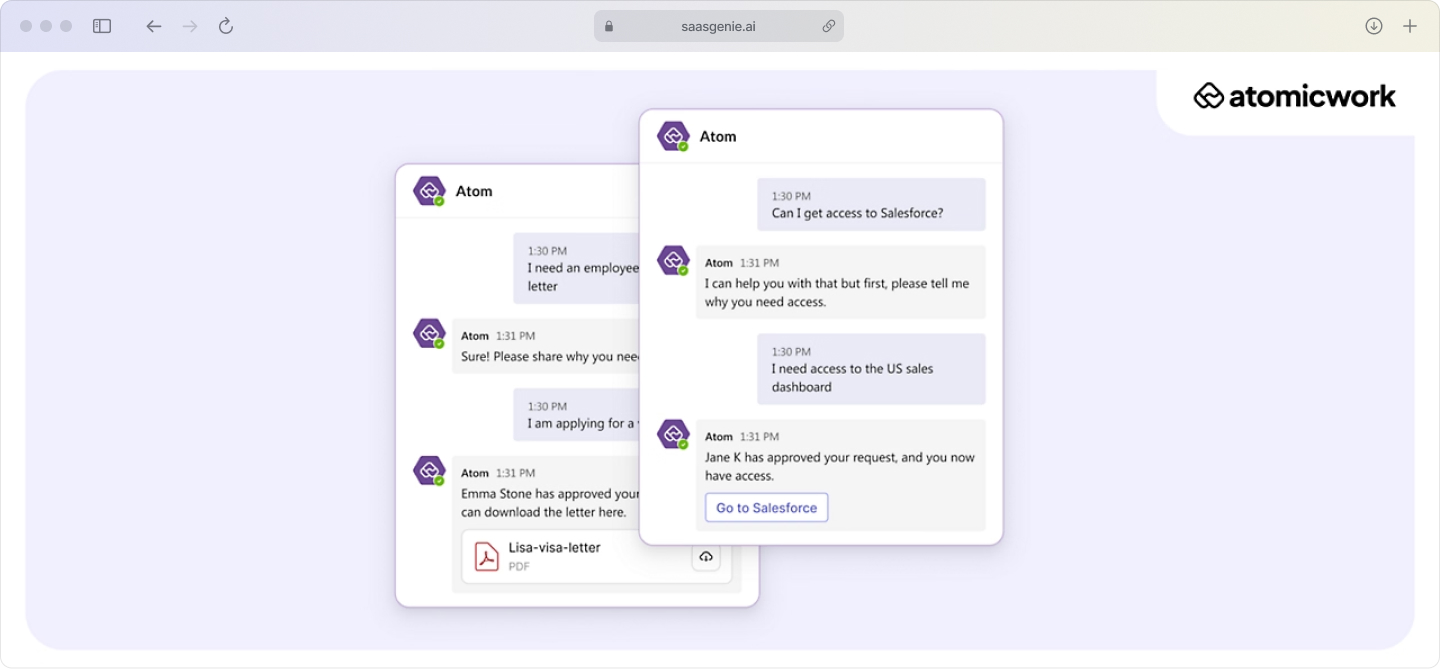
AI chatbots handle common questions using knowledge base content and can create requests when needed. Self-service portals let employees find answers and submit requests without agent involvement.
Effective virtual agents reduce ticket volume while maintaining service quality for complex requests that require human attention.
Workflow automation builders
No-code tools create approval chains, routing rules, and notification sequences using drag-and-drop interfaces. Business users can build workflows without technical expertise.
Common automations include manager approvals for purchases above set amounts and automatic routing based on employee location or department.
Predictive analytics and insights
Analytics identify patterns like recurring issues, seasonal request spikes, and resolution time trends. Predictive features can flag potential problems before they escalate.
Data-driven insights help with capacity planning and process improvement across departments.
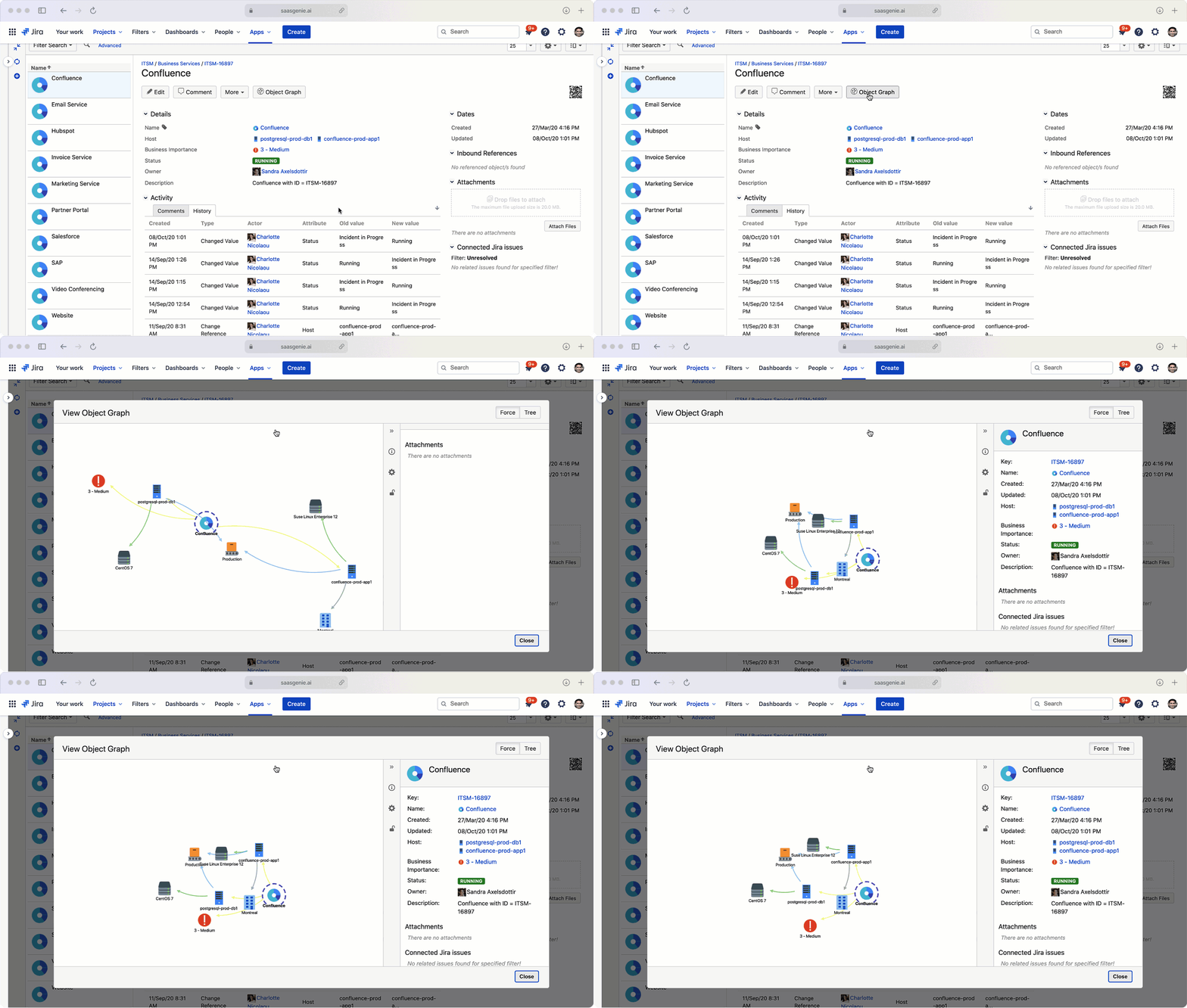
Essential integrations for ESM success
Communication and collaboration tools
Microsoft Teams, Slack, and email integrations let employees create requests from familiar interfaces. Status updates can be posted back to chat channels or email threads.
These integrations reduce friction by meeting employees where they already work.
Identity and access management
Active Directory and SSO connections automate user authentication and pull employee data into request forms. This reduces manual data entry and improves routing accuracy.
Identity integrations also support automated provisioning during onboarding and offboarding workflows.
Business applications
Connections to HR systems like Workday, finance systems like SAP, and other core applications enable automated triggers and data synchronization.
Example: New hire record creation automatically starts the onboarding workflow with pre-populated employee details.

How to measure enterprise service management success
Service delivery metrics
Track resolution times, first-contact resolution rates, and SLA compliance across departments. These metrics show operational performance and identify improvement opportunities.
Consistent measurement definitions across departments enable meaningful comparisons and benchmarking.
Employee satisfaction and adoption
Survey employees about their service experience and track portal usage rates. Self-service adoption indicates whether the system meets user needs.
Monitor request quality metrics like complete submissions and accurate categorization as adoption indicators.
Cost and efficiency improvements
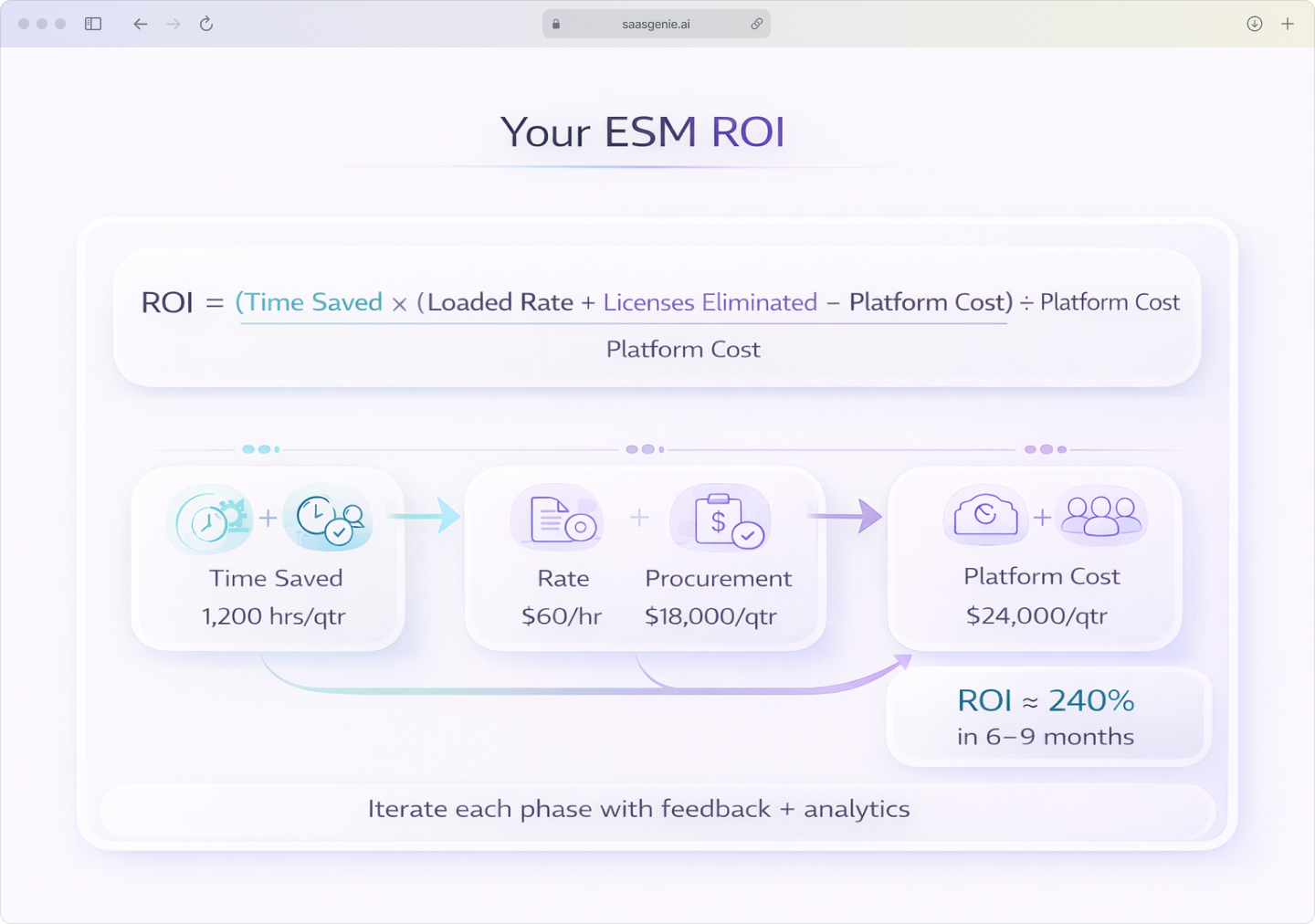
Compare operational costs before and after ESM implementation. Calculate time saved through automation and reduced manual processing, with businesses typically achieving 240% average ROI within six to nine months.
How we accelerate your ESM rollout

saasgenie helps organizations implement enterprise service management systems across IT and non-IT departments. Our work includes platform selection, configuration, integration, and ongoing optimization.
As certified partners with Freshworks, Atlassian, and other leading ESM vendors, we apply proven implementation methods and platform-specific best practices.
Our approach starts with requirements gathering and platform comparison, then moves through phased implementation, beginning with high-impact departments. We handle service catalog design, workflow configuration, integration setup, and user training.
Ongoing optimization includes performance monitoring, workflow refinement, and feature expansion based on adoption data and user feedback.

Want to see how ESM can work for your teams?
We'll walk through your current request workflows, identify quick wins, and map a phased rollout that fits your organization.