.webp)




SaaS Management with Freshservice: Implementation Best Practices 2026
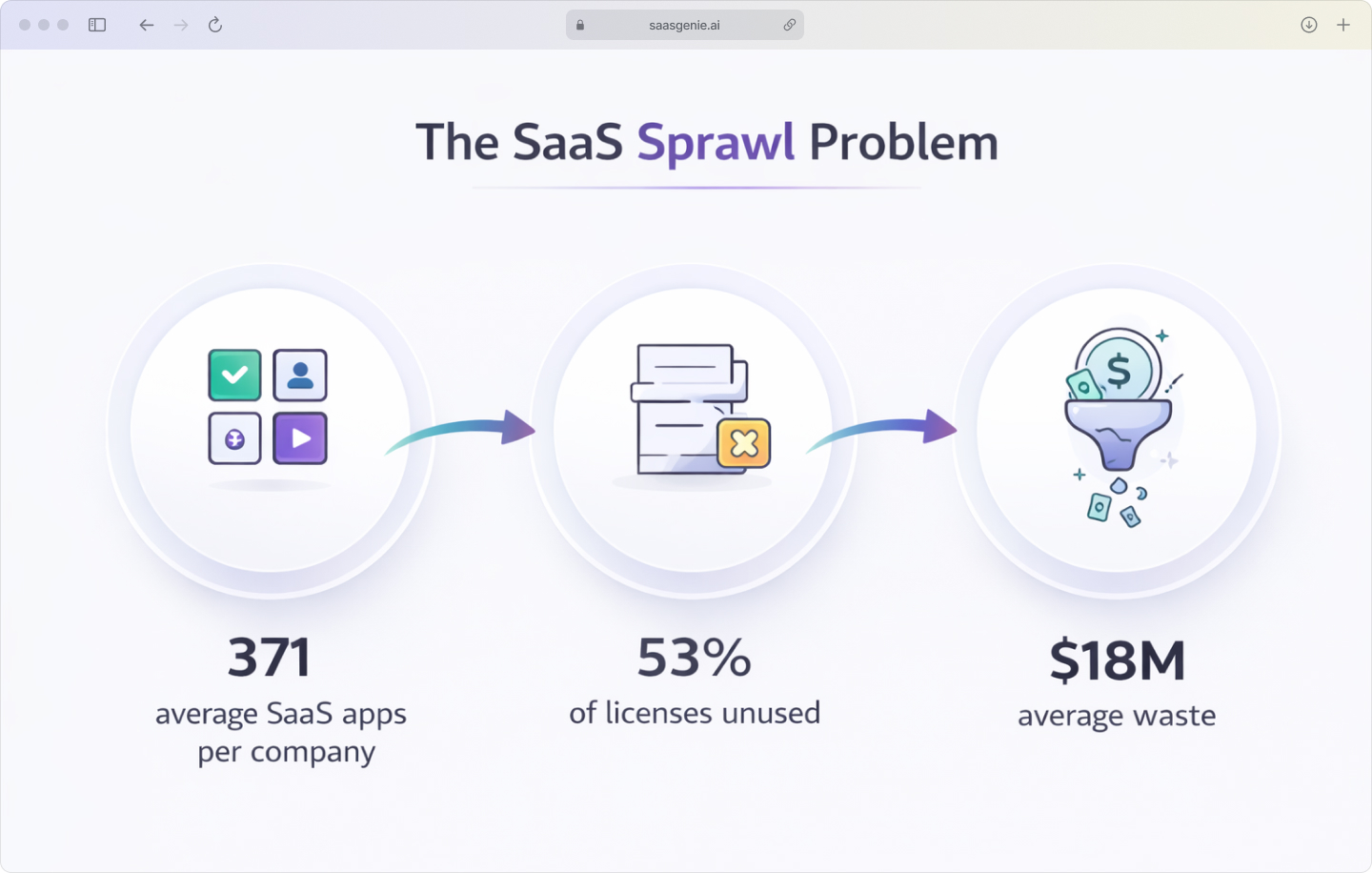
SaaS tools are apps that run in a browser and are paid for by subscription, like monthly or yearly plans. Most companies use an average of 371 SaaS applications across departments.
Over time, SaaS becomes hard to track. Teams buy new apps quickly, employees sign up with work emails, and licenses change as people join and leave.
SaaS management is the work of keeping SaaS organized: which apps exist, who uses them, what they cost, and when renewals happen. Freshservice includes SaaS management so the same platform that handles service requests can also track SaaS applications and access.
Ever feel like your SaaS stack is multiplying faster than Marvel sequels, with shadow IT popping up everywhere and renewal dates hitting like surprise plot twists?
Welcome to SaaS management with Freshservice, your mission control center that turns subscription chaos into organized intelligence.\
What is SaaS management in Freshservice?
SaaS management in Freshservice is the set of features used to discover, track, and optimize software-as-a-service applications across an organization. Freshservice brings SaaS visibility and control into the IT Service Management workspace, so SaaS information connects to tickets, assets, and user records in one system. You simply flip on the SaaS Management add-on from Admin SaaS Management, enjoy a 14-day free trial, and keep it running on the Pro or Enterprise plan once you like what you see.
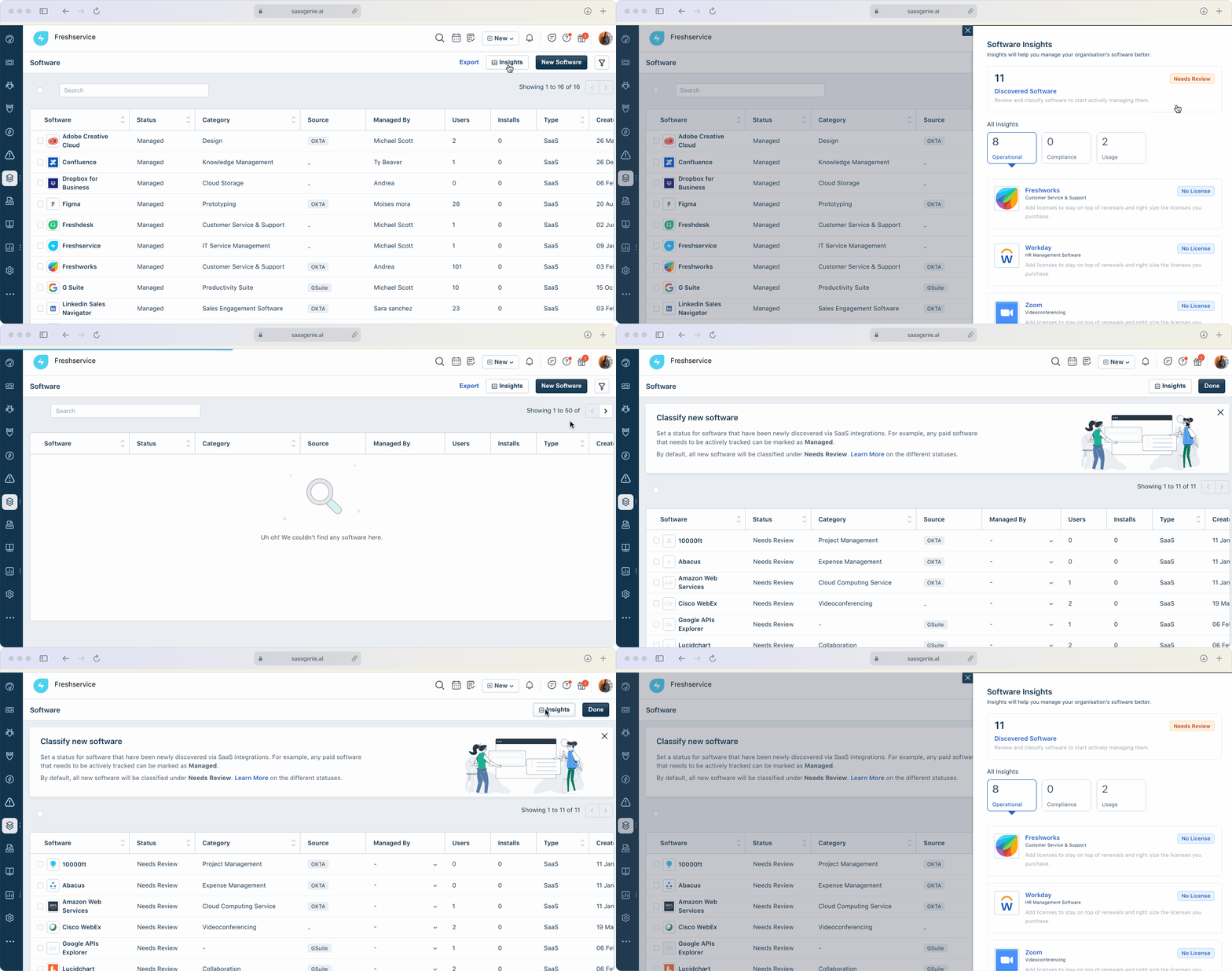
In practical terms, SaaS management in Freshservice focuses on keeping an accurate inventory of SaaS apps and their users. The goal is clear records for applications, usage, ownership, costs, and renewal dates.
SaaS management helps you control:
- Application visibility: See every SaaS tool employees use, including shadow IT.
- Usage tracking: Understand who uses what and how often.
- Spend optimization: Identify waste and right-size licenses.
- Renewal management: Never miss a renewal deadline or auto-renewal surprise.
Think of it as your digital inventory manager that actually knows what's in the warehouse and what's costing you money while gathering dust.
Core capabilities of Freshservice SaaS management
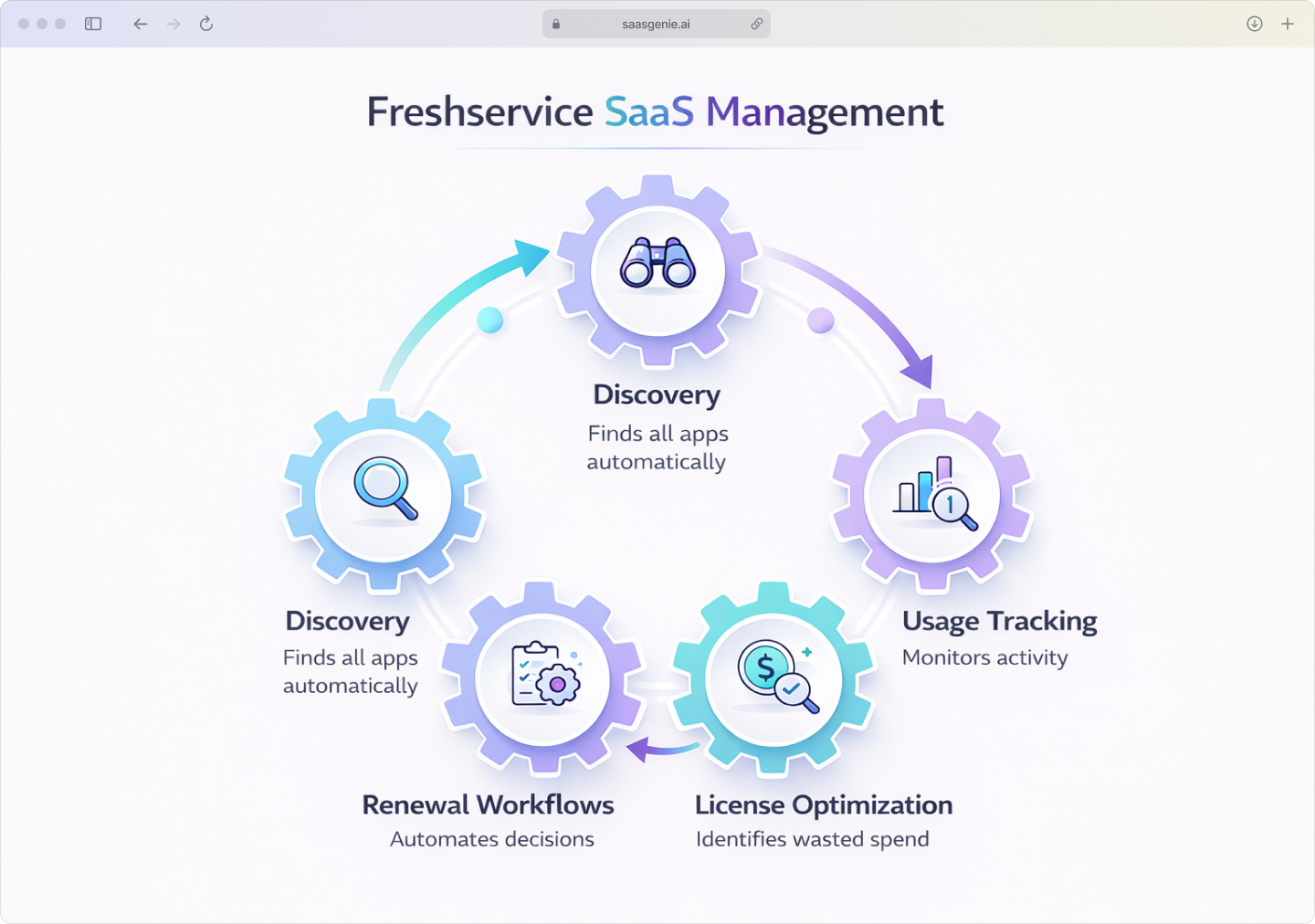
Freshservice SaaS management gives teams a 360° view of their entire SaaS estate while focusing on four core capabilities that work together: discovery, usage tracking, license optimization, and renewal workflows. Each capability keeps SaaS data inside the same workspace already used for service operations, so context never slips through the cracks.
SaaS app discovery and visibility
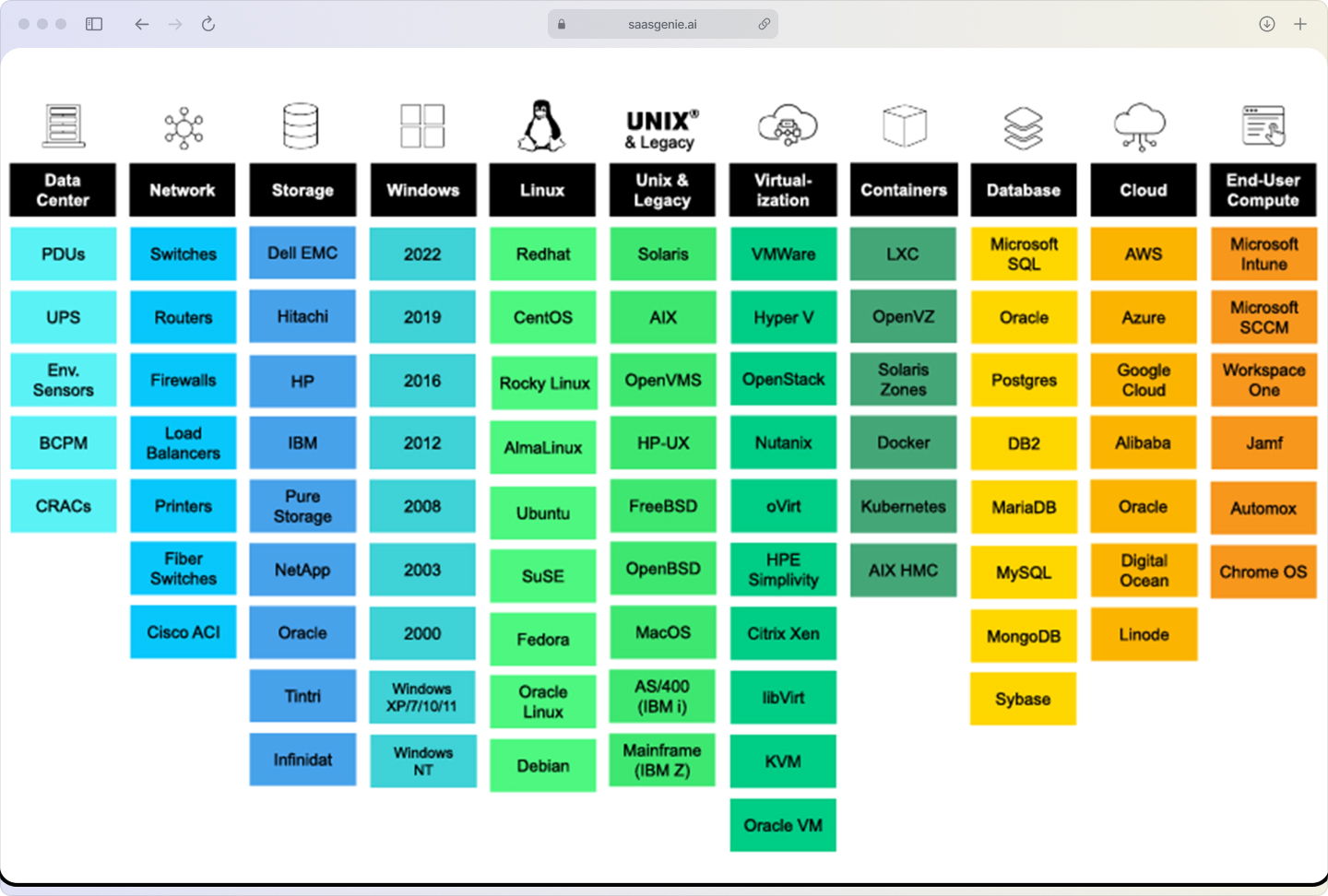
Freshservice automatically discovers SaaS applications through integrations and browser extensions. Discovery collects application names and related details from connected systems, instead of relying only on manual lists.
Discovery covers both approved applications and shadow IT. Shadow IT includes SaaS tools purchased or adopted by teams without IT approval, often using a company email and a credit card.
Common discovery sources include:
- Identity providers like Okta or Azure AD.
- Browser extensions that track web app usage.
- Financial systems showing subscription charges.
- SSO logs revealing application access patterns.
Usage tracking and analytics
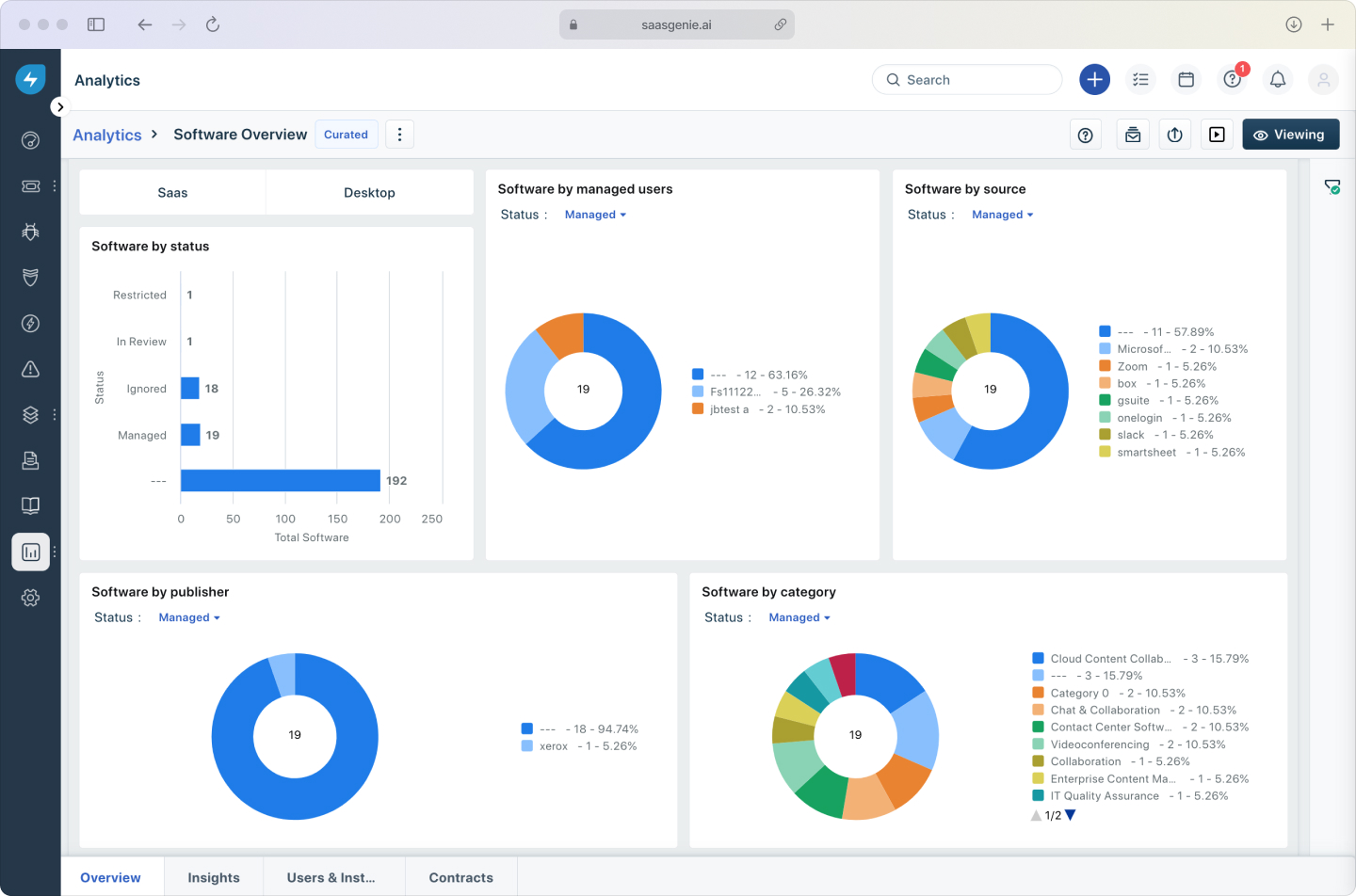
Freshservice monitors usage signals such as login activity over time. Some applications also provide feature-level adoption data, which shows whether licensed features are being used. These granular insights help teams quickly identify redundant or underutilized apps, making cost-optimization decisions more straightforward and data-driven.
Usage analytics highlights inactive or low-activity accounts, critical since 53% of SaaS licenses go unused. This capability integrates with Freshservice asset management for comprehensive license tracking. Usage information supports renewal decisions by showing whether licenses match real activity levels.
License optimization and spend control
Freshservice surfaces underutilized licenses by comparing purchased licenses to active usage. This view makes it easier to see licenses assigned to inactive users or accounts that no longer match current roles.
Freshservice can also reveal duplicate applications that perform similar functions across departments. Consolidation or cancellation decisions often start from this comparison because duplicate tools increase total subscription spend, with companies wasting an average of $18 million on unused SaaS licenses.

Automate renewal workflows
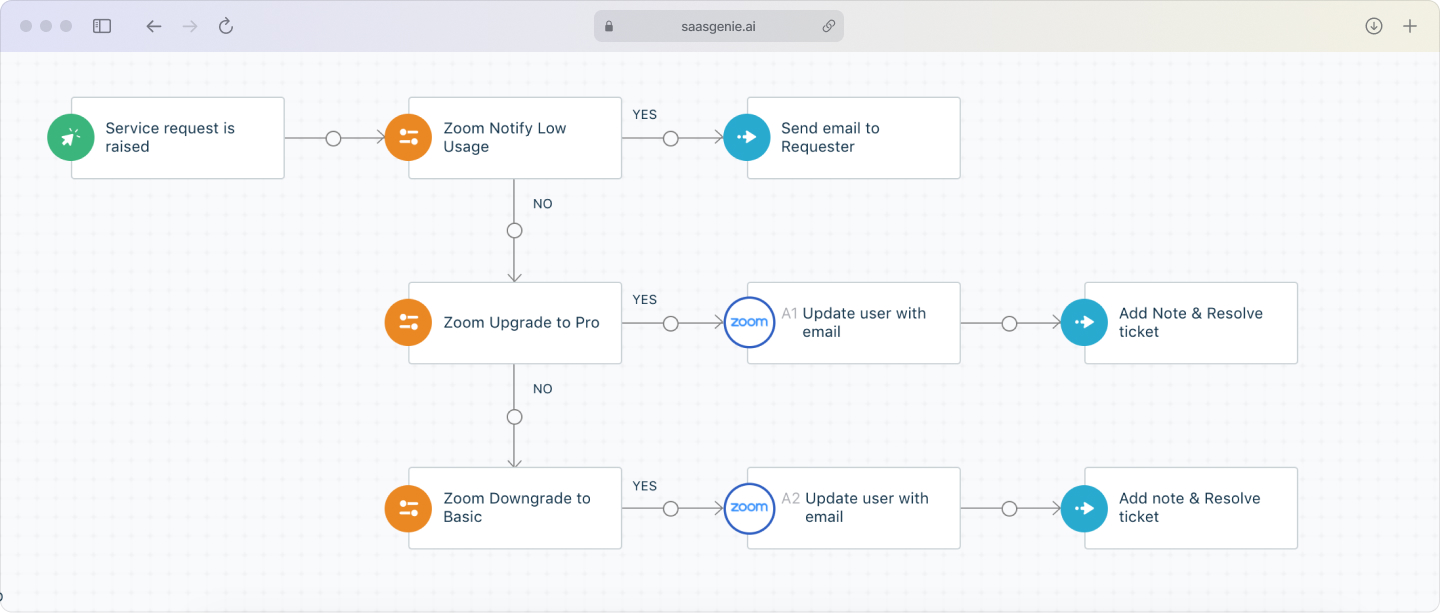
Freshservice tracks renewal dates and can trigger workflows ahead of renewal timeframes. Workflows route decisions for approval, negotiation, cancellation, or continuation to the right stakeholders. Because every subscription detail lives in one pane of glass, I always step into renewals with clear usage insights instead of last-minute surprises.
This approach reduces missed renewal windows and lowers the chance of unexpected charges from auto-renewals. The workflow record also creates a history of decisions linked to the application.
Prepare your organization for SaaS management
Preparation focuses on creating reliable starting data and clear decision ownership. These steps reduce confusion when SaaS records start flowing into Freshservice.
Audit your current SaaS inventory
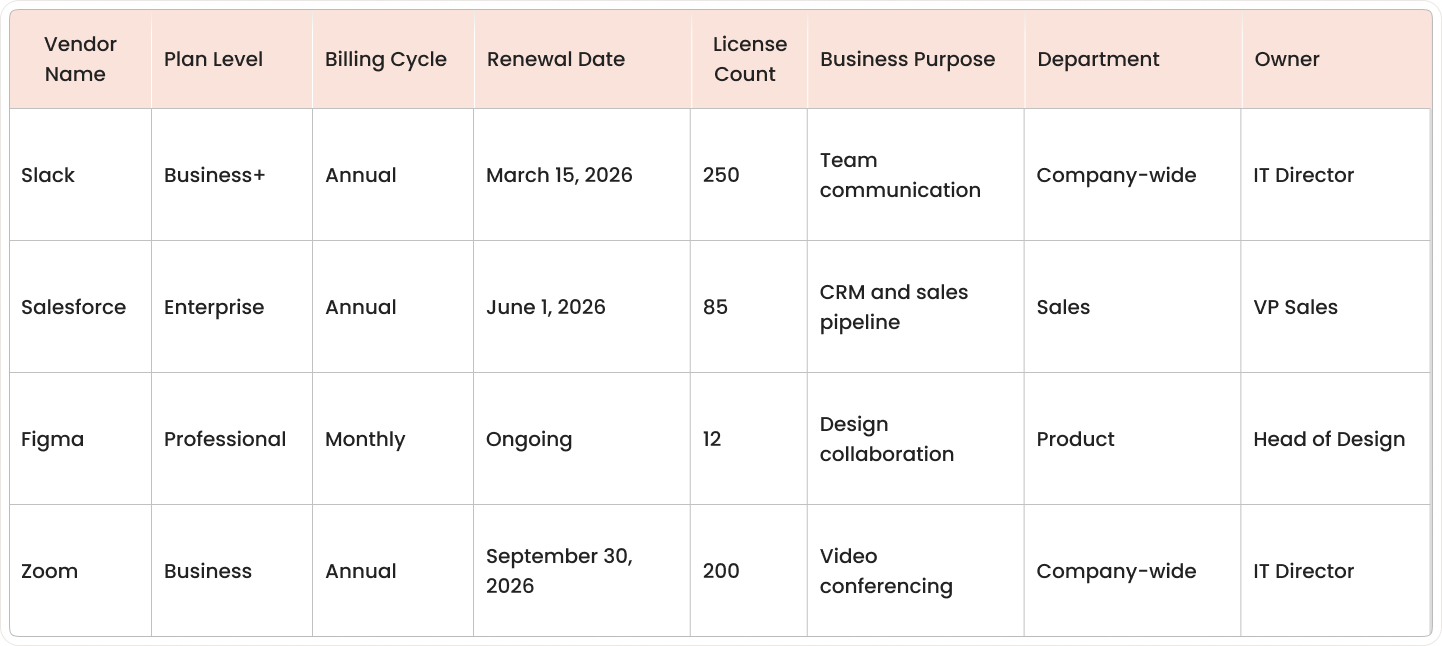
Start with a baseline list of SaaS applications that the organization already knows about. This list comes from procurement records, finance reports, existing IT documentation, and department-maintained app lists.
Include for each application:
- Vendor name and plan level
- Billing cycle and renewal date
- Number of licenses purchased
- Business purpose and department
- The person who approves spending
Record the baseline in a format that supports comparison later, such as a spreadsheet or shared database. The baseline makes it easier to measure changes after discovery and to spot gaps between known applications and newly discovered applications.
Define stakeholder roles and ownership
SaaS decisions involve several groups, and each group often has a different responsibility. Clear ownership identifies who approves purchases, who manages renewals, and who resolves access issues through structured service request management.
Common ownership split:
- IT: Account setup, access control, user lifecycle actions, security reviews.
- Finance: Budget tracking, invoice validation, and spend reporting.
- Procurement: Vendor negotiation, contract terms, renewal processing.
- Department heads: Tool selection for team workflows, license requests, and usage accountability.
Assign one named owner per application for renewals and license decisions. Ownership recorded before optimization reduces conflicting requests and unclear approvals.

Identify data sources and integration points
Freshservice SaaS management accuracy depends on the data sources connected to it. Identity and access systems show user accounts, while finance systems show payments that indicate active subscriptions.
Common sources include:
- Microsoft 365 for user identities and sign-in context.
- Google Workspace for user identities and access patterns.
- Okta or other identity providers for SSO application assignments.
- Expense systems for SaaS charges paid by corporate cards.
- Procurement repositories for renewal dates and contract terms.
More connected sources typically lead to fewer missing applications and fewer incomplete records, following advanced ITAM implementation principles.
Implementation best practices for Freshservice SaaS management
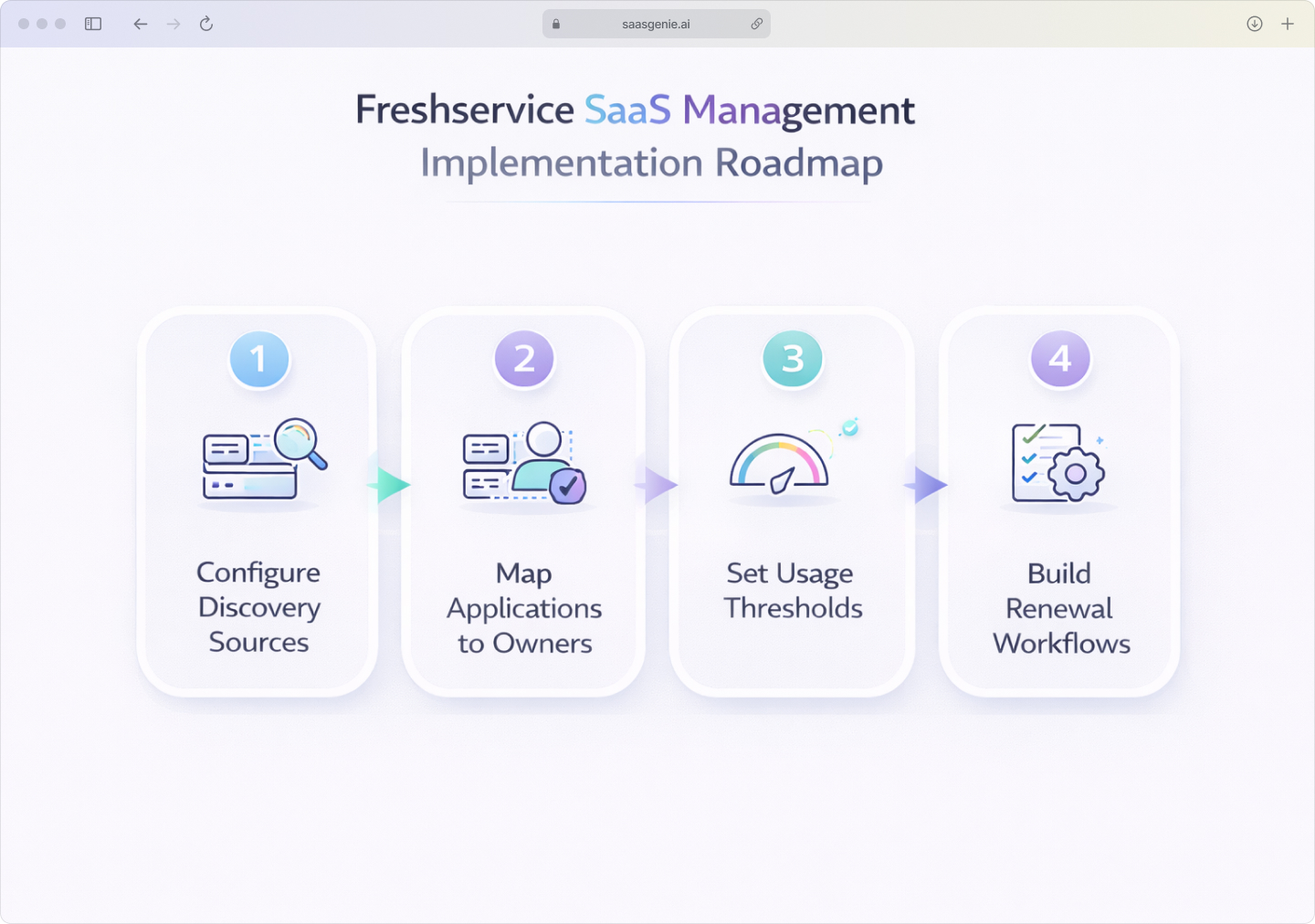
Successful Freshservice SaaS management rollouts follow a repeatable sequence that builds reliable discovery first, then adds ownership clarity, usage tracking, and renewal automation. Let's walk through the implementation steps that consistently produce clean data and actionable workflows.
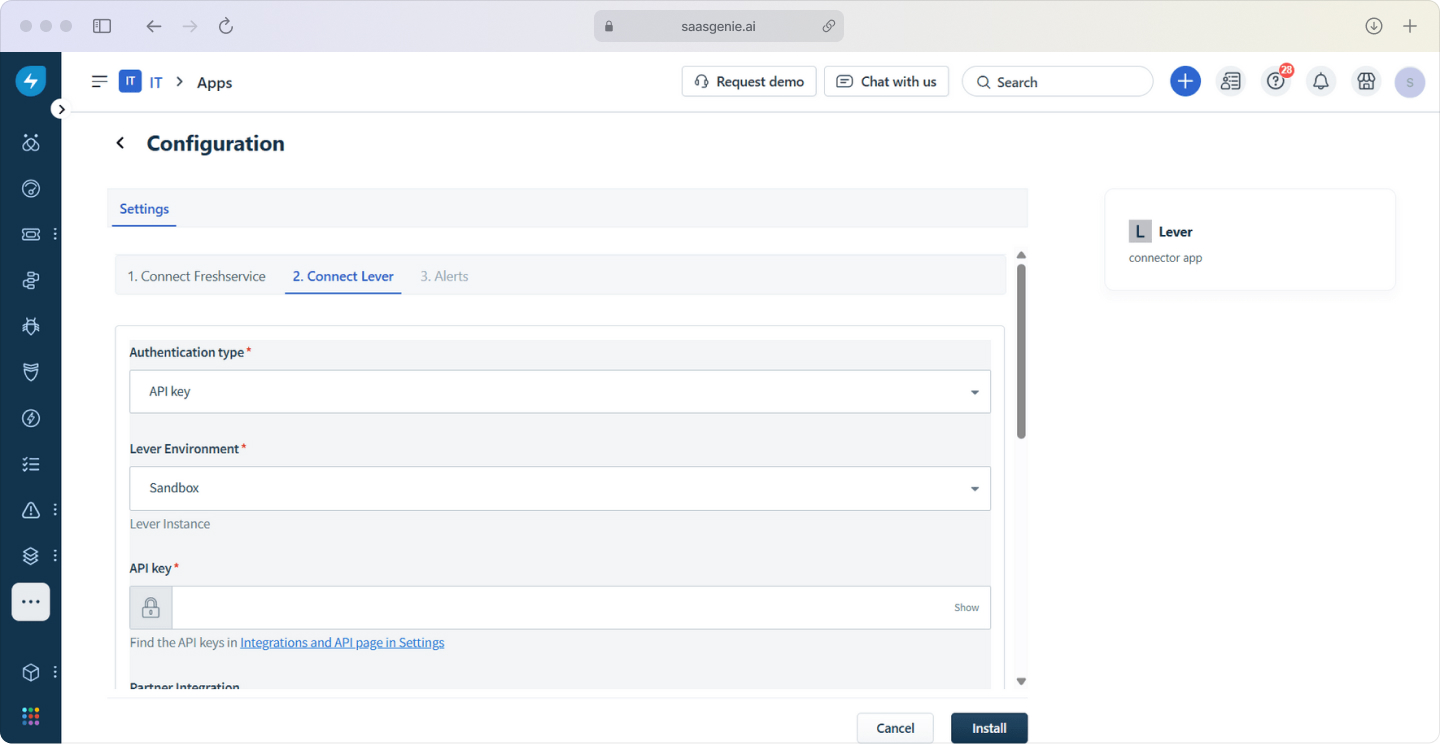
Configure discovery sources and connectors
Discovery is typically set up by linking Freshservice with identity providers and financial data sources. Identity systems provide application assignments and user accounts, while financial systems provide vendor names, charge dates, and subscription signals.
A common rollout connects a primary identity provider first, then adds finance or expense data sources. This order produces early visibility into who has access, then fills in cost and renewal context.
Map applications to business owners
Each discovered application gets assigned to a named business owner. The business owner is the person or role that approves renewals, validates usage expectations, and answers questions about the tool's business purpose.
Ownership mapping often uses a simple rule set, such as department ownership for team-specific tools and IT ownership for platform-wide tools. Applications without a clear owner are added to a review list until an owner is assigned.
Set usage tracking and alert thresholds
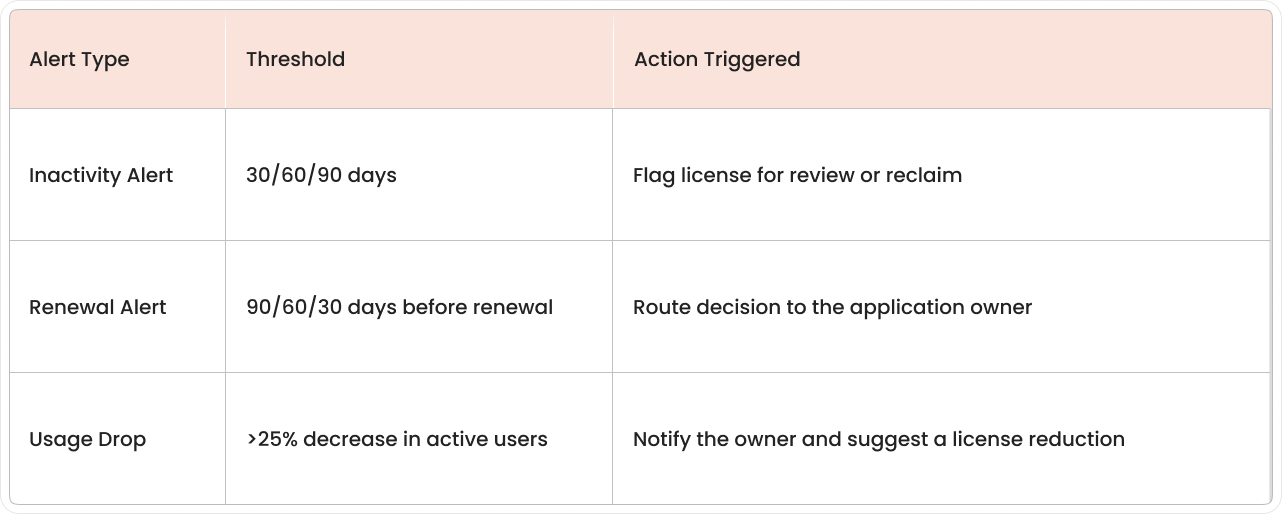
Usage tracking captures signals such as logins and active days. Alerts highlight patterns that indicate waste or risk, including inactivity and renewals approaching without a decision record.
Common thresholds include:
- Inactivity alerts: 30, 60, or 90 days, depending on application type.
- Renewal alerts: 90, 60, and 30 days before the renewal date.
- Usage drops: Significant decreases in active user counts.
Build renewal and cancellation workflows
Renewal workflows route decisions to stakeholders such as the application owner, procurement, and finance. A workflow record typically includes renewal date, vendor, contract terms, current license count, usage summary, and a decision field.
Cancellation workflows include steps for confirming data retention requirements, exporting data if required, and completing deprovisioning. Workflow timing gets set based on contract notice periods, which can range from a few days to several months.
Mistakes to avoid when managing SaaS in Freshservice
SaaS management data changes often because people join, leave, and switch roles. Small setup errors can spread across dashboards, reports, and renewal decisions.
Skipping data cleanup before migration
Messy imports produce messy dashboards. Duplicate vendor names, inconsistent application titles, and outdated owner fields create multiple records for the same tool, which breaks usage and spend totals.
Common cleanup tasks include:
- Removing duplicate entries and correcting spelling variations.
- Merging repeated applications under consistent naming.
- Closing records for apps that are no longer active.
- Updating user lists to reduce false "inactive license" signals.
Ignoring shadow IT during discovery
Shadow IT includes SaaS apps adopted without IT approval, often paid through department budgets or individual cards. Undiscovered apps create gaps in security review, access control, and renewal tracking.
When discovery only covers approved tools, hidden subscriptions remain outside workflows and reporting. Gaps often appear as unexplained expenses, unmanaged user access, and renewals that occur without visibility.
Overcomplicating workflows in the first phase
Complex workflows can include many branches, exceptions, and approval paths. Early complexity increases the number of fields to maintain and increases the chance of stalled approvals.
A first phase with basic approval routing and simple renewal reminders creates consistent records. Additional steps, such as multi-stage approvals and exception handling, fit better after early data stabilizes.
Measure SaaS management success
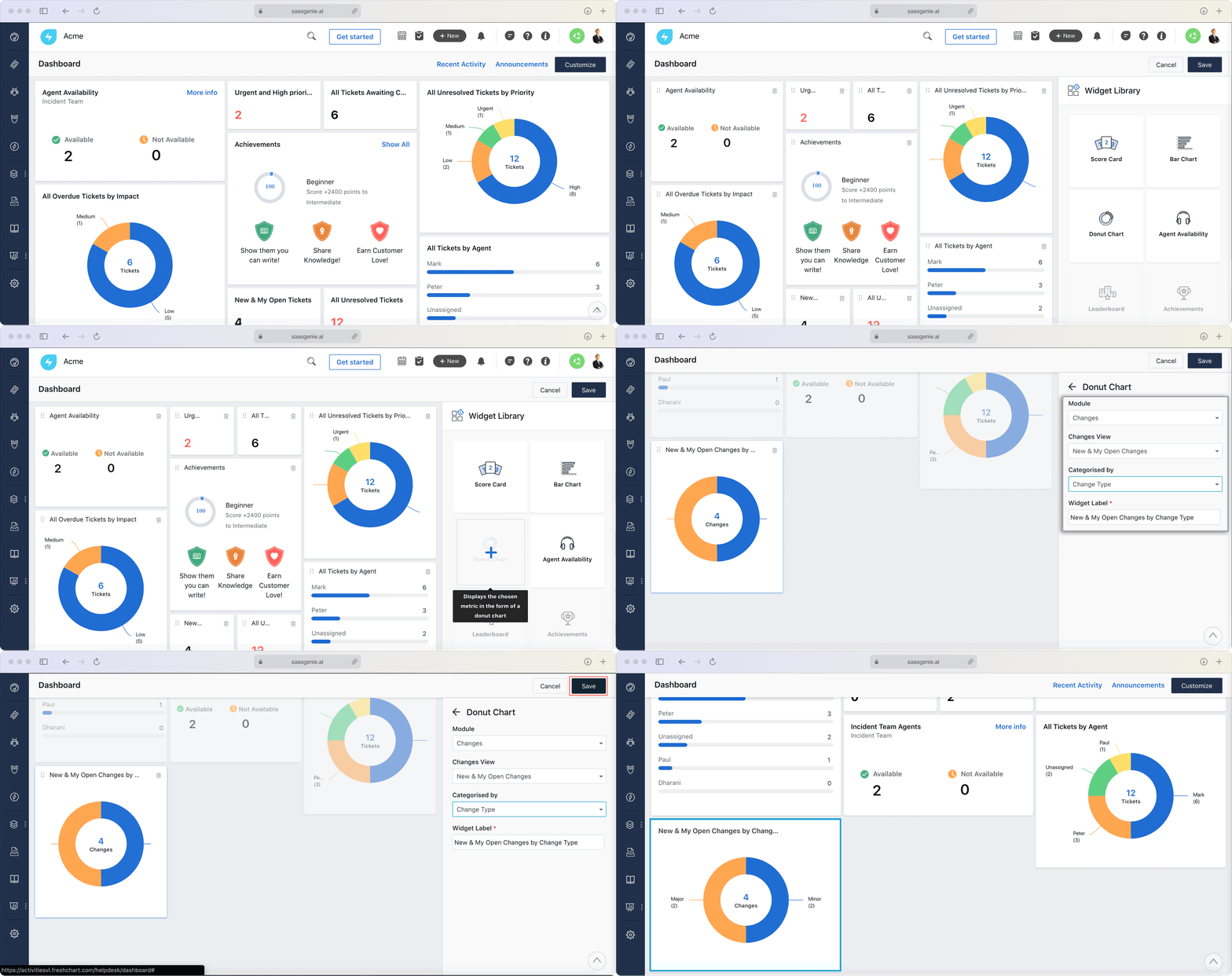
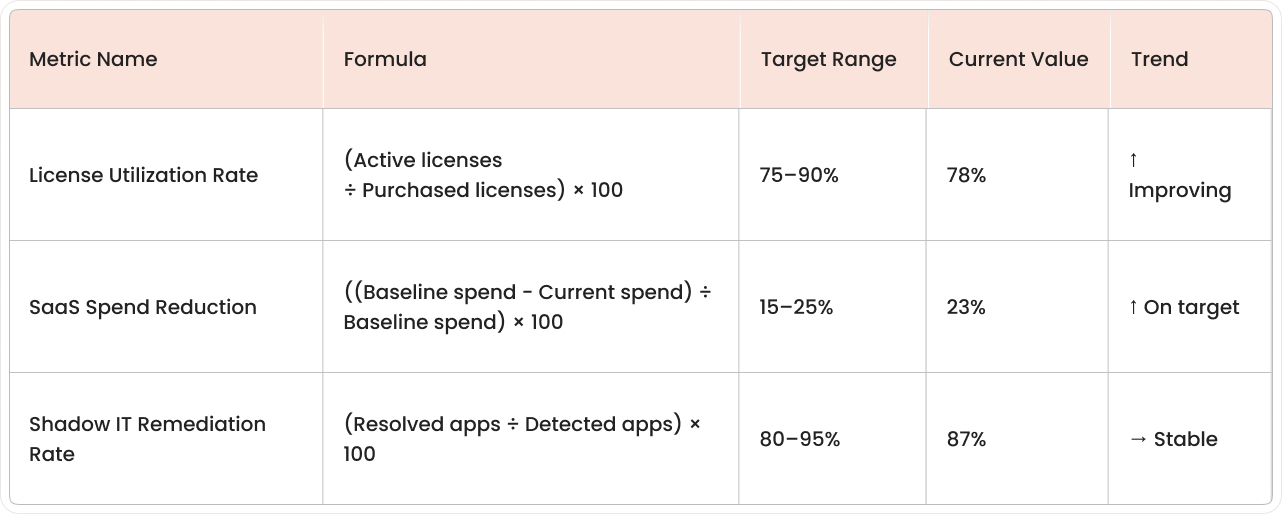
Key metrics show whether SaaS management in Freshservice produces accurate records, efficient access control, and controlled spending. Track these metrics on a regular schedule and compare results to a baseline period.
License utilization rate
License utilization rate is the percentage of purchased licenses that are actively used during a defined time period. A common formula is: active licenses ÷ purchased licenses × 100.
Higher utilization means fewer paid licenses sit idle. Lower utilization often signals inactive users, role changes, or licenses purchased ahead of demand.
SaaS spend reduction percentage
SaaS spend reduction percentage tracks the change in subscription costs over time after cancellations, downgrades, or license reductions. A common formula is: (baseline spend − current spend) ÷ baseline spend × 100.
This metric works best when measured by application and by department. Include one-time credits and contract changes in the tracking notes to avoid confusing reductions with billing timing.
Shadow IT detection and remediation rate
Shadow IT detection rate tracks the number of unsanctioned SaaS applications discovered within a defined period. Remediation rate tracks how many of those applications move into an approved status, a restricted status, or a retired status within a defined period.
A simple approach counts newly detected unsanctioned apps and unsanctioned apps resolved by a decision outcome. Record the decision outcome in the application record to separate "identified" from "managed."
Ongoing SaaS governance and optimization
After the first rollout, SaaS management becomes an ongoing routine that keeps application records accurate as teams, vendors, and pricing change. Governance focuses on repeatable reviews, consistent renewal decisions, and better data coverage over time.
Schedule regular SaaS portfolio reviews
Quarterly portfolio reviews work well because most SaaS usage patterns become clear within a few months. A typical review includes IT, finance, procurement, and application owners.
The review agenda covers:
- Application usage trends and license counts.
- Upcoming renewals requiring decisions.
- Access changes from hires and departures.
- Newly detected shadow IT applications and decisions.
Portfolio review notes get stored with the application record to preserve decision history. This record helps explain why a license count changed or why an application remained approved.
Automate renewal decision workflows
As renewal decisions become predictable, renewal workflows can move from reminders to structured decision paths. Examples include auto-routing renewals under a cost threshold to a single approver, or routing higher-cost renewals to procurement and finance for contract review.
Workflow rules can also standardize evidence included with each renewal decision, such as license utilization, user list, renewal date, and contract notice period. Standard evidence reduces the time spent collecting information during each renewal cycle.
Get expert help for your Freshservice SaaS management rollout

saasgenie is a certified Freshworks partner that implements and optimizes Freshservice for service operations, including SaaS management. The work typically covers setup of discovery sources, data normalization, ownership mapping, renewal workflows, reporting, and integrations with identity and finance systems.
Implementation support often focuses on avoiding common rollout issues such as duplicate application records, missing owners, incomplete discovery coverage, and renewal workflows that don't match procurement timelines. Professional ITSM services help organizations navigate these challenges effectively. Post-launch support commonly includes dashboard tuning, workflow adjustments, and periodic governance check-ins as the SaaS portfolio changes.
We'll show you exactly how to turn your sprawling app portfolio into a lean, optimized operation, with actionable next steps tailored to your environment.

Ready to bring order to your SaaS chaos?