.webp)



How Halo ITSM Handles Incident Management Workflows
IT systems sometimes stop working as expected, causing interruptions in daily operations that cost organizations $365,000 per hour. These interruptions are called incidents. Incident management is the process organizations use to handle these situations, restore normal service, and keep everything running smoothly.
Halo ITSM is a type of software that helps organizations manage incidents using a standardized approach. It follows ITIL guidelines, which are a set of best practices for IT service management.
This article explains how Halo ITSM manages incidents from the moment they are reported to the point they are resolved.
Your IT team juggles dozens of tickets daily.
Some are genuine emergencies like server outages, while others are routine requests like password resets marked as "urgent." Without a structured system, this constant influx creates confusion and delays response times.

Your inbox explodes with 47 "URGENT" tickets before 9 AM; half are actual server fires, the other half are "I forgot my password" requests marked critical. Your team's bouncing between Slack, email, and three different spreadsheets just to figure out who's handling what.
Meet Halo ITSM, your incident command center: a unified platform that turns chaotic ticket storms into organized workflows and gives every IT fire drill a clear playbook.
What is incident management in Halo ITSM?
Halo ITSM incident management is the structured process of handling unplanned IT service interruptions from initial report to final resolution. When your email server crashes or the accounting software stops responding, that's an incident. Halo ITSM captures these events, organizes them by priority, and guides your team through a consistent resolution process.
The platform follows ITIL standards, which means it uses proven best practices for IT service management. Think of ITIL as the playbook that successful IT teams worldwide follow to handle incidents efficiently.
Key components include:
- Incident: An unplanned interruption that reduces IT service quality.
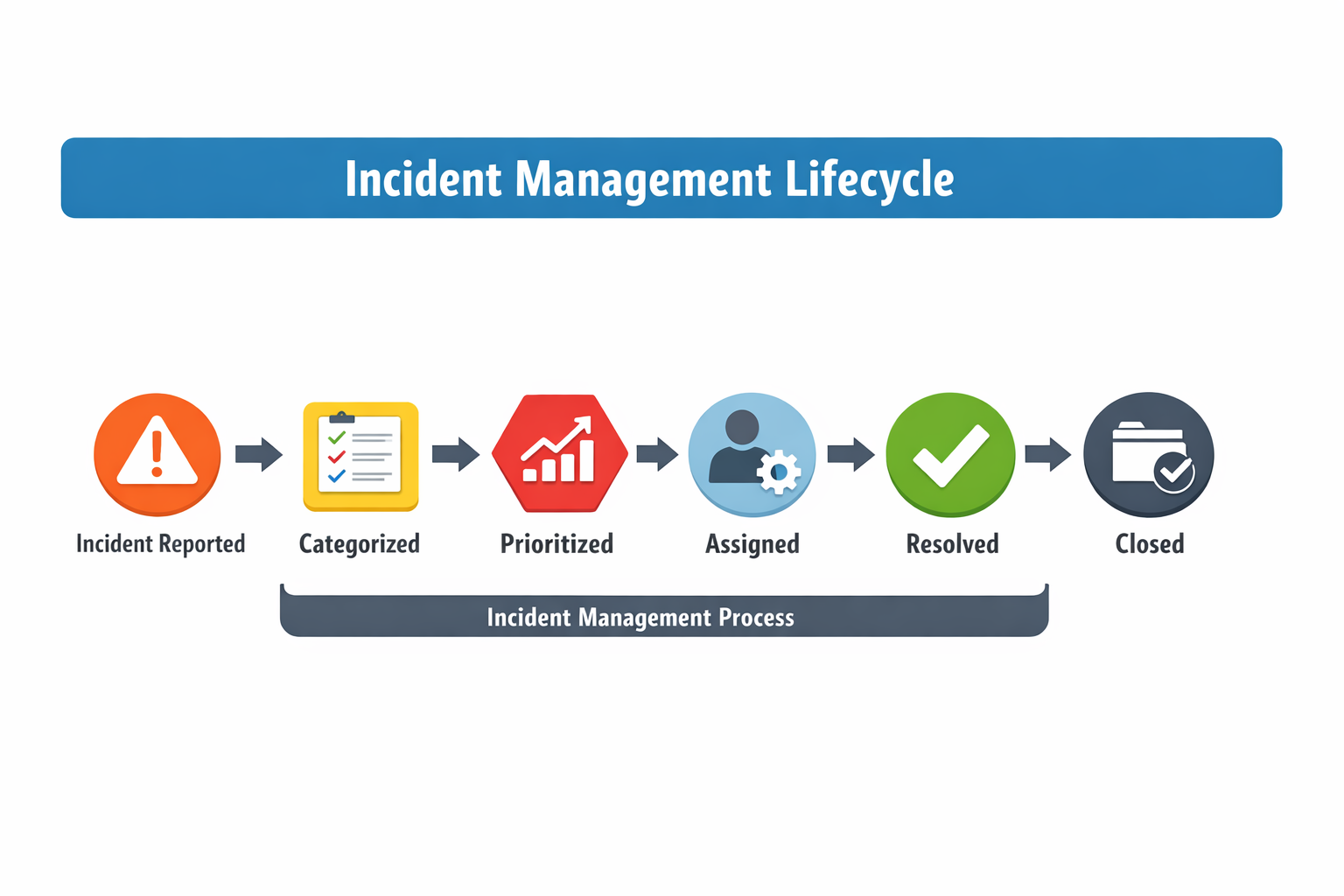
- Incident management: The complete workflow from ticket creation to closure.
- TIL alignment: Following established best practices for consistent service delivery.\
Halo ITSM turns incident chaos into predictable workflows. Instead of scrambling to figure out who handles what, your team follows clear steps that get services back online faster.
Looking for the right incident management platform?
Check out our comprehensive guide to the best incident management software for enterprises to see how Halo ITSM compares to other leading solutions.
The complete Incident lifecycle in Halo ITSM
When someone reports an IT problem, Halo ITSM kicks off a structured process that moves the incident through specific stages. Each stage has clear goals and handoffs, so nothing falls through the cracks.
Ticket intake and smart categorization
Issues enter Halo ITSM through multiple channels, including email, web portal, chat, or Microsoft Teams integration. The system automatically categorizes each ticket based on keywords and request patterns. A ticket about "can't log in" gets tagged as an access issue, while "printer won't print" becomes a hardware problem.
This automatic sorting means your team spends less time figuring out what category a ticket belongs to and more time actually fixing things.
Priority assignment and routing
Halo ITSM evaluates each incident's urgency and business impact to set priority levels. A CEO locked out of email gets higher priority than a broken conference room projector. The system then routes tickets to the right team or individual based on predefined rules.
Investigation using integrated tools
Agents investigate incidents using Halo ITSM's built-in knowledge base, asset database, and related ticket history. Everything appears on one screen, so technicians don't waste time switching between different systems to gather context.
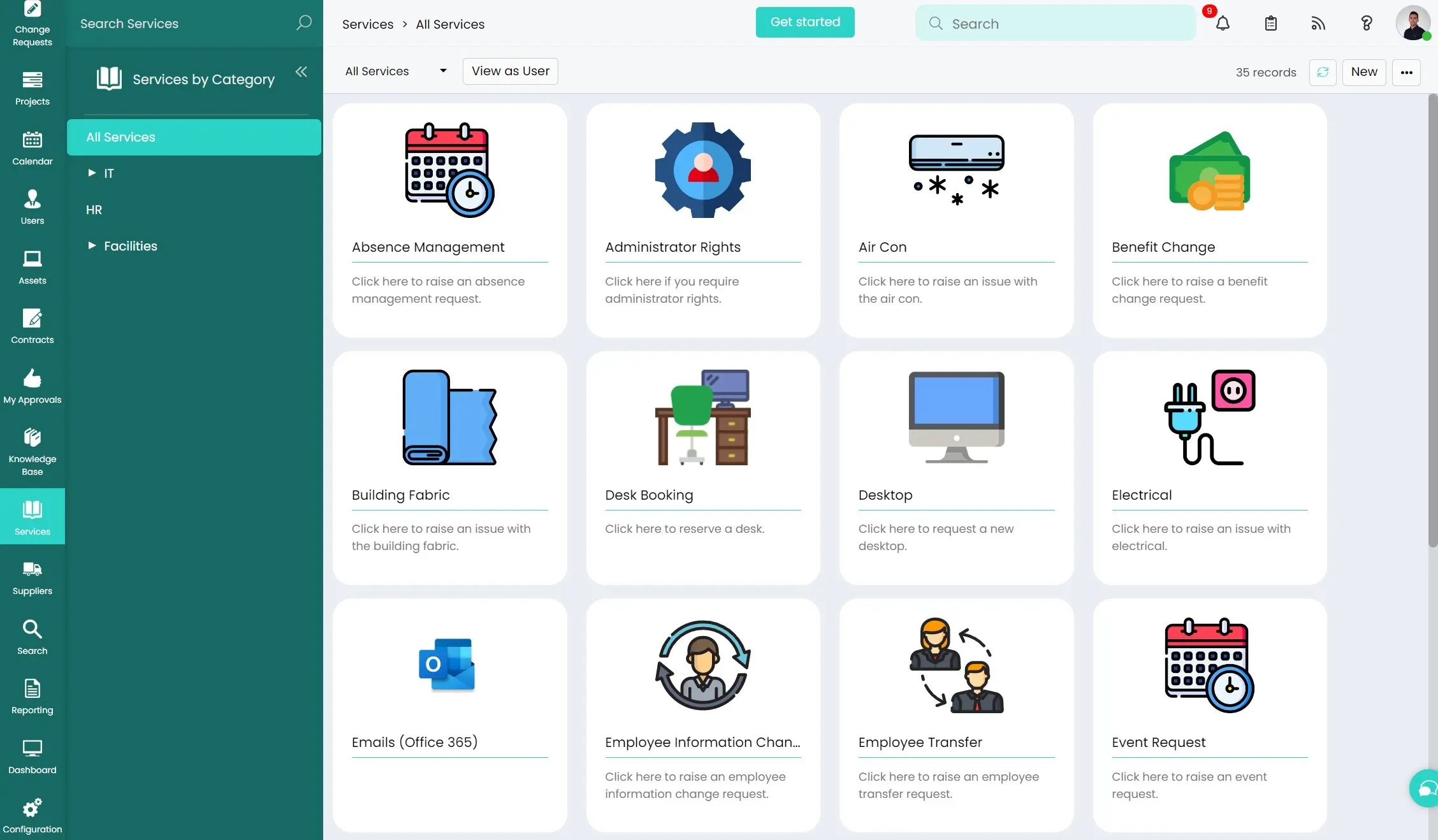
Resolution and documentation
Once the fix is applied, agents document the solution and close the ticket. Halo ITSM can automatically convert successful solutions into knowledge base articles for future reference.
AI-powered automation for faster incident resolution
Halo ITSM includes artificial intelligence features that handle routine tasks automatically. These AI tools analyze ticket content, suggest solutions, and even resolve simple issues without human intervention, with AI automation saving $2.22 million per security breach through faster response times.
Smart ticket triage
The AI examines incoming tickets and suggests priority levels based on content analysis and historical patterns. It learns from past incidents to improve accuracy over time.
Automated categorization
Machine learning algorithms sort tickets into the correct categories without manual review. The system gets smarter with each ticket it processes.
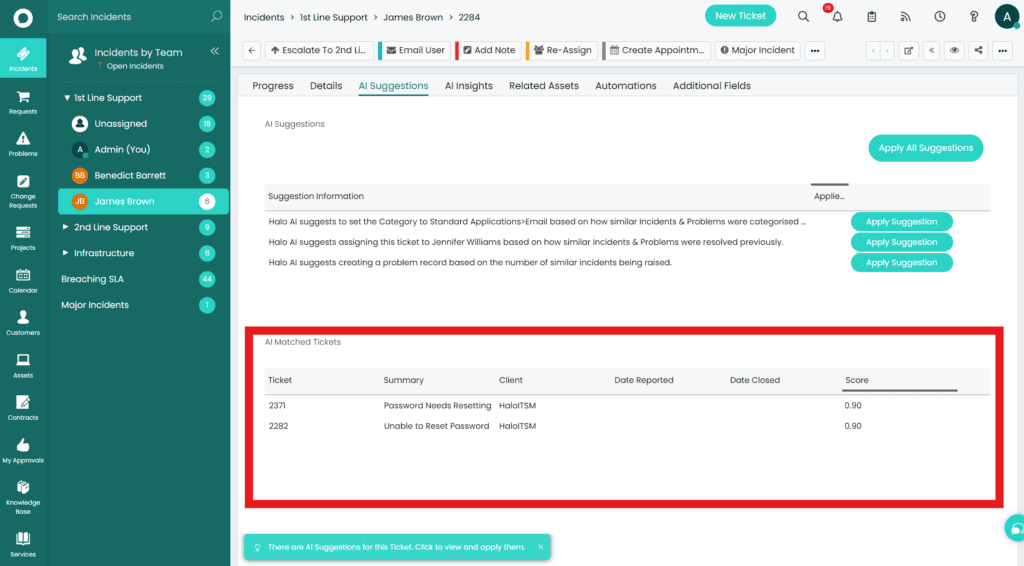
Related incident clustering
Halo ITSM's AI identifies patterns among multiple tickets that might indicate a broader system problem. If five people report email issues within an hour, the system flags this as a potential major incident.
Solution recommendations
The platform suggests fixes by matching current incidents to similar resolved cases in the knowledge base. Agents get relevant solutions without manually searching through documentation.
No-code workflow builder
Teams create automated processes using a visual drag-and-drop interface. Set up rules for ticket routing, escalations, and notifications without writing code or waiting for developer resources.
SLA tracking and escalation workflows
Service Level Agreements (SLAs) define how quickly your team commits to responding to and resolving different types of incidents, critical for the 89% of businesses that rely on service-based partnerships. Halo ITSM tracks these commitments and takes action when tickets risk missing their deadlines.
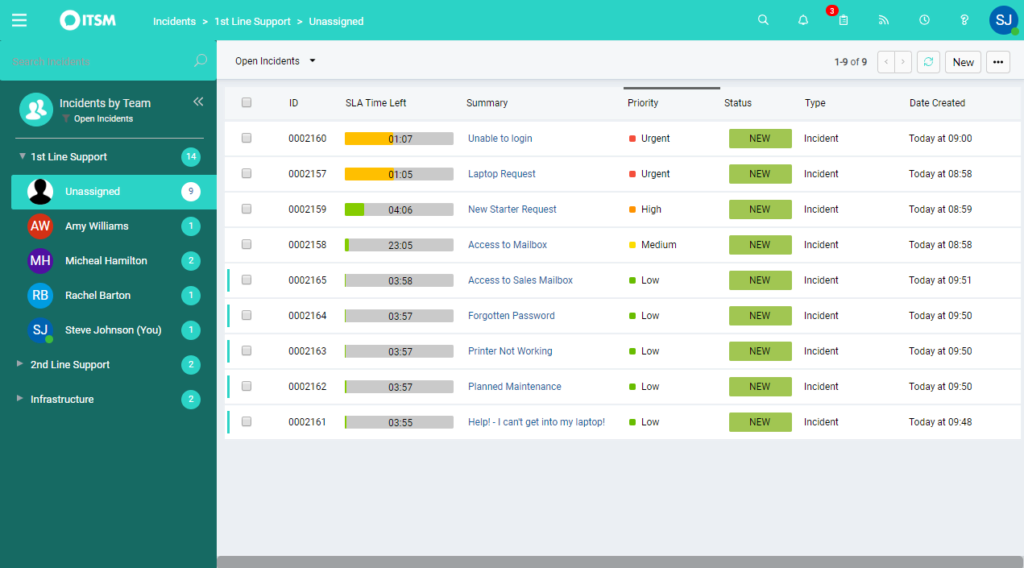
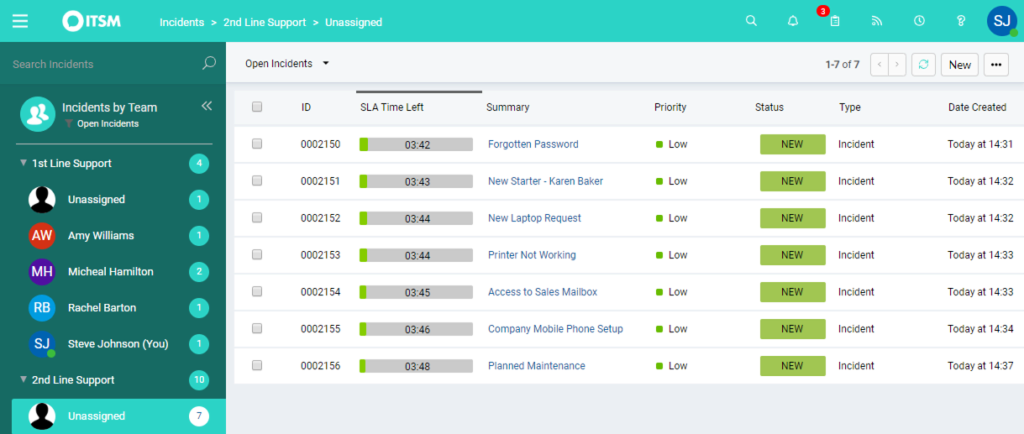
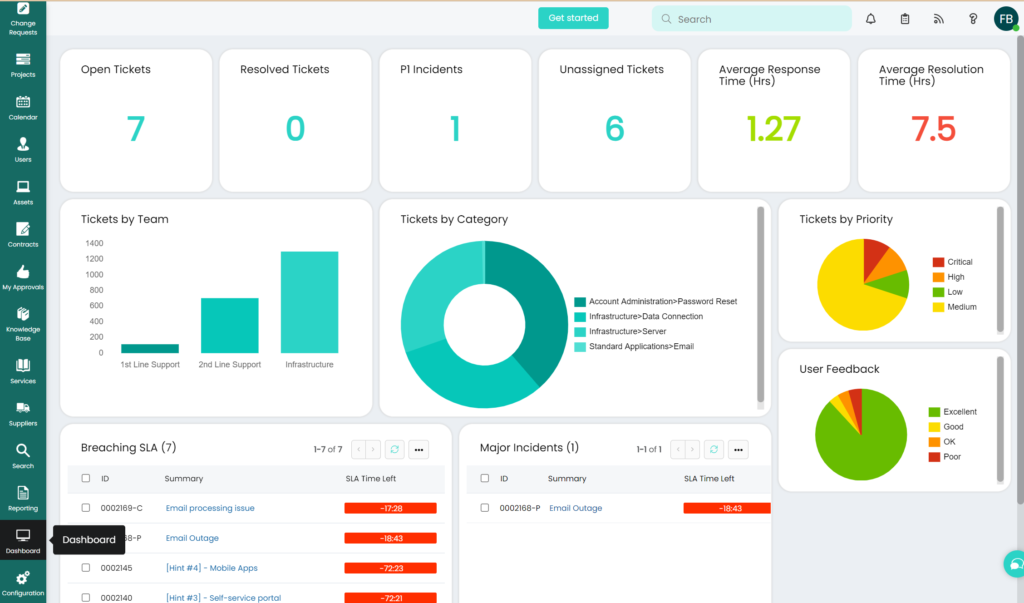
The system monitors response times (how quickly someone acknowledges the ticket) and resolution times (how long it takes to fix the problem). Color-coded indicators show which tickets need immediate attention.
SLA capabilities:
- Multiple SLA groups: Different timing rules for various service types or customer tiers
- Priority-based targets: Faster response requirements for high-priority incidents
- Automatic escalation: System notifications and ticket reassignments before SLA breaches
- Visual time indicators: Dashboard warnings that highlight at-risk tickets\
When a ticket approaches its SLA deadline, Halo ITSM automatically notifies managers or reassigns the incident to available staff. This prevents issues from falling through the cracks during busy periods.
Major incident management capabilities
Major incidents are high-impact problems that affect many users or critical business services. These situations require different handling than routine password resets or software glitches.
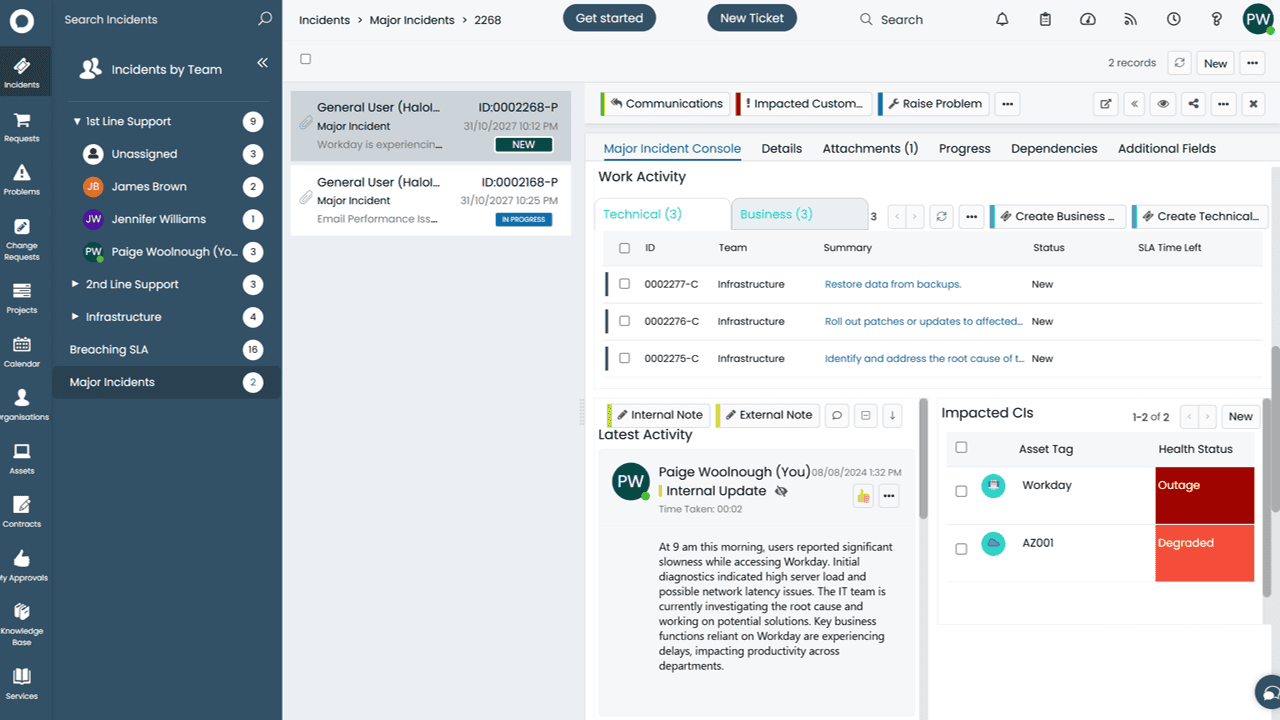
Halo ITSM includes specialized tools for coordinating major incident response. When the email system goes down company-wide or the main database becomes unavailable, the platform switches into major incident mode.
Rapid team assembly
The system sends instant notifications to technical specialists and incident managers. Everyone needed for the response gets alerted simultaneously instead of relying on phone trees or manual contact lists.
Centralized command dashboard
Incident commanders get a single screen showing affected services, assigned team members, current status, and active tasks. This eliminates the confusion that often happens during crisis situations.
Real-time task coordination
Recovery activities are broken into specific tasks assigned to team members. Progress updates appear in real-time, so everyone knows what's completed and what still needs attention.
Stakeholder communication automation
Halo ITSM sends regular updates to business leaders and affected users without manual intervention. These communications include current status, estimated resolution times, and any workarounds available.
Integration ecosystem for faster resolution
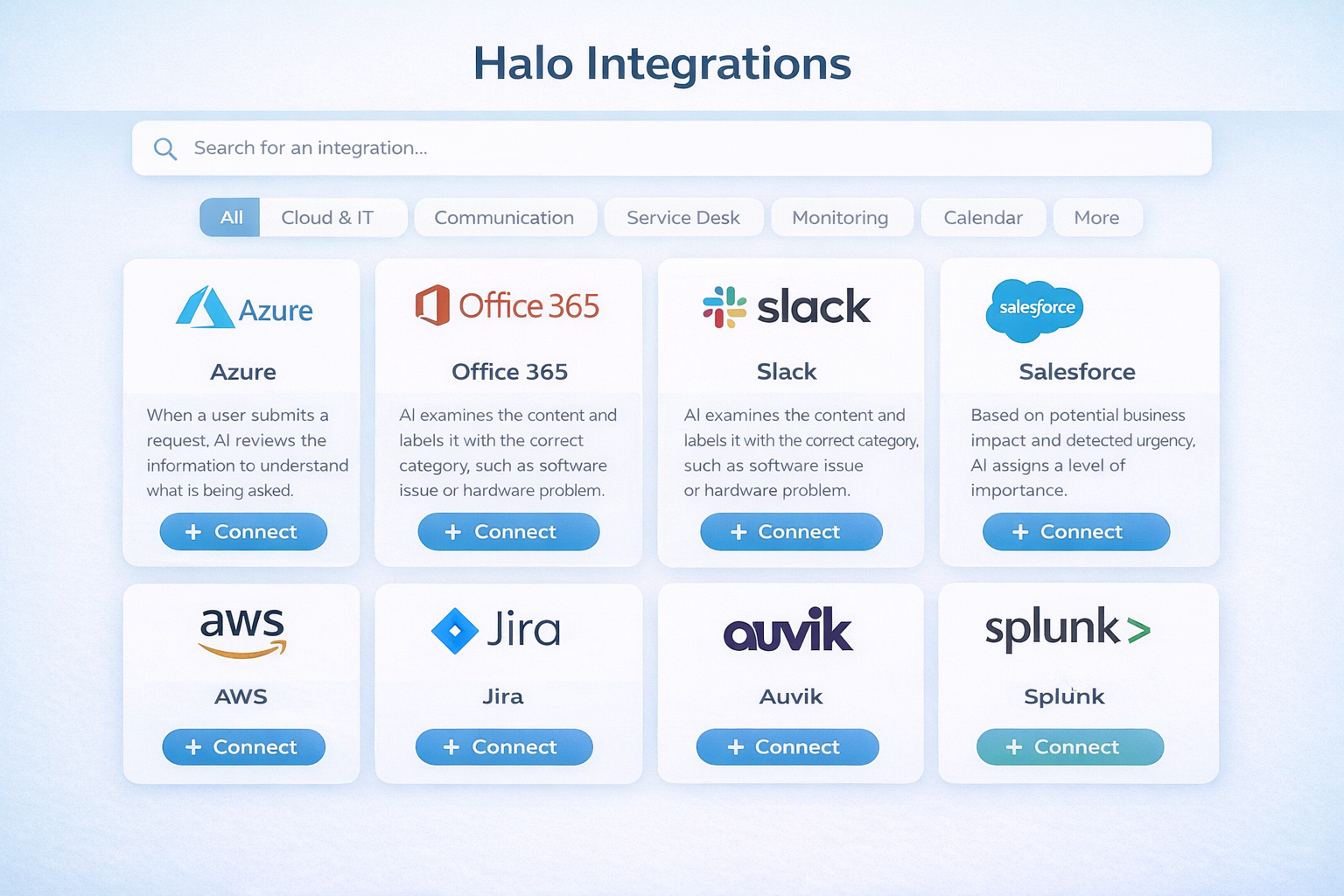
Halo ITSM connects with tools your team already uses daily. These integrations eliminate the need to switch between different applications and ensure information flows smoothly across your technology stack.
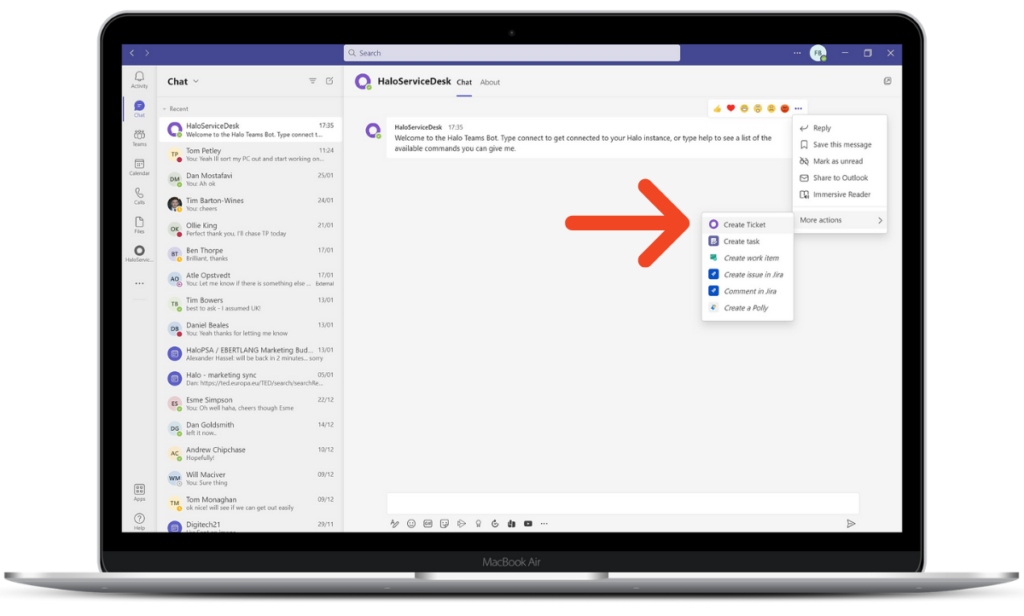
Microsoft Teams integration
Create, update, and discuss tickets directly within Teams channels. Changes made in either system sync automatically, so conversations and ticket updates stay connected.
Development platform connections
Link incidents to Jira issues or Azure DevOps work items when problems require code fixes or feature changes. Developers can track IT issues alongside their regular sprint work.
Monitoring tool integration
Connect infrastructure monitoring platforms to automatically create tickets when system alerts trigger. Your team can respond to problems before users notice them.
Identity system connections
Integrate with Active Directory or other identity providers for automatic user provisioning and access management. New employee onboarding becomes a streamlined workflow instead of manual tasks.
Self-service portal and knowledge management
Halo ITSM includes a user-facing portal where employees can find answers to common problems without submitting tickets. This self-service approach reduces ticket volume while giving users faster access to solutions.
The knowledge base stores step-by-step guides, troubleshooting instructions, and frequently asked questions. Users search for help using natural language queries, and the system returns relevant articles ranked by usefulness.
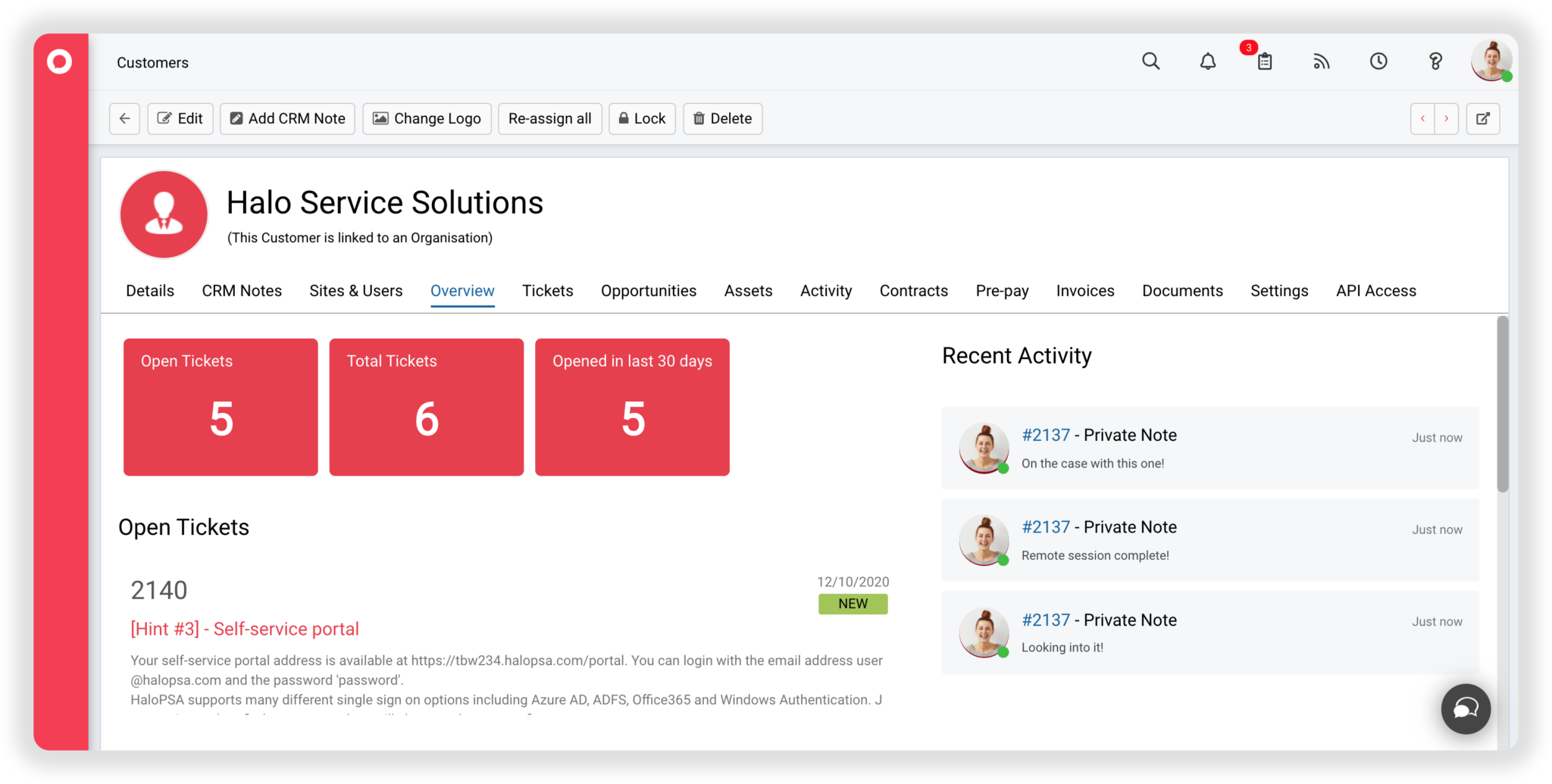
Portal features:
- Rich content articles: Instructions with screenshots, videos, and downloadable files
- Intelligent search: Keyword matching that understands context and intent
- Service catalog: Pre-defined request forms for common services like software access
- Status tracking: Real-time updates on submitted ticket progress
When users find solutions in the knowledge base, they avoid the wait time associated with ticket submission and resolution. Your IT team handles fewer routine questions and focuses on complex problems that require human expertise.
Configuration management and asset tracking
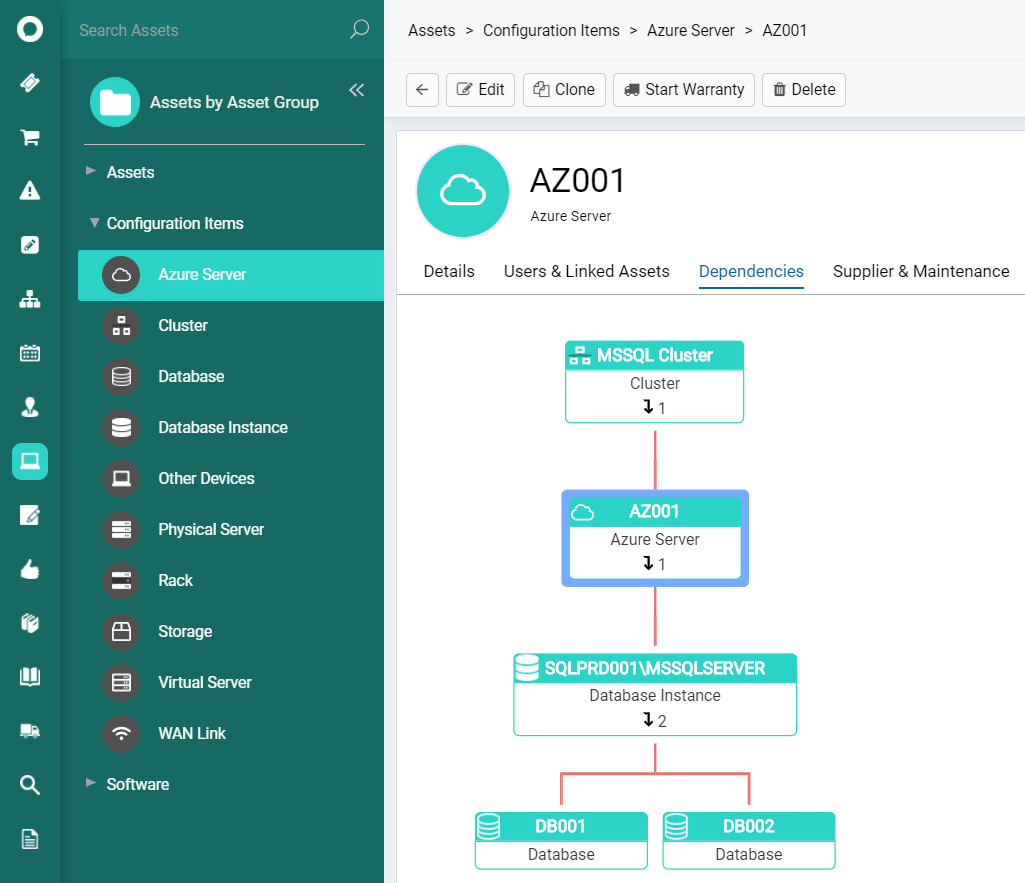
Halo ITSM's Configuration Management Database (CMDB) maintains records of IT assets and their relationships. This information helps with incident resolution by showing which systems depend on each other and what might be affected by outages.
When investigating incidents, technicians can see the complete context around affected assets. If a server goes down, the CMDB shows which applications and users depend on that server.
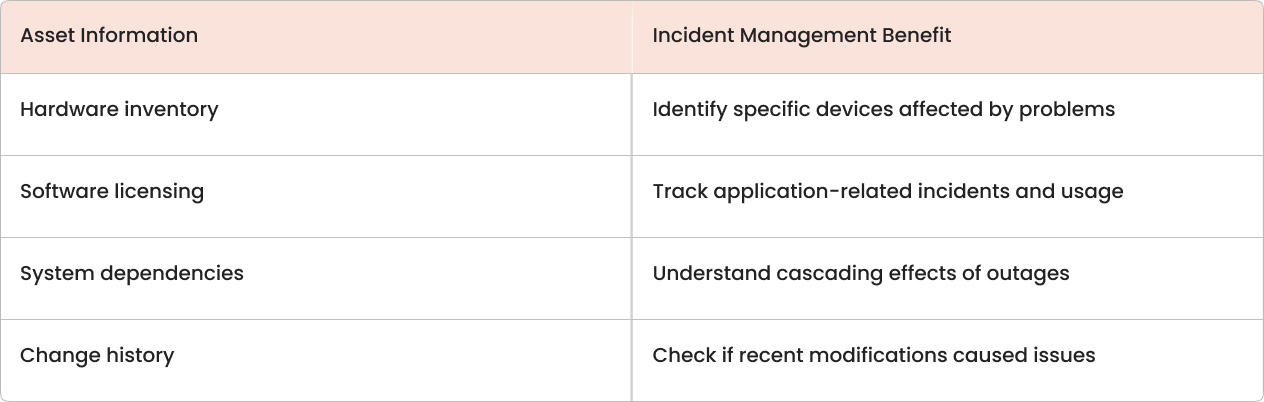
The CMDB also tracks configuration changes over time. When incidents occur, teams can quickly check if recent updates or modifications might have triggered the problem.
Performance metrics and reporting
Halo ITSM tracks key performance indicators that show how effectively your team handles incidents. These metrics help identify improvement opportunities and demonstrate the value of your IT service management efforts.
Mean Time to Resolution (MTTR)
This measures the average time from incident creation to closure, with industry averages at 8.85 business hours. Lower MTTR indicates more efficient problem-solving processes.
First contact resolution rate
The percentage of incidents resolved during the initial interaction without escalation or handoffs. Higher rates suggest better knowledge sharing and agent capability.
SLA compliance percentage
How often does your team meet the response and resolution commitments defined in service level agreements? This metric directly impacts user satisfaction.
Incident volume trends
Patterns in ticket creation over time help identify recurring problems or capacity planning needs. Sudden spikes might indicate systemic issues requiring attention.
Implementation approach for Halo ITSM incident workflows
Setting up incident management workflows in Halo ITSM follows a logical sequence that builds from current state assessment to full operational deployment.
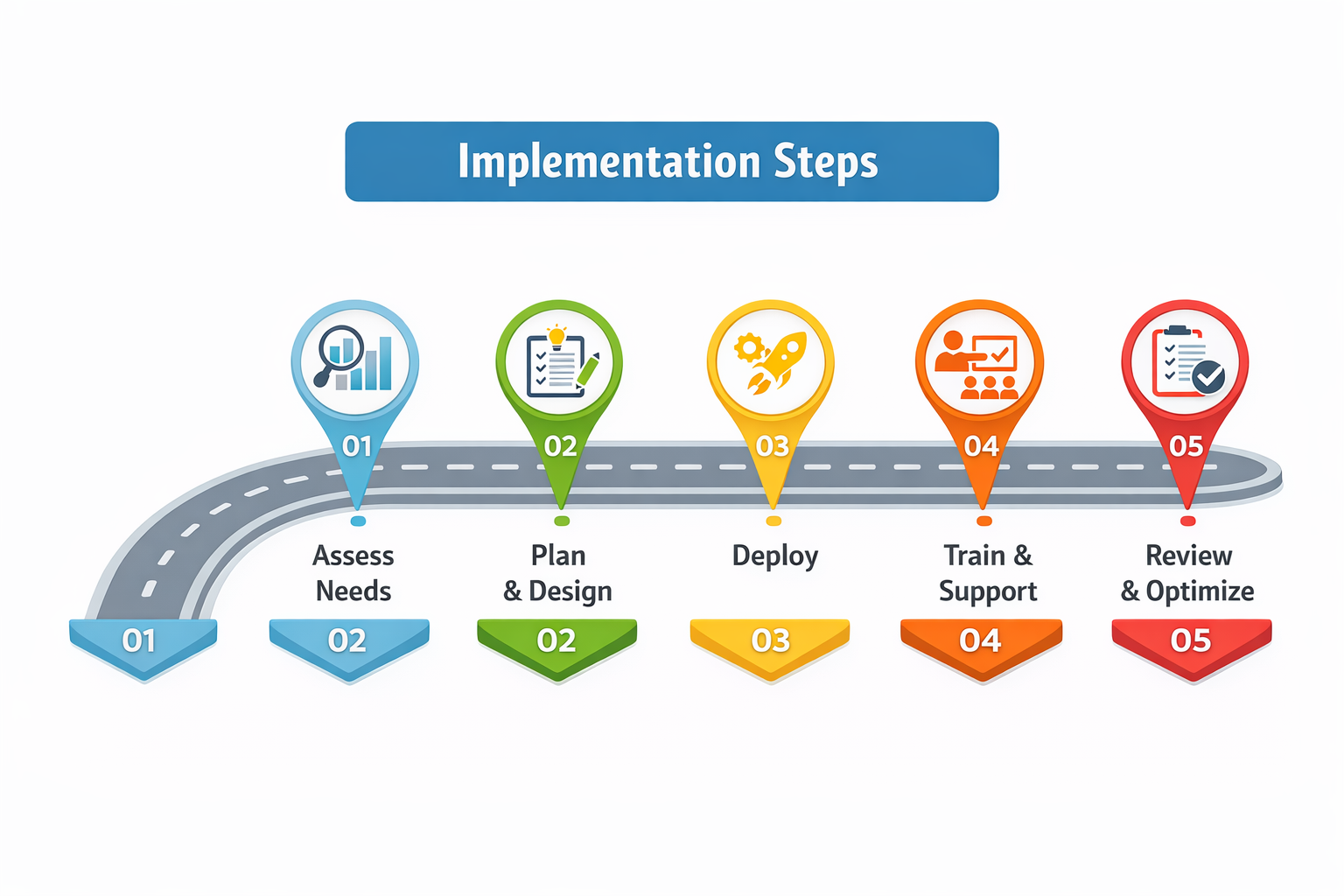
1. Document existing processes
Map out how incidents are currently handled, including who gets involved at each step and where delays typically occur. This baseline helps identify specific improvements Halo ITSM can deliver.
2. Define service level targets
Establish response and resolution time commitments for different incident types. Consider business impact when setting these targets—not every issue needs the same urgency.
3. Plan data migration
Decide which historical information to transfer from existing systems. Open tickets and asset inventories are typically priorities, while older closed incidents might not be necessary.
4. Configure automation rules
Set up the logic for automatic ticket routing, priority assignment, and escalation triggers. Start simple and add complexity as your team becomes comfortable with the system.
5. Train the service desk team
Provide hands-on training for all agents who will use Halo ITSM daily. Focus on navigation, ticket handling procedures, and where to find help when questions arise.
Get more from Halo ITSM with expert guidance
Halo ITSM provides powerful incident management capabilities, but realizing the full benefits often requires experienced implementation support. saasgenie specializes in Halo ITSM deployments and can help you configure workflows that align with your specific operational needs.
Our team has completed rapid Halo ITSM implementations for organizations across different industries and sizes. We focus on practical configurations that deliver measurable improvements in incident response times and team efficiency.
For organizations considering Halo ITSM or looking to optimize their current implementation, saasgenie offers free consultations to discuss requirements and potential outcomes. You can schedule a conversation at https://www.saasgenie.ai/contact-us.