.webp)




IT Problem Management: From Incident to Permanent Solution
IT systems experience failures, errors, and repetitive issues. These problems can disrupt work, interrupt services, and create frustration for both employees and customers.
When issues happen, IT teams often fix them quickly so everyone can get back to work. However, sometimes the same problems keep coming back. This is where IT problem management comes in.
Problem management is a structured way for IT teams to find out what causes these repeated issues and take steps to prevent them from happening again.
Ever feel like your IT team is stuck in Groundhog Day?
Monday morning, the VPN drops 50 users.
You patch it.
Thursday afternoon, the same thing happens.
Next week?
You guessed it, VPN issues again.

That's the difference between putting a band-aid on a cut versus actually cleaning the wound. Problem management is about finding the infection and treating it for good.
What is IT problem management?
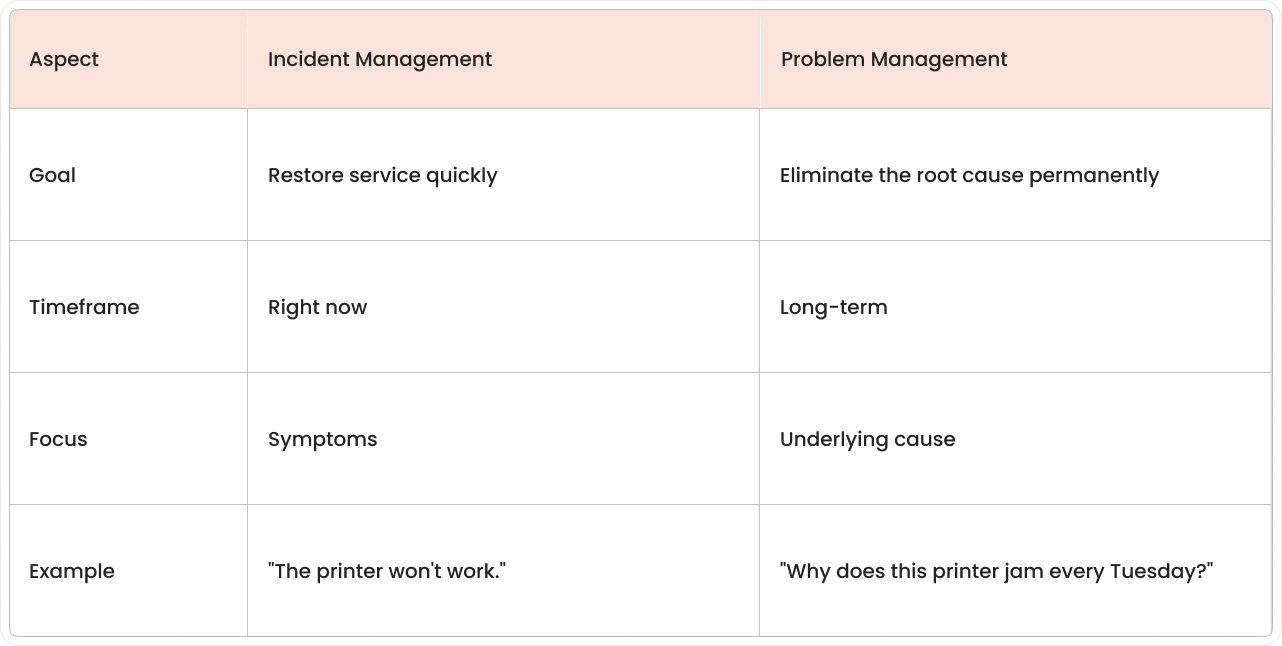
IT problem management is the ITSM process that identifies, analyzes, and resolves the root causes of recurring incidents in IT systems. Unlike incident management, which focuses on getting things working again fast, problem management digs deeper to find why things broke in the first place.
Think of it this way: if your car keeps breaking down, incident management is calling roadside assistance every time. Problem management is taking it to a mechanic to figure out why the engine keeps failing.

The difference between incidents and problems
Here's where newcomers to ITSM get confused. An incident and a problem aren't the same thing, even though we use these words interchangeably in everyday conversation.
When incidents become problems
Incidents get elevated to problem management when patterns emerge:
- Multiple similar incidents: Same issue affecting different users.
- Major business impact: One incident that causes significant disruption.
- Recurring patterns: Issues that keep coming back despite fixes.
As ITIL expert Stuart Rance puts it: "The difference between incident and problem management is the difference between firefighting and fire prevention."
Reactive vs proactive problem management
We see two ways to tackle problem management.
One is to wait until something breaks; the other is to predict trouble before it strikes.
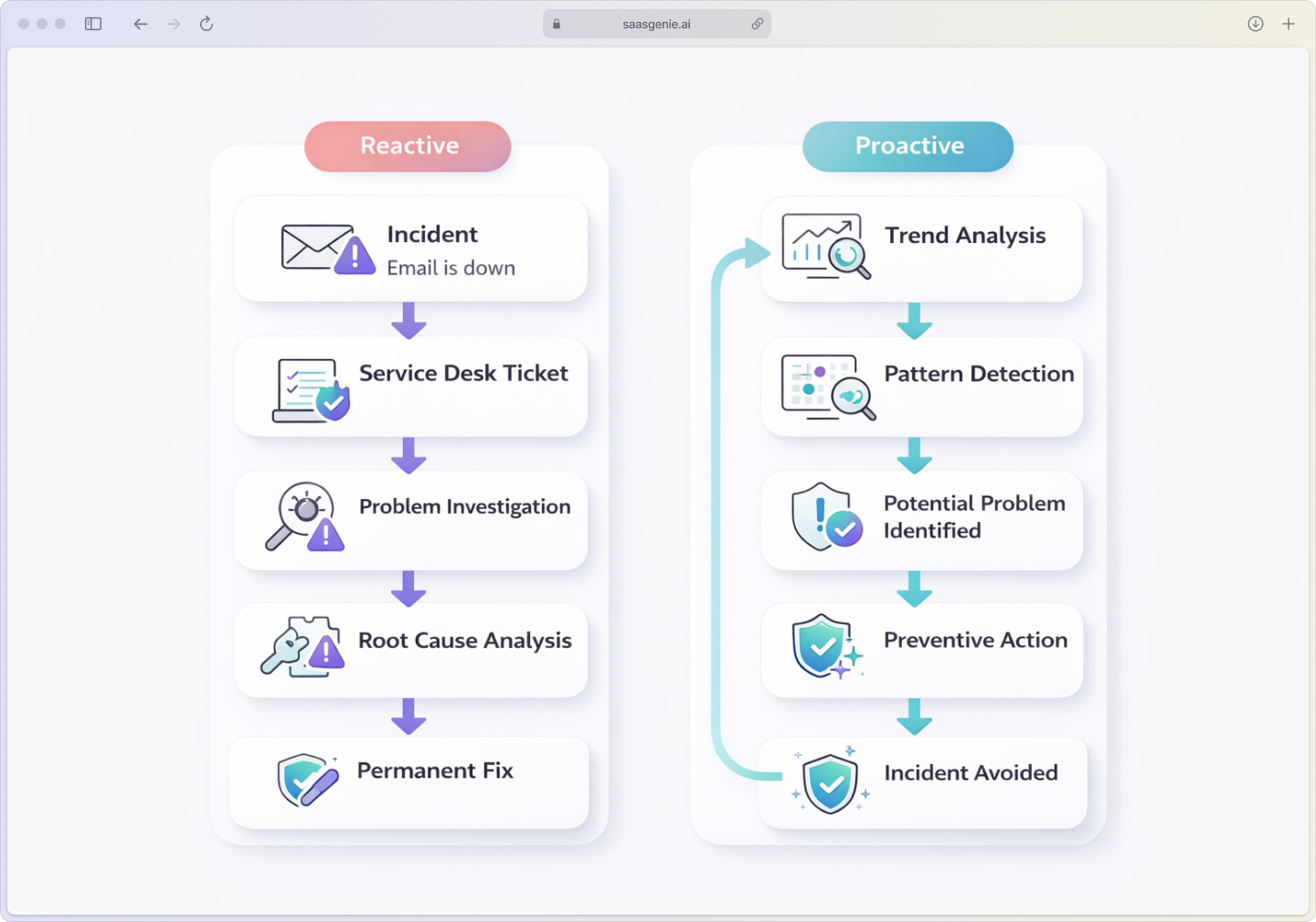
Reactive problem management kicks in after incidents have already happened. Your team investigates what went wrong, finds the root cause, and fixes it. Most IT teams start here because it deals with problems that have already affected users.
Proactive problem management uses data and trends to spot issues before they cause incidents. Modern ITSM tools with AI can spot issues before they cause incidents, analyze patterns, and flag potential problems early.
The shift from reactive to proactive is where the real magic happens.
Forrester research shows that IT teams using proactive monitoring resolve issues 40% faster than those stuck in reactive mode.
Why?
Because proactive monitoring catches potential problems early, before they snowball into major disruptions. You get ahead of issues, minimize downtime, and keep your operations running smoothly instead of scrambling to put out fires.
Why your IT team needs problem management
Problem management prevents incidents from occurring in the first place and minimizes their impact when they do, which is critical when unplanned downtime costs $14,056 per minute. Here's what happens when you implement proper problem management:
Fewer recurring incidents
When you fix root causes, the same tickets stop appearing in your queue. Your service desk spends less time on repetitive issues and more time on valuable work, important when organizations log 1,200 IT incidents per month on average.
Faster resolution times
A well-maintained known error database gives your team instant workarounds for known issues. Instead of starting from scratch each time, they can restore service quickly while working on permanent fixes.
Lower IT costs
Less firefighting means your skilled engineers can focus on improvement projects instead of the same break-fix cycles. Forrester research shows organizations typically see 35% reduction in operational costs after implementing structured problem management.
The problem management process
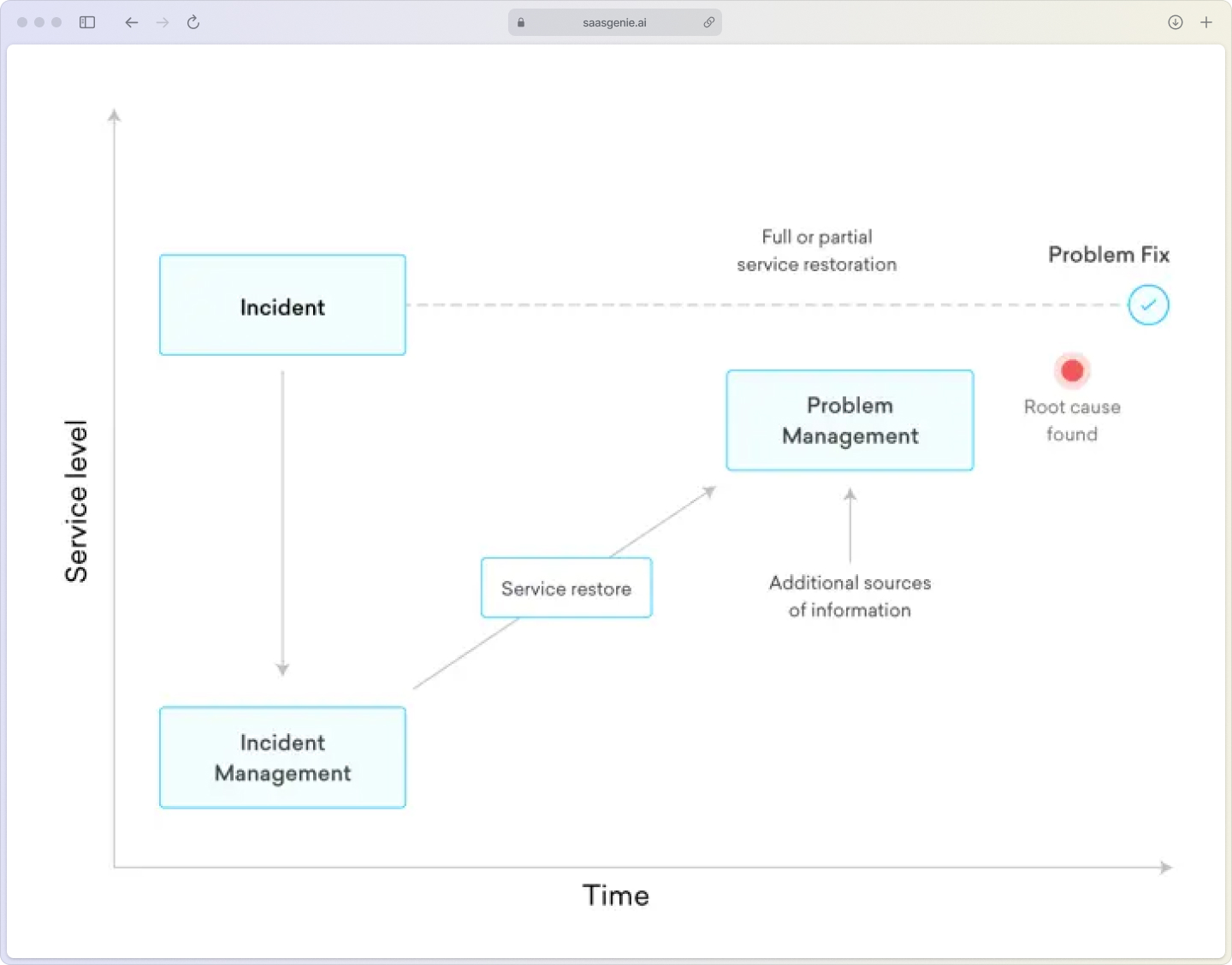
The ITIL problem management process follows a clear workflow from detection to permanent resolution. Its objective is to manage the entire lifecycle of problems so you can eliminate root causes rather than repeatedly fighting symptoms.
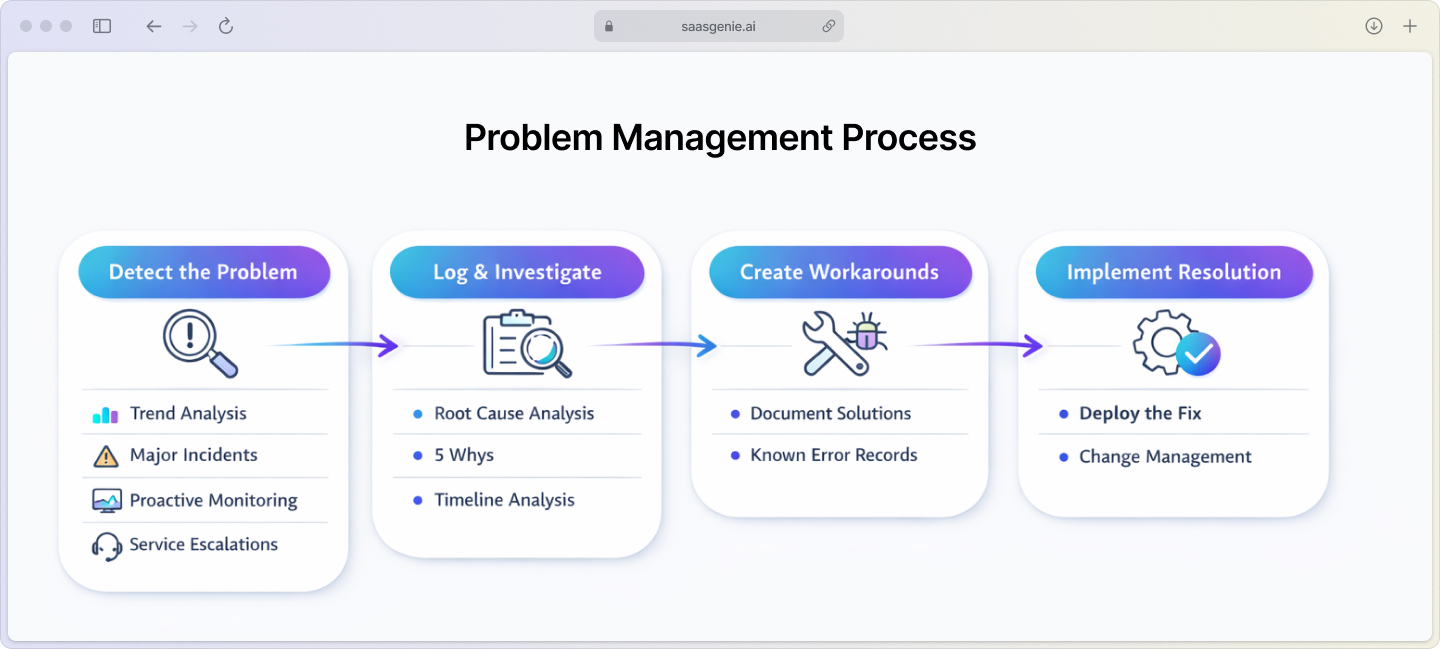
1. Detect the problem
Problems get identified through:
- Incident trend analysis: Spotting patterns in your ticket data.
- Major incident reviews: Deep-dives after significant outages.
- Proactive monitoring: System alerts before users notice issues.
- Service desk escalations: When first-level support can't resolve recurring issues.
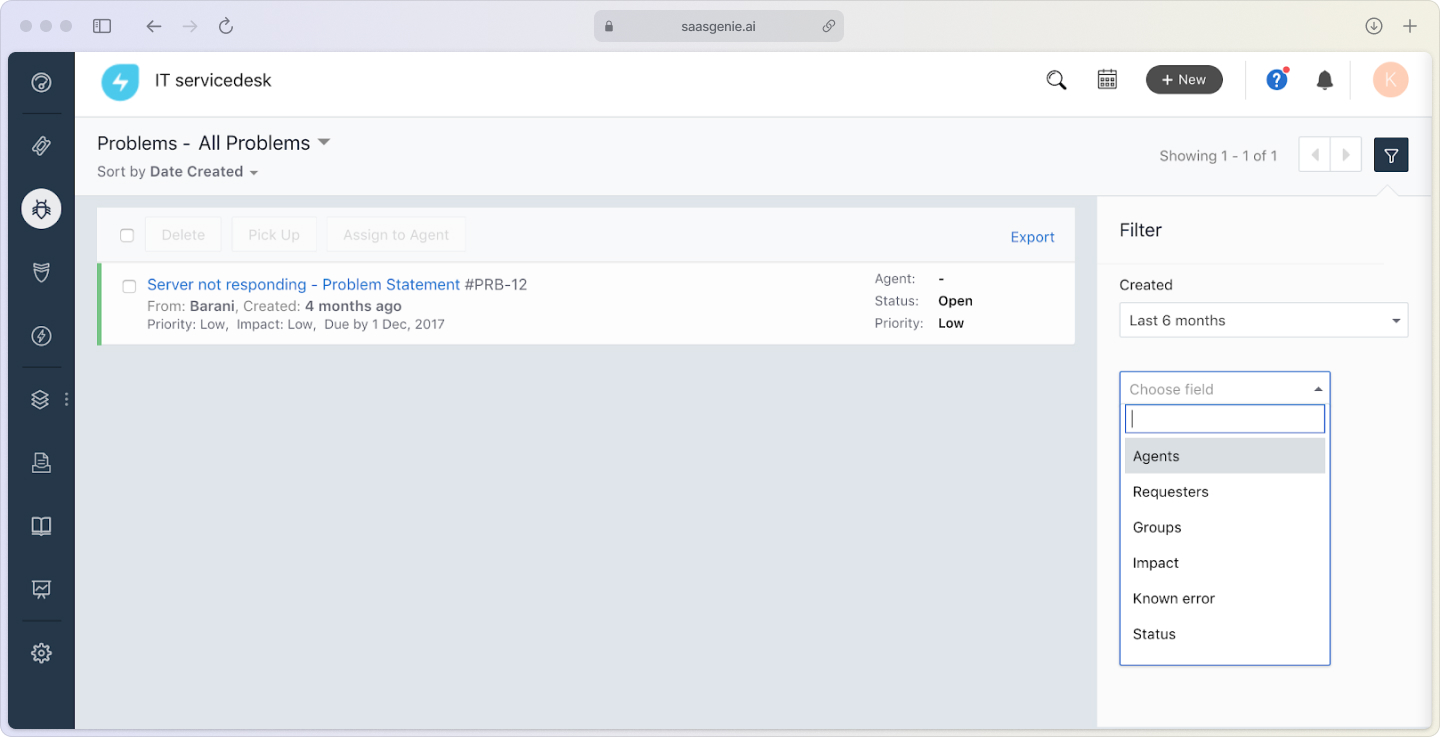
2. Log and investigate the problem
Once detected, create a problem record in your ITSM system. This involves capturing details, linking related incidents, and starting the investigation using techniques like:
- The 5 Whys: Keep asking "why" until you find the real cause.
- Root cause analysis: Structured investigation methods.
- Timeline analysis: Understanding the sequence of events.
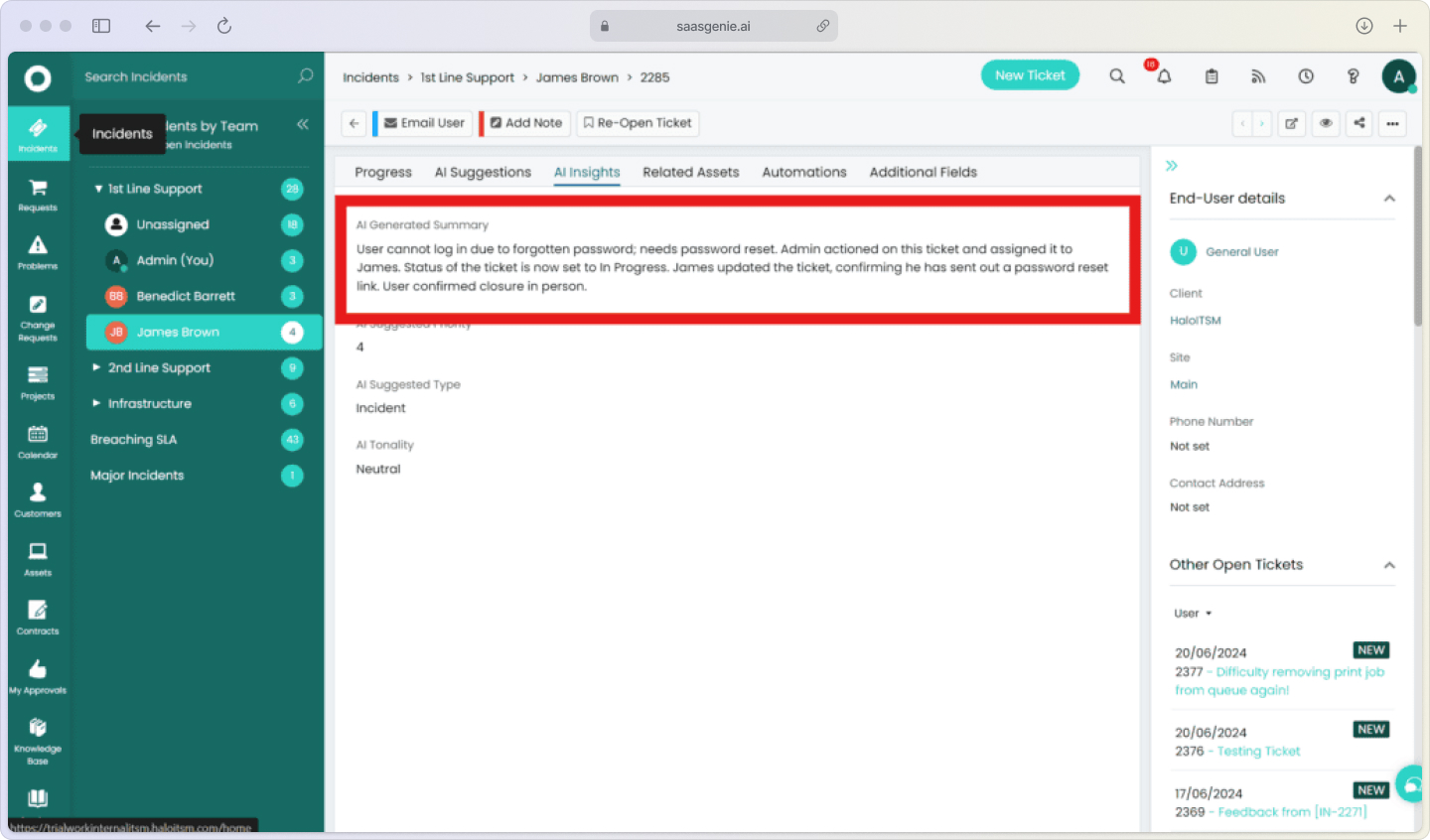
3. Create workarounds and known errors
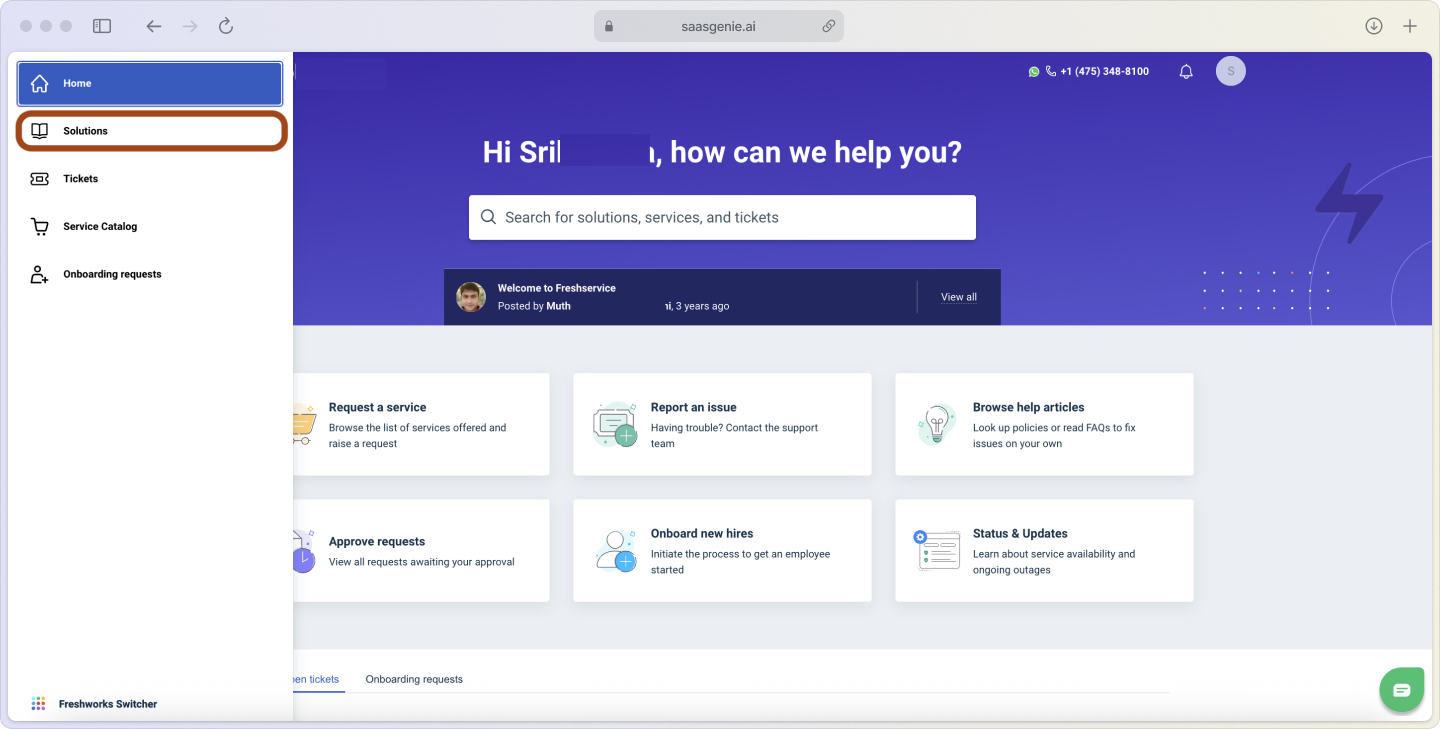
While investigating, document temporary fixes in your known error database. This helps the service desk restore service quickly if the issue happens again before you implement the permanent fix.
4. Implement a permanent resolution
Develop and implement the final solution. This usually involves the change management process to ensure fixes are deployed safely and with proper testing.
As saasgenie's CEO, Raj Rajasekar always says, "The best problem management isn't about solving problems faster, it's about preventing them from becoming problems in the first place."
How incident, problem, and change management work together
These three ITIL processes create a continuous improvement cycle:
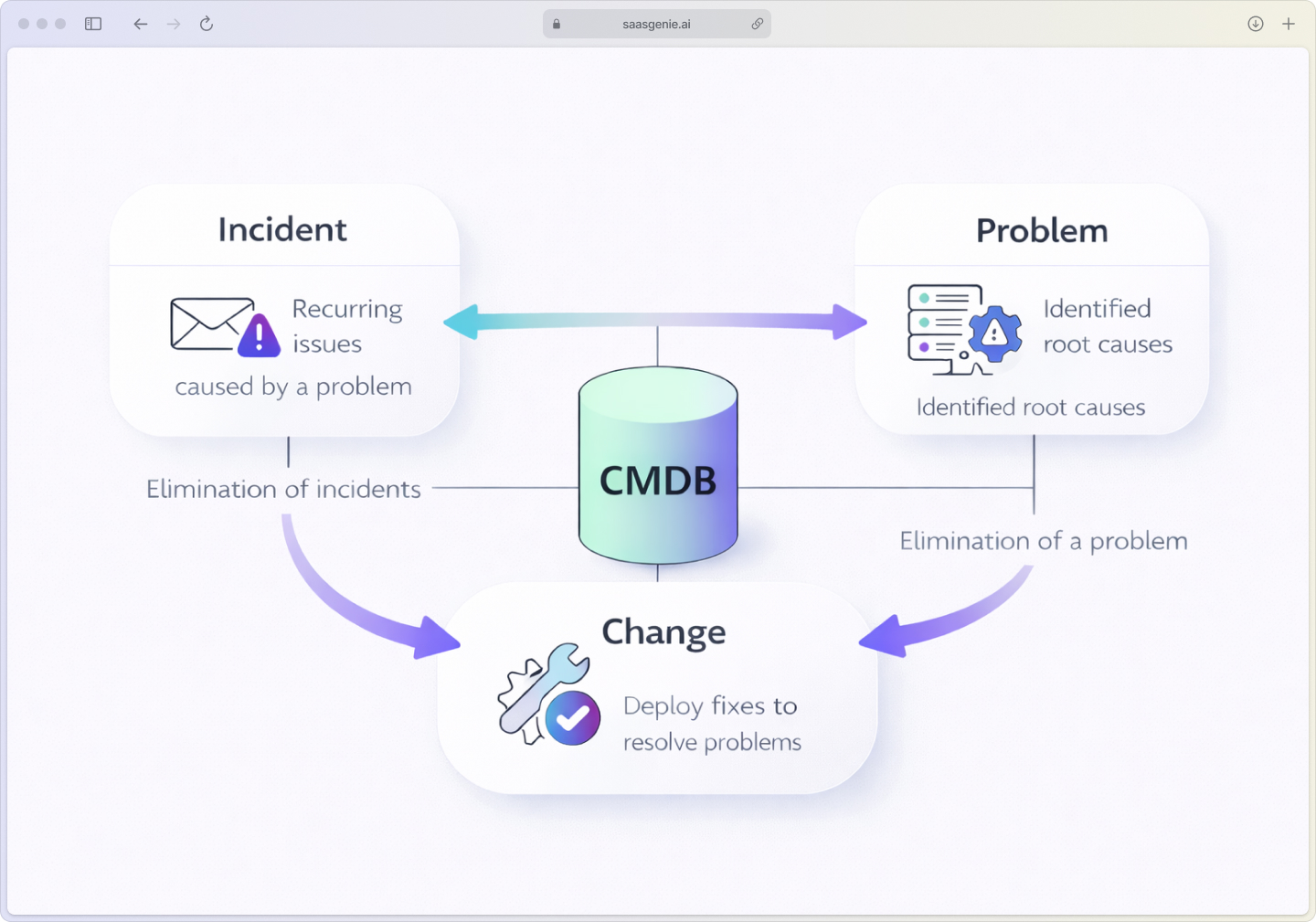
From incident to problem: Recurring incidents trigger problem investigations. Information from incident records helps the problem team understand patterns and impact.
From problem to change: Once you identify a permanent fix, it becomes a Request for Change (RFC) that goes through proper risk assessment and approval, crucial since 64% of IT outages stem from configuration and change issues.
The improvement cycle: Each resolved problem makes your IT environment more stable, reducing future incidents and creating a more reliable service experience.
Problem management tools and software
When we size up problem management tools, we look for a few must-have features baked into any modern ITSM platform:
Essential tool capabilities
- Problem-incident linking: Connect multiple incidents to one problem record.
- Known error database: Searchable repository of documented problems and workarounds.
- Root cause documentation: Structured fields for investigation findings.
- Workflow automation: Route problems to the right teams automatically.
- Trending and analytics: Spot patterns in incident data.
AI and automation features
Leading problem management software now uses artificial intelligence to:
- Detect problem patterns: Analyze incident data to identify potential problems, with AI reducing incident resolution times by up to 50%.
- Suggest root causes: Recommend investigation paths based on similar past issues.
- Predict future problems: Use machine learning to spot issues before they cause incidents.
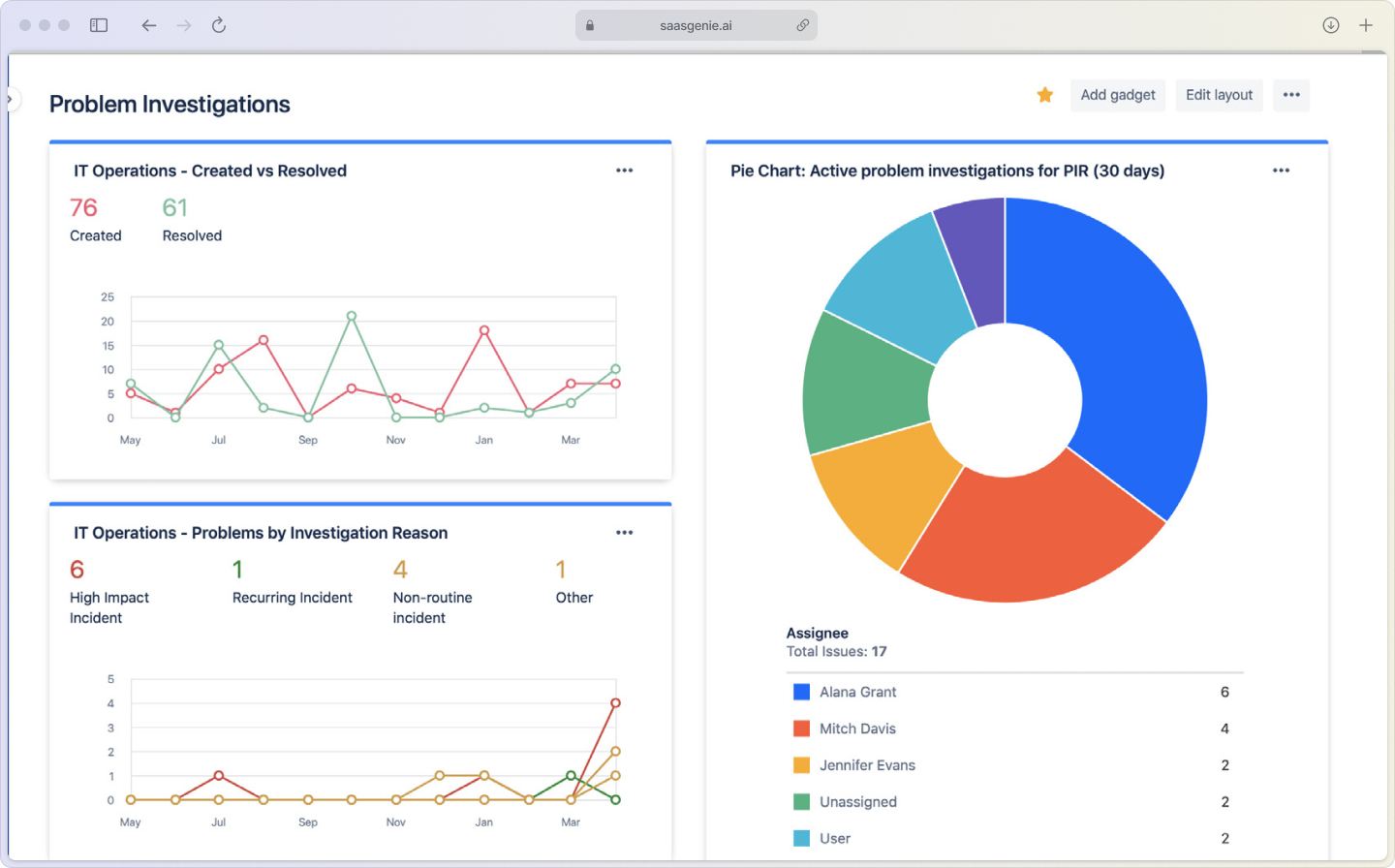
Freshworks, Halo ITSM, and Atlassian all offer robust problem management capabilities with varying levels of AI integration.
Measuring problem management success
Track these key metrics to evaluate your problem management effectiveness:
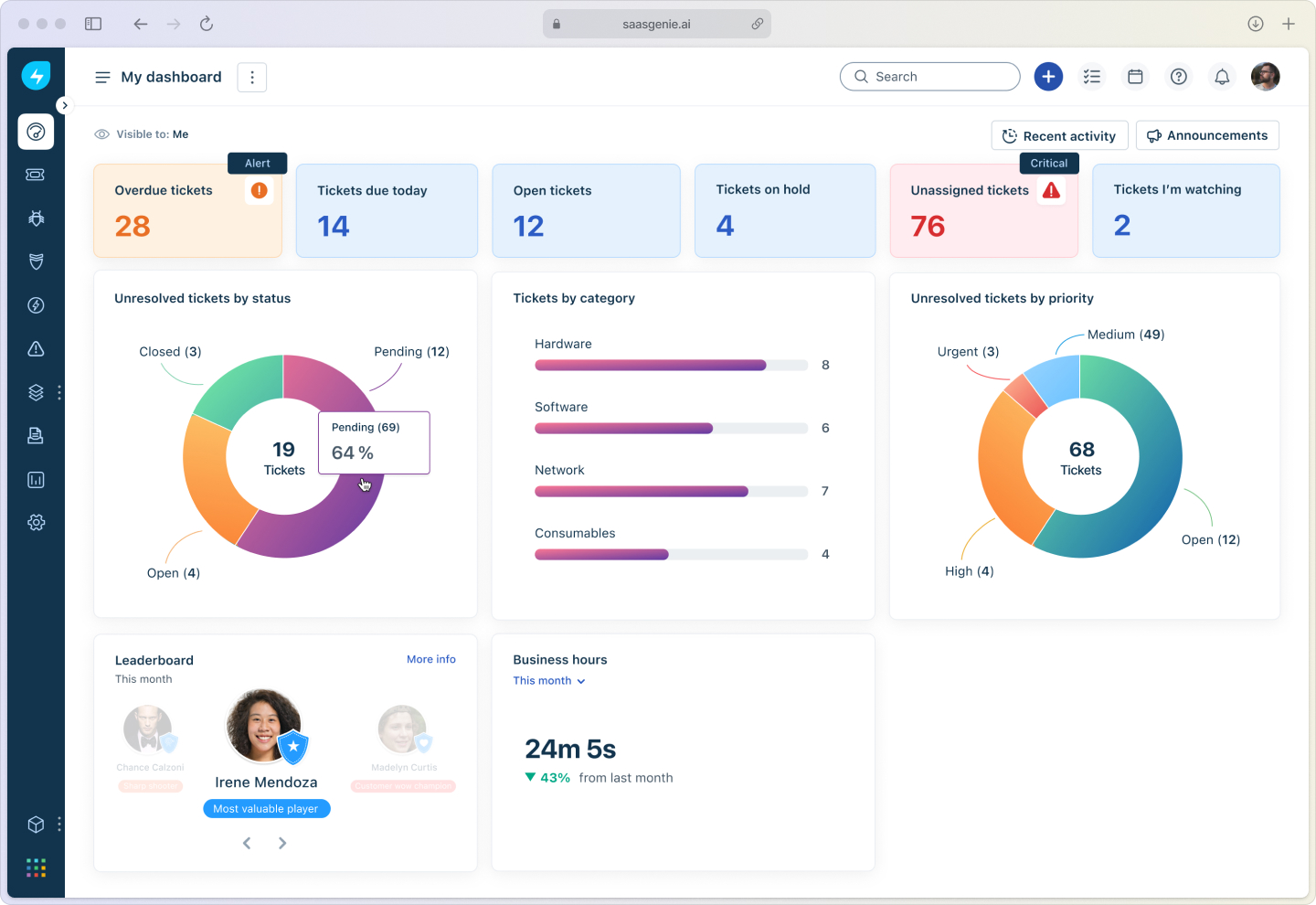
Problem volume trends
Monitor the total number of problems opened and closed over time. Look for patterns by service, category, or team to identify improvement opportunities.
Mean time to identify and resolve
Measure how long it takes from problem detection to root cause identification, and from identification to permanent resolution.
Recurring incident reduction
The ultimate success metric: track the percentage decrease in repeat incidents over time. This proves you're effectively eliminating root causes.
Known error database growth
A healthy, growing KEDB indicates your team is successfully documenting findings and building institutional knowledge.
Getting started with problem management
You don't need a massive implementation to begin. Start with these practical steps:
Begin with reactive problem management: When you see the same incident multiple times, create a problem record and investigate the root cause using the 5 Whys technique.
Build your known error database: Document every problem you solve, including the root cause and any workarounds. Make this searchable for your service desk.
Use simple tools initially: Even a shared spreadsheet or wiki can serve as your initial KEDB while you evaluate dedicated ITSM software.
Focus on high-impact problems first: Target issues that affect critical services or generate the most repeat incidents.
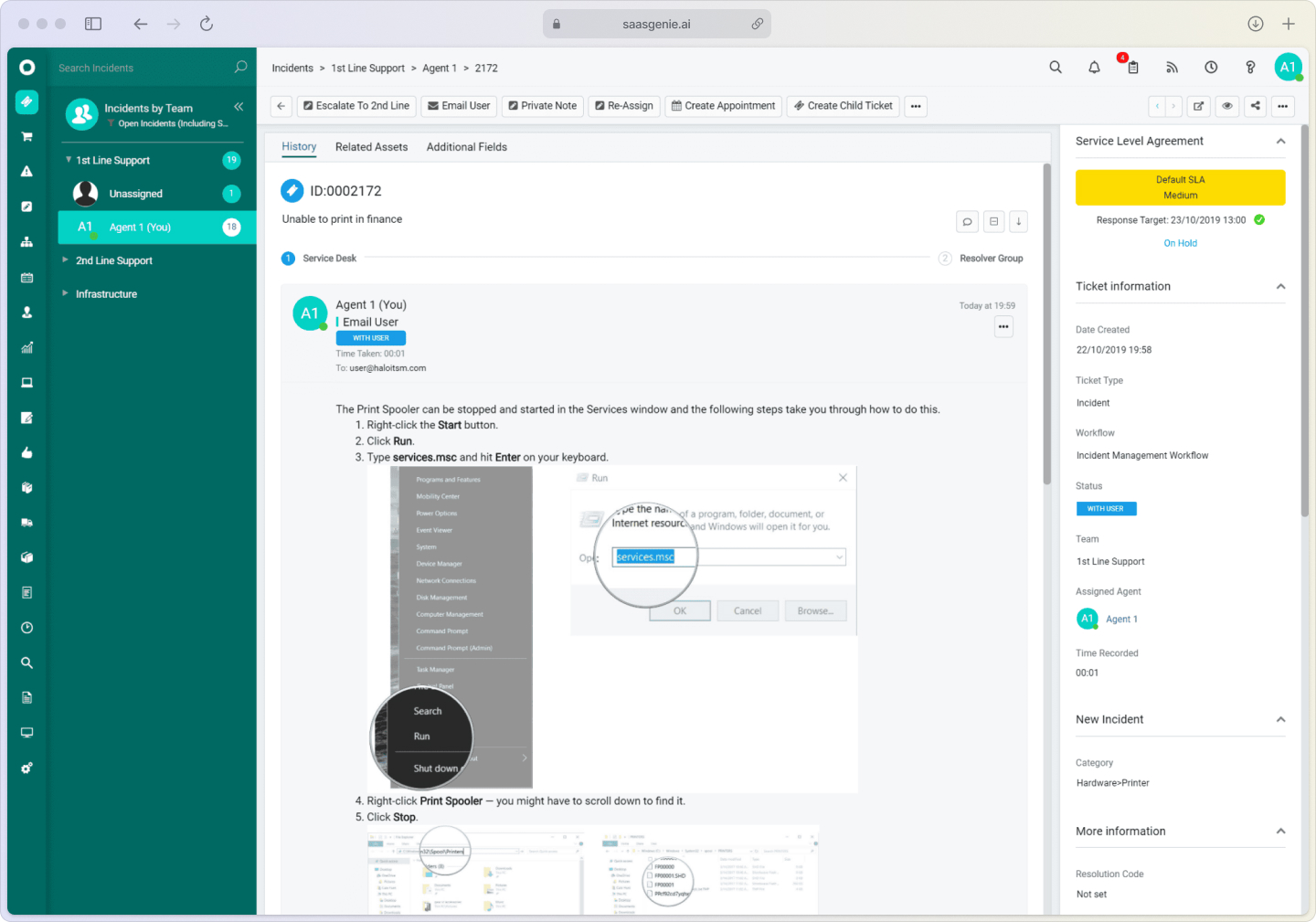
Get expert help implementing problem management
Organizations often struggle with selecting and implementing ITSM platforms that make problem management actually work. saasgenie helps teams move from reactive firefighting to proactive operations using AI-powered tools and proven methodologies.
Our approach focuses on quick wins while building sustainable processes that scale with your organization. From tool selection to process optimization, we help you create an IT environment that prevents problems instead of just solving them.
What are the phases of IT problem management?
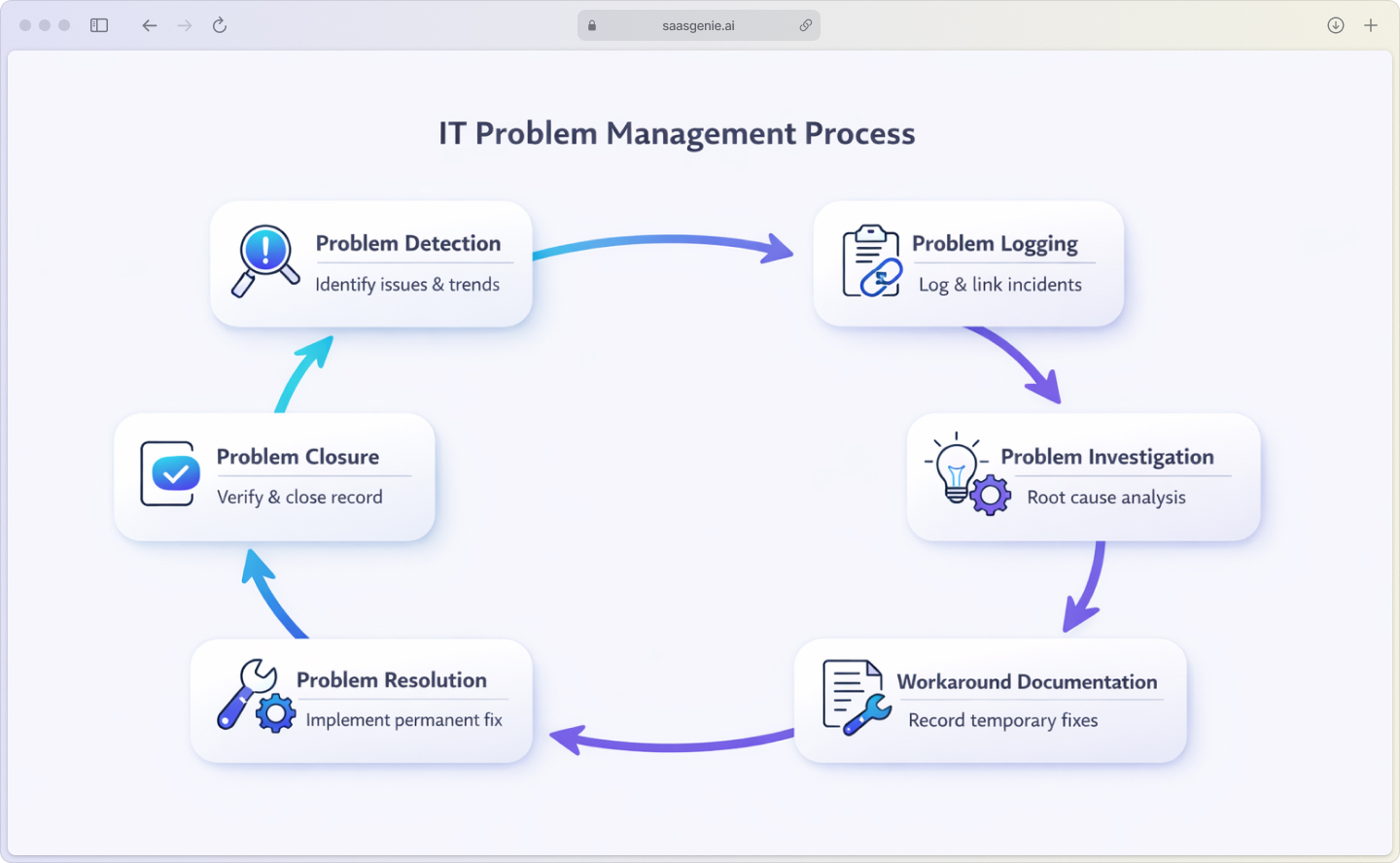
The six phases to follow for IT problem management are:
- Problem detection: Identify issues through incident trends, monitoring alerts, or major incident reviews.
- Problem logging: Create a problem record in your ITSM system and link related incidents.
- Problem investigation: Use root cause analysis techniques like the 5 Whys to find what's really causing the issue.
- Workaround documentation: Record temporary fixes in your known error database while you work on the permanent solution.
- Problem resolution: Develop and implement the permanent fix through your change management process.
- Problem closure: Verify the fix worked, update documentation, and close the problem record.
Each phase builds on the previous one to ensure you're not just fixing symptoms but actually eliminating root causes for good.

Ready to stop playing whack-a-mole with IT issues?
Contact us to discuss your problem management strategy.