.webp)



How to Improve Customer Satisfaction with Intercom Support Processes
Customer satisfaction is often shaped by the quality of support interactions. Many businesses use Intercom as a central tool to manage these conversations. The way Intercom is set up influences every step of the support process.
Support teams want to deliver fast, consistent, and reliable help. Customers want to feel heard and understood. The connection between these two outcomes is built on the structure and processes within Intercom.
A support tool alone does not guarantee high customer satisfaction. The way Intercom is configured and maintained can raise or lower overall customer experience.
Ever feel like your support team is running a 24/7 diner where every customer wants their order "right now," but half the tickets get lost in the kitchen?

That's where smart Intercom setup comes in. Turning chaotic customer conversations into smooth, satisfying experiences that actually solve problems instead of creating new ones.
Why customer satisfaction depends on your Intercom setup
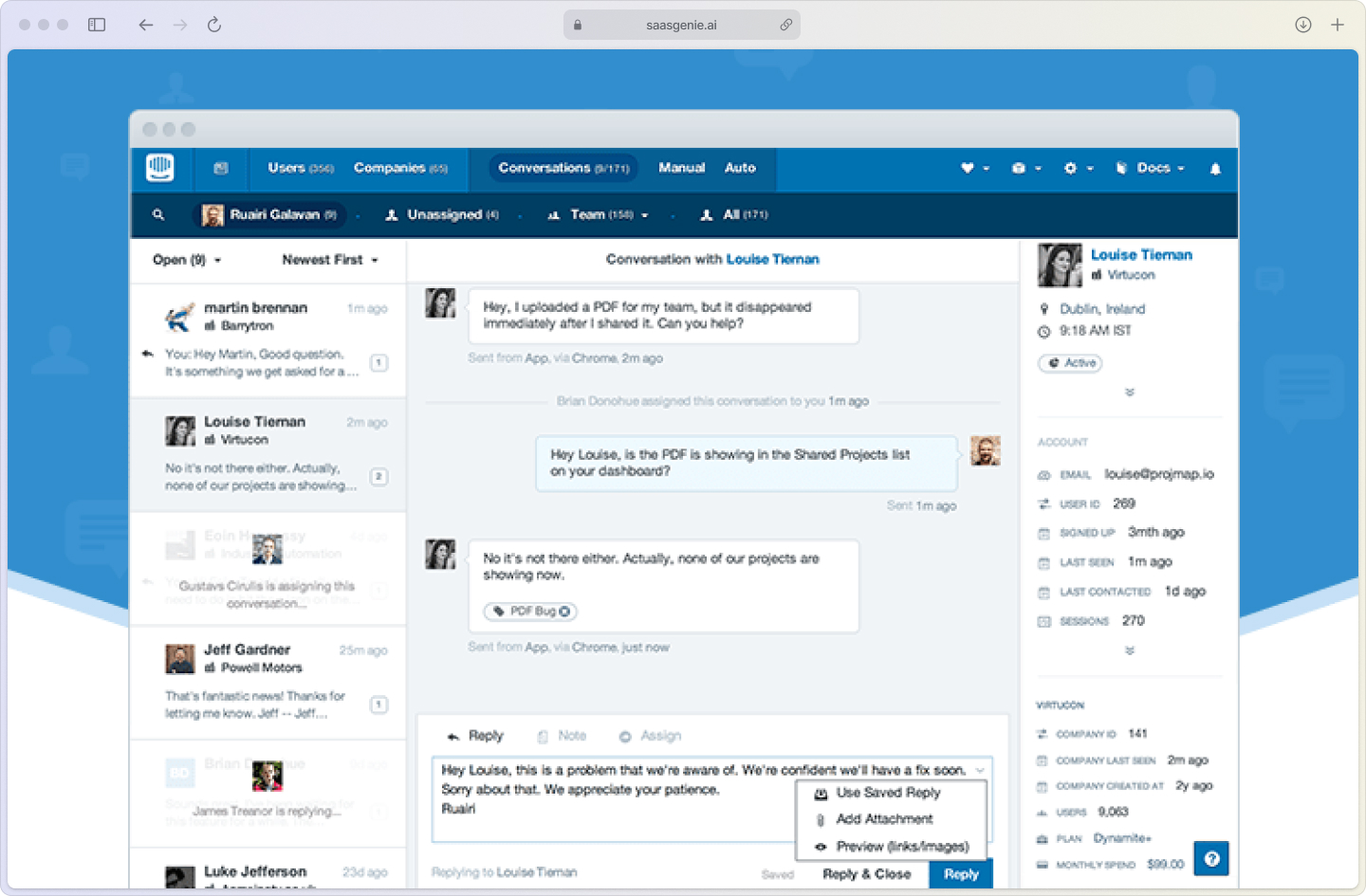
Think of Intercom like a restaurant. You can have the best chefs in the world, but if orders get mixed up, tables wait forever, and nobody knows who's handling what, your customers leave hungry and frustrated.
Out-of-the-box Intercom settings rarely match how your team actually works. Without intentional setup, response times stretch, conversations bounce between agents like ping pong balls, and customers end up repeating their problems multiple times.
Here's what directly impacts customer experience:
- Messy inbox organization: When conversations land in random queues, agents waste time figuring out who should handle what.
- Slow acknowledgment: Customers start wondering if anyone's actually there after just a few minutes of silence.
- Inconsistent responses: When different agents give different answers to the same question, trust erodes fast.
The difference between frustrated customers and happy ones often comes down to these behind-the-scenes details that customers never see but always feel.
Metrics that actually matter for customer satisfaction
You can't improve what you don't measure. But here's the thing: not all metrics tell you whether customers are actually happy with your support. Some numbers just look good on dashboards without moving the needle on satisfaction.
The metrics that matter are the ones that directly connect to how customers feel about their support experience. Let's break down which numbers to watch and why they actually impact satisfaction scores.
CSAT score and survey setup
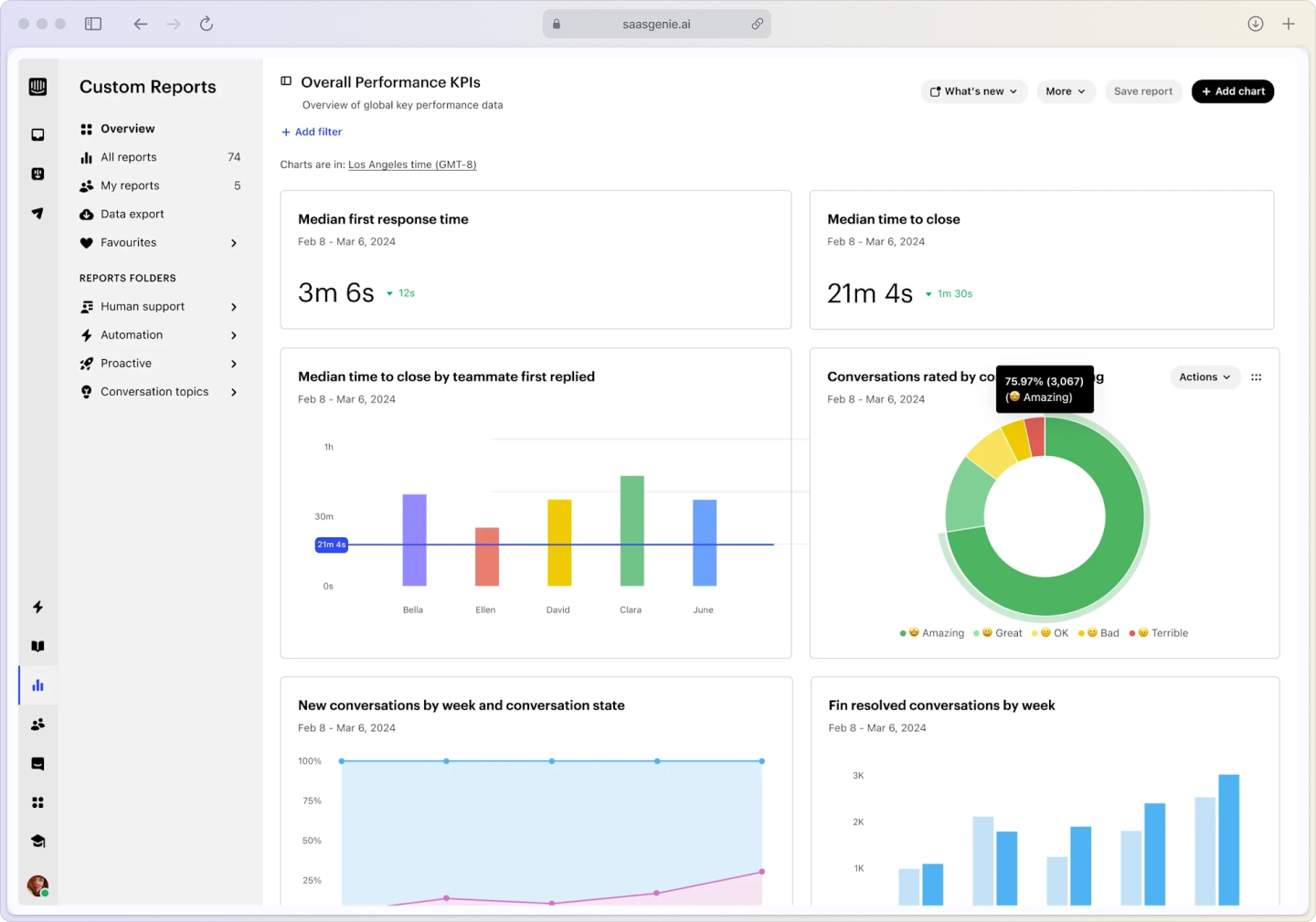
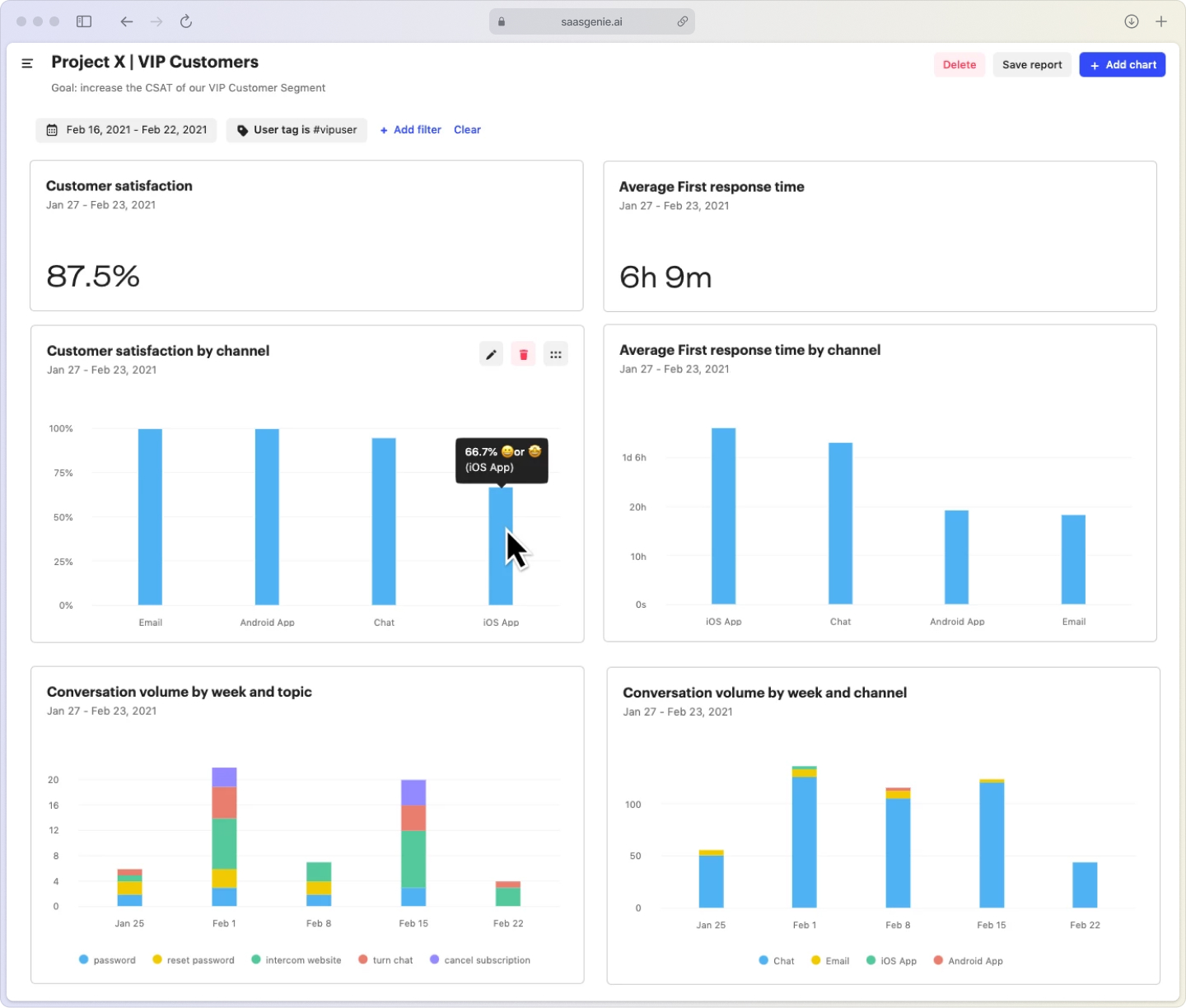
CSAT (Customer Satisfaction Score) measures how customers rate their support experience. In Intercom, you can trigger these surveys when conversations close or after a set time period.
Intercom also provides a CX Score (Customer Experience Score), a broader health KPI that rolls multiple support signals into a single view. Use it alongside CSAT to spot whether satisfaction changes are tied to faster responses, smoother resolutions, or more consistent support performance over time.
There are two main types: conversation ratings (simple thumbs up/down buttons) and custom surveys (longer questionnaires with specific questions). The key is timing—ask too early and the issue might not be resolved; ask too late and customers forget the interaction.
First response time tracking
First response time measures how long customers wait for that initial "hey, we got your message" reply. This metric often matters more to customers than total resolution time because it signals that someone's paying attention.
In Intercom's reporting section, you can see these times broken down by team, agent, and time period. Fast acknowledgment sets expectations and reduces anxiety, even when the actual fix takes longer.
Resolution rate and follow-up patterns
Resolution rate tracks how often issues get solved in the first interaction versus requiring multiple back-and-forth messages. Intercom shows you conversation reopening patterns, which reveal whether customers feel their problems were truly fixed.
- First-contact resolution: Issues solved without follow-up questions.
- Reopened conversations: Cases where customers return with the same problem.
- Time to actual resolution: How long it takes to truly solve the issue, not just close the ticket.
How to speed up response and resolution times
Speed matters in support, but not at the cost of quality. The real challenge is responding quickly while still solving problems thoroughly. Here's how to configure Intercom to deliver both fast acknowledgment and effective resolution without burning out your team.
Dynamic reply time expectations
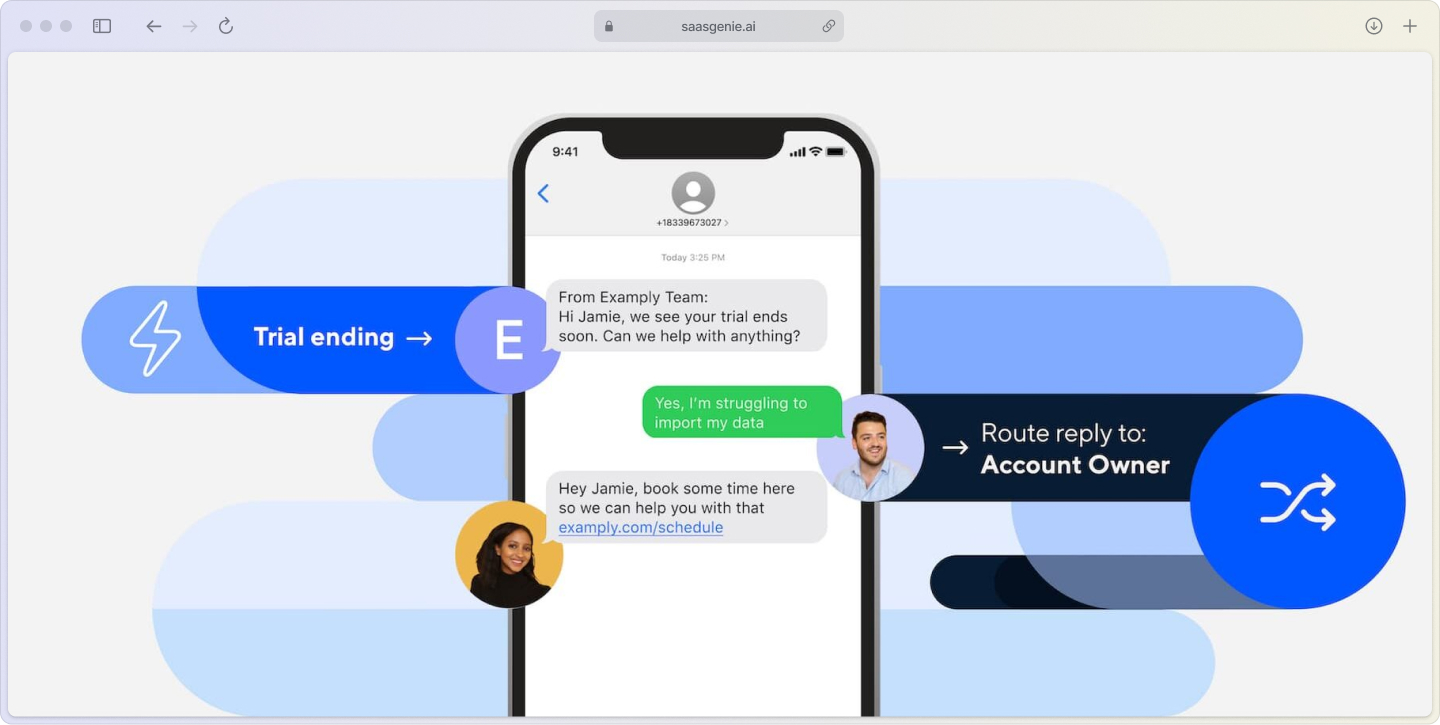
Intercom's dynamic reply time feature automatically tells customers when to expect a response based on your team's availability. Instead of leaving customers guessing, it sets clear expectations that change based on business hours and current workload.
This simple feature can dramatically improve satisfaction scores because customers appreciate knowing what to expect, even if the response isn't immediate.
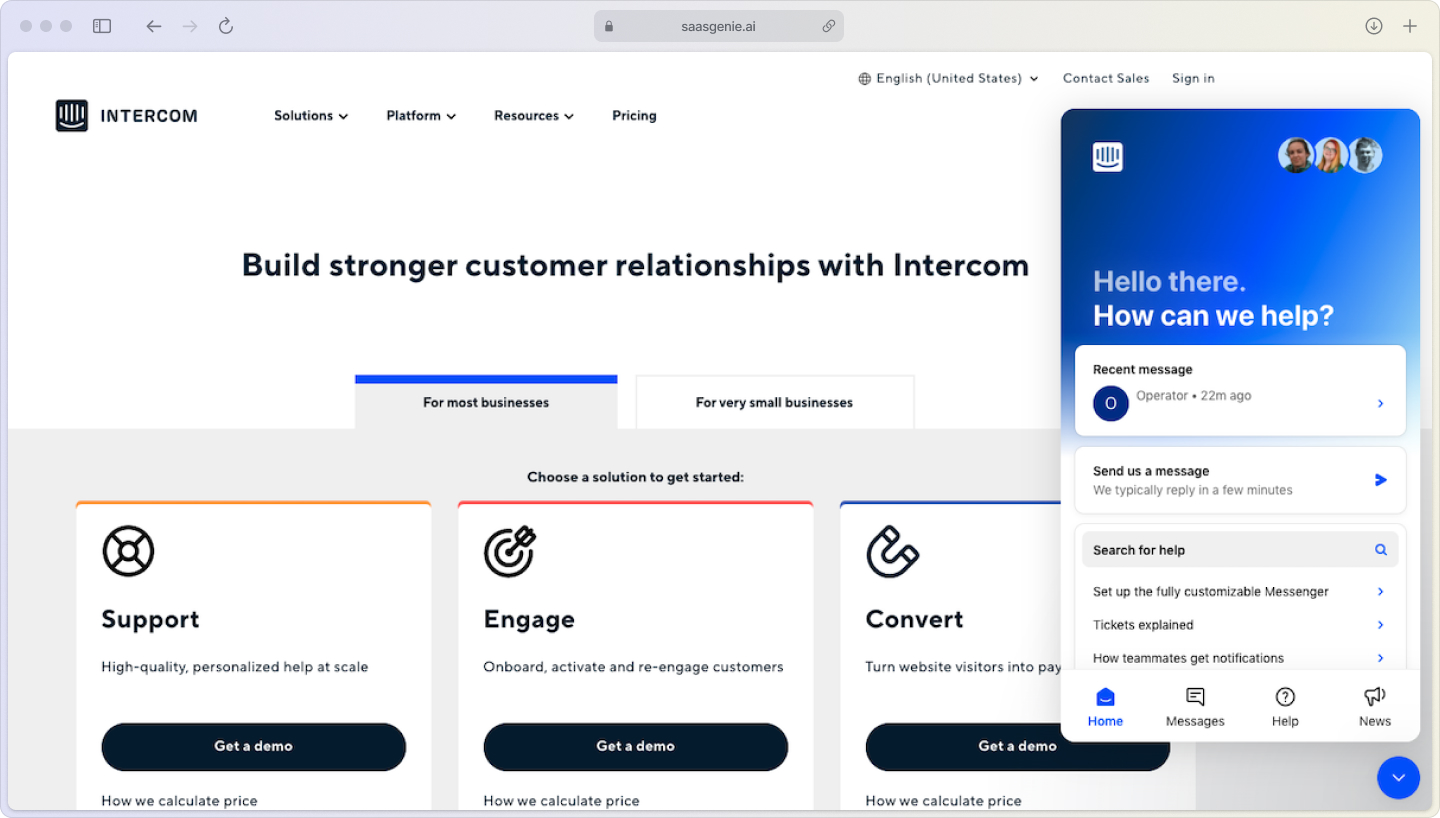
Smart conversation routing
Good routing gets conversations to the right person faster, which means fewer handoffs and quicker solutions. It should also distribute work fairly so no one queue or agent gets overwhelmed.
- Skill-based routing: Technical questions go to technical agents, billing issues go to the billing team.
- Team inboxes: Separate queues for different types of requests keep things organized.
- Assignment rules: Automatic routing based on customer details, message keywords, or conversation source.
- Workload management: Balance assignments based on agent availability and current conversation volume to keep queues moving and protect response times.
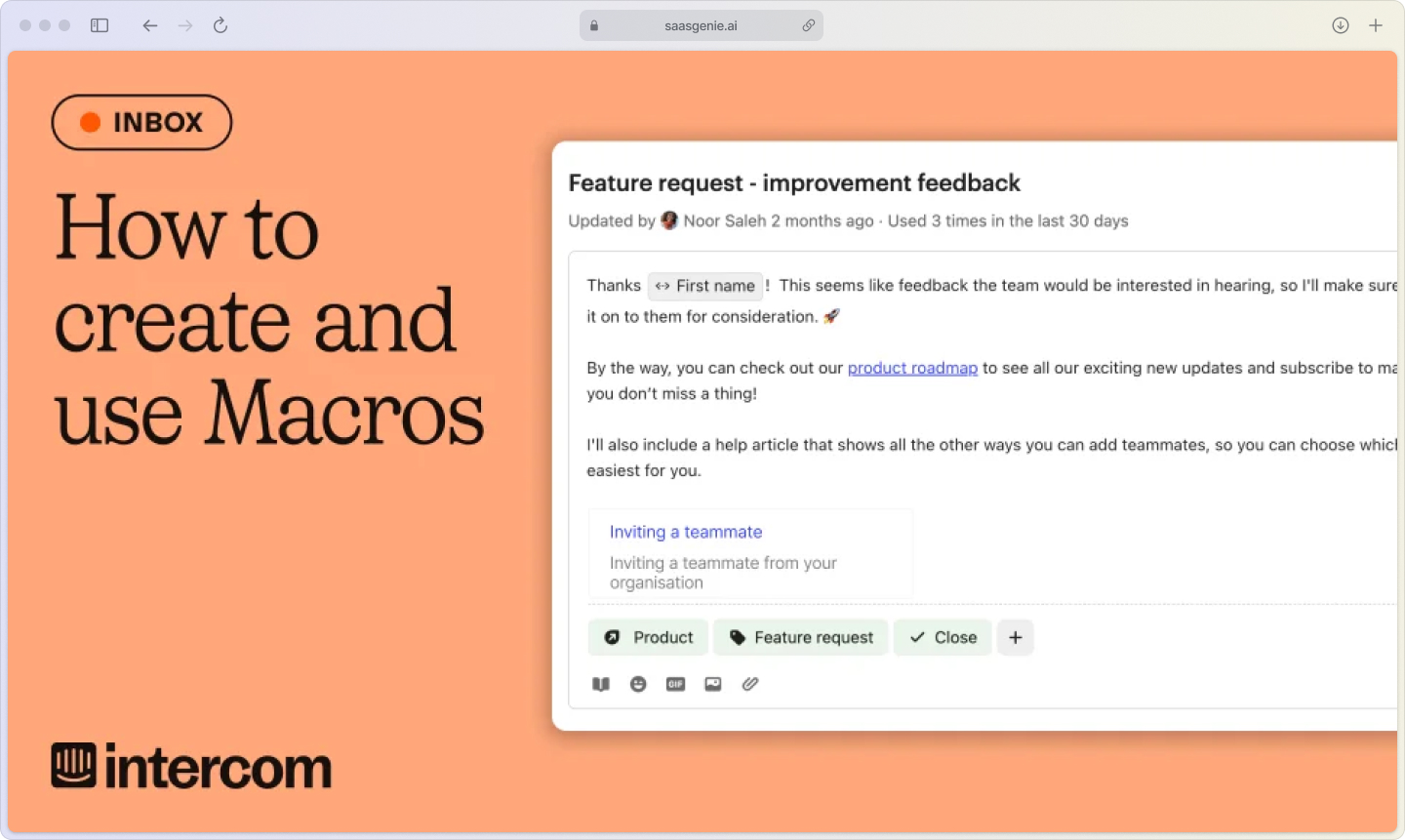
Macros that feel human
Macros are pre-written responses for common questions. The trick is making them feel personal, not automated. Use personalization tokens to include customer names and account details, and train agents to customize macros for each situation.
Well-crafted macros speed up responses while maintaining the human touch that customers expect from live chat support.
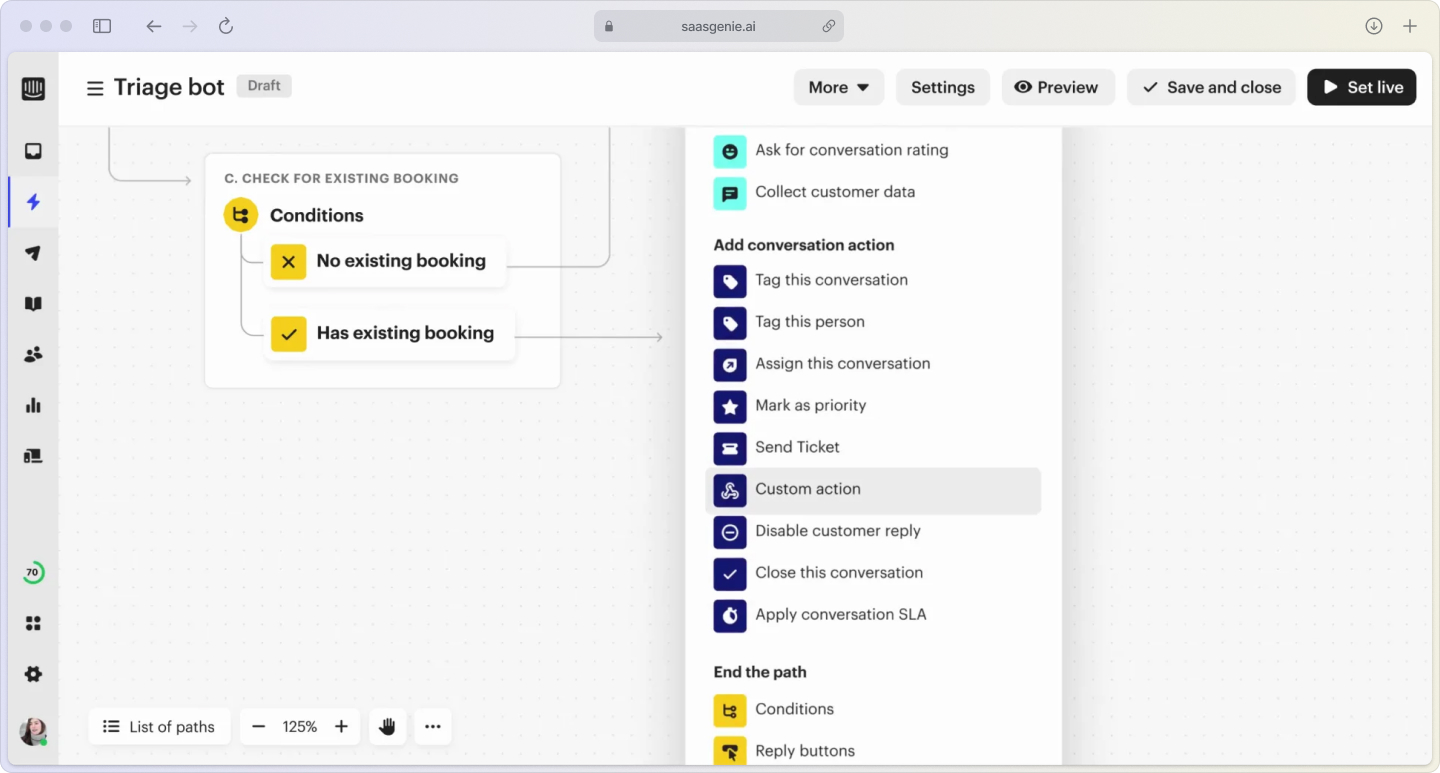
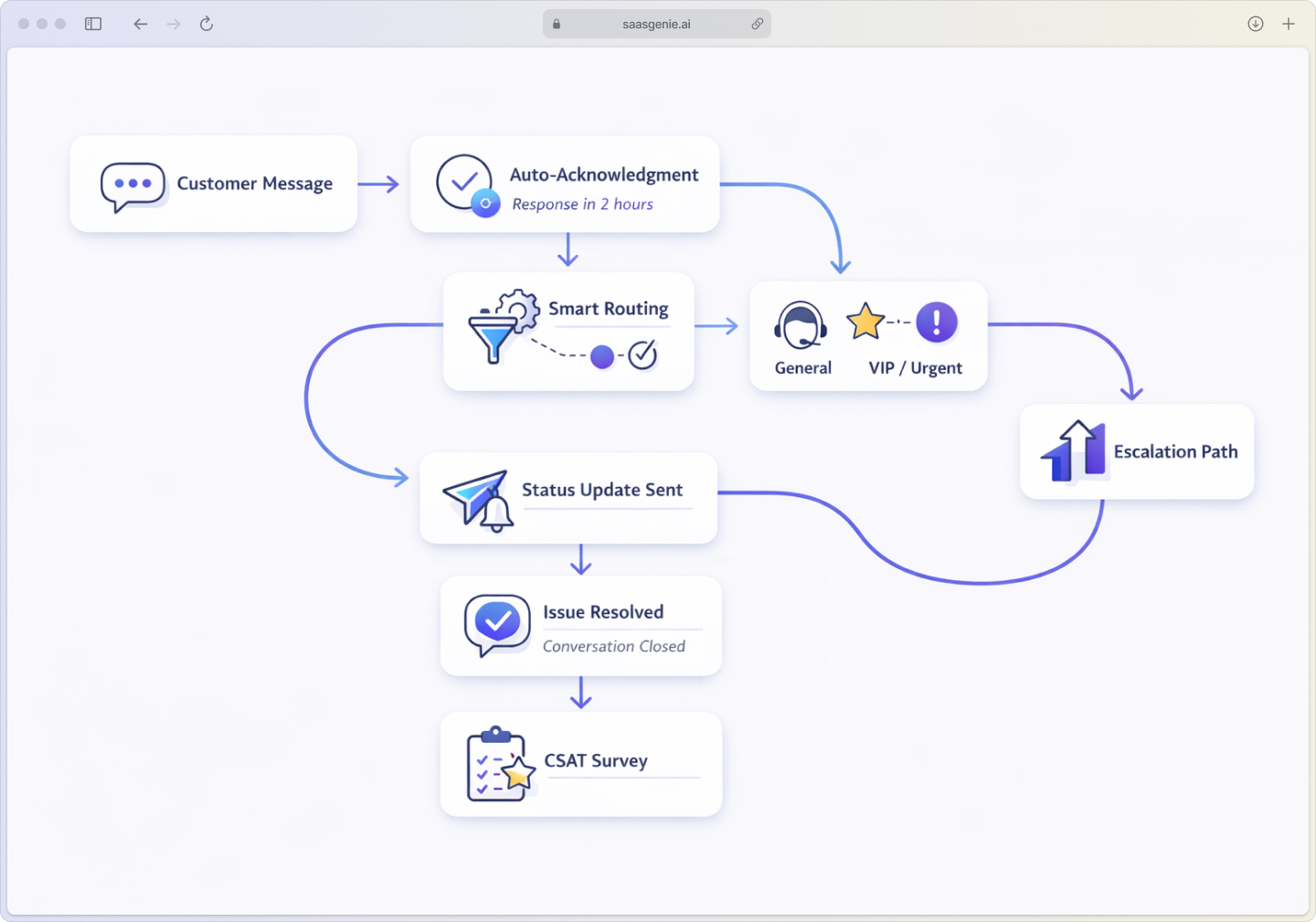
Automation that helps customers
Automation in Intercom works best when it removes friction from the customer experience, not just makes agents more efficient.
Automated conversation routing
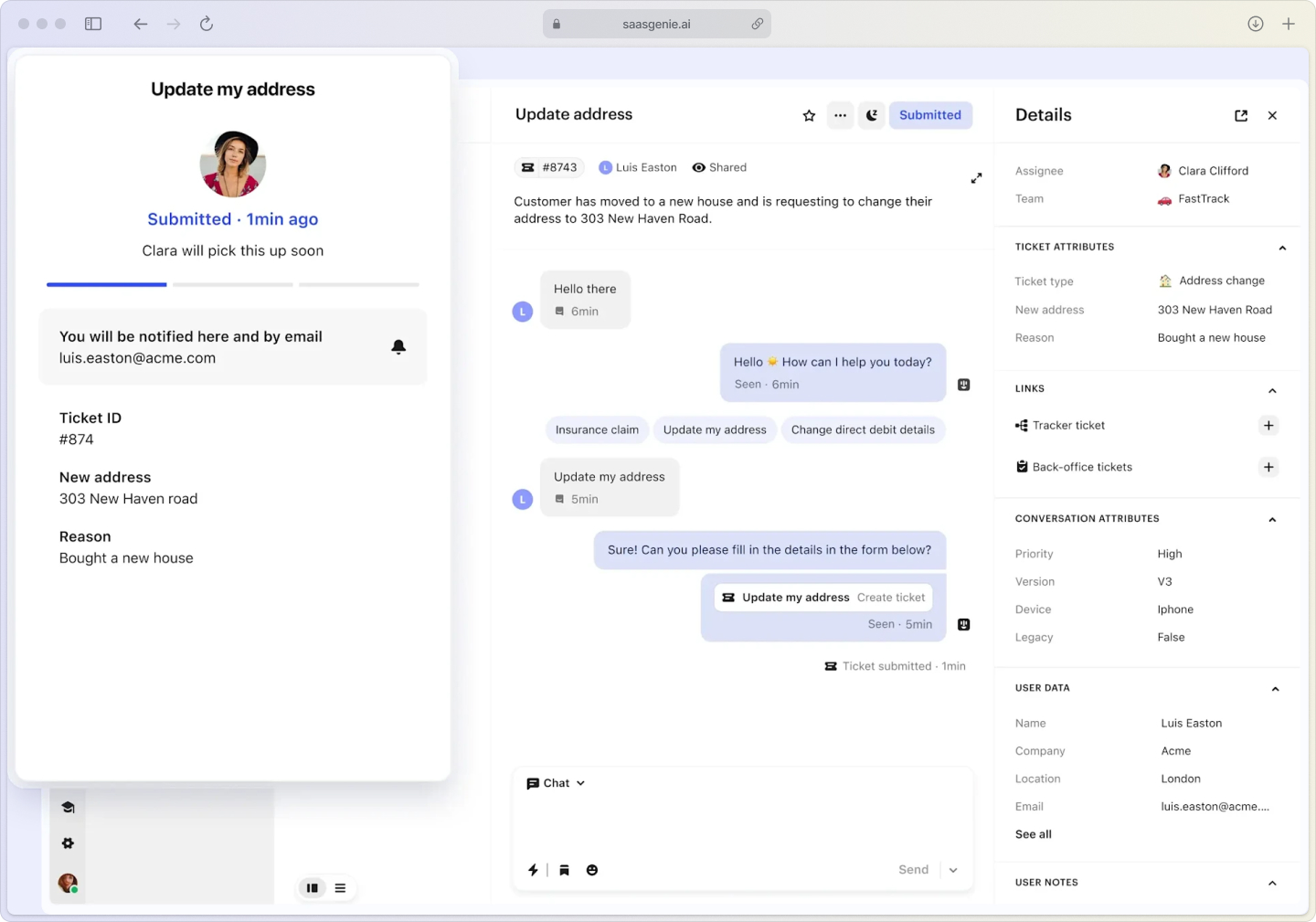
Set up rules that automatically direct conversations based on customer data, message content, or the channel they came from. A billing question from your mobile app can route directly to the mobile billing specialist without any manual sorting.
CSAT follow-up workflows
When customers leave low satisfaction scores, automation can immediately alert a manager and create a follow-up task. This "closing the loop" approach shows customers that their feedback matters and often turns negative experiences into positive ones.
Proactive status updates
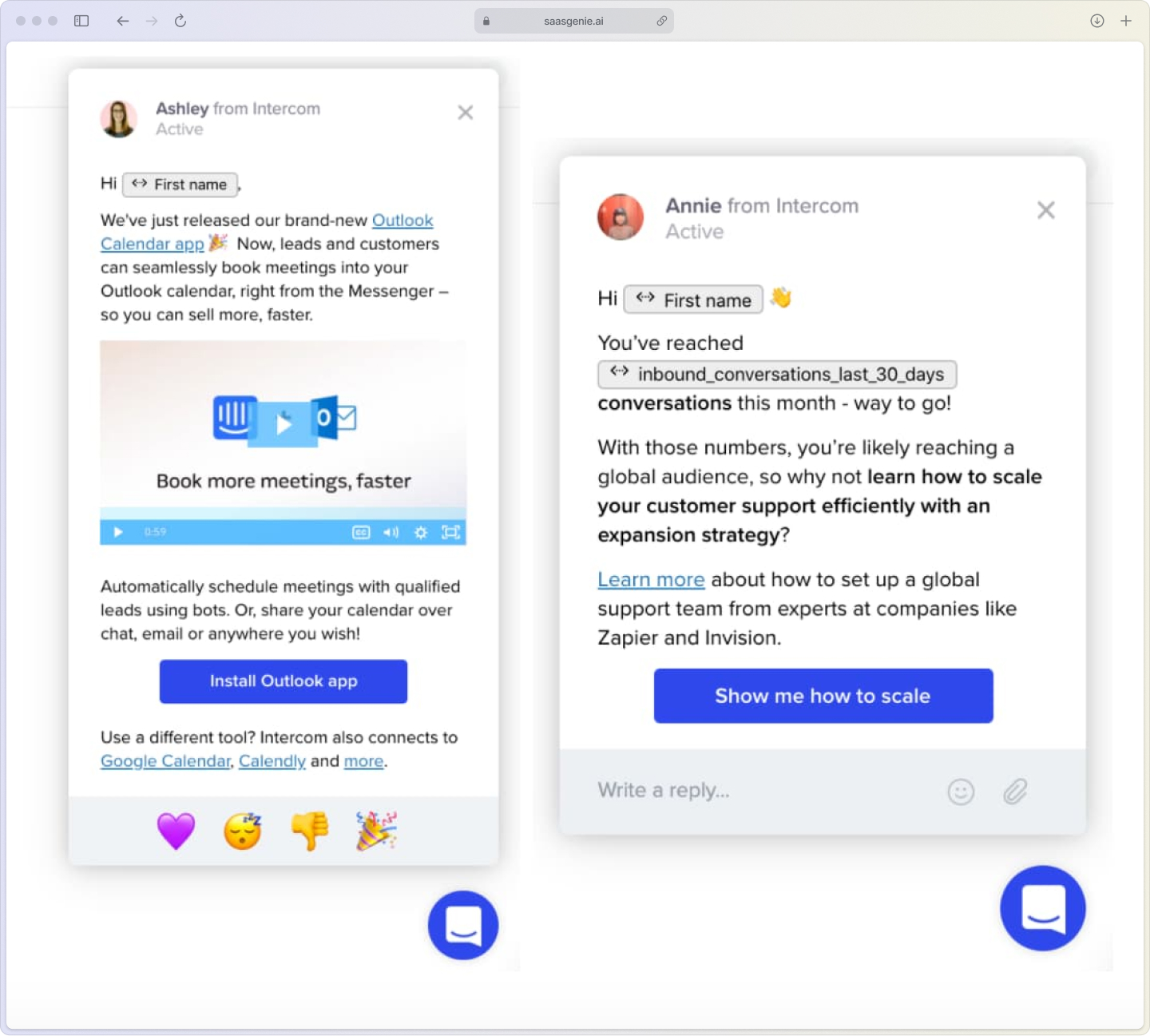
Proactive communication means reaching out to customers with timely updates before they have to ask. Automated status updates keep customers informed without them having to ask. When an agent starts working on a complex issue, Intercom can automatically send a "we're on it" message with estimated timelines.
Examples of helpful automation:
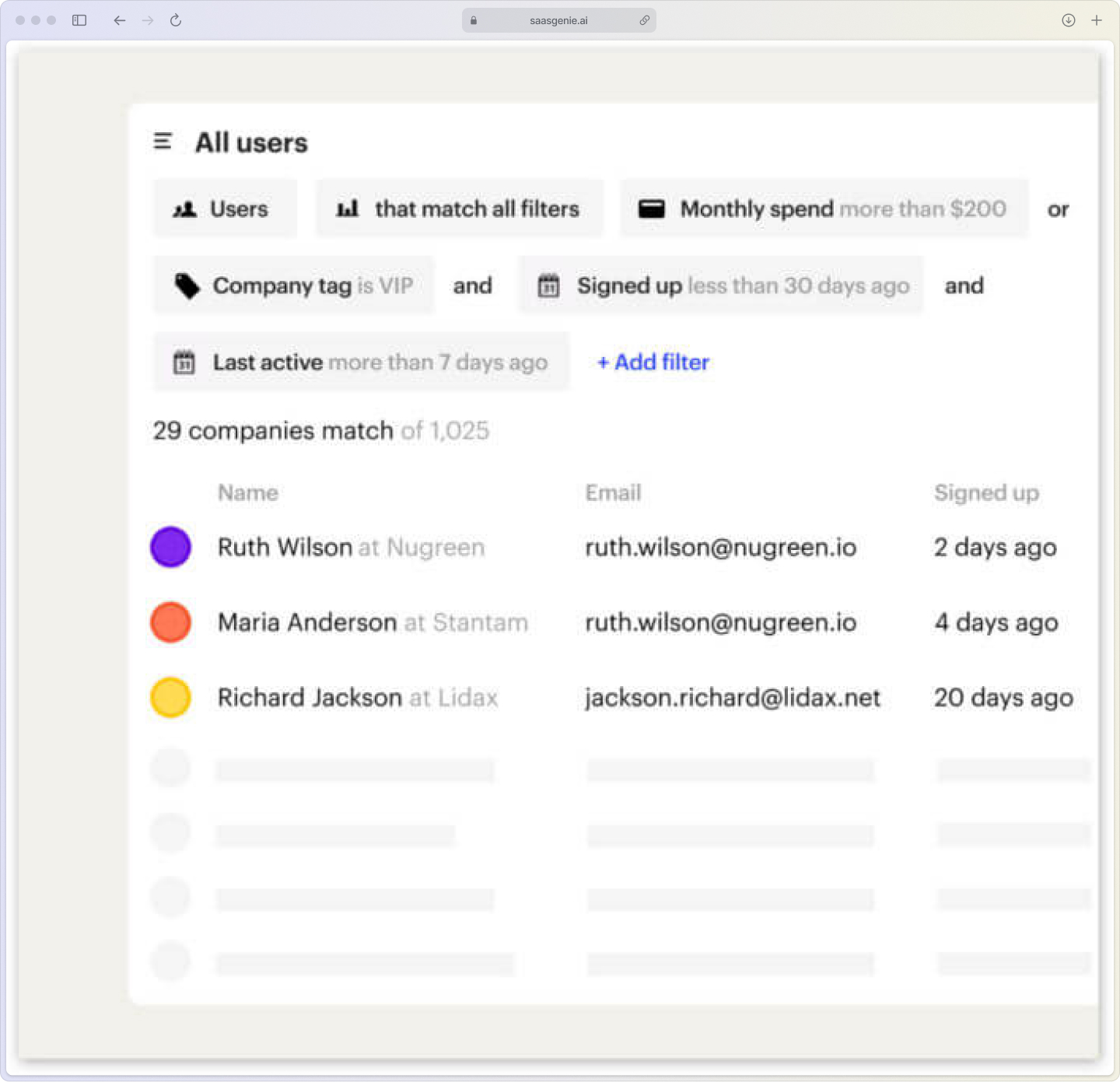
- VIP customer routing: High-value customers get priority handling automatically.
- After-hours acknowledgment: Immediate response, setting expectations for business hours.
- Escalation triggers: Automatic manager notification for urgent or complex issues.
How Intercom AI improves customer experience
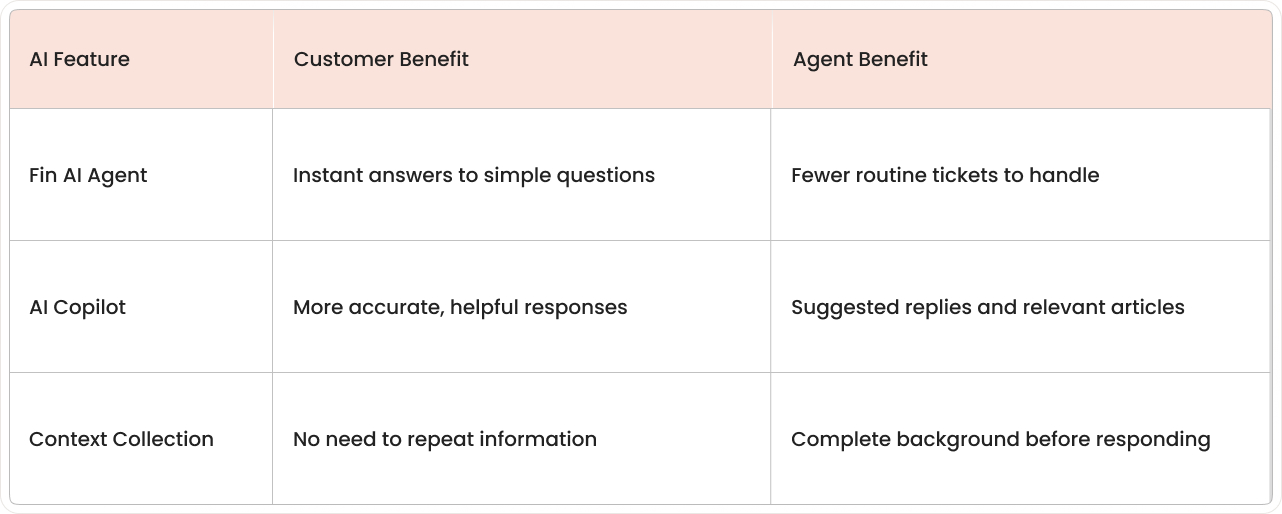
AI in customer support isn't about replacing human agents. It's about making every interaction smarter, faster, and more helpful. Intercom's AI features work behind the scenes to handle routine questions, assist agents with better responses, and collect context so customers never have to repeat themselves. Here's how each AI component directly improves the customer experience.
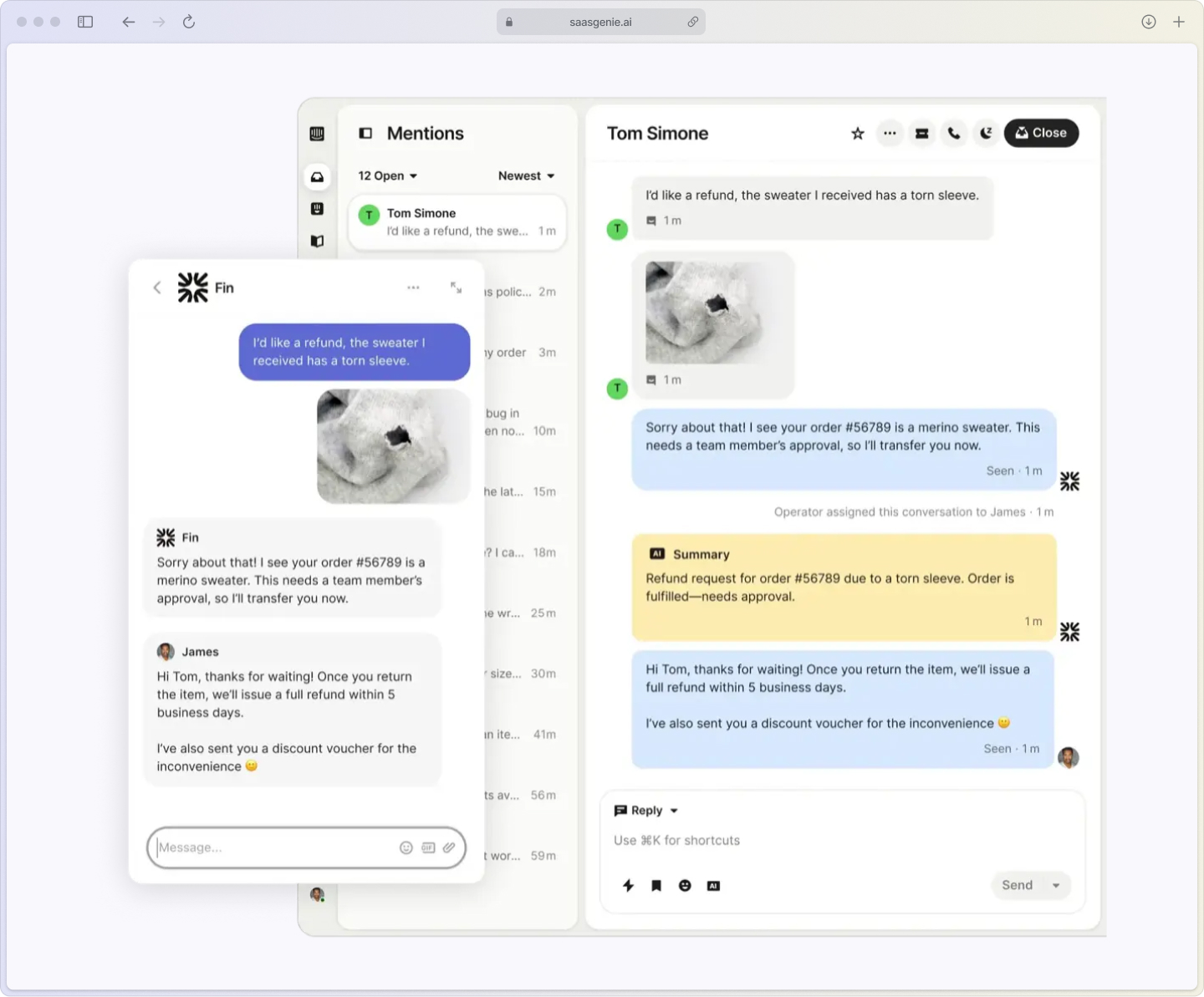
Fin AI for instant answers
Fin is Intercom's AI chatbot that answers common questions by searching your help center and knowledge base. When Fin can resolve an issue instantly, customers get immediate satisfaction. When it can't, the conversation smoothly transfers to a human agent with full context.
The key is training Fin properly and knowing when to hand off to humans. Frustrated customers who get stuck with an unhelpful bot have worse experiences than those who wait a bit longer for human help.
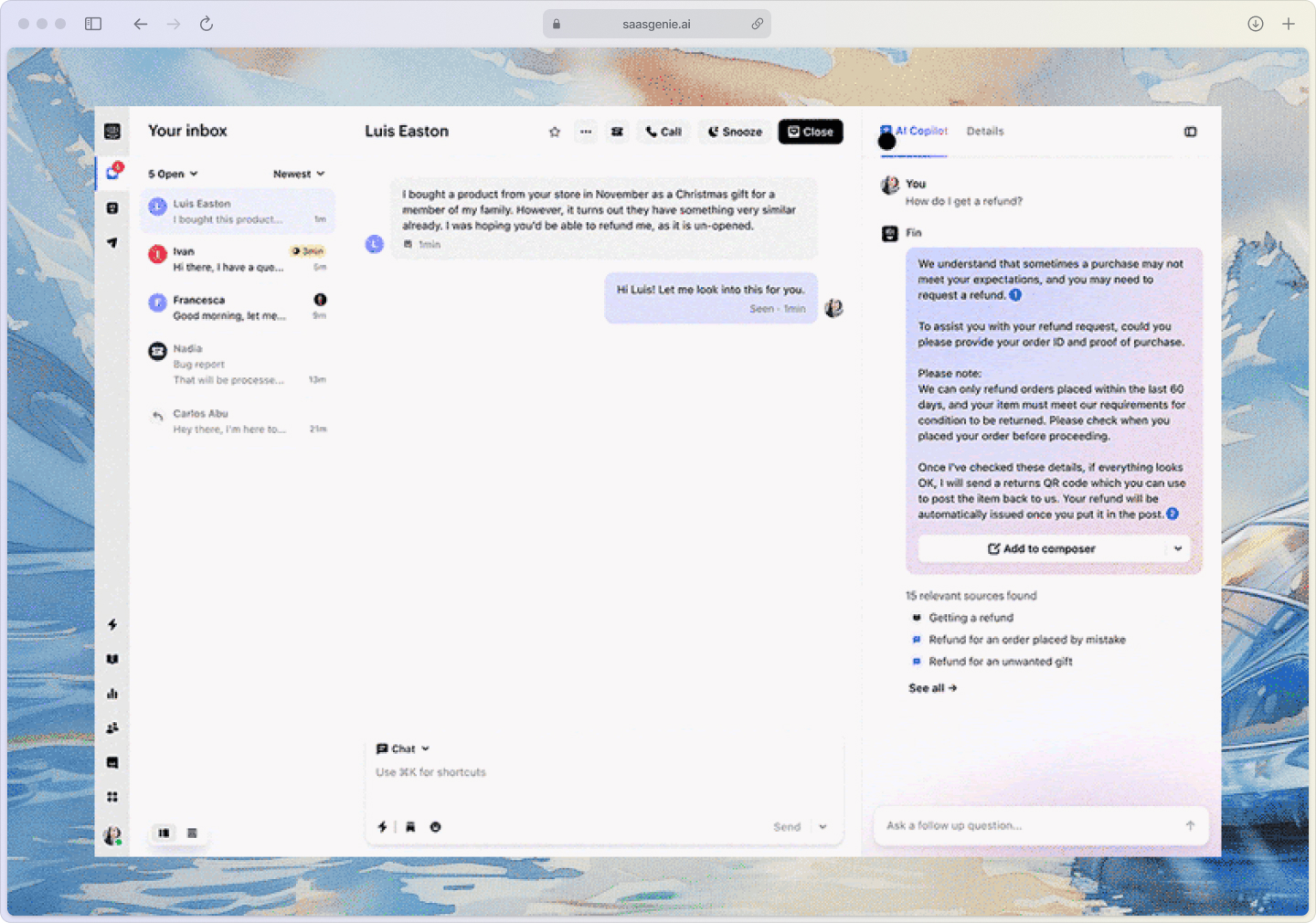
AI Copilot for better agent responses
AI Copilot assists agents by suggesting responses, surfacing relevant help articles, and providing quick access to customer information. This means agents can respond more accurately and faster, leading to better customer experiences.
Smart context collection
Before human agents join conversations, AI can gather key details like account information, order numbers, or problem descriptions. This prevents customers from repeating themselves and helps agents provide more targeted assistance from the start.
Building self-service that customers actually use
Self-service isn't just about deflecting tickets; it's about giving customers the power to solve problems on their own terms, at their own pace. When done right, a well-structured help center becomes your support team's best teammate, handling routine questions while agents focus on complex issues that actually need human expertise.
The challenge?
Most help centers get built and then forgotten. Articles pile up in confusing categories, search returns nothing useful, and customers give up after 30 seconds to open a chat. Here's how to build self-service resources that customers actually find, use, and appreciate.
Help center structure
Your help center is like a well-organized library. Customers should find what they need quickly or give up and ask for help. Organize articles into clear categories that match how customers think about problems, not how your internal teams are structured.
Use conversation data to identify gaps. If agents answer the same question repeatedly in chat, that's a prime candidate for a new help article.
Then surface your top help articles directly inside chat and onboarding flows so customers get answers before they have to ask.
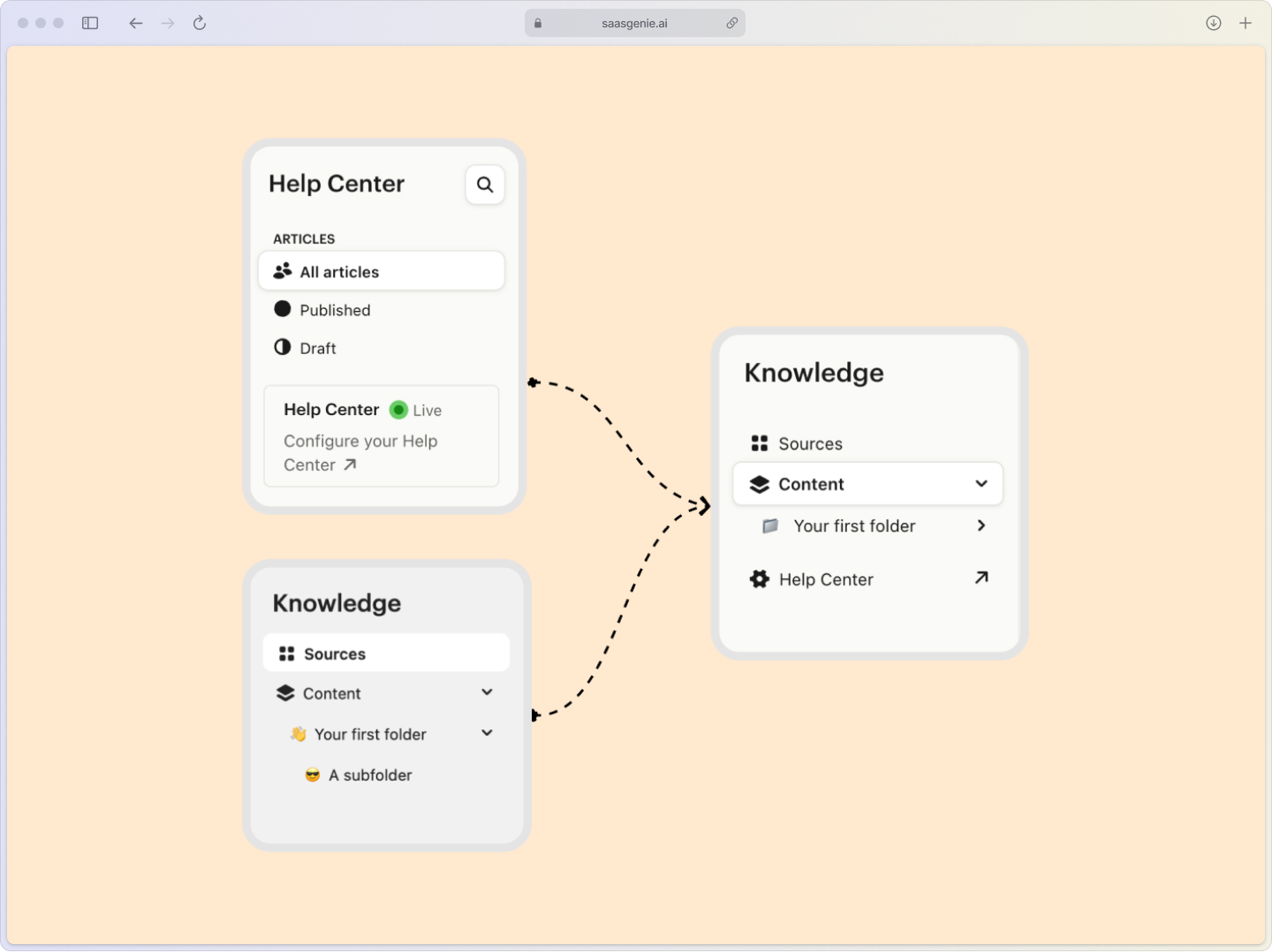
In-app help and contextual support
Intercom lets you show relevant help content based on where customers are in your product. Someone on the billing page sees billing-related articles; someone in settings sees setup guides.
This contextual approach increases self-service success because customers get help that's actually relevant to their current situation.
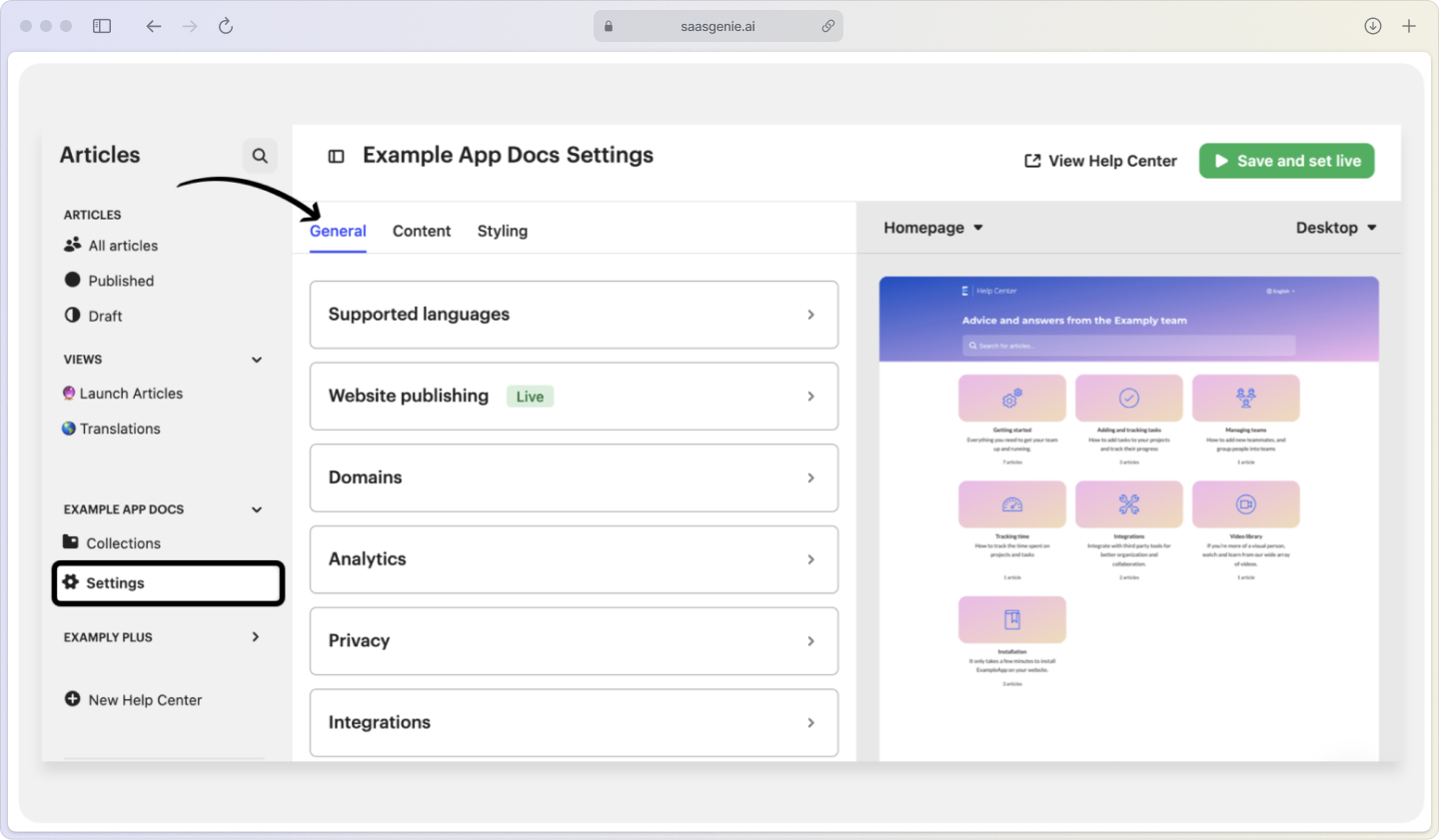
Search optimization
Help center search works best when articles include the exact words customers use to describe problems. Review search analytics to see what people look for but don't find, then update articles or create new ones to fill those gaps.
Personalizing support without extra work
Using customer data effectively
Intercom automatically collects customer information like subscription level, location, and usage patterns. Display this data to agents so they can provide relevant help without asking customers to explain their account details.
Customer data should guide the conversation, not replace it. Encourage agents to practice active listening by acknowledging what the customer is saying, reflecting back the core issue in their own words, and asking one or two clarifying questions before jumping to a solution. That small human touch, "Just to confirm, you're seeing X after doing Y, right?" builds trust and prevents misfires even when you have all the account details in front of you.
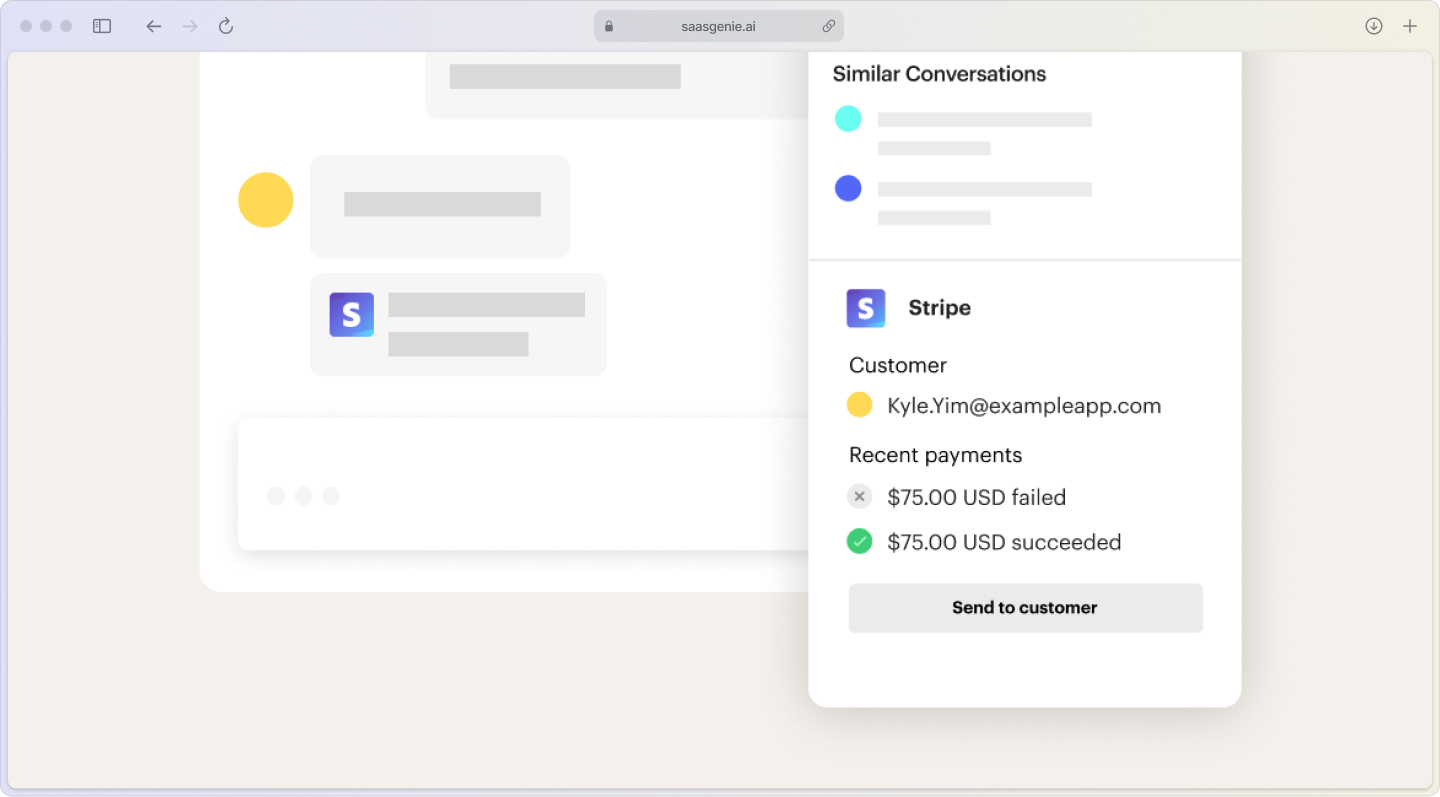
Conversation history context
When customers contact support, agents can quickly review past conversations to understand context and avoid making customers repeat themselves. This simple feature dramatically improves the customer experience because it shows you remember them.
Segment-based communication
Different customer segments need different types of communication. New users might need more detailed explanations; experienced customers want quick, technical answers. Use Intercom's segmentation to tailor responses appropriately.
Common mistakes that hurt customer satisfaction
- Over-relying on automation: When bots can't solve complex issues but keep customers from reaching humans, frustration builds quickly.
- Ignoring CSAT feedback: Collecting satisfaction scores without acting on negative feedback misses opportunities to improve.
- Slow bot-to-human handoffs: Making customers wait when AI can't help creates a worse experience than no automation at all.
- Generic macro responses: Copy-paste answers without personalization feel robotic and uncaring.
- Confusing help center navigation: When customers can't find answers in self-service, they contact support, frustrated before they even start.

Measuring the impact of your improvements
Track these metrics to see if your Intercom optimizations are actually improving customer satisfaction:
- CSAT trends over time: Are scores improving after process changes?
- First-contact resolution rate: Are more issues getting solved without follow-up?
- Self-service deflection: Are fewer customers contacting support for questions answered in your help center?
- Response time consistency: Are customers getting consistently fast acknowledgment?
The goal is connecting satisfaction improvements to business outcomes like reduced support volume, higher customer retention, and improved team efficiency.
Get expert help optimizing your Intercom setup

Setting up Intercom for maximum customer satisfaction involves dozens of small configuration decisions that add up to big experience differences. As certified Intercom partners, we at saasgenie understand how support processes impact customer relationships.
Our team has optimized Intercom configurations for organizations across different industries, focusing on workflows that improve both agent efficiency and customer experience. We help teams avoid common setup mistakes and implement best practices that drive measurable satisfaction improvements.

Ready to turn your support processes into a competitive advantage?
Book a free strategy consultation to discuss your current setup and identify quick wins for better customer satisfaction.