.webp)




How Atomicwork Handles ITIL Service Requests the Modern Way
IT teams receive a steady stream of messages that look similar but mean different things. Some messages report something broken, while other messages ask for something new.
ITIL gives simple labels for these situations. One label is "service request," which covers planned, everyday asks that follow a standard process.
Atomicwork is a service management tool that organizes these requests into clear workflows. This article explains the basics first, then connects the basics to how Atomicwork manages service requests.
Ever feel like your IT service desk is playing whack-a-mole with requests, some urgent, some routine, all mixed together in one chaotic pile?
Meet Atomicwork's approach to ITIL service requests: a smart system that sorts the "I need a laptop" from the "email is down" and routes each one down the right path. No more guessing games or misplaced priorities.
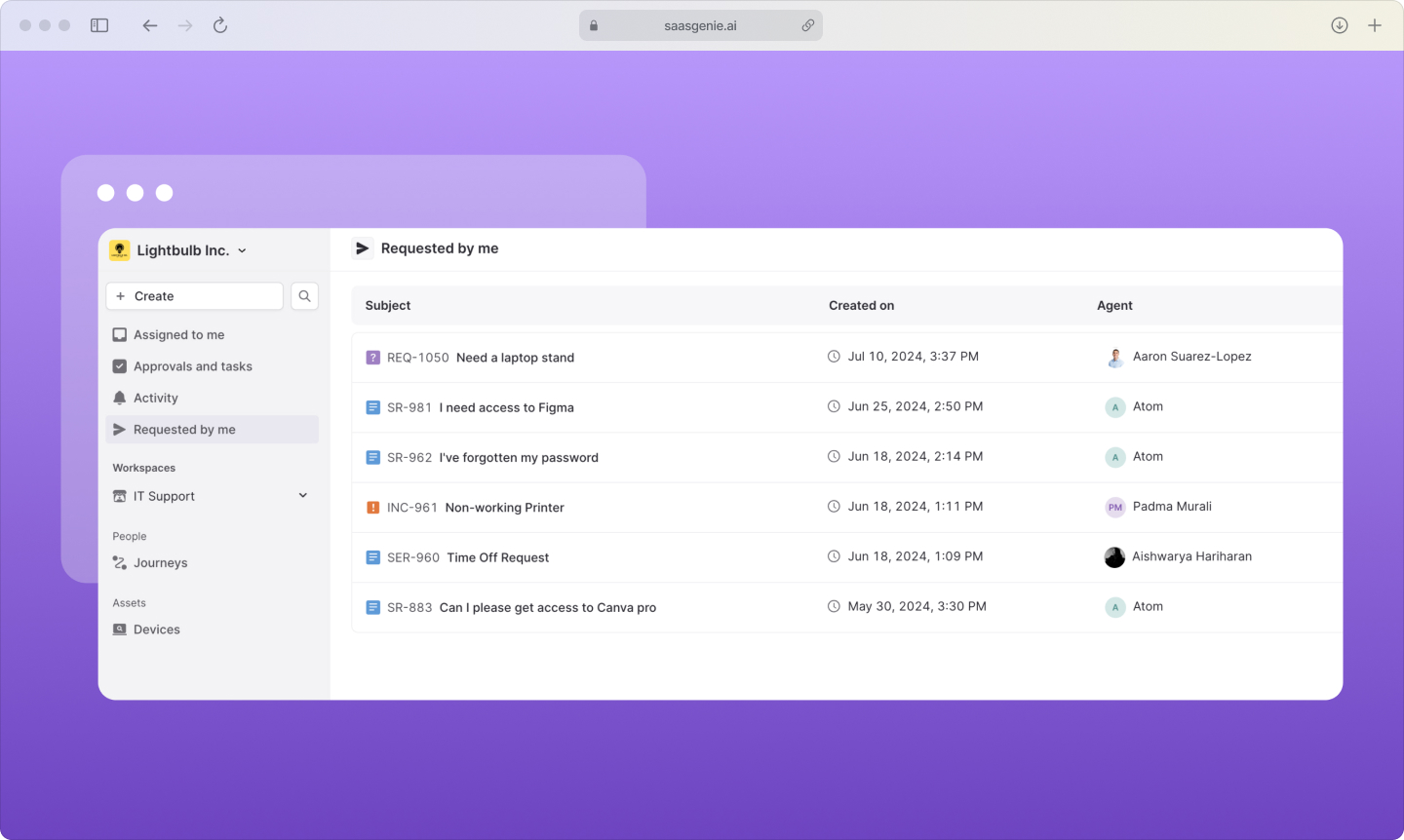
What is an ITIL service request?
An ITIL service request is a formal request from a user for something that's provided as part of normal service delivery. Think of it as asking for something new rather than fixing something broken.
ITIL stands for Information Technology Infrastructure Library. A set of practices that describes common ways to run IT services, with proper implementation, reduces IT service management costs by 40%. ITIL separates different types of work so teams can handle each type with the right process.
A service request asks for information, access, a standard service, or equipment. Examples include requesting a software license, access to a shared drive, a new laptop, or a password reset.
The key difference: service requests start from a new requirement, not a problem. When your email stops working, that's an incident. When you ask for access to a new system, that's a service request.
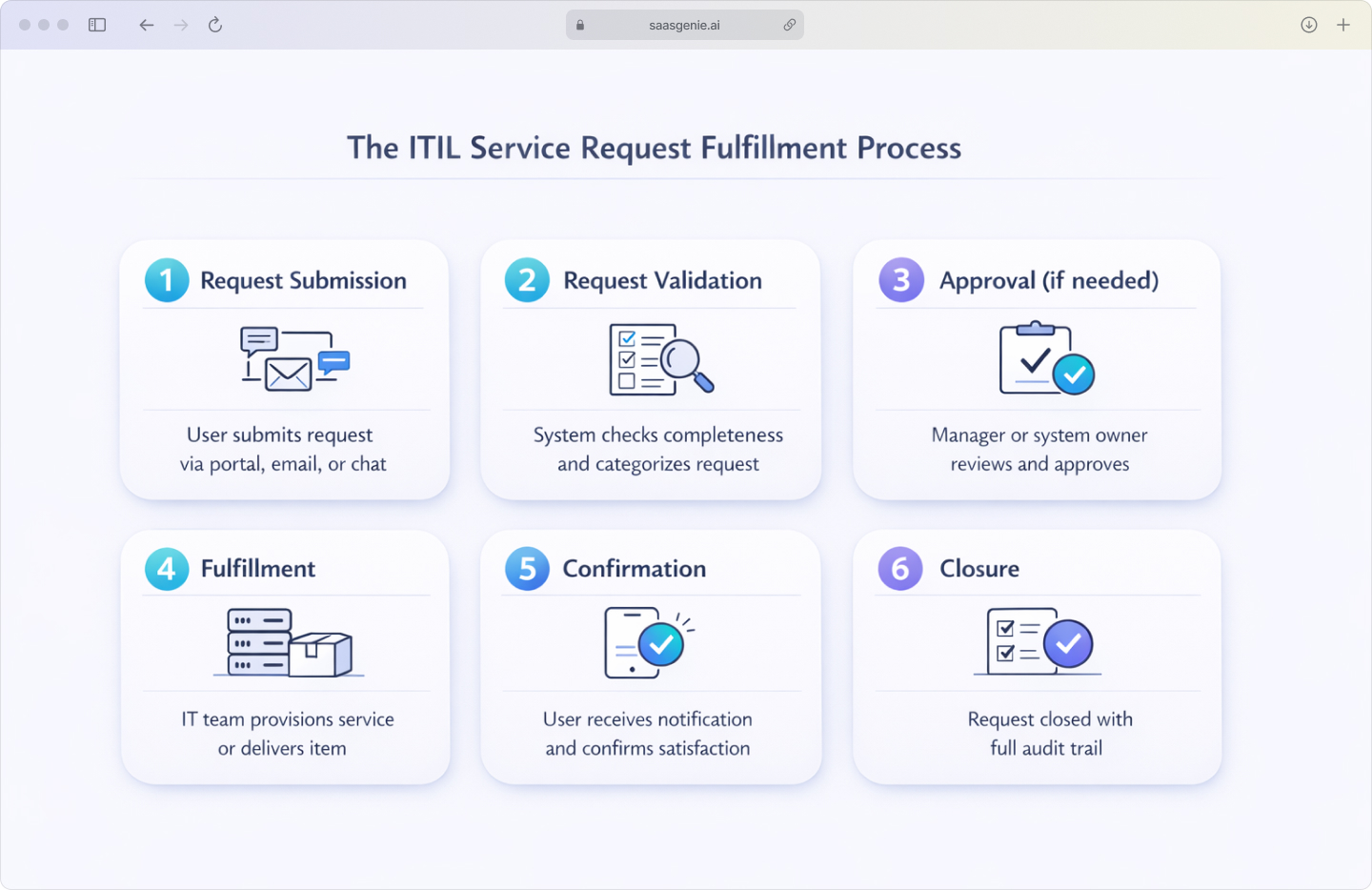
In ITIL terms, service requests go through request fulfillment, a process focused on consistent delivery, clear status tracking, and predictable steps like approvals and assignment.
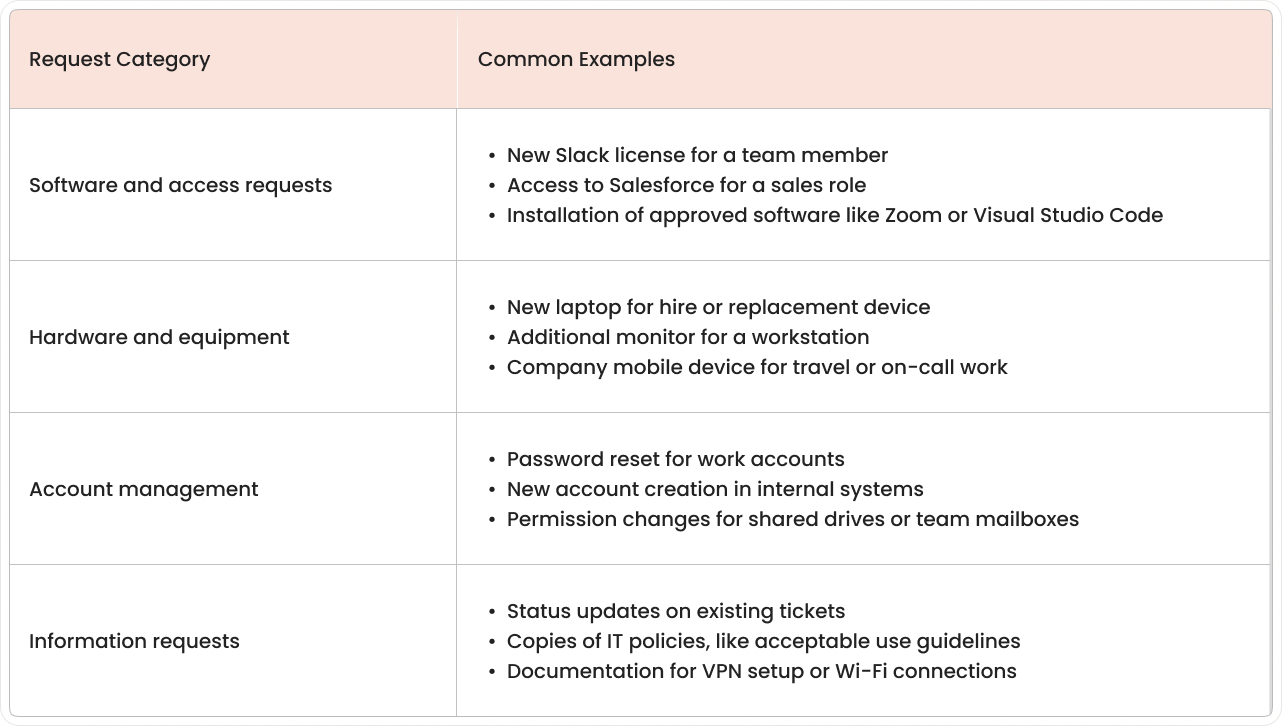
Common IT service request examples
Service requests cover repeatable items that teams can deliver through standard workflows. Here are the types that show up most often in IT queues:
ITIL service request vs incident and why the difference matters
ITIL separates service requests and incidents because they require different handling approaches. When both types get mixed in one queue without clear labels, teams waste time re-sorting work and miss response targets, with happiness scores dropping from +85 to +52 when tickets require reassignment.
Service requests fulfill user needs for standard services the organization already offers. Incidents restore normal service after something breaks or stops working properly through incident management software.
The business impact differs, too. Incidents usually interrupt work immediately because something isn't functioning. Service requests are planned asks that don't stop current work from happening.
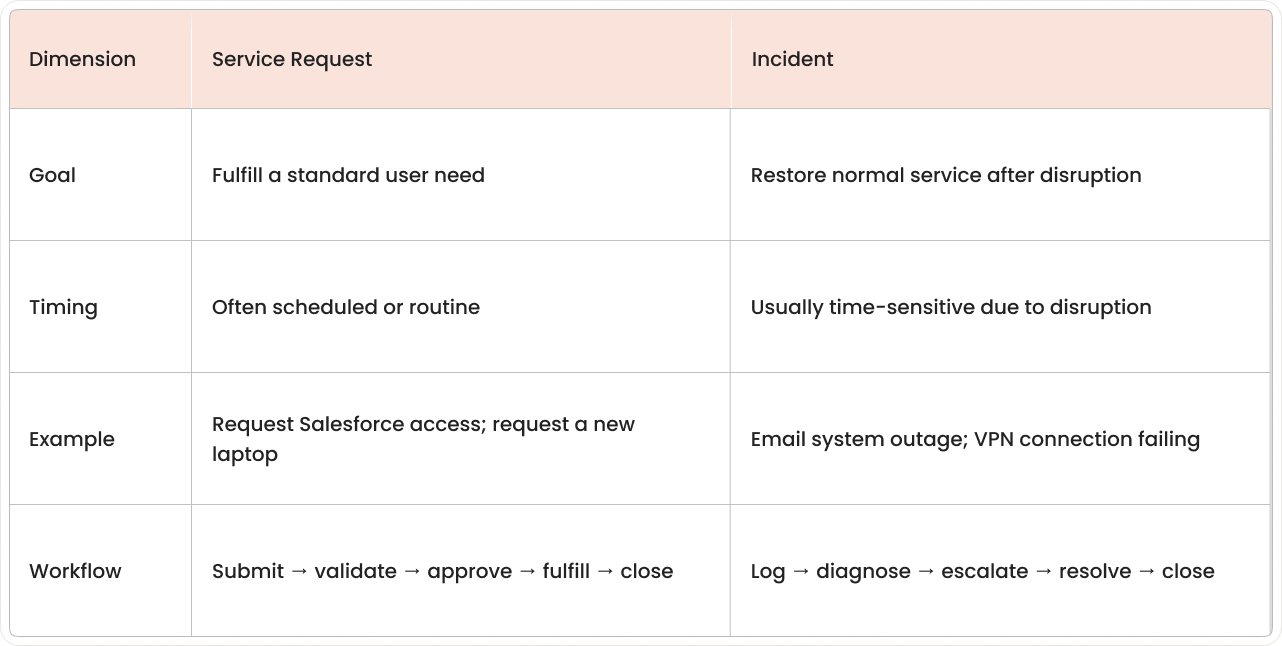
Different processes mean different SLA targets. Incident SLAs focus on rapid response and restoration. Service request SLAs focus on predictable completion times and quality fulfillment.
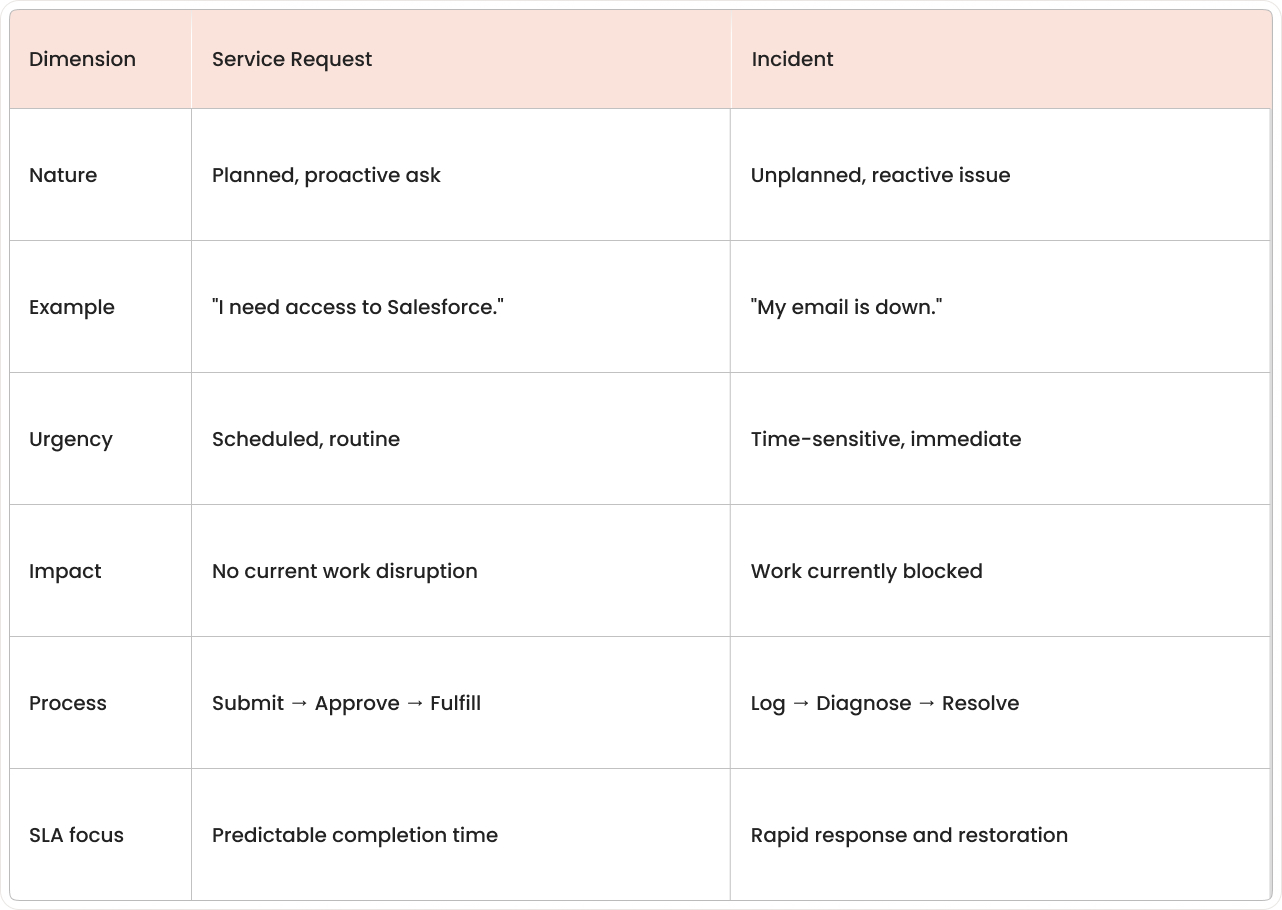
Note: Mixing both types drops satisfaction scores from +85 to +52.
How Atomicwork manages the service request workflow
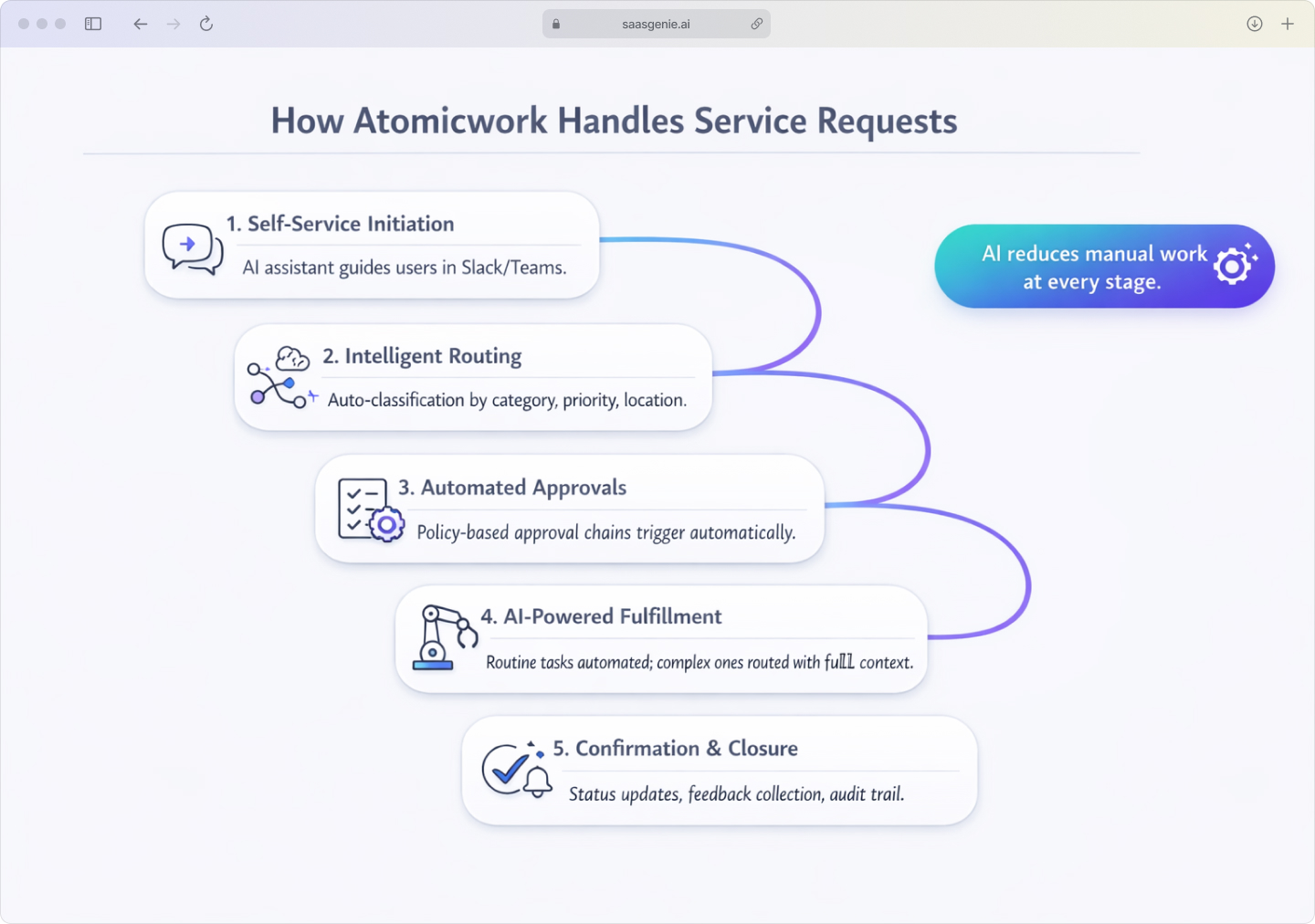
Atomicwork follows the standard ITIL request lifecycle while adding AI features to reduce manual work and keep context attached to each request.
1. Request initiation through self-service
Employees submit service requests from Slack, Microsoft Teams, or a web portal. An AI assistant guides users to the correct request type by asking short questions and matching keywords to catalog items.
The system captures basic details such as the requester, service type, and requested date. The same request can be tracked from the channel where it started.
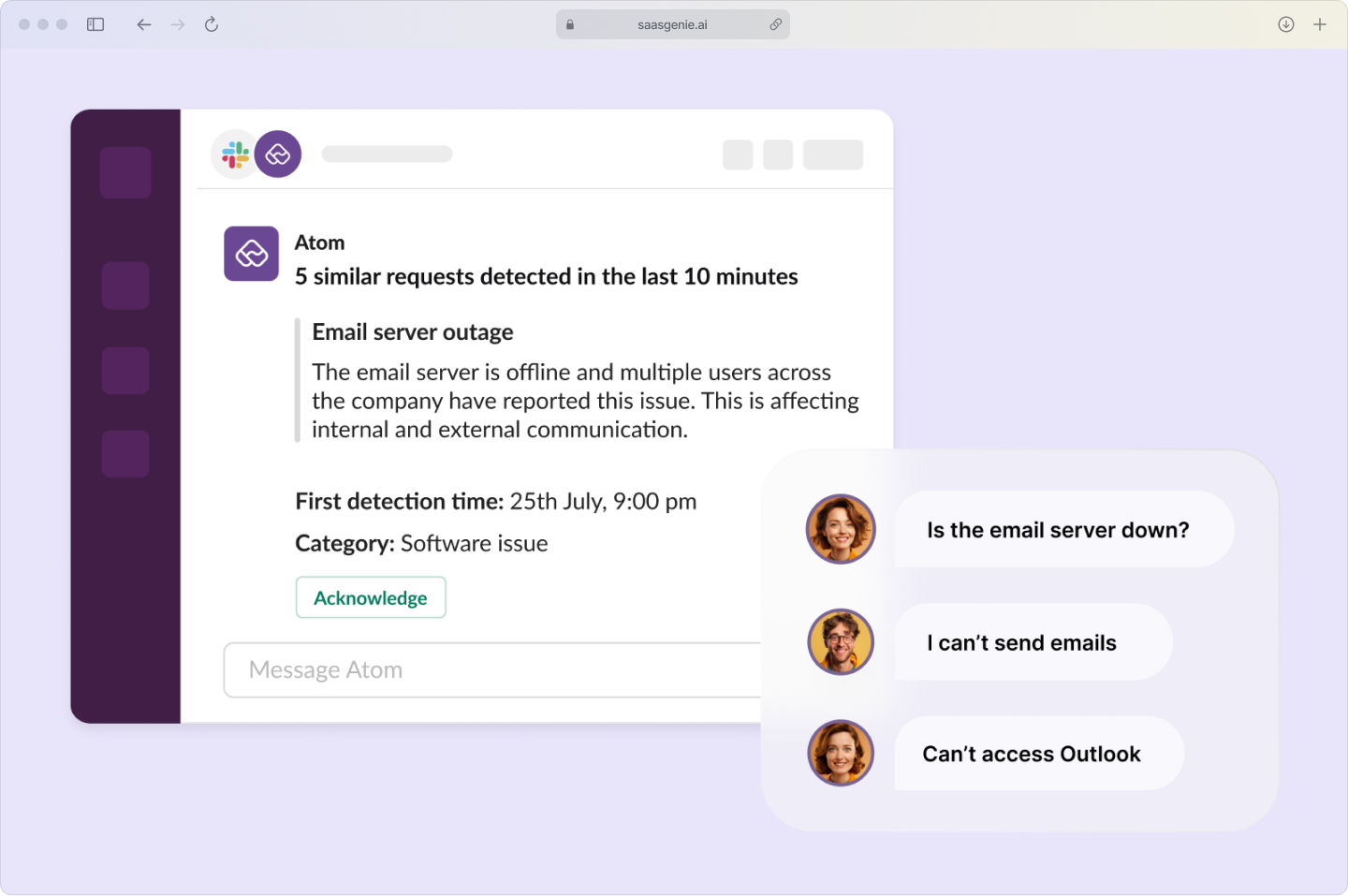
2. Intelligent assessment and routing
Atomicwork AI reviews the request text and metadata to classify it automatically. Classification includes category, subcategory, and initial priority when rules exist for that request type.
Routing sends the request to the correct queue or team based on classification. Routing logic can also use signals like location, department, and business unit.
3. Automated approval workflows
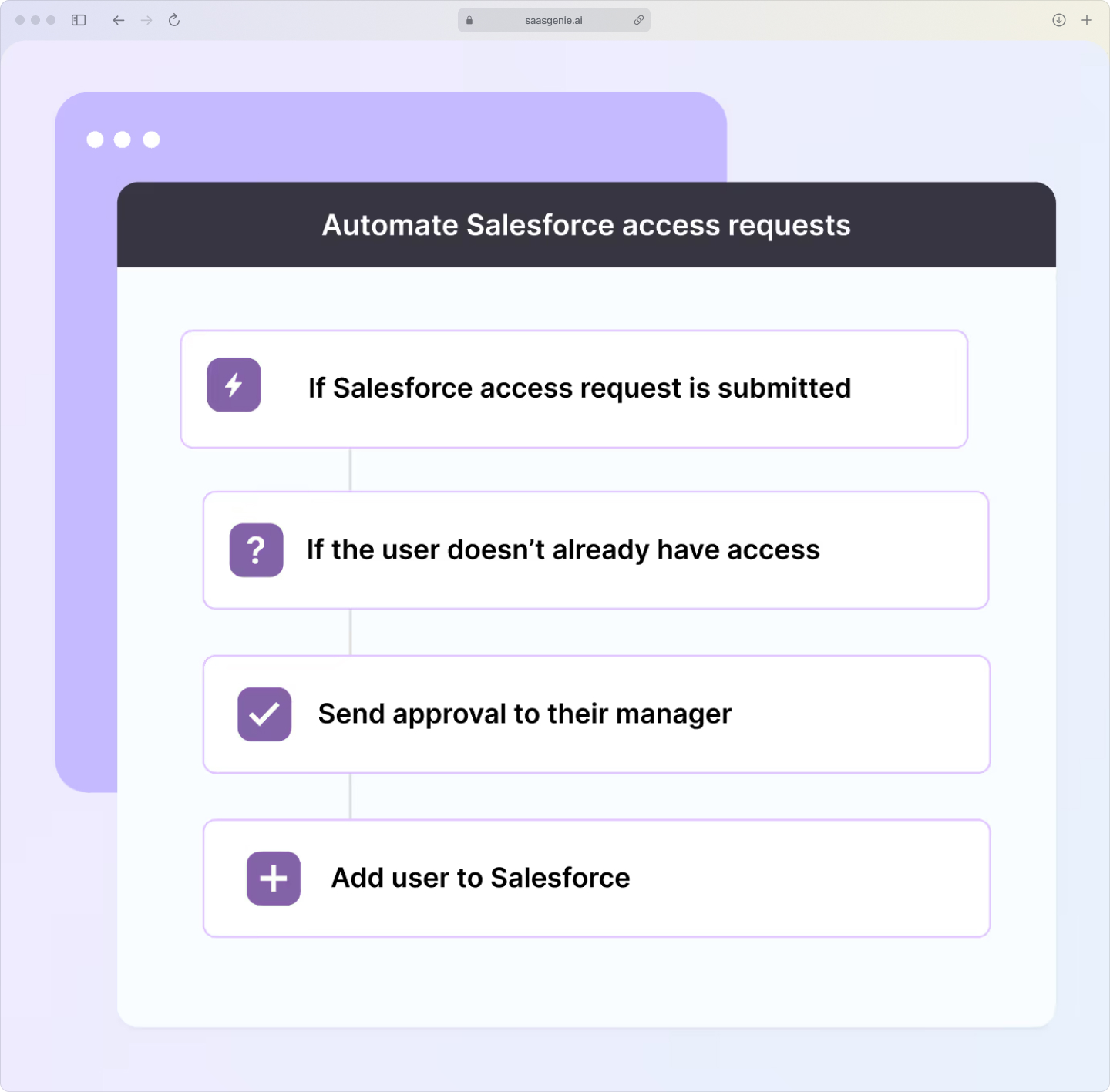
Approval steps are attached to specific request types, such as access to financial systems or new devices. Atomicwork triggers approval chains automatically when requests match policy conditions.
Approvals become part of the request record. Approval outcomes update workflow state and determine next steps, fulfillment, or cancellation.
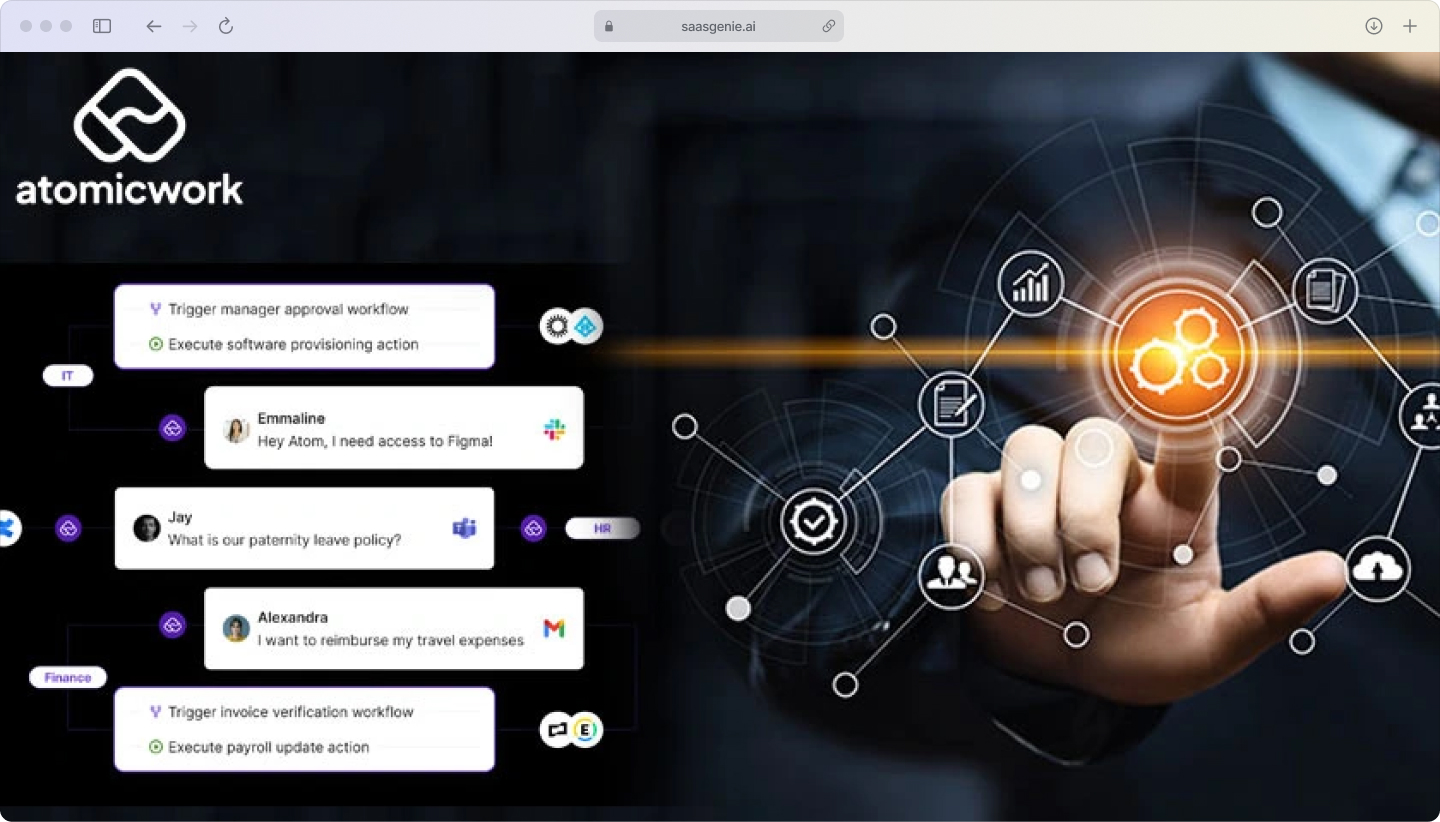
4. AI-powered fulfillment
For routine tasks, Atomicwork automates parts of fulfillment using predefined actions and integrations. Examples include creating accounts, assigning licenses, or triggering standard onboarding sequences.
Complex requests move to agents with full request history and related context, previous requests from the same user, related assets, and completed approvals.
5. Confirmation and closure
Atomicwork sends status notifications as requests move through stages like approved, in progress, and completed. After fulfillment, requesters get confirmation messages and can provide satisfaction feedback.
The system closes requests after recording completion, keeping an audit trail of approvals, actions taken, timestamps, and final outcomes.
Why a service catalog drives faster request fulfillment
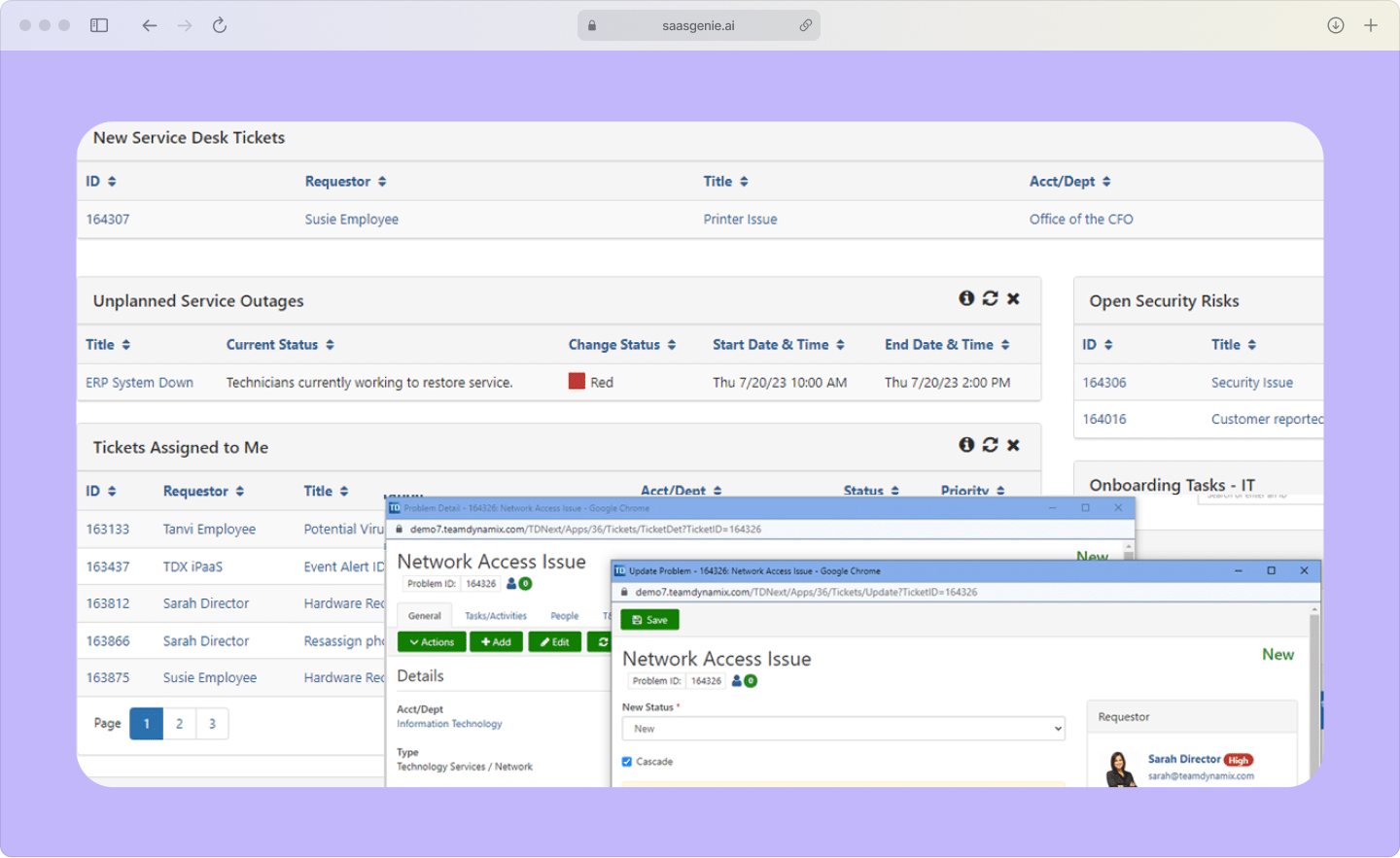
A service catalog is a structured list of requestable services an organization offers, including access requests, software provisioning, hardware requests, and information requests. Each catalog item includes a defined request form, required information, approval rules, fulfillment steps, and target completion time.
The service catalog turns free-text messages into standardized requests. Standardization reduces rework from missing details, unclear ownership, and inconsistent routing.
In Atomicwork, the service catalog supports self-service by presenting clear options inside Slack, Microsoft Teams, and the portal, addressing the 49% of workers who prefer fixing IT problems themselves rather than contacting the help desk. The catalog also reduces manual triage by mapping request types to predefined categories, routing rules, and workflows.
Key benefits include:
- Clear request types: Catalog items label requests consistently, improving classification and reporting.
- Complete intake data: Forms collect required fields like system name, role, manager, location, and start date.
- Policy-based approvals: Approval steps connect to catalog items, triggering only when the request type and conditions match policies.
- Faster routing: Catalog-to-queue mapping sends requests to correct teams without manual sorting.
- Repeatable fulfillment: Catalog items link to standard tasks and automation steps.
- Better SLA tracking: Catalog items define expected completion times by request type.
How Atomicwork uses AI and automation for service request management
Atomicwork combines AI features and automation tools to handle service requests as structured work items rather than unorganized messages.
Virtual agent for self-service deflection
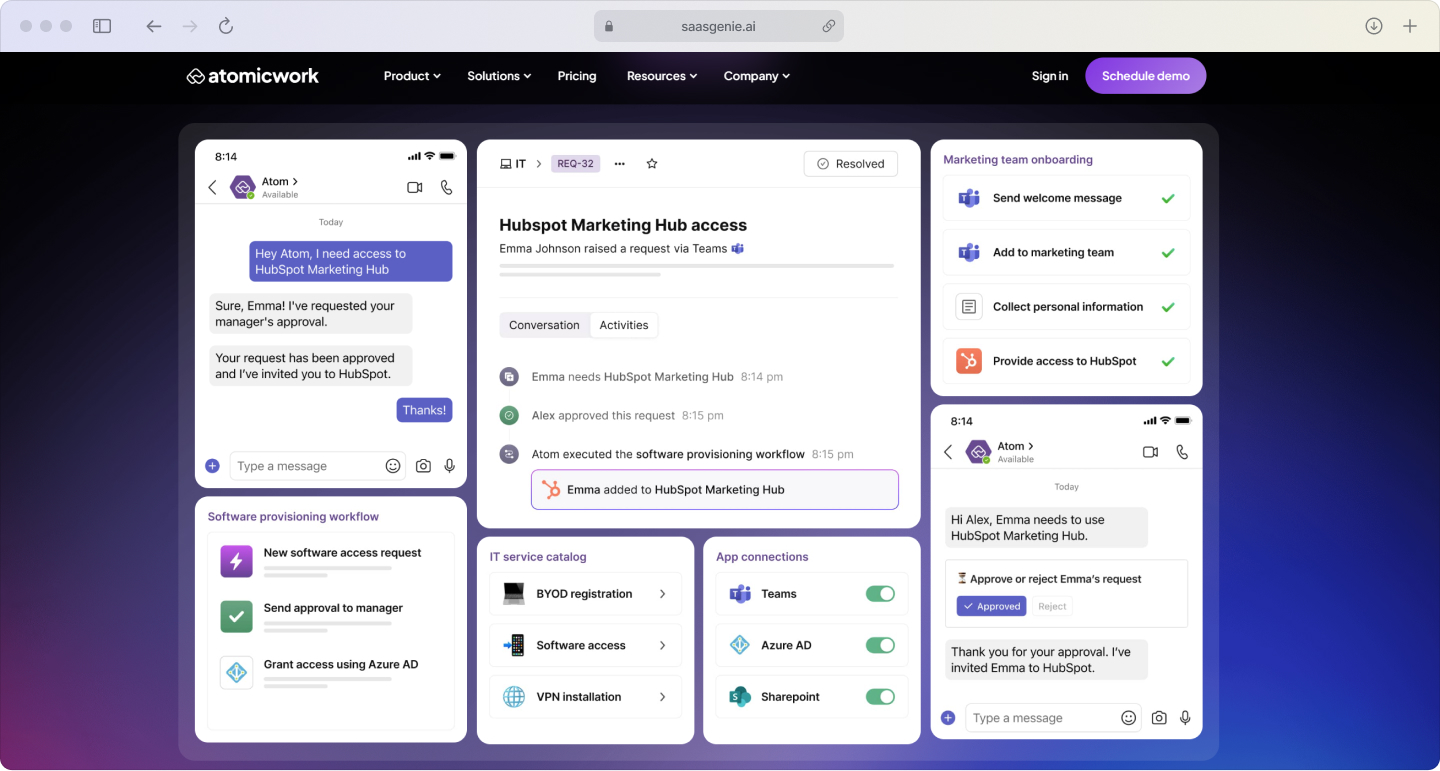
The virtual agent uses natural language understanding to interpret questions or requests typed in Slack, Microsoft Teams, or a portal. It retrieves answers from connected knowledge sources and presents responses with linked articles when available.
The virtual agent completes routine request steps when configured, collecting required details, creating request records, and confirming request status, with chatbots capable of automating 40-50% of ticket volumes. It escalates to human agents when requests don't match known intents or when permissions block automation.
Smart routing and assignment
Routing logic uses request classification signals like category, requester department, location, and service type to select queues. Assignment logic uses agent attributes like skills or group membership to select owners.
Workload-based assignment distributes requests using open ticket counts and availability signals. Context-aware routing attaches related information, previous request history, and relevant knowledge to reduce search time.
No-code workflow automation
A workflow builder represents fulfillment steps as configured actions and conditions rather than custom software development. Workflow steps include form validation, field updates, approval states, notifications, task creation, and integration actions.
Conditional branching changes workflow paths based on request data like employee type, system sensitivity, or cost thresholds. Reusable workflow components apply the same logic across multiple catalog items.
SLA tracking and reporting
SLA tracking associates each request type with response and completion time targets, recording timestamps for each state change. Breach risk indicators and escalation rules use SLA timers to trigger notifications and reassignment events.
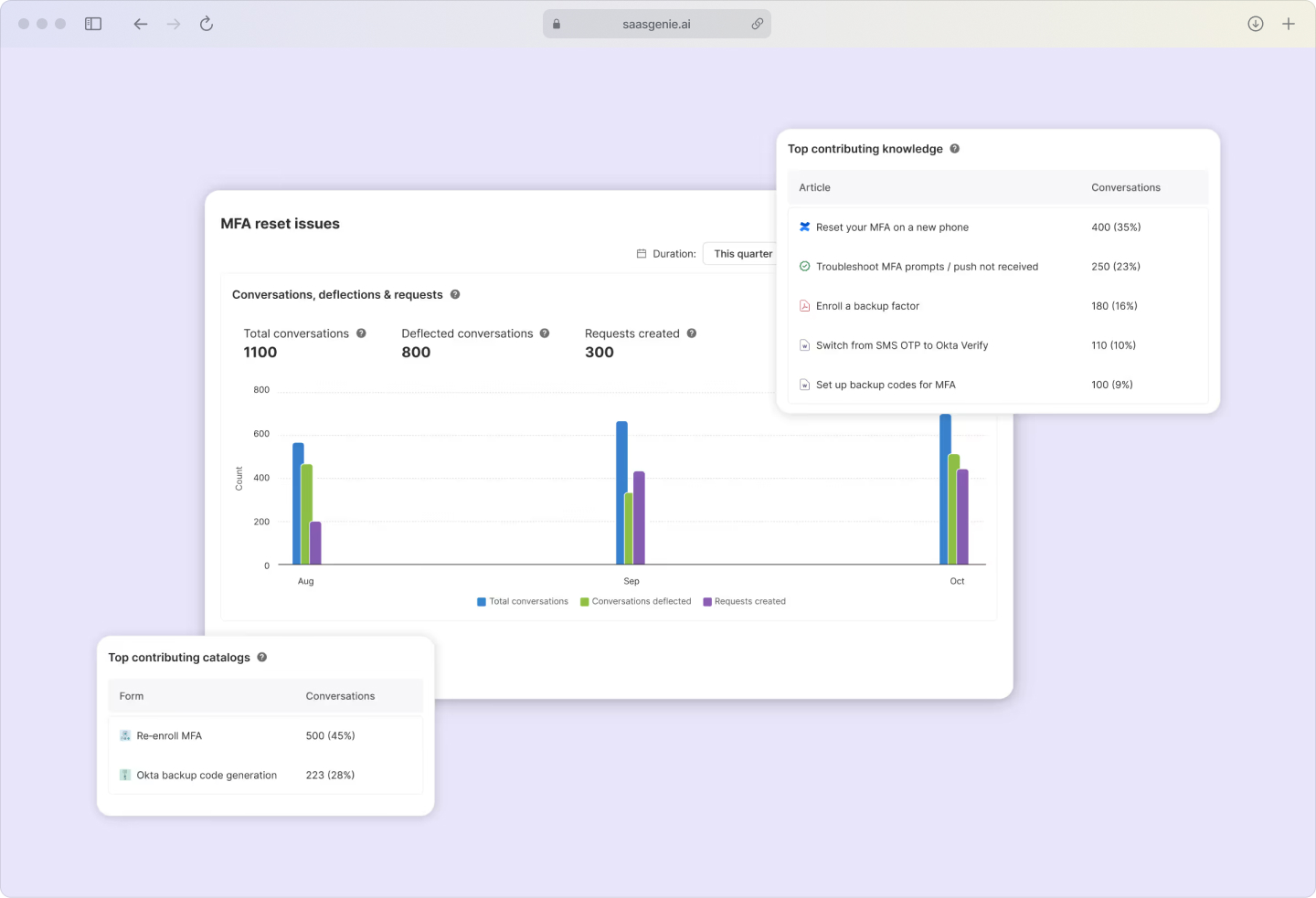
Reporting dashboards summarize volume, completion time, breach rate, and backlog by category, team, and time period. Audit-ready records store SLA history, approvals, and fulfillment actions.
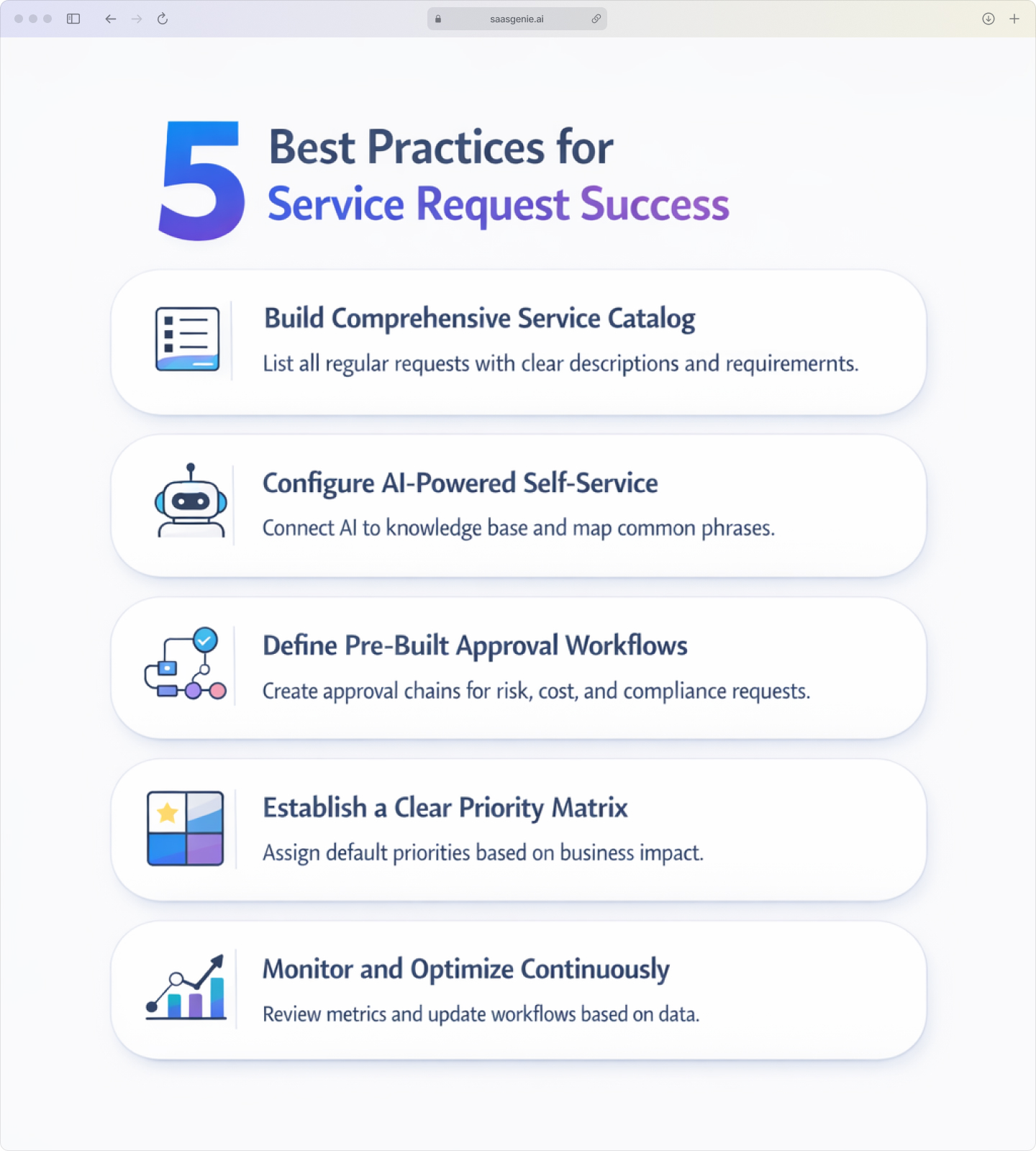
Best practices for managing ITIL service requests in Atomicwork
1. Build a comprehensive service catalog
List every requestable service that appears regularly in support channels. Include access, equipment, and information requests with short descriptions, required request fields, and expected fulfillment times.
Add "edge case" requests that cause repeated back-and-forth, temporary access, contractor onboarding, and device swaps. Keep names consistent so that reporting groups similar items correctly.
2. Configure AI-powered self-service
Connect the AI assistant to the same knowledge base that support teams use for ticket resolution. Map common questions and request phrases to correct knowledge articles and service catalog items.
Use short, single-topic articles that match real employee wording. Review unanswered questions and low-confidence matches to refine intents and update knowledge content.
3. Define pre-built approval workflows
Create approval chains for request types involving risk, cost, or compliance, privileged access, paid software, and new devices. Record approval rules in workflow conditions using fields like department, role, location, and cost center.
Separate approval roles by decision type: manager approval for business justification and security approval for elevated permissions. Keep audit trails of approver, timestamp, and decision for each request.
4. Establish a clear priority matrix
Define priority levels using business impact and time sensitivity. Assign default priorities per catalog item so most requests receive priority automatically.
Reserve the highest priority for requests tied to critical business deadlines or blocked work for multiple users. Keep manual priority changes limited to tracked roles so priority data stays reliable.
5. Monitor and optimize continuously
Review request metrics regularly, including volume by request type, time to first response, time to completion, reopen rate, and SLA breaches. Compare performance across teams and categories to identify where routing, approvals, or fulfillment steps slow down.
Update catalog items, knowledge articles, and workflows based on metrics. Document changes and track effects in the next reporting period to verify process impact.
Get expert help implementing Atomicwork for service request success
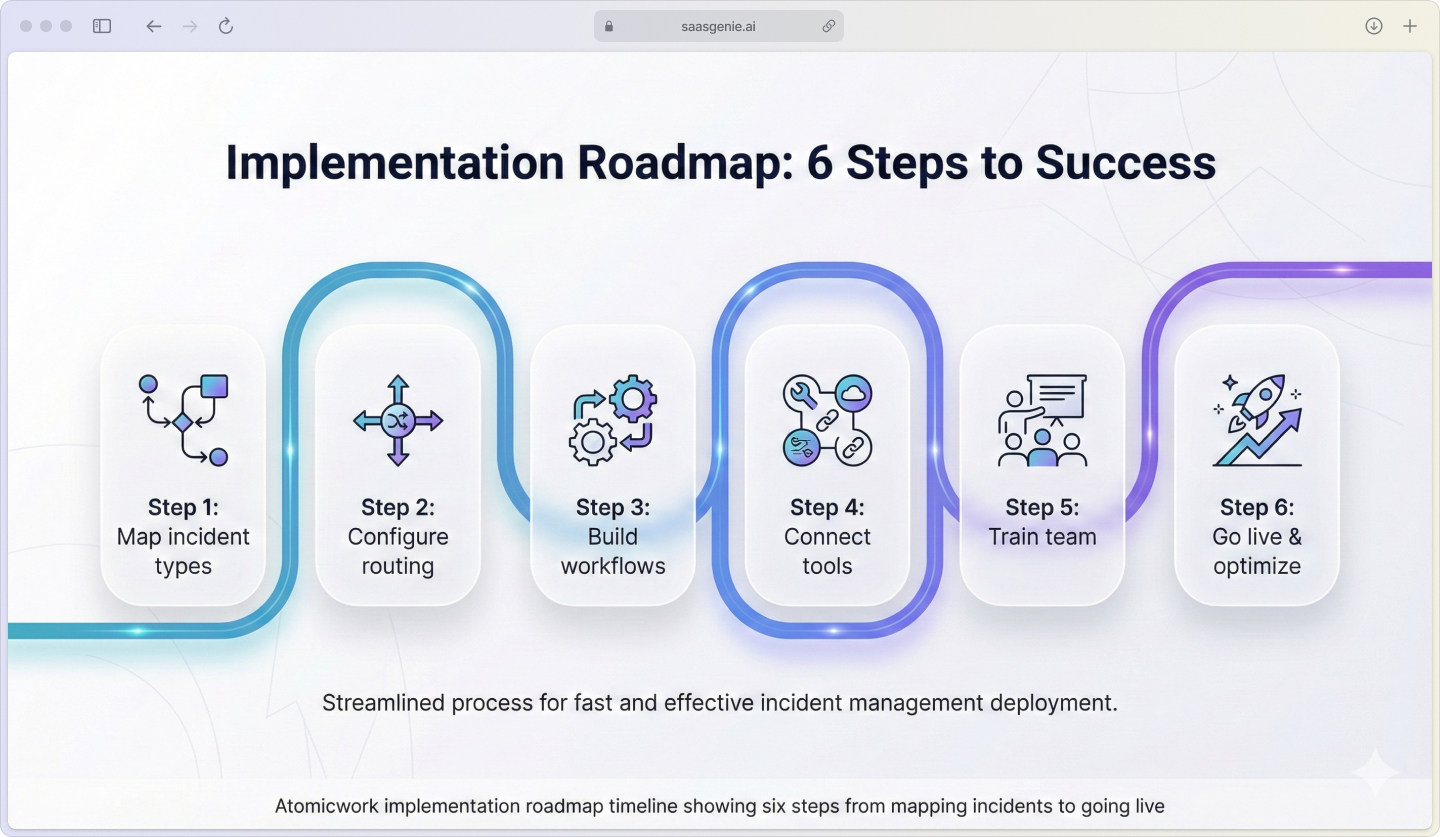
Implementing Atomicwork for ITIL service requests involves defining service catalogs, mapping request types to workflows, setting approval rules, and connecting collaboration tools. Setup work also includes aligning SLA targets, reporting, and access controls with internal policies.
saasgenie is a certified service management partner that implements and optimizes service request management for IT and enterprise service teams. Work commonly covers platform configuration, workflow design, data migration, and integrations across identity, HR, and collaboration tools.

Ready to streamline your service request management?
Contact us for a free strategy consultation.