.webp)



Freshservice Incident Management Explained: Features, Benefits, and Implementation
Every IT team we have worked with runs into surprise hiccups: systems crash, software stalls, or users suddenly lose access to a critical tool, contributing to the $14,000 per minute average downtime cost for midsize businesses. Handling these disruptions in a clear, organized way is known as incident management.
In 2026, IT teams rely on digital platforms to keep services running and minimize the impact of downtime.
Freshservice is a platform that helps manage these situations. It provides a structured way to report issues, assign them to the right people, and track their resolution. This approach helps organizations restore normal operations efficiently.
It's Monday morning, your CRM just crashed, and your sales team is flooding Slack with "IS IT JUST ME??" messages. Meanwhile, your inbox is exploding with urgent tickets, your phone won't stop ringing, and you're pretty sure someone just compared the situation to a dumpster fire. We've all been there; it's the IT equivalent of this:

That's exactly what incident management without a proper system feels like. Freshservice turns that chaos into calm by giving you one organized place where every issue gets logged, routed, and resolved without the panic.
This article explains how Freshservice handles incident management, the features it includes, and how organizations use it to maintain stable IT services.
What is Freshservice incident management?
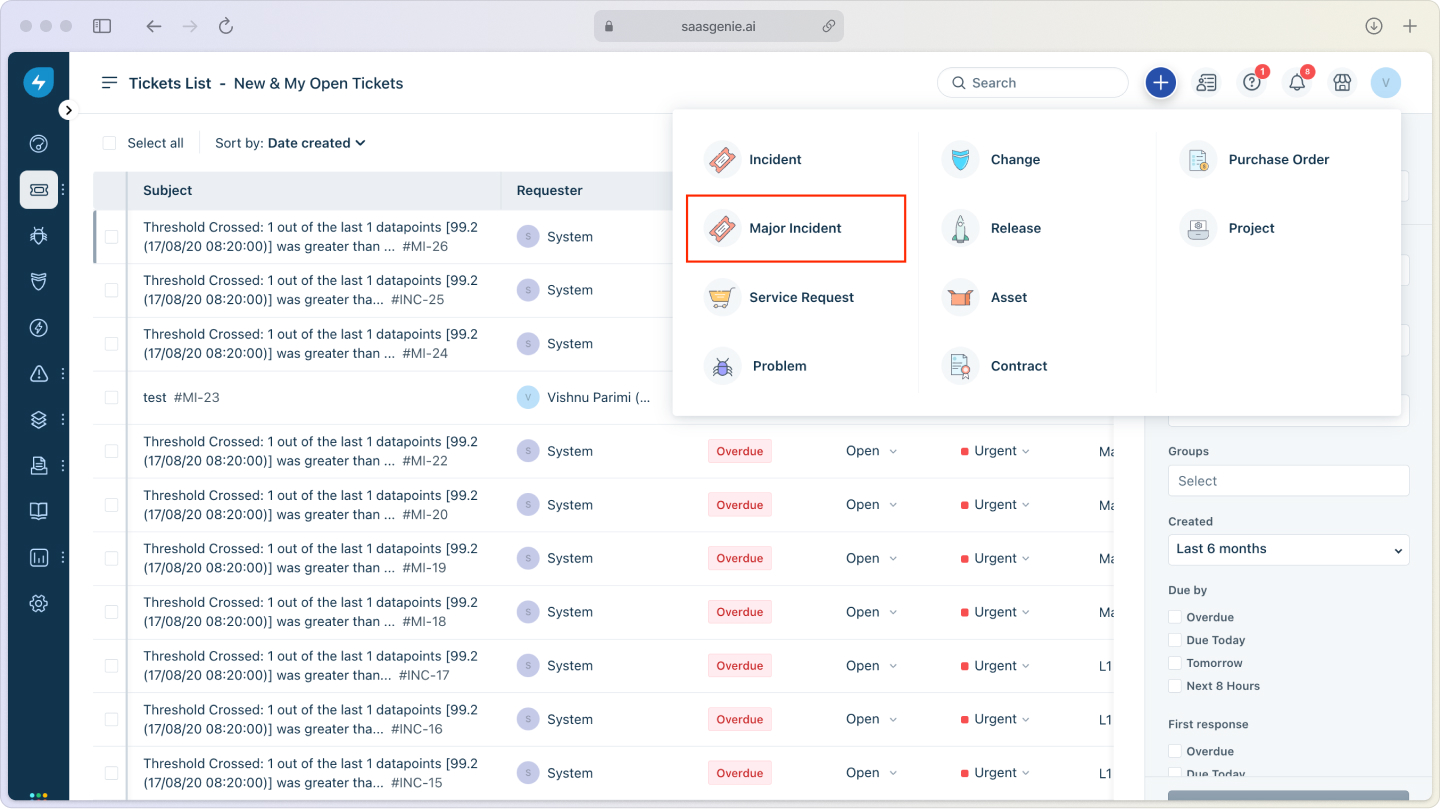
Freshservice incident management is a cloud-based system that helps IT teams handle unexpected service disruptions.
When something breaks, like an email going down or an app crashing, we let Freshservice capture the problem. The platform instantly routes it to the right teammate and tracks it until we close it.
Think of it as your digital emergency response center. Instead of panicked phone calls and scattered emails, everything flows through one organized system that knows who should handle what and how quickly they need to respond.
The platform follows ITIL incident management best practices, which means it uses proven methods that thousands of organizations rely on. You get structure without complexity; a system that actually helps instead of getting in the way.
Core capabilities include:
- Automated ticket routing: Issues land with the right team immediately.
- SLA tracking: Clear deadlines for response and resolution.
- Knowledge integration: Instant access to solutions from past incidents.
- Real-time updates: Everyone stays informed without constant check-ins.
Incidents vs service requests vs problems
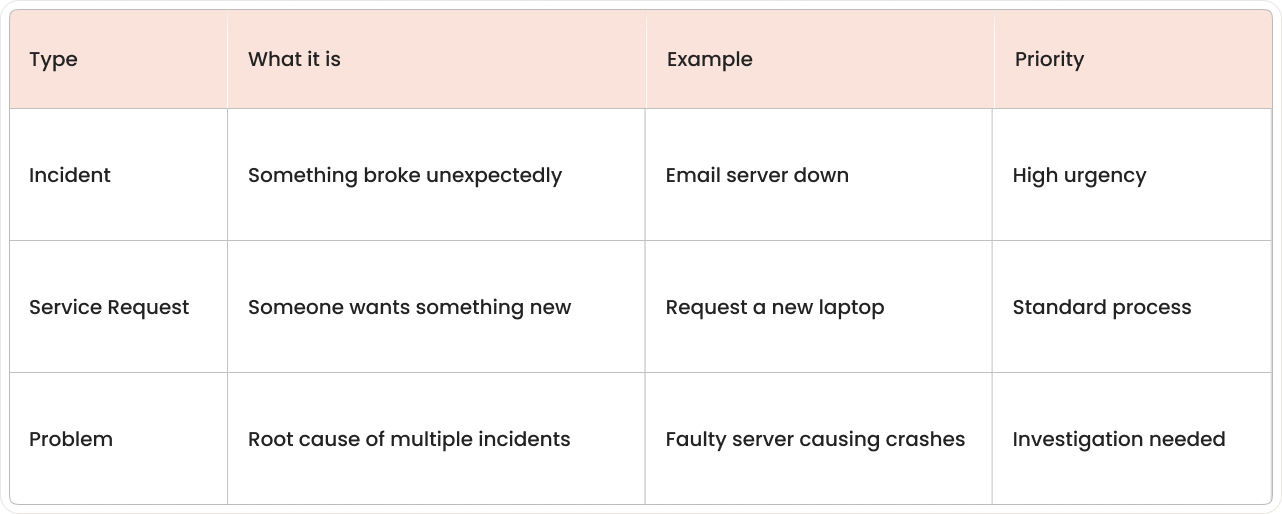
Here's where things get interesting. Not every ticket is an "incident," and mixing them up creates chaos in your IT service desk.
What counts as an incident?
An incident is any unplanned interruption to your IT services. The coffee machine breaking isn't an incident (unless you work at a coffee company).
But when your CRM crashes during peak sales hours?
That's definitely an incident.
Common incident examples:
- Application failures: Software stops working or crashes.
- Network outages: Internet or internal connections go down.
- Hardware problems: Servers, printers, or devices malfunction.
- Performance issues: Systems run slowly or time out.
Why service requests are different
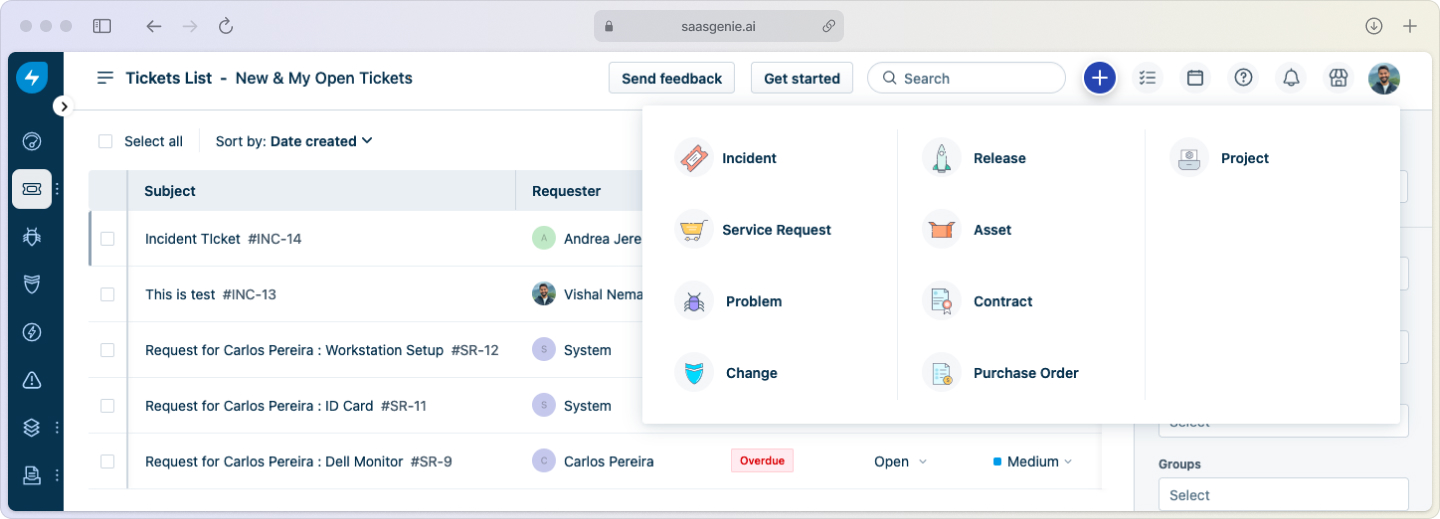
Service requests are planned asks for something new or different. Think of them as the "can I have" tickets versus the "help, it's broken" incidents.
Password resets, software installations, and access requests all fall into this category. They're important, but they're not emergencies.
Problems require deeper analysis
A problem is the detective work that happens after incidents. If your email server crashes every Tuesday at 2 PM, that pattern points to an underlying problem that needs investigation.
Why this matters: Getting classification right means incidents get urgent attention while routine requests follow normal workflows. Your incident management process becomes predictable and efficient.
Key Freshservice features
Freshservice includes several features designed to handle incidents smoothly and efficiently.
Smart ticket routing
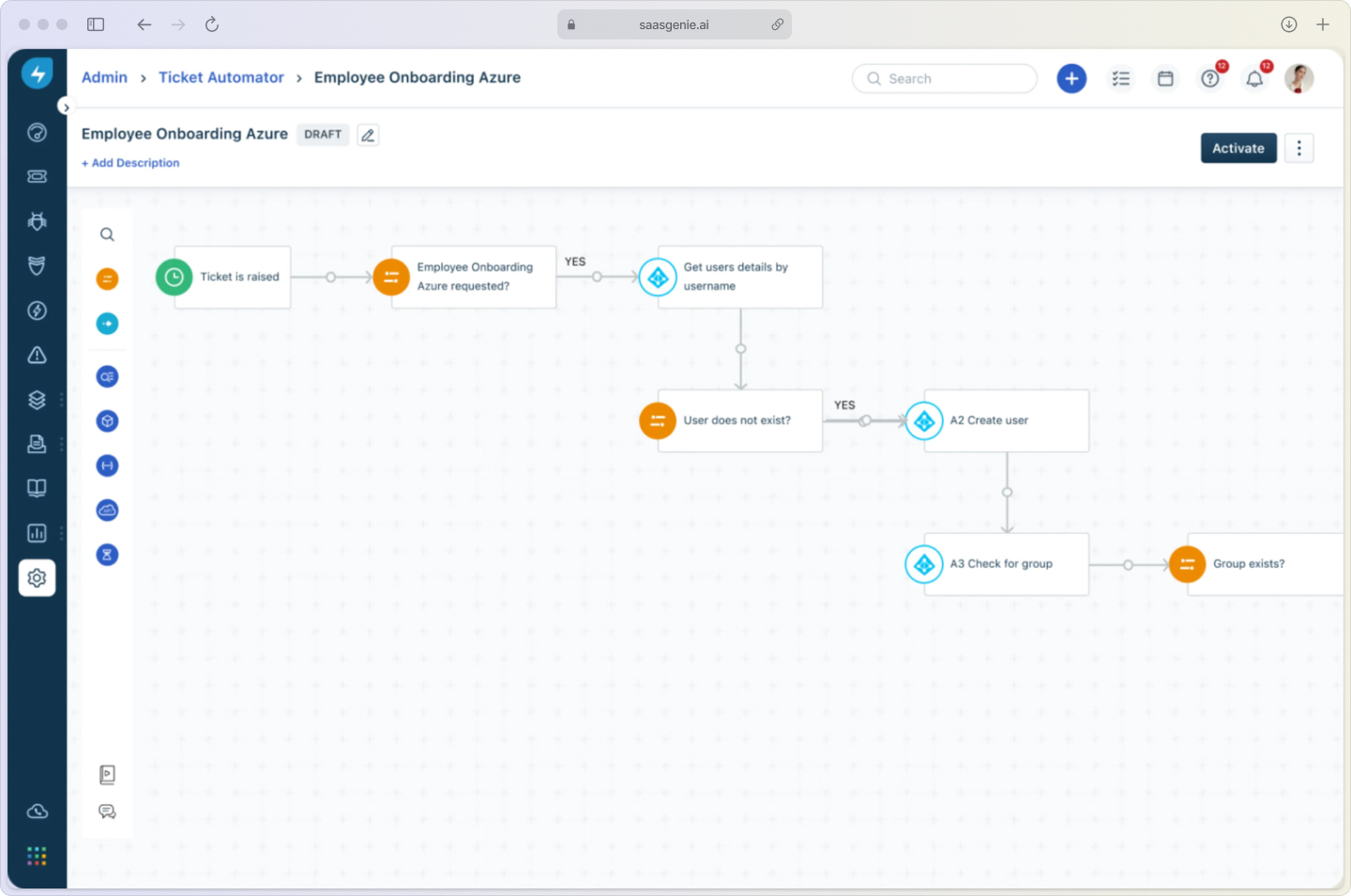
When an incident comes in, Freshservice automatically sends it to the right team. No more "who should handle this?" conversations or tickets sitting in the wrong queue.
The system uses rules based on keywords, categories, and workload to make routing decisions. A database issue goes to the database team, a network problem goes to network engineers, automatically.
SLA management keeps everyone accountable
Service Level Agreements set clear expectations for how quickly incidents get addressed. Freshservice tracks these timelines and escalates tickets when deadlines approach.
For example, critical incidents might need a response within 15 minutes and resolution within 4 hours. The system monitors these targets and alerts managers if things are running late.
AI assistance speeds up resolution
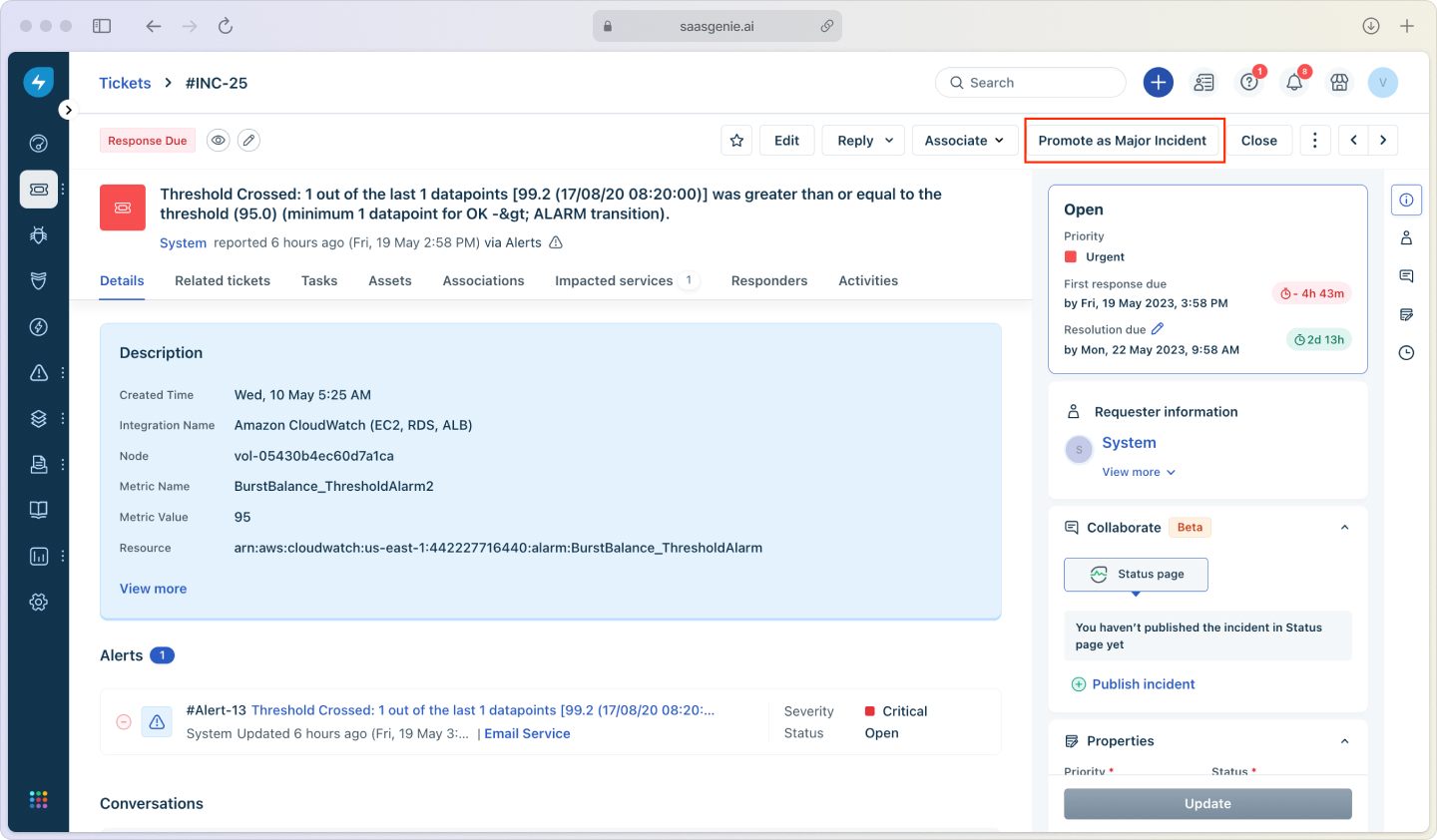
Freddy AI acts like a smart assistant for your support team. It suggests solutions based on similar past incidents, helps categorize tickets correctly, and can even handle simple requests through chat.
This means faster fixes and more consistent responses, with AI-powered tools delivering 75% faster resolution times, so my team spends less time searching for answers and more time actually solving problems. Freddy also handles on-call routing and spins up a war room with full context the moment a major incident hits, bringing the right experts together in seconds.
Knowledge base integration provides instant answers
Agents can access solution articles directly from the ticket interface. If someone else solved a similar problem last month, that solution appears right when it's needed.
Users can also search the knowledge base themselves through the self-service portal, potentially resolving issues without creating tickets at all.
Configuration management shows the big picture
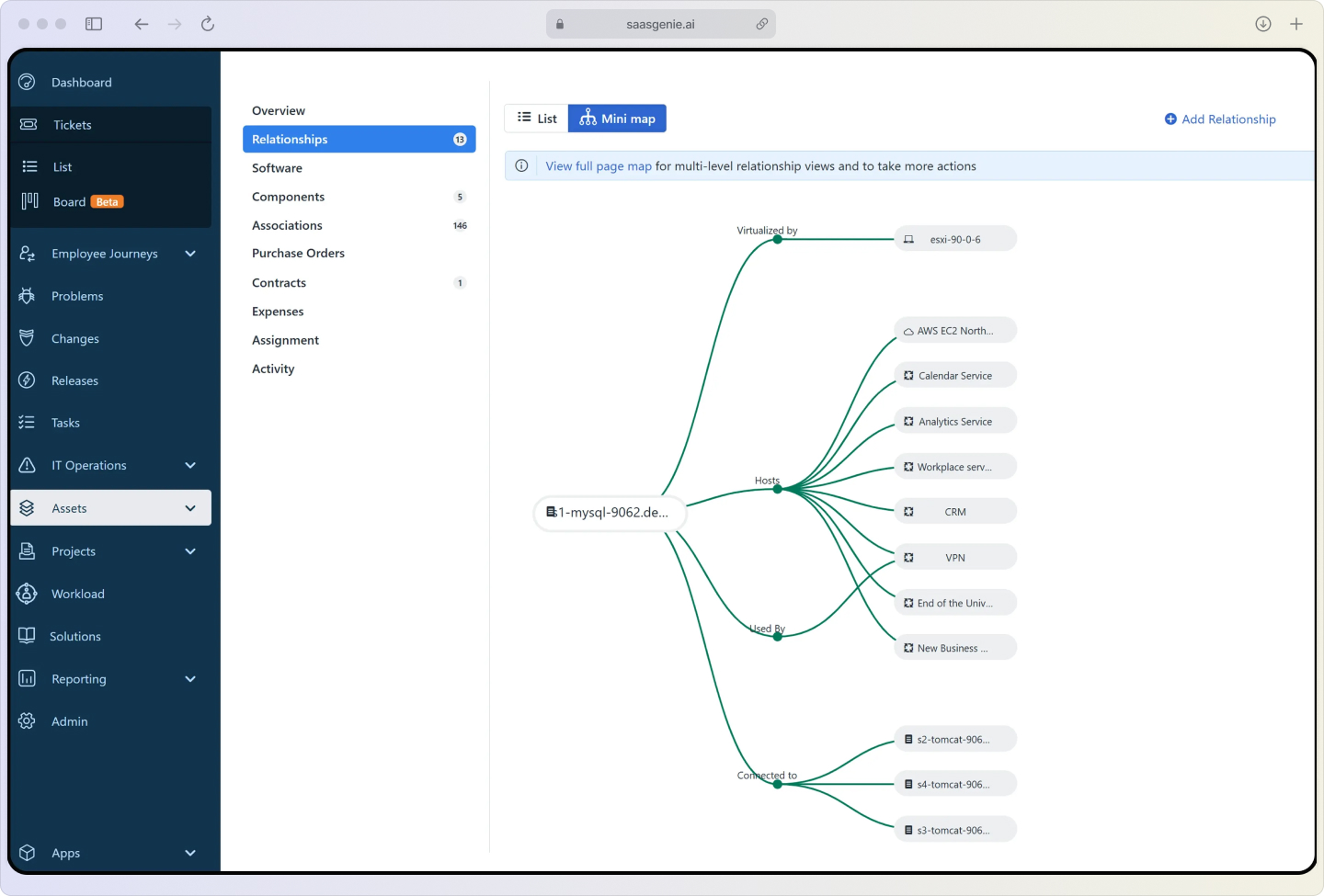
The Configuration Management Database (CMDB) maps your entire IT landscape and keeps itself current with automatic discovery. Those dynamic service maps let you see in real time how each asset, application, and business service connects. So if a server wobbles, you instantly know which applications and users might feel the pinch.
This context helps with impact assessment and communication. You know exactly who to notify and what services might be at risk.
How the incident management workflow works
Freshservice follows a clear five-step process that takes incidents from "something's broken" to "everything's working again."
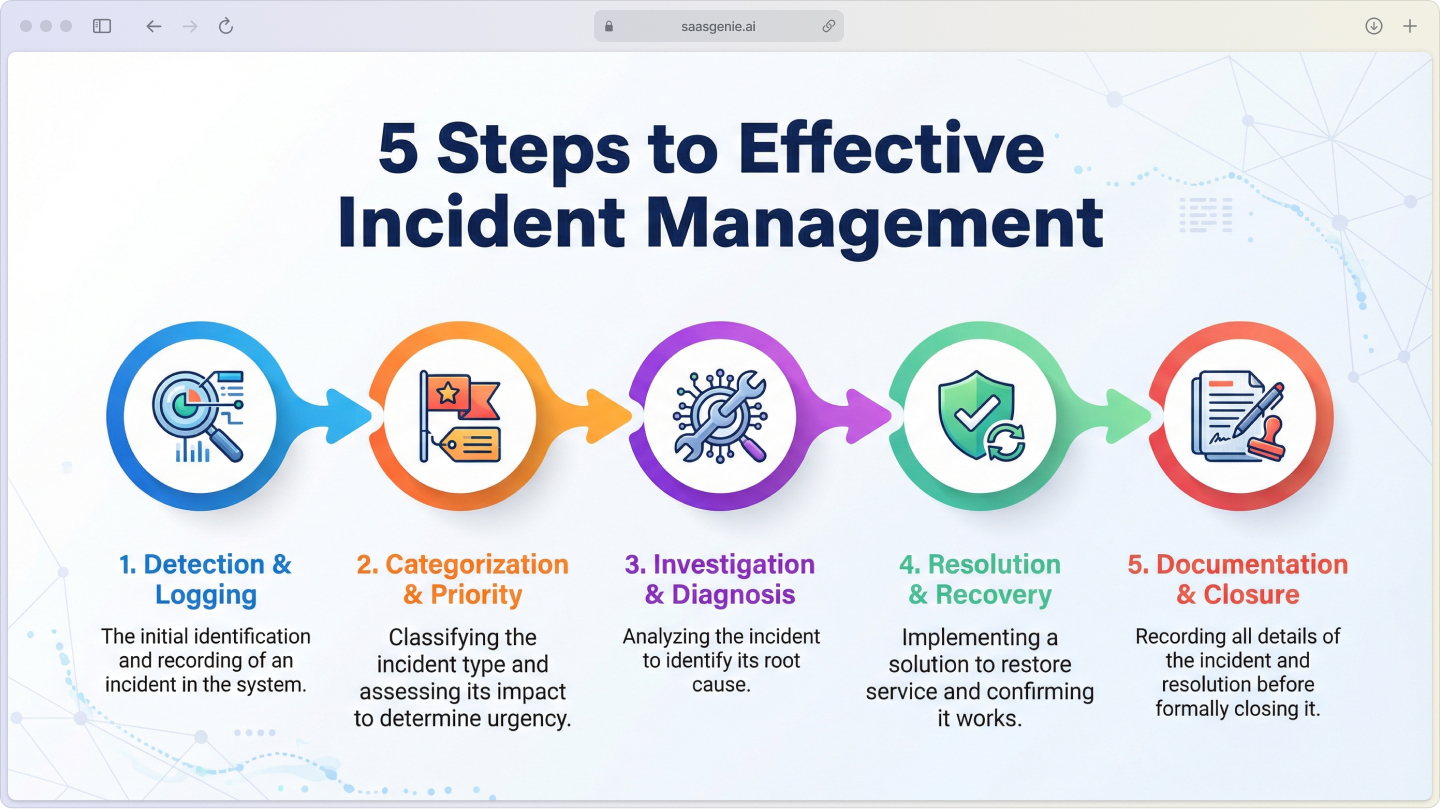
Step 1: Detection and logging
Incidents enter the system through multiple channels, such as email, phone calls, the self-service portal, or automated monitoring alerts. Each incident gets logged with details about what's wrong, who's affected, and when it started.
Good logging captures:
- Clear description: What exactly is happening?
- Impact scope: How many users or systems are affected?
- Business context: Which processes or services are disrupted?
- Contact information: Who reported it and how to reach them?
Step 2: Categorization and priority setting
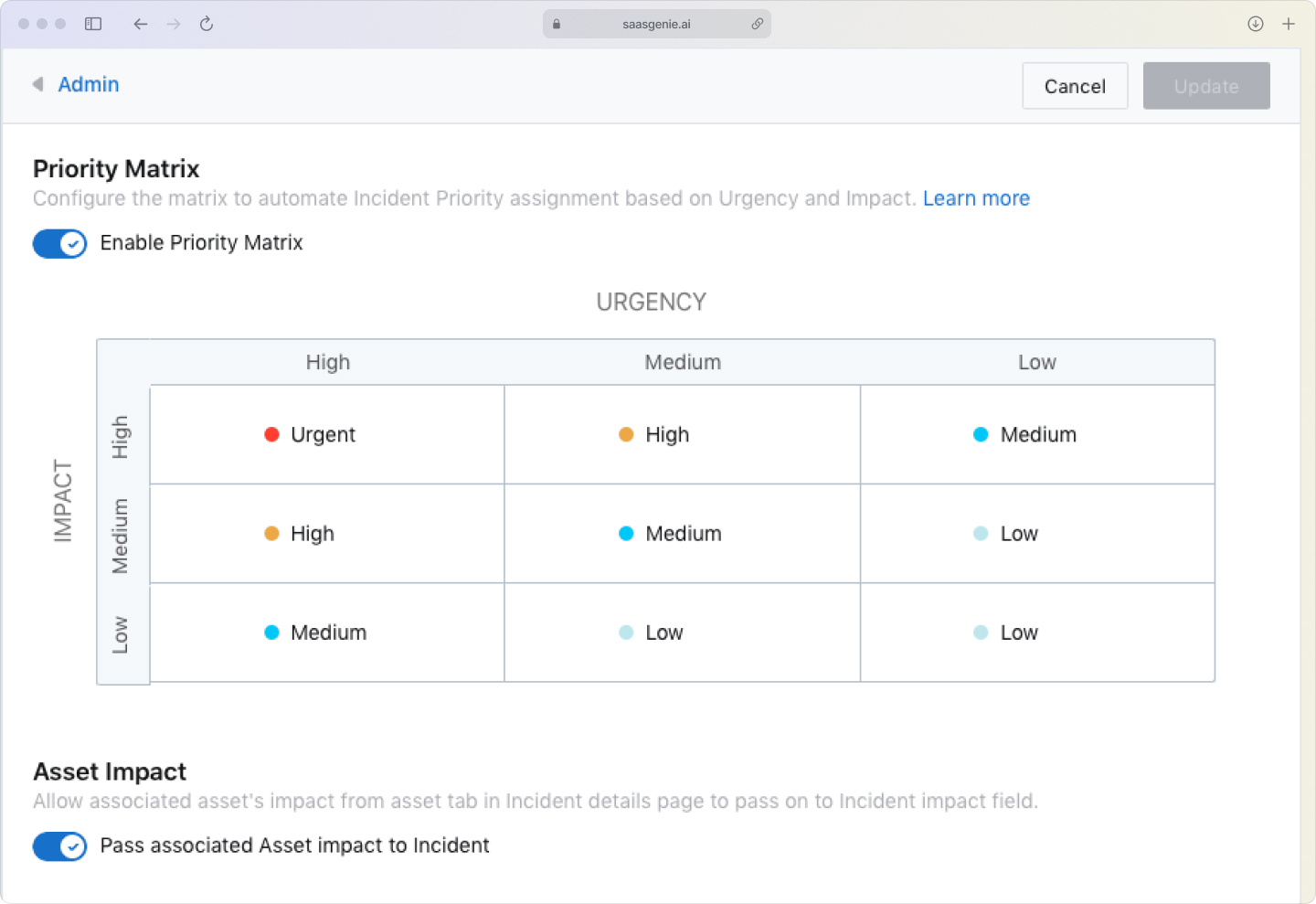
Every incident gets categorized (what type of problem) and prioritized (how urgent it is). Priority typically combines impact and urgency using a simple matrix.
High impact + high urgency = critical priority. Low impact + low urgency = standard priority. This ensures the most important issues get attention first.
Step 3: Investigation and diagnosis
The assigned agent investigates using available tools, checking logs, running diagnostics, consulting the knowledge base, and reviewing the CMDB for related systems.
Effective investigation includes:
- Gathering symptoms: What exactly is happening?
- Checking dependencies: What other systems might be involved?
- Reviewing history: Has this happened before?
- Testing theories: What might be causing the problem?
Step 4: Resolution and recovery
Once the cause is identified, the agent applies a fix and tests to make sure it works. The user is contacted to confirm that service has been restored to their satisfaction.
Step 5: Documentation and closure
After we resolve an incident, I let Freddy draft a quick AI-generated postmortem that captures the root cause and recommended fixes. We log that summary, update the knowledge base, and only then close the ticket, so every disruption feeds future prevention.
Benefits you'll notice
Using Freshservice for incident management creates measurable improvements in how your IT team operates.
Faster problem resolution
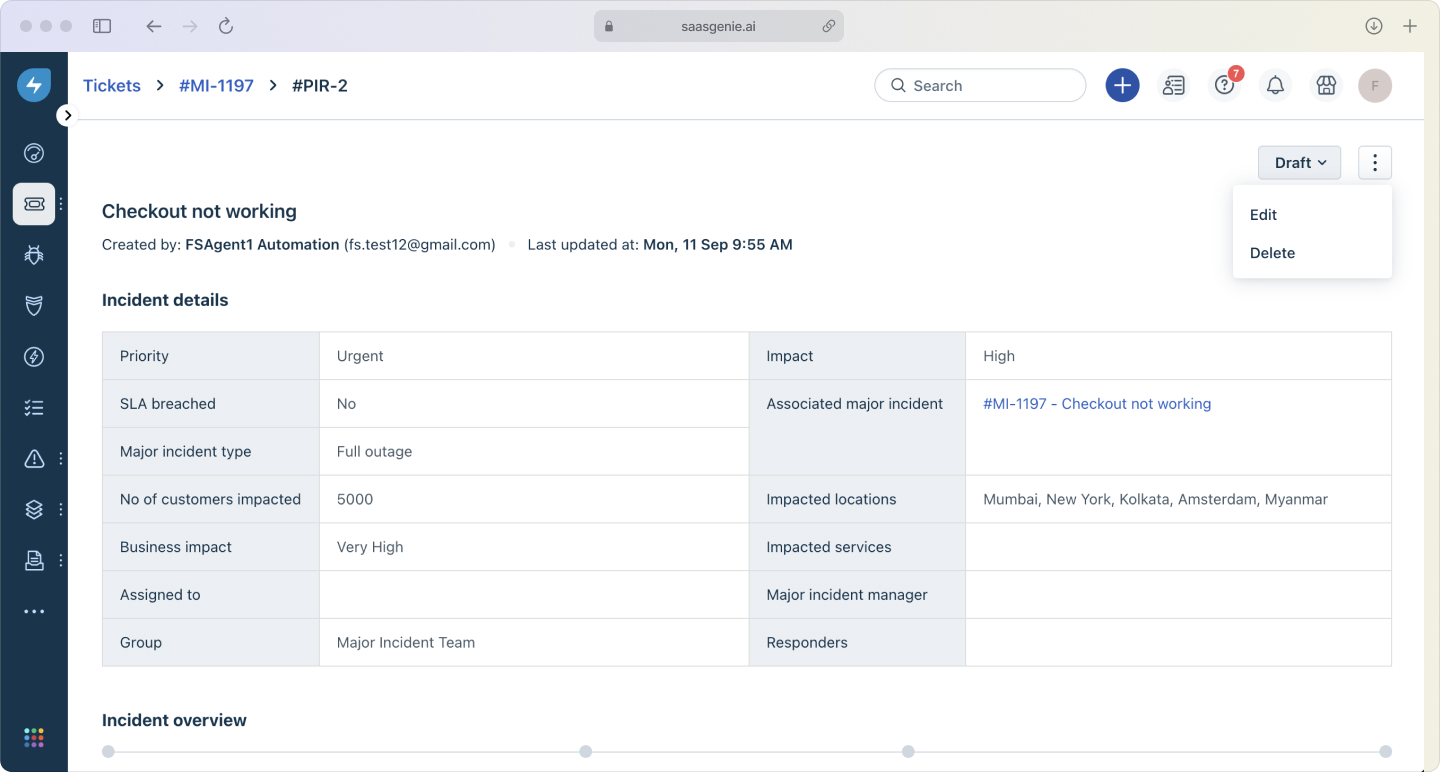
Automation and knowledge base suggestions eliminate many of the delays that slow down incident response. Tickets are routed correctly, agents find solutions quickly, and users get faster fixes.
Better user experience
Automated updates keep users informed about progress without them having to call and ask. The self-service portal lets people find answers or check ticket status anytime.
Reduced workload for IT staff
Automation handles routine tasks like ticket assignment and status updates. Agents spend more time solving problems and less time on administrative work.
Clear visibility into operations
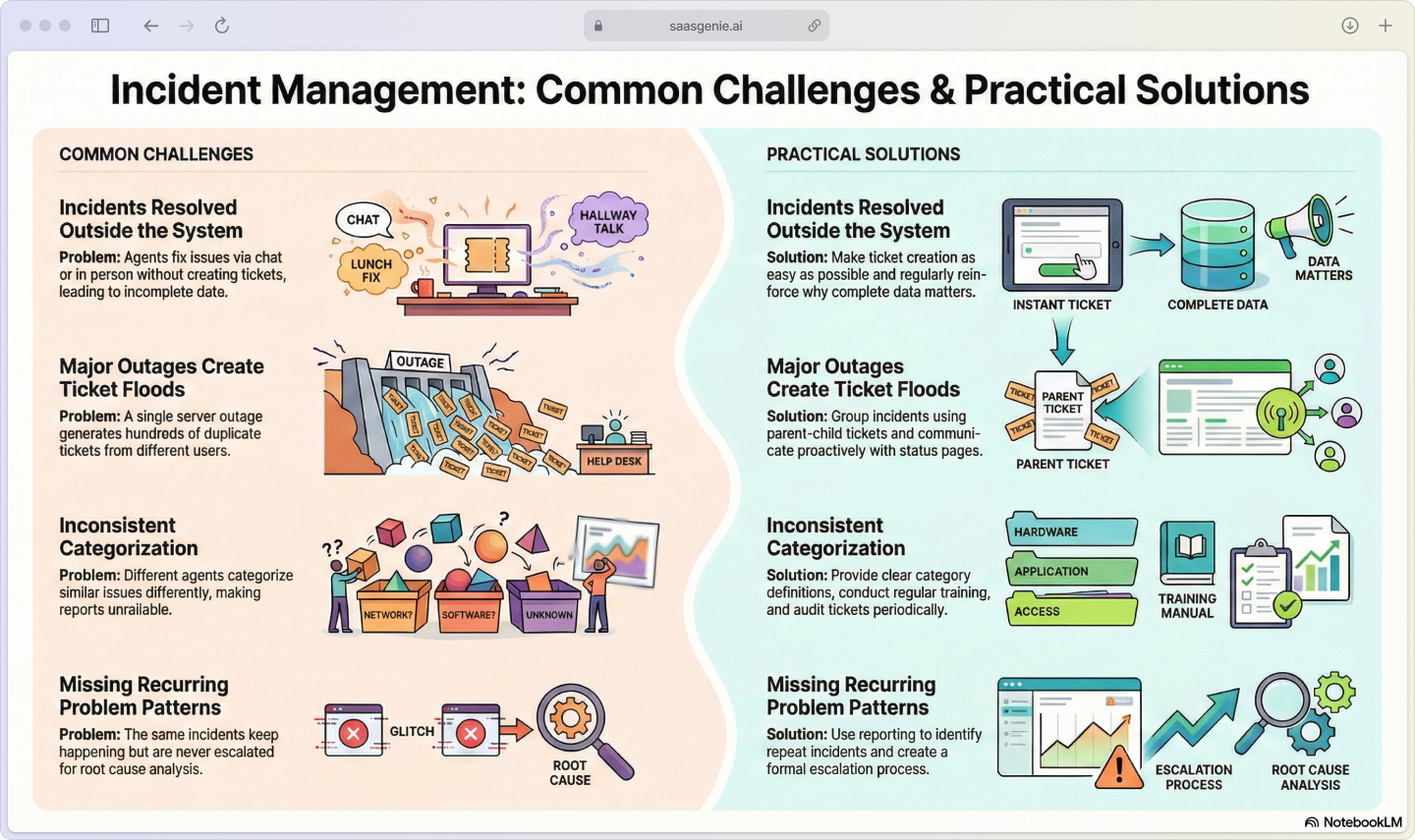
Dashboards and reports show incident trends, team performance, and areas that need attention. You can spot recurring problems and make data-driven improvements.
ITIL compliance without complexity
Freshservice follows ITIL incident management standards out of the box, joining the 72% of organizations that practice ITIL. You get proven processes without having to design everything from scratch.
Implementation that works
Getting started with Freshservice incident management involves several key steps that build on each other.
Define your categories and priorities
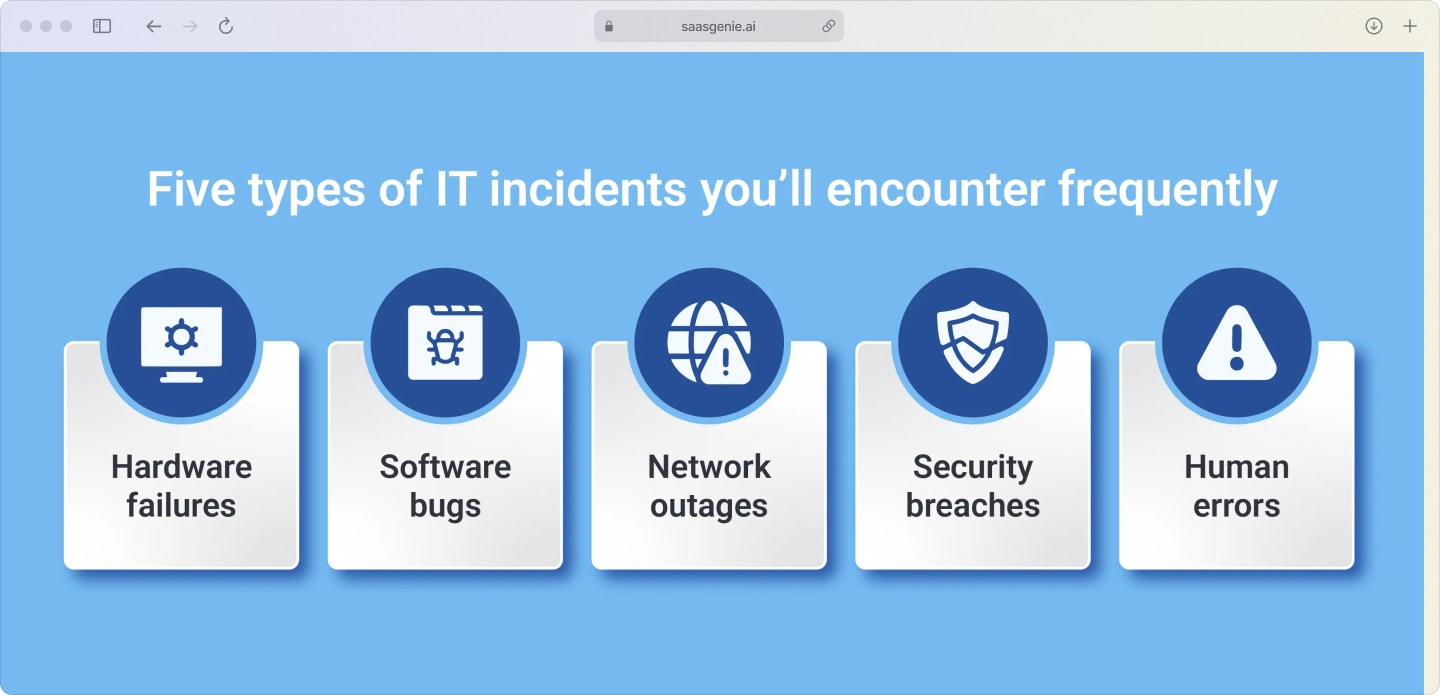
Start by creating a list of incident types that make sense for your organization. Common categories include hardware, software, network, and security issues.
Set up a priority matrix that combines impact (how many people are affected) and urgency (how quickly it needs fixing). This ensures consistent prioritization across your team.
Configure SLAs and escalations
Establish response and resolution targets for different priority levels. Critical incidents might need a 15-minute response, while low-priority issues can wait until the next business day.
Create escalation rules that automatically notify managers when SLAs are at risk. This prevents issues from falling through the cracks.
Build automation rules
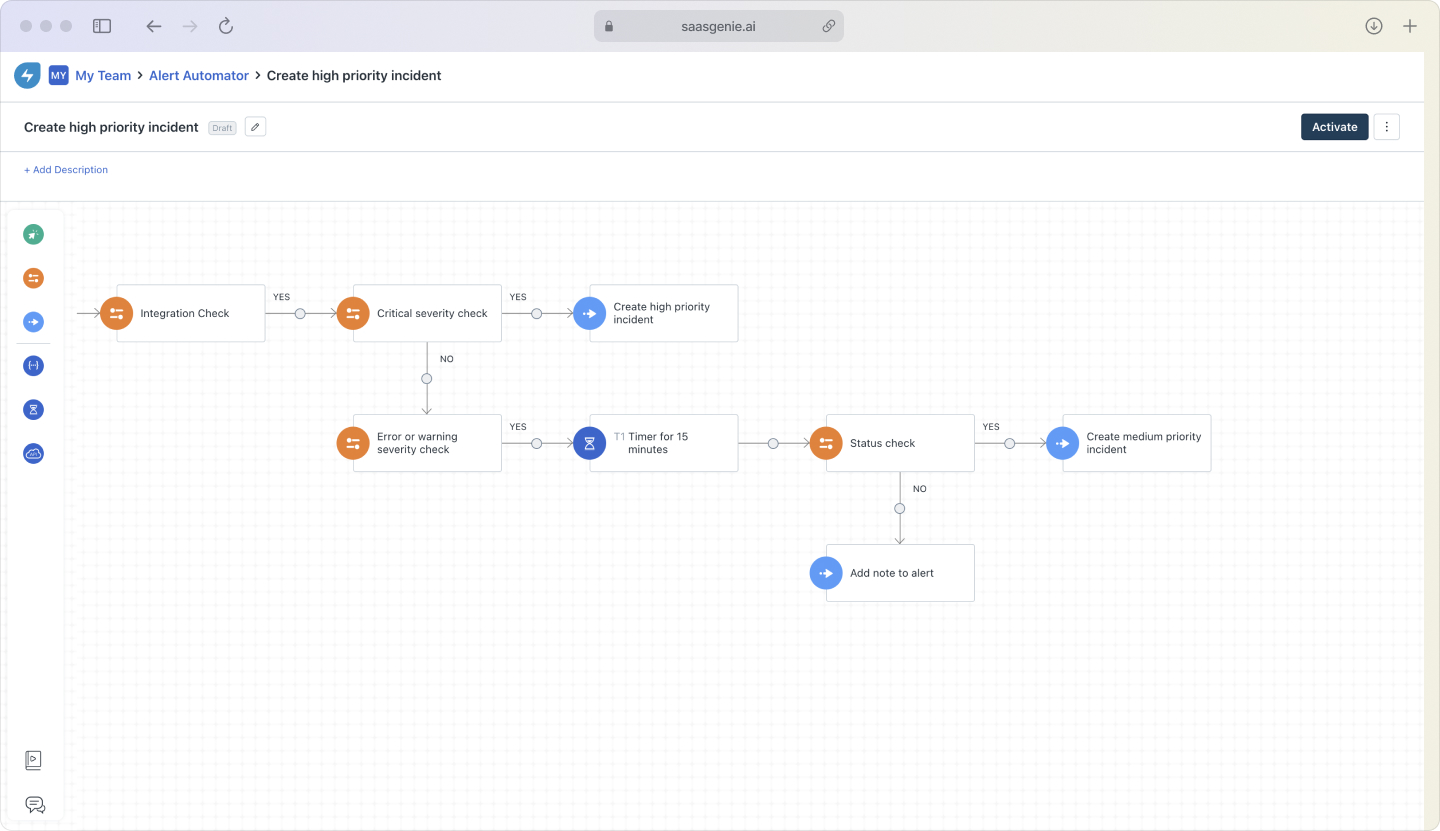
Set up workflows that handle routine tasks automatically. Examples include assigning tickets based on keywords, sending status updates, and escalating overdue incidents.
Start simple and add complexity gradually as your team gets comfortable with the system.
Connect other tools
Integrate Freshservice with your existing systems, monitoring tools, chat platforms, and identity management systems. This creates a smoother workflow and reduces the need to switch between applications.
Train your team
Provide hands-on training for agents and end users. Make sure everyone understands the new processes and knows how to use the system effectively.
Measuring what matters
Track these key metrics to understand how well your incident management system is performing.
Mean Time to Resolution (MTTR): Average time from incident creation to closure, tracked by 86% of organizations as their primary performance indicator. Lower is better, but context matters; complex issues naturally take longer.
First Contact Resolution Rate: Percentage of incidents resolved on the first interaction. Higher rates indicate good knowledge management and agent skills.
SLA Compliance: How often do you meet the committed response and resolution times? This directly impacts user satisfaction and trust.
Customer Satisfaction (CSAT): Direct feedback from users about their experience. Surveys after ticket closure provide valuable insights.
Incident Volume Trends: Track patterns over time to identify whether problems are increasing, decreasing, or staying stable.
Get expert help with implementation
Implementing Freshservice effectively often benefits from experienced guidance. Certified partners like saasgenie bring practical knowledge from multiple deployments and can help avoid common pitfalls.
What partners typically provide:
- Configuration expertise: Setting up workflows that match your processes.
- Data migration: Moving historical data from legacy systems.
- Integration support: Connecting Freshservice to your existing tools.
- Training programs: Ensuring your team can use the system effectively.
The goal is faster time-to-value and smoother adoption across your organization.
Ready to improve your incident management
Organizations considering Freshservice for IT incident management can benefit from expert guidance during implementation. A consultation with saasgenie helps clarify requirements, review current processes, and develop a tailored implementation plan.
Learn more about getting started at https://www.saasgenie.ai/contact-us.