.webp)



Incident Management in Jira: Complete Implementation Guide 2026
Incidents are a part of every IT environment. They can range from simple glitches to major outages. Knowing how to manage incidents helps organizations restore services quickly.
Jira Service Management is a platform used by IT teams to organize, track, and resolve incidents in one place. It provides tools to record, assign, and monitor incidents as they happen.
When learning about incident management in Jira, it is important to understand the terms and how the process fits into IT service management.
Now for the real talk.
Ever feel like your IT team is drowning in a flood of alerts?

Resolving one server crash only to get paged about a database timeout, then a network hiccup, then another API failure before you've even finished your coffee?
Jira Service Management becomes your incident command center: one place where chaos gets organized, responders know their roles, and every outage teaches you something for next time.
What is incident management in Jira Service Management
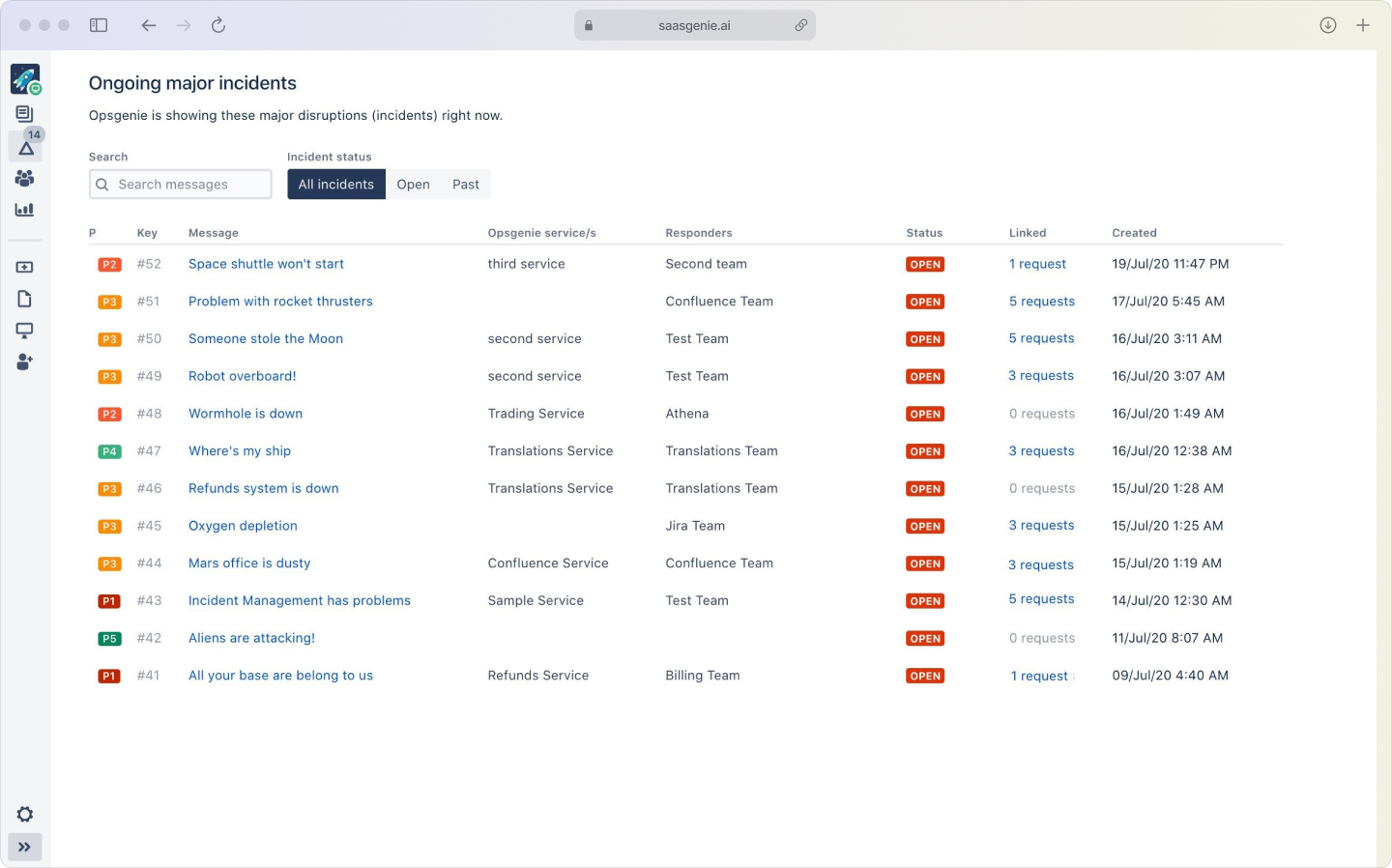
Incident management is the process of detecting, responding to, and resolving unplanned interruptions or reductions in the quality of IT services. The goal is to restore normal service operation as quickly as possible while minimizing impact on business operations.
Jira Service Management is Atlassian's IT service management platform that centralizes the entire incident management workflow. Instead of juggling emails, phone calls, and sticky notes, your team works from one system where every incident gets logged, tracked, and resolved with full visibility.
Think of it as your digital war room where scattered alerts become organized action plans:
- Incident: An unplanned interruption or degradation of an IT service.
- Incident management: The practice of restoring normal service as quickly as possible.
- Jira Service Management: Atlassian's ITSM tool that houses your incident workflows, alerts, and reporting.
The platform follows ITIL (Information Technology Infrastructure Library) best practices, which means your incident management process aligns with industry standards that thousands of organizations use successfully.
Why your IT team benefits from Jira incident management
A dedicated incident management tool organizes every step of the process in a single system. This differs from using email threads or spreadsheets, where information gets lost or delayed during critical moments.
Jira incident management creates structure around chaos. When your monitoring system detects a database slowdown at 2 AM, the alert automatically creates a ticket, pages the right person, and starts the clock on your response time, no manual intervention required.
The business case is straightforward: faster incident resolution means less downtime, and less downtime means happier customers and lower revenue impact, with downtime costing enterprises $300,000+ per hour.
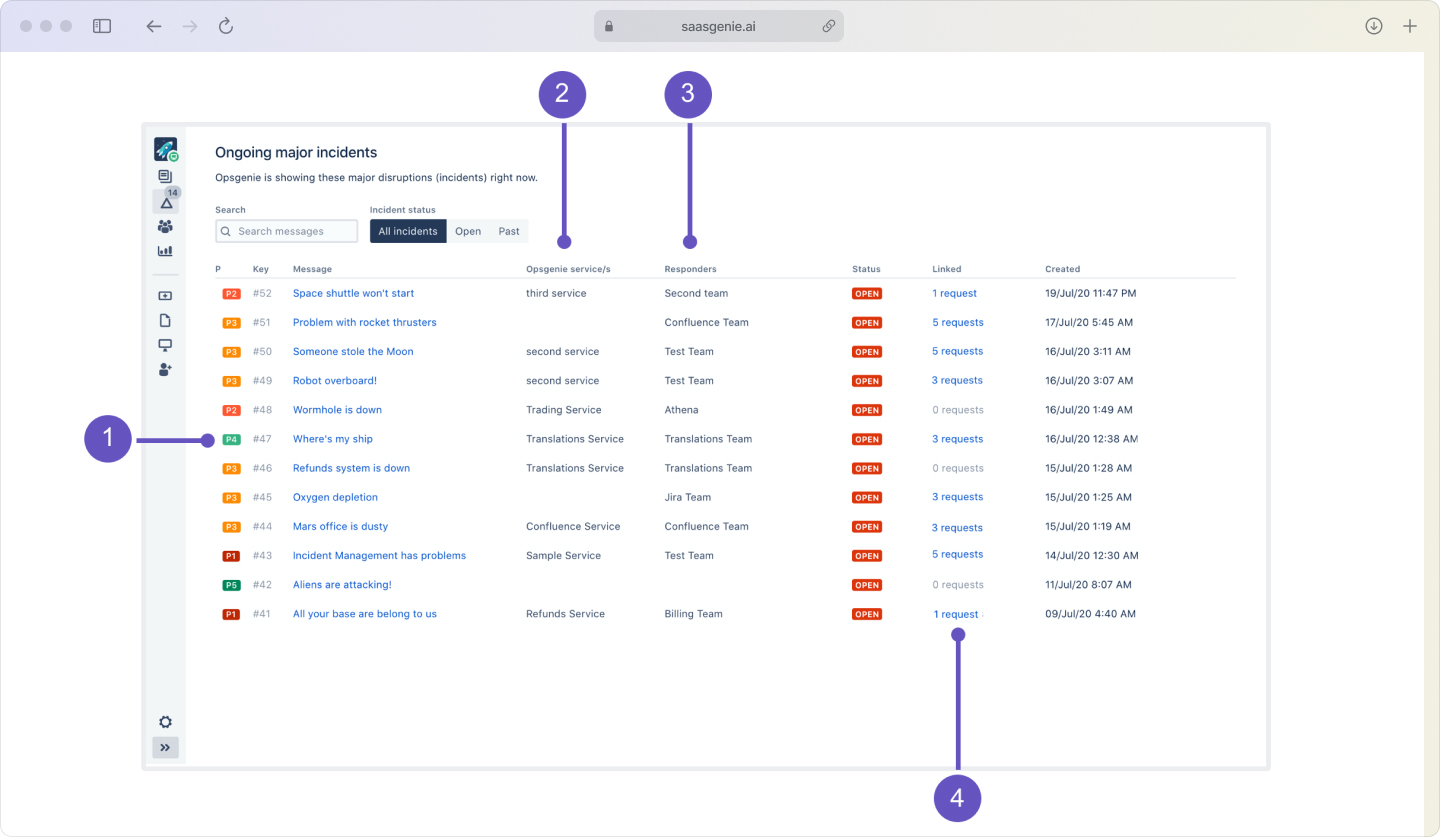
Key advantages include:
- Centralized visibility: Every incident lives in one place, so nothing slips through cracks.
- Faster response: Automated alerts and routing connect incidents with the right responders immediately.
- Clear accountability: Assignments and SLAs create ownership at every stage.
- Continuous improvement: Built-in reporting helps you spot patterns and prevent future incidents.
How incident management works in Jira
The incident management process in Jira follows a structured lifecycle that guides teams from problem detection through resolution and learning. Each step builds on the previous one to create a repeatable, improvable workflow.
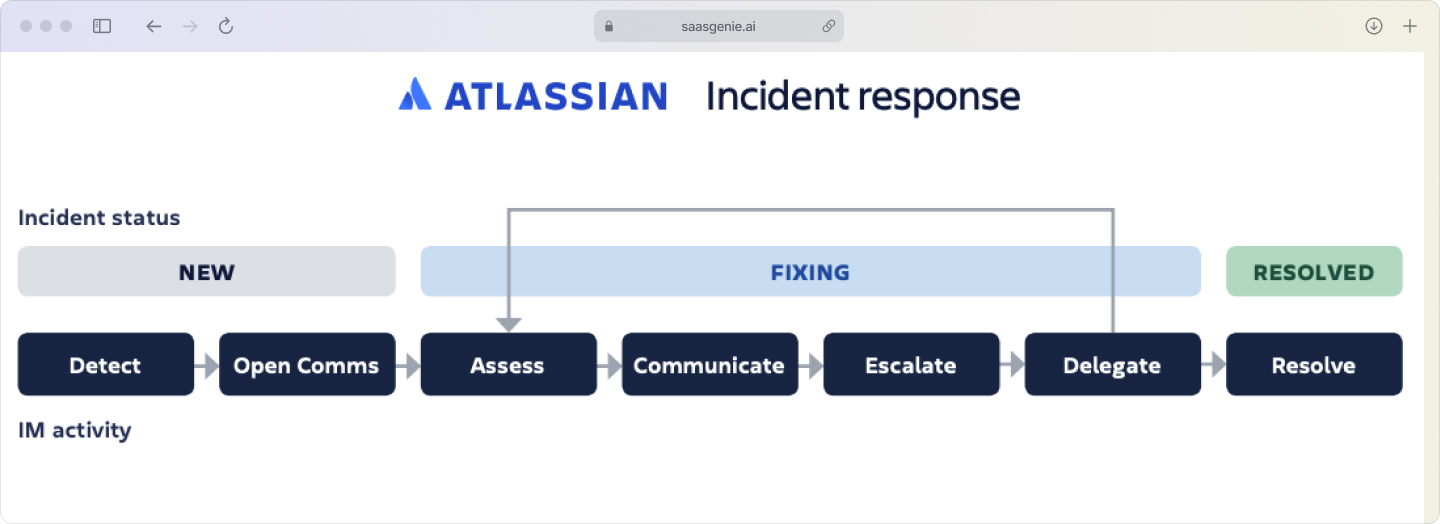
1. Detect and log incidents
Incidents enter Jira through multiple channels: employee reports via the service portal, customer tickets, or automated alerts from monitoring tools like Datadog or New Relic. Each reported issue becomes a new ticket in the system with a timestamp, reporter details, and an initial description.
2. Categorize and prioritize incidents
Once logged, agents assign categories (network, application, hardware) and set urgency levels based on business impact. A customer-facing website outage gets "Critical" priority; a single user's email sync issue gets "Low." This triage ensures the most severe problems get attention first.
3. Investigate and diagnose
The assigned team reviews incident details and gathers information to identify the root cause. This often involves checking linked assets in the CMDB (Configuration Management Database), consulting runbooks for known issues, and collaborating through Jira's built-in communication tools.
4. Resolve and recover
After identifying the cause, teams apply fixes or workarounds to restore normal service. Status updates flow to stakeholders automatically, and the incident record captures every action taken for future reference.
5. Close and document
When service is restored, the ticket gets closed with resolution notes. Important learnings may feed into knowledge base articles or post-incident reviews to improve future response.
What to prepare before implementing incident management in Jira
Implementing incident management in Jira requires preparation in several areas. Planning ahead prevents confusion during setup and ensures smooth adoption.
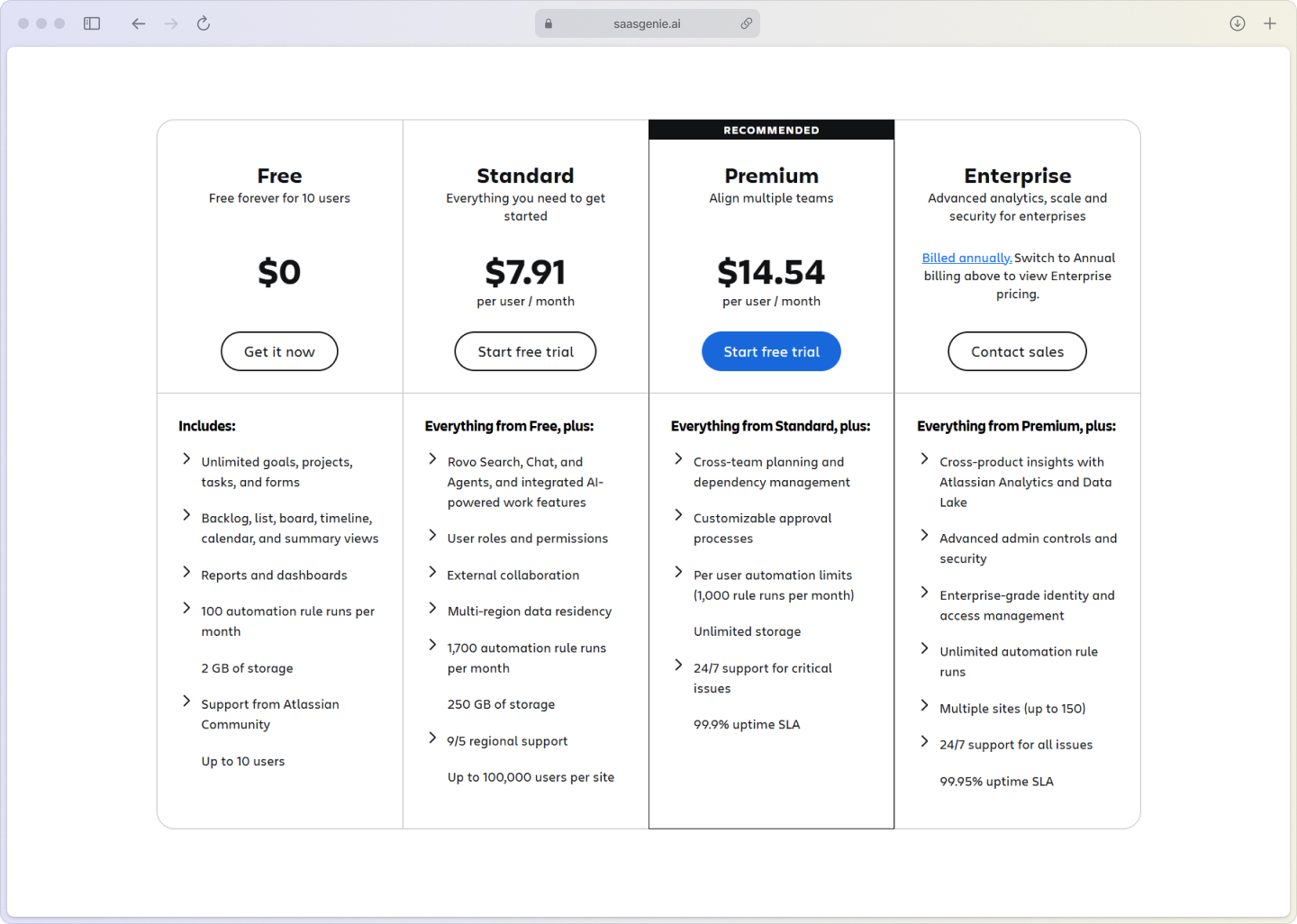
Jira Service Management license options
Jira Service Management offers different subscription tiers with varying capabilities:
- Free: Basic incident management for up to 3 agents.
- Standard: Core ITSM features for small to mid-sized teams.
- Premium: Advanced automation, analytics, and unlimited storage.
- Enterprise: Large-scale features with additional security and compliance tools.
Features like incident management for real-time alerting and advanced on-call management require Premium or Enterprise tiers.
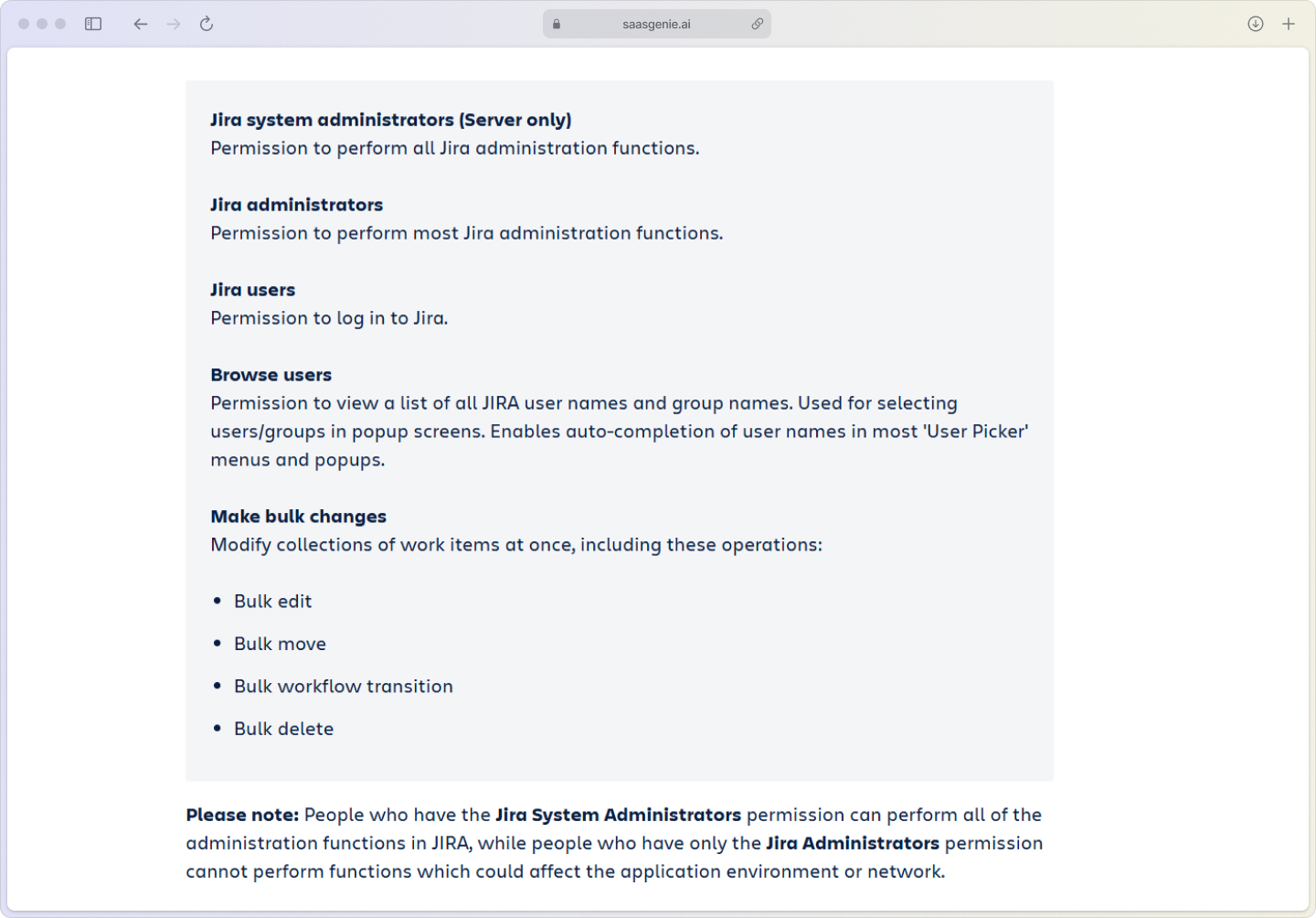
Define team roles and responsibilities
Clear roles prevent confusion during high-pressure incidents:
- Incident manager: Coordinates response and owns stakeholder communication.
- On-call responder: First line of defense who triages and escalates appropriately.
- Major incident commander: Leads response efforts for critical outages affecting multiple services.
Integration readiness assessment
Review your current monitoring tools, chat platforms, and ticketing systems that will connect to Jira Service Management. Understanding existing integrations helps configure automated workflows and maintain accurate communication channels during incidents.
Set up incident management in Jira step by step

1. Enable the incident management project template
Create a new project in Jira Service Management using the "IT service management" template. This template includes pre-configured workflows for incidents, default forms for data collection, and basic automation rules to get started quickly.
2. Configure incident request types and forms
Customize the incident form to capture information your team needs: affected service, urgency level, detailed description, and any other relevant fields. Mark critical fields as required to ensure complete information at submission time.
3. Create queues and agent views
Set up filtered views that help agents focus on relevant work. Create queues for "Critical Incidents," "My Open Incidents," or "Incidents Awaiting Response" so team members see only tickets that match their role and expertise.
4. Set up notification and alert rules
Configure automation rules that notify appropriate team members when incidents are created, updated, or escalated. For example, critical incidents can immediately alert on-call responders via email, SMS, or integrated chat platforms.
5. Test your incident workflow
Submit test incidents and follow them through the complete lifecycle. Verify that notifications work correctly, queues display the right tickets, and the form captures necessary information before going live.
Configure SLAs and escalation rules for incidents
Service Level Agreements (SLAs) set clear expectations for incident response and resolution times. They create accountability and help teams prioritize work based on business impact.

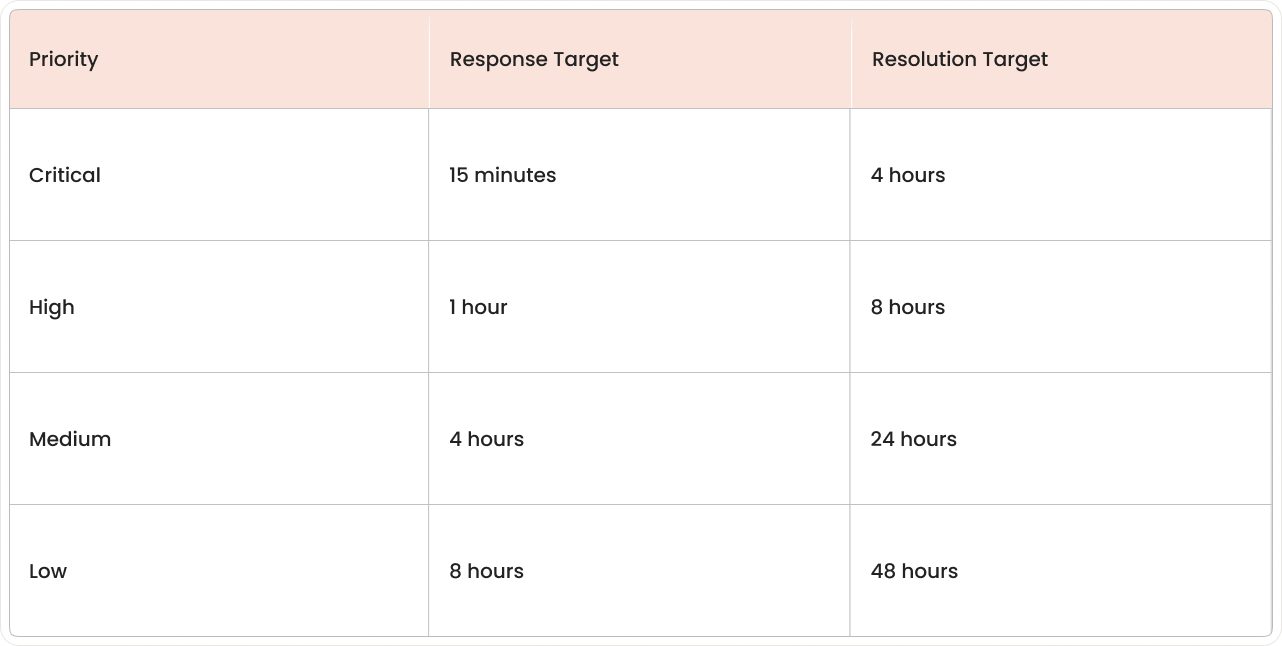
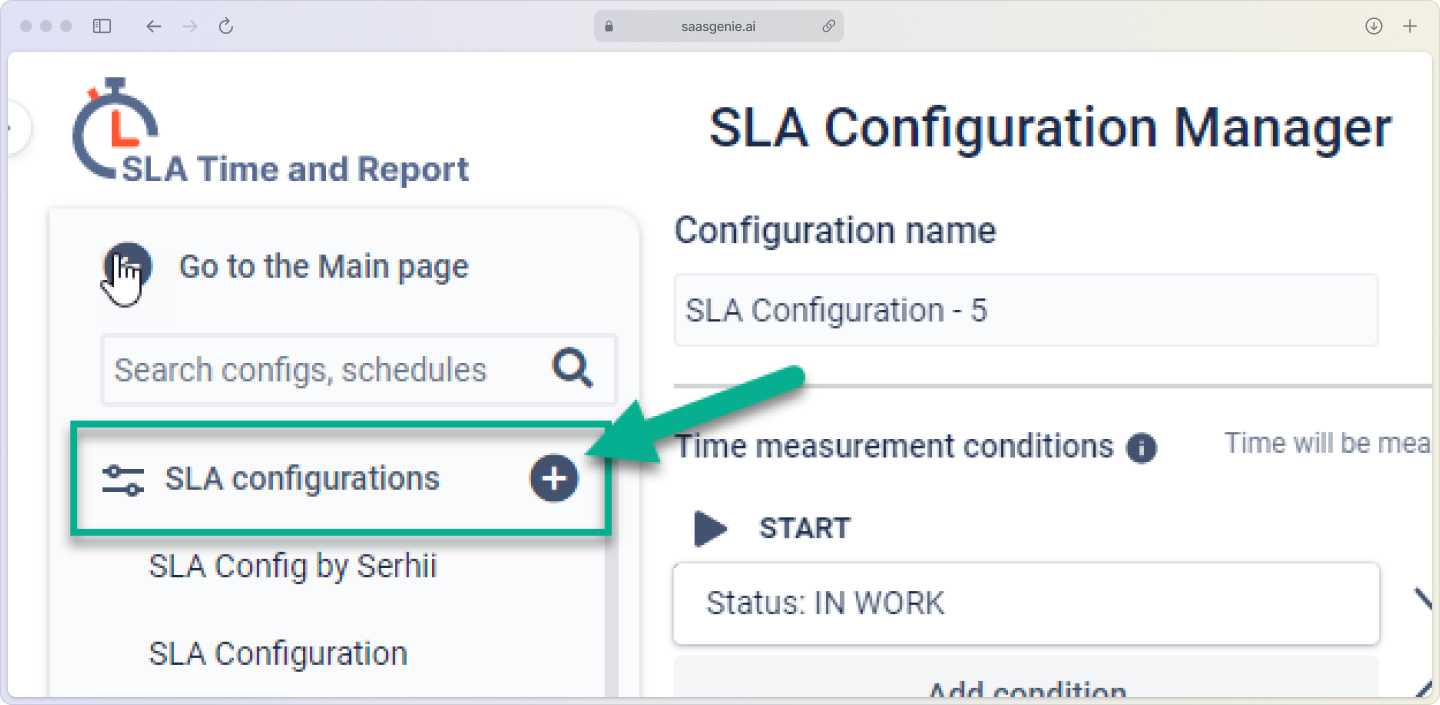
Create response and resolution SLA policies
Define time targets based on incident priority. Response SLAs measure how quickly someone acknowledges the incident; resolution SLAs track how long fixes take to implement.
Build escalation paths for SLA breaches
When incidents approach or miss SLA targets, escalation rules automatically notify managers or reassign tickets to senior staff. This prevents incidents from falling through cracks during busy periods.
Automate priority-based ticket routing
Automation rules can assign incidents to specific teams or queues based on priority, category, or other criteria. Critical incidents might route directly to senior engineers, while routine requests go to first-level support.
Integrate Jira incident management with your tool stack
Jira incident management works best when connected to your existing infrastructure. Integrations eliminate manual work and ensure information flows between systems automatically.
Centralize alerts from monitoring tools
Connect monitoring tools like Datadog, Prometheus, or Splunk to automatically create incidents when thresholds are breached. This integration ensures problems get logged immediately, even when human observers aren't available.
Connect Slack or Microsoft Teams for real-time updates
ChatOps integrations allow teams to receive incident notifications, discuss problems, and update tickets without leaving their preferred communication platform. Responders can comment on tickets, change status, or assign ownership directly from chat channels.
Set up on-call schedules with Jira
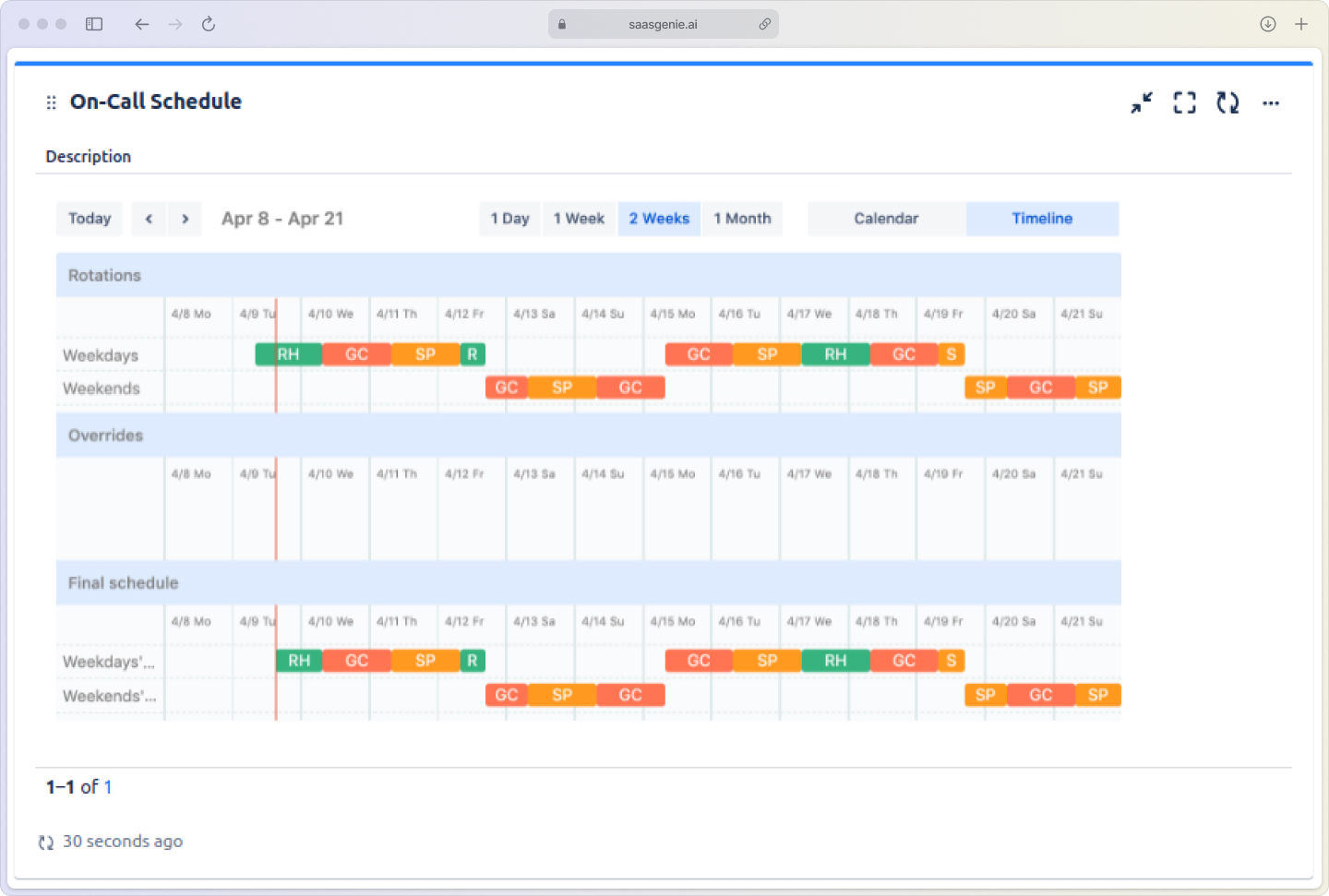
Jira is Atlassian's alerting and on-call management tool. It manages who gets notified when incidents occur, handles escalations when people don't respond, and maintains on-call schedules across time zones.
Handle major incidents in Jira Service Management
Major incidents require different protocols because they have a higher business impact and often involve multiple teams. The response includes specific coordination and communication steps.
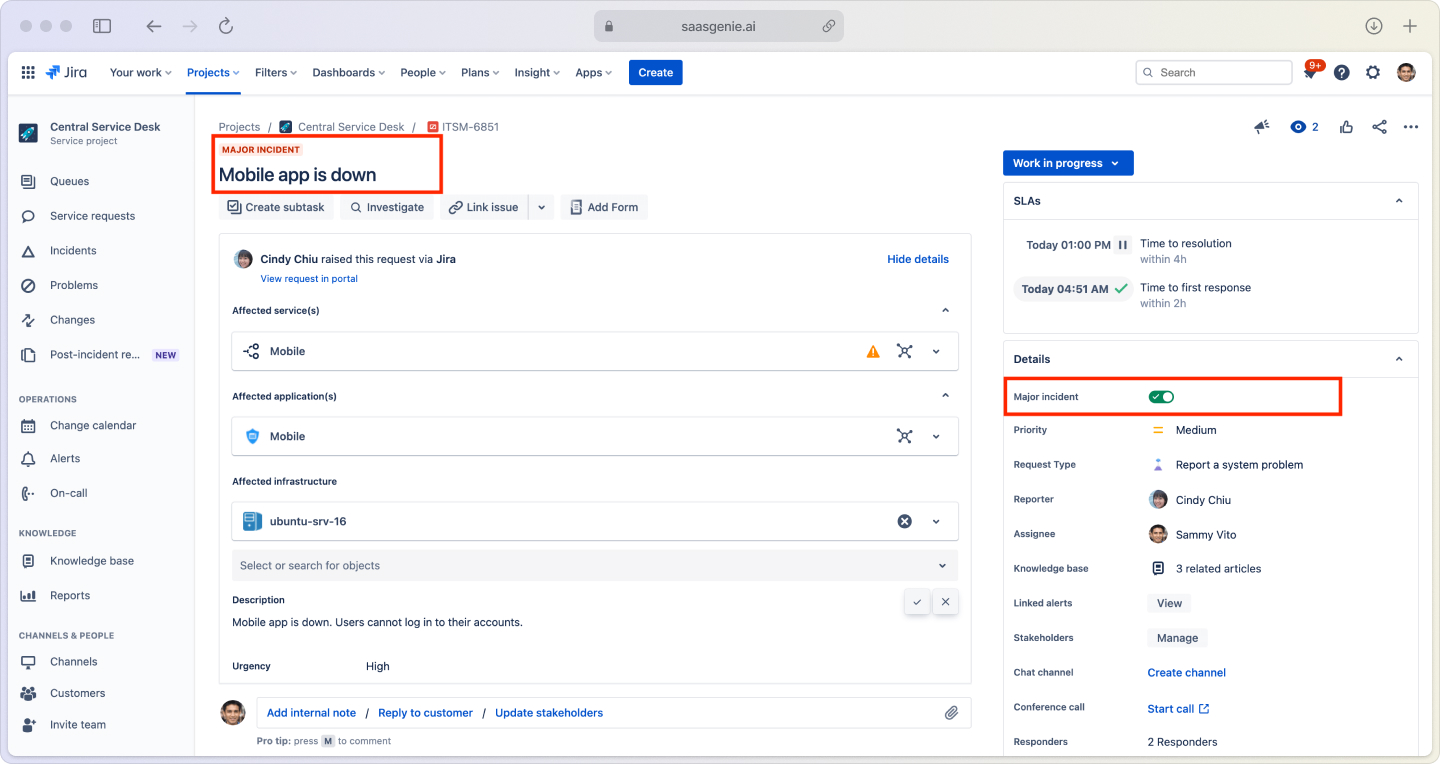
Defining what qualifies as a major incident
Establish clear criteria for major incident classification:
- Customer impact: Outage affecting external users or revenue-generating services
- Business disruption: Internal systems critical to daily operations
- Security events: Potential data breaches or compliance violations
- Scale: Issues affecting multiple services or large user populations
Enable war-room collaboration for critical outages
Major incidents trigger dedicated communication channels and video bridges directly from the incident ticket. This creates a virtual command center where responders share updates, assign tasks, and coordinate response efforts in real-time.
Communicate with stakeholders during major incidents
Use status pages and notification templates to keep leadership and affected teams informed without disrupting response work. Clear, regular communication prevents stakeholder anxiety and reduces interruptions to technical teams.
Run post-incident reviews and manage problems in Jira
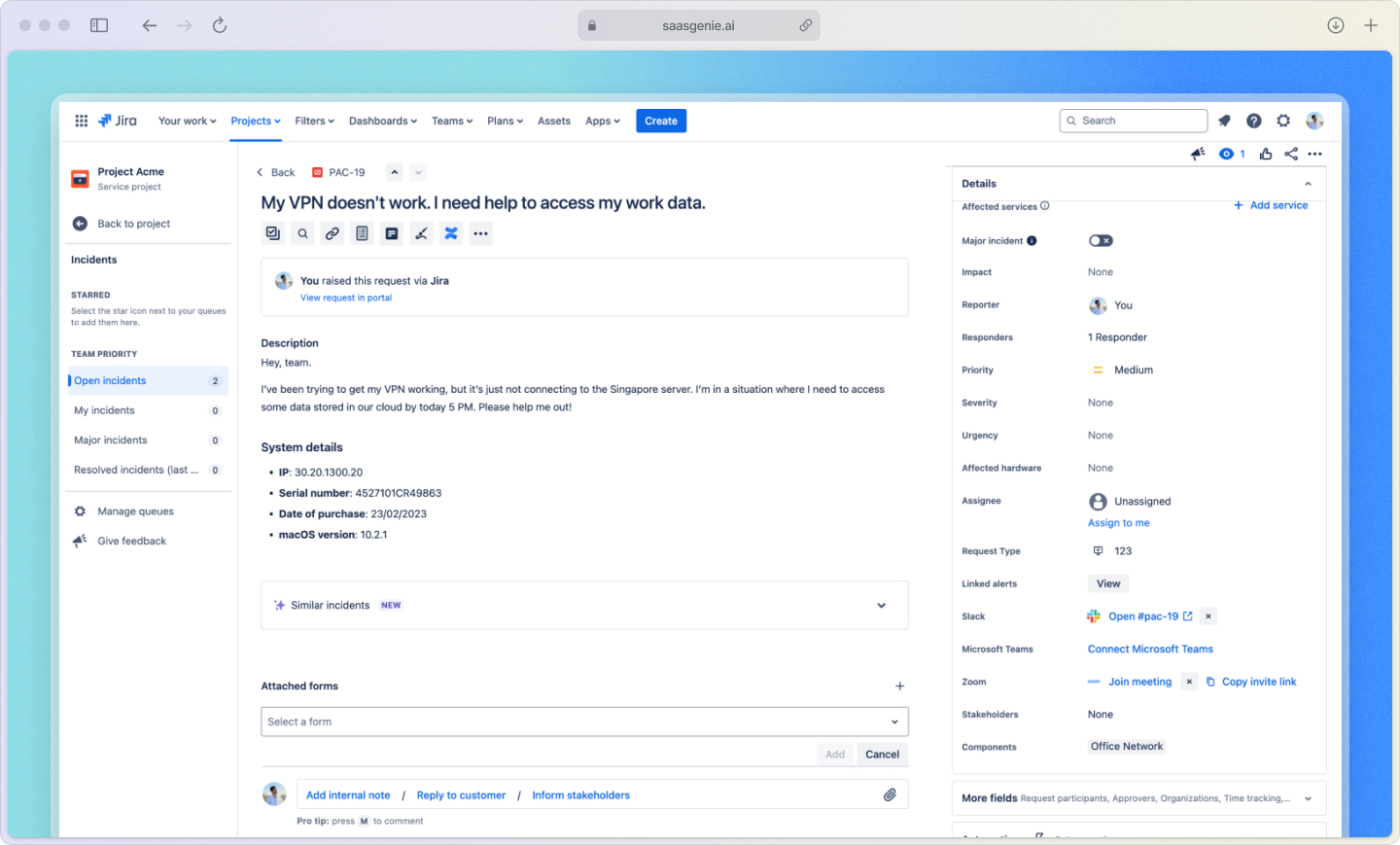
After resolving incidents, teams conduct post-incident reviews (PIRs) to capture lessons learned and identify improvement opportunities. This connects to problem management, the process of addressing root causes to prevent recurrence.
Create post-incident review reports
Jira provides PIR templates that guide teams through documenting the timeline, root cause analysis, what worked well, and improvement actions. These reviews become organizational knowledge that improves future incident response.
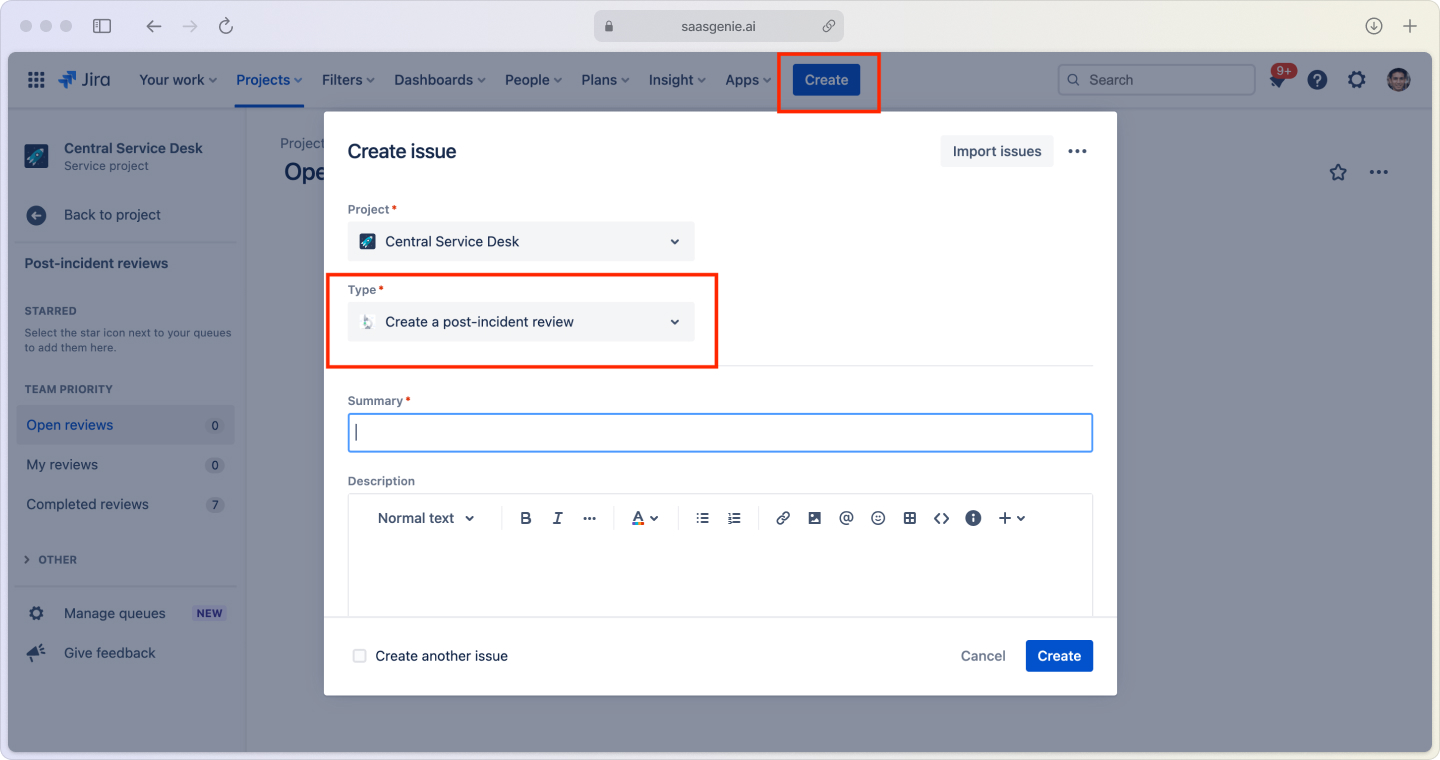
Link related incidents to problem records
When multiple incidents share similar symptoms or root causes, link them to a single problem record. This grouping helps identify patterns and focus investigation efforts on underlying issues rather than treating each incident separately.
Track remediation tasks to completion
Create follow-up tasks directly from PIR findings and assign them to specific owners. Jira's tracking features help monitor progress on remediation work and ensure fixes get implemented before similar incidents occur.
Incident management best practices to reduce mean time to recovery
Mean Time to Recovery (MTTR) measures how long it takes to restore service after an incident occurs. Lower MTTR values indicate faster, more efficient incident response.
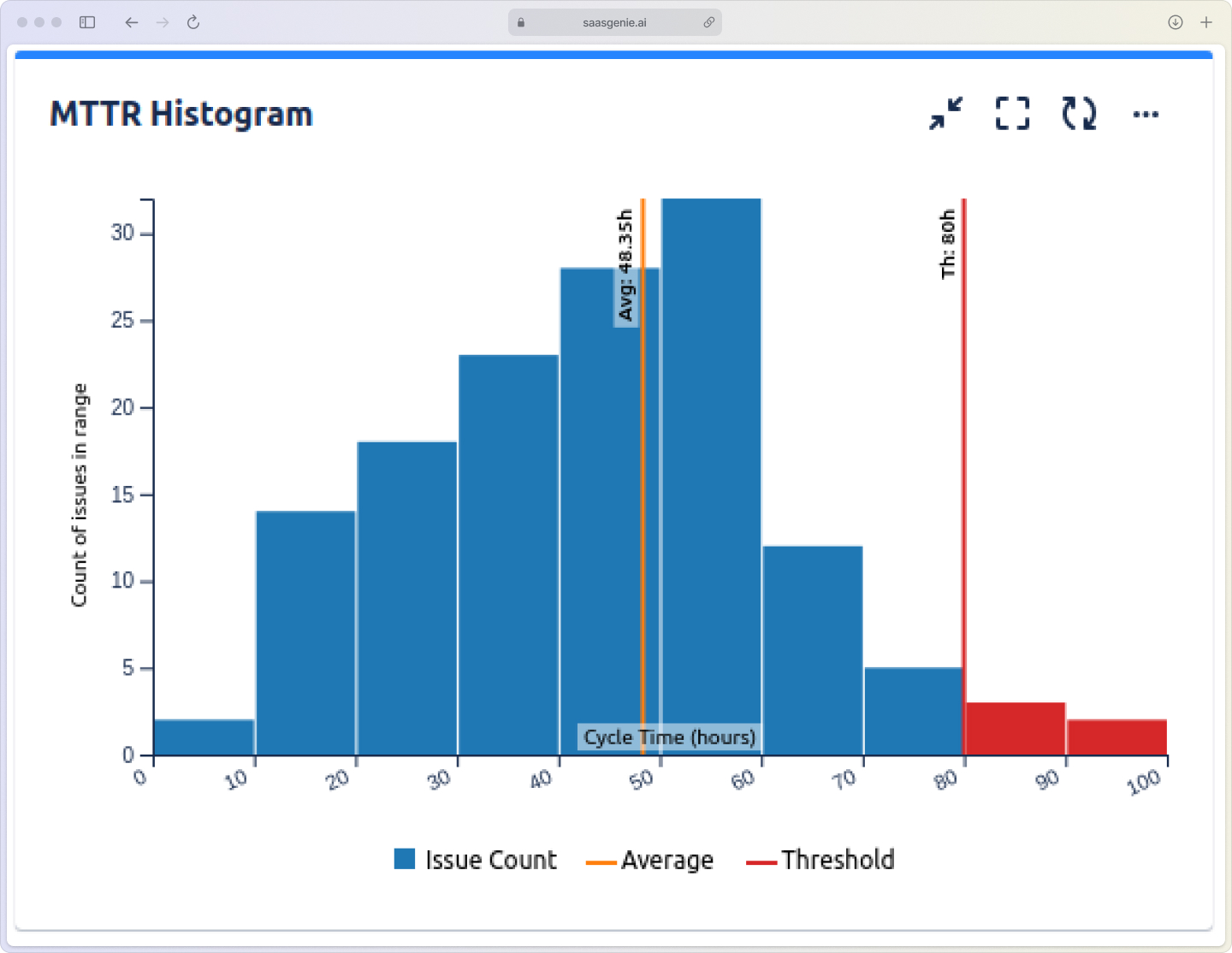
Filter noise to reduce alert fatigue
Alert fatigue happens when teams receive over 2,000 alerts weekly, including non-actionable ones. Tune monitoring thresholds and deduplicate similar alerts so responders focus on genuine issues requiring immediate attention.
Build runbooks for repeatable incident types
Runbooks are step-by-step guides for resolving specific incident types. They include troubleshooting steps, escalation procedures, and links to relevant resources. Teams use runbooks to handle common issues consistently and efficiently.
Measure MTTR and set improvement targets
Track metrics like MTTR, first response time, and resolution rates using Jira's reporting tools. Compare current performance against historical data and set realistic improvement targets based on organizational goals.
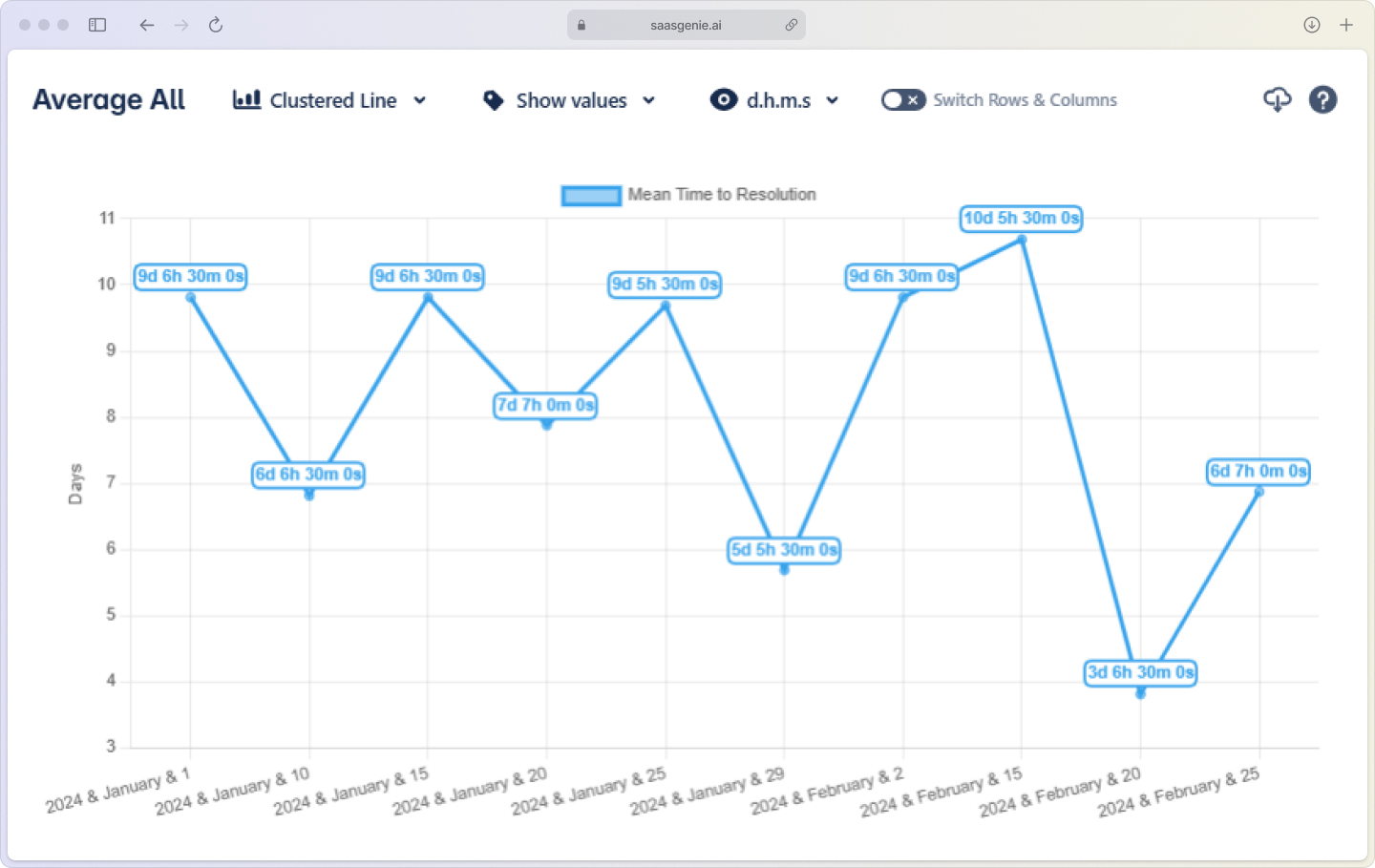
Shift from reactive to proactive incident management
Analyze incident data to identify patterns and predict potential issues before they cause outages. Some organizations work with partners like saasgenie to implement AI-powered analysis tools that support proactive incident management and early problem detection.
Get expert help with your Jira incident management rollout
saasgenie is a certified Atlassian partner with experience implementing Jira Service Management for organizations across industries. Our team has completed hundreds of ITSM deployments, including complex workflows, integrations, and data migrations.
Our implementation approach covers project planning, technical configuration, integration setup, and knowledge transfer, with a focus on minimizing disruption and delivering measurable outcomes quickly.
Teams looking for guidance on Jira Service Management deployment or incident management process design can connect with a saasgenie expert for a strategy call at https://www.saasgenie.ai/contact-us.

Talk to a Jira Service Management Expert
Get expert guidance on Jira Service Management deployment or incident management process design can connect with a saasgenie expert for a strategy call