.webp)



Jira Incident vs Service Request: 5 Critical Differences for ITSM Teams
People searching for "Jira incident vs service request" usually run into the same problem: both arrive as tickets, both involve IT work, and both can look identical in a queue.
In ITSM, "incident" and "service request" are separate categories with different goals. Mixing the two can make reporting unclear and response priorities inconsistent.
Jira Service Management can track both, but the difference starts with the definitions. The first definition to learn is "incident," because incidents describe something that is already broken.
Ever feel like your service desk is playing a game of ticket roulette, where password resets get the same urgency as server outages?
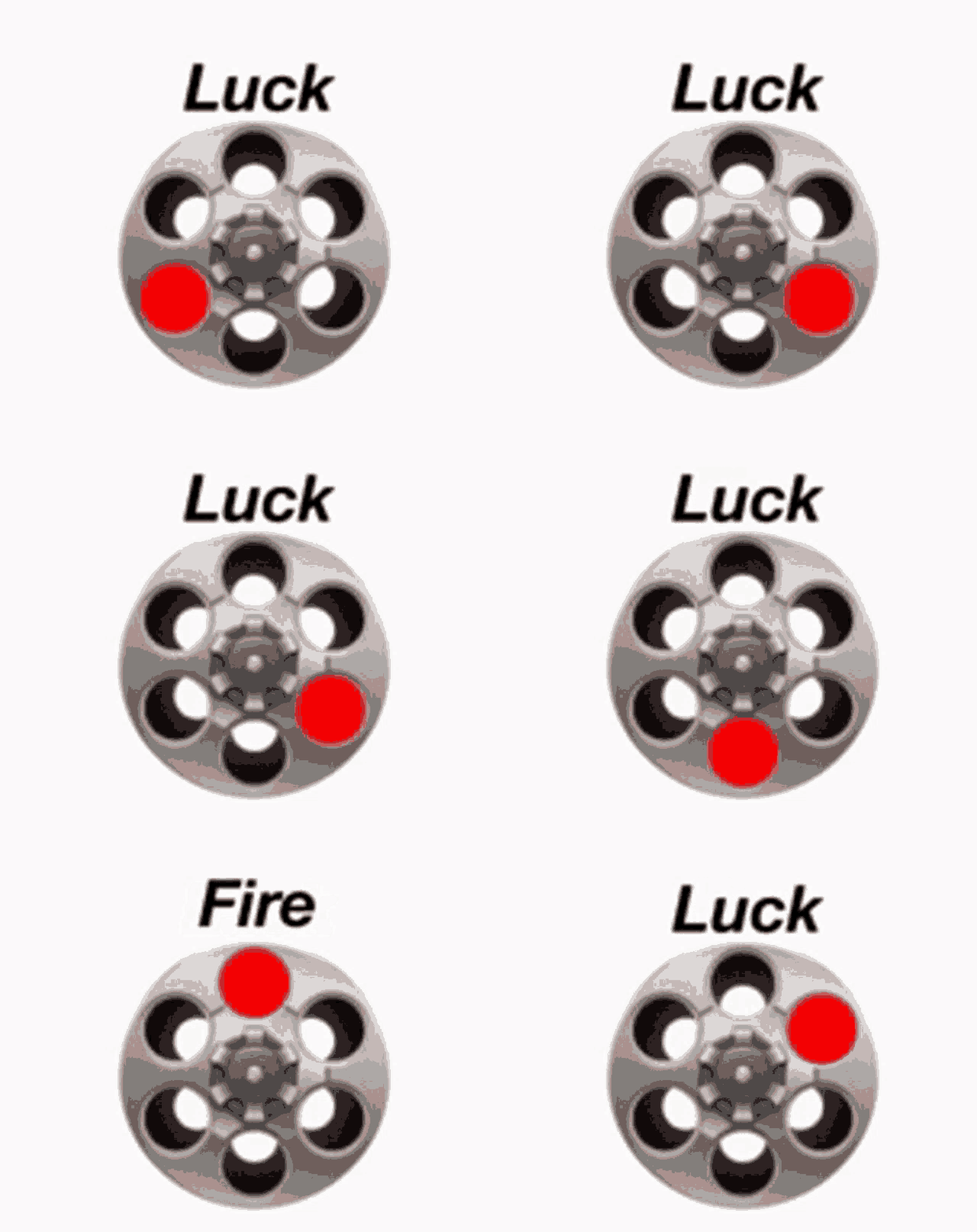
That's what happens when incidents and service requests get jumbled together. It's like treating a paper cut and a broken leg with the same first aid kit. Technically possible, but not exactly efficient.
What is an incident in ITSM?
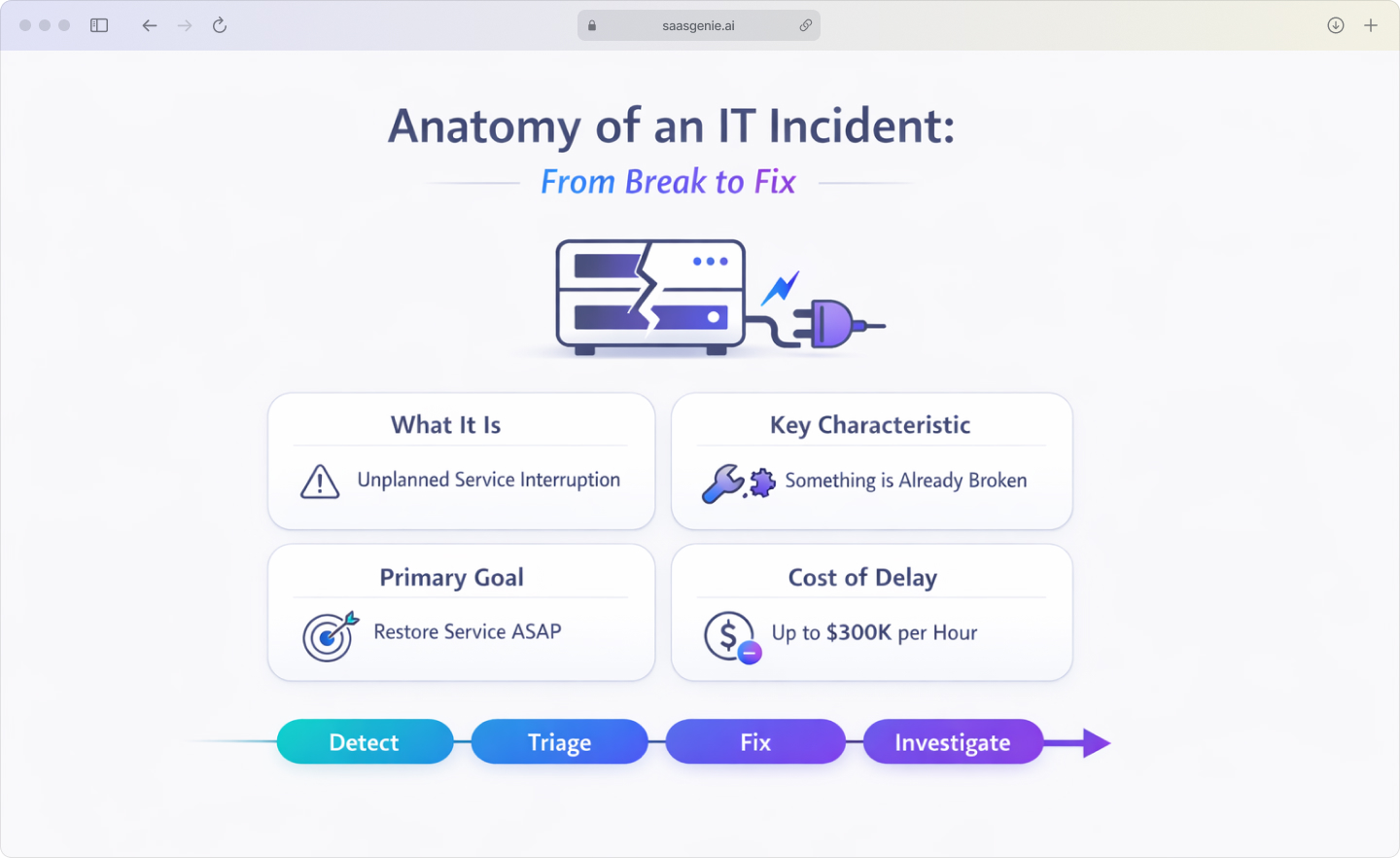
In the ITIL framework, an incident is an unplanned interruption to an IT service or a reduction in the quality of an IT service. An incident can also be a failure of a configuration item, even when the service has not fully stopped.
Think of incidents as the "something broke" category. The keyword here is unplanned. Nobody scheduled this problem to happen at 2 PM on Tuesday.
Common incident examples include:
- Email server down: Users cannot send or receive emails.
- Application crash: Critical business software stops responding.
- Network outage: Team loses internet connectivity.
- Login failures: The authentication system rejects valid credentials.
The incident goal is to restore service quickly, even when the root cause remains unknown during the initial response. You fix first, investigate later, since a single IT issue can cost companies $300,000 an hour.
What is a service request in ITIL?
In ITIL, a service request is a formal request from a user for something to be provided, such as information, access, or a standard service action. A service request is not a break/fix situation and does not mean an IT service has failed.
Service requests are the "I want something" category. These are planned, routine activities that follow predictable steps.
Common service request examples include:
- New software installation: User needs Photoshop on their laptop.
- Access permissions: An employee requests access to a shared drive.
- Hardware request: New team member needs a monitor.
- Password reset: The user forgot their credentials and needs a new one.
Service requests usually follow pre-approved fulfillment steps, such as a standard form, an approval step, and a provisioning task. The path is known in advance.

Incident vs service request: Five critical differences
Before ITIL v3, everything landed in a single "incident" bucket. The framework later split the work into incidents and service requests to handle them more precisely, which laid the groundwork for modern ITIL practices.
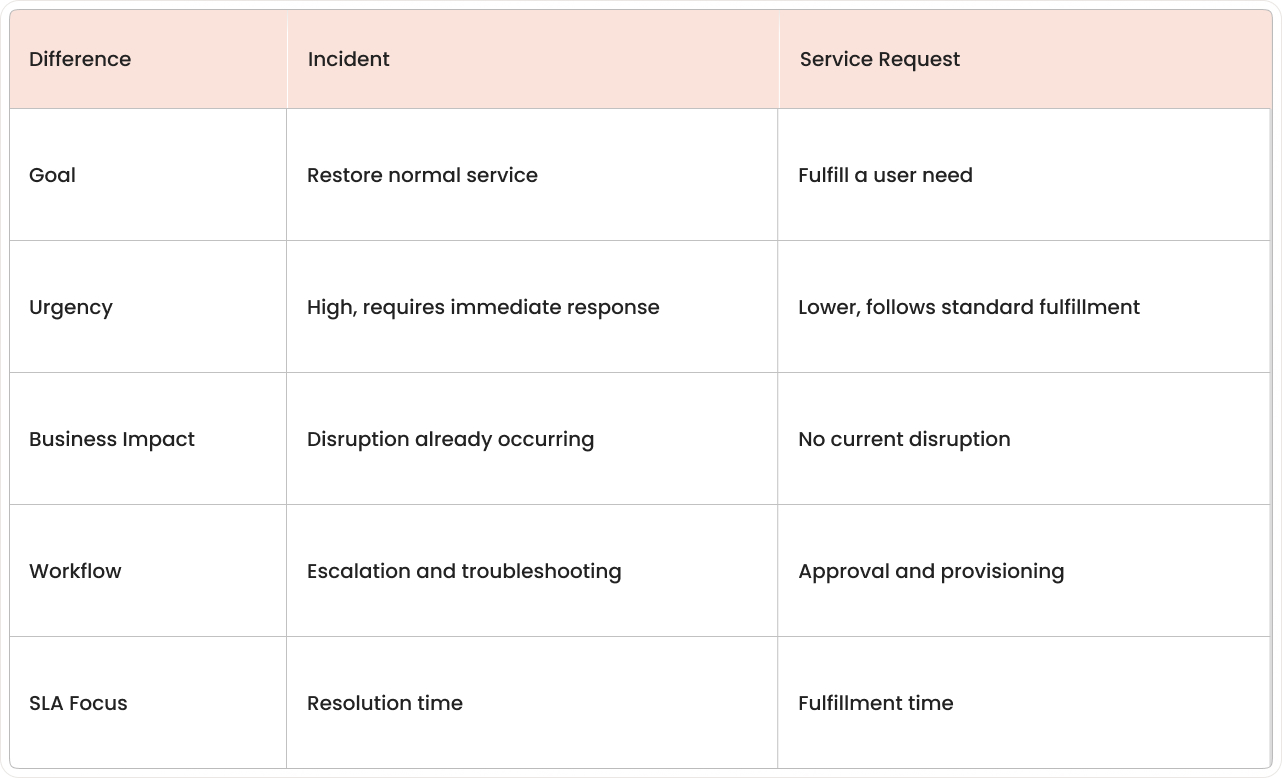
1. Goal and desired outcome
An incident focuses on restoring a service to normal operation. The outcome is a return to expected service performance, getting things back to "working normally."
A service request focuses on providing a standard service item or access. The outcome is the delivery of something requested, such as a tool, permission, or information.
2. Urgency and response time
Incidents have higher urgency because users are already affected by service interruption or reduced service quality. Response typically starts with triage to confirm impact and severity.
Service requests have lower urgency because no service failure is implied. Work often follows a standard queue because the request involves planned steps with known timeframes.
3. Business impact and risk level
Incidents carry a higher business risk because operational work is already disrupted. The impact can spread when dependent services or teams rely on the affected system, with industry data showing MTTR ranging from 0.6 to 27.5 hours depending on response effectiveness.
Service requests usually have a lower risk because fulfillment follows defined steps. Risk mainly relates to access control, licensing, or procurement rules rather than service downtime.
4. Workflow and escalation paths
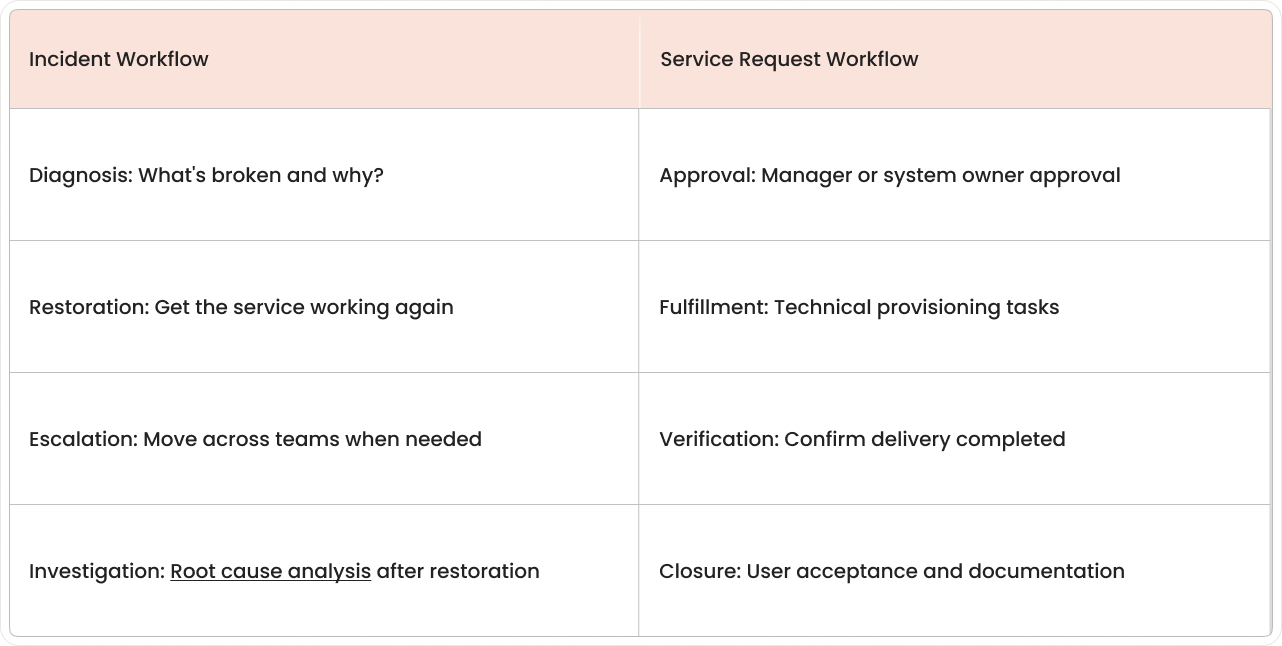
5. SLA and priority configuration
Incident SLAs measure time-based targets such as time to first response and time to resolution. Priority settings usually depend on impact and urgency, with severity levels for major incidents that may require problem management follow-up.
Service request SLAs measure fulfillment targets such as time to complete the request. Priority often reflects request type and expected delivery windows rather than outage severity.
How Jira Service Management manages incidents and service requests
In a nutshell, JSM keeps the two work types in their own lanes.
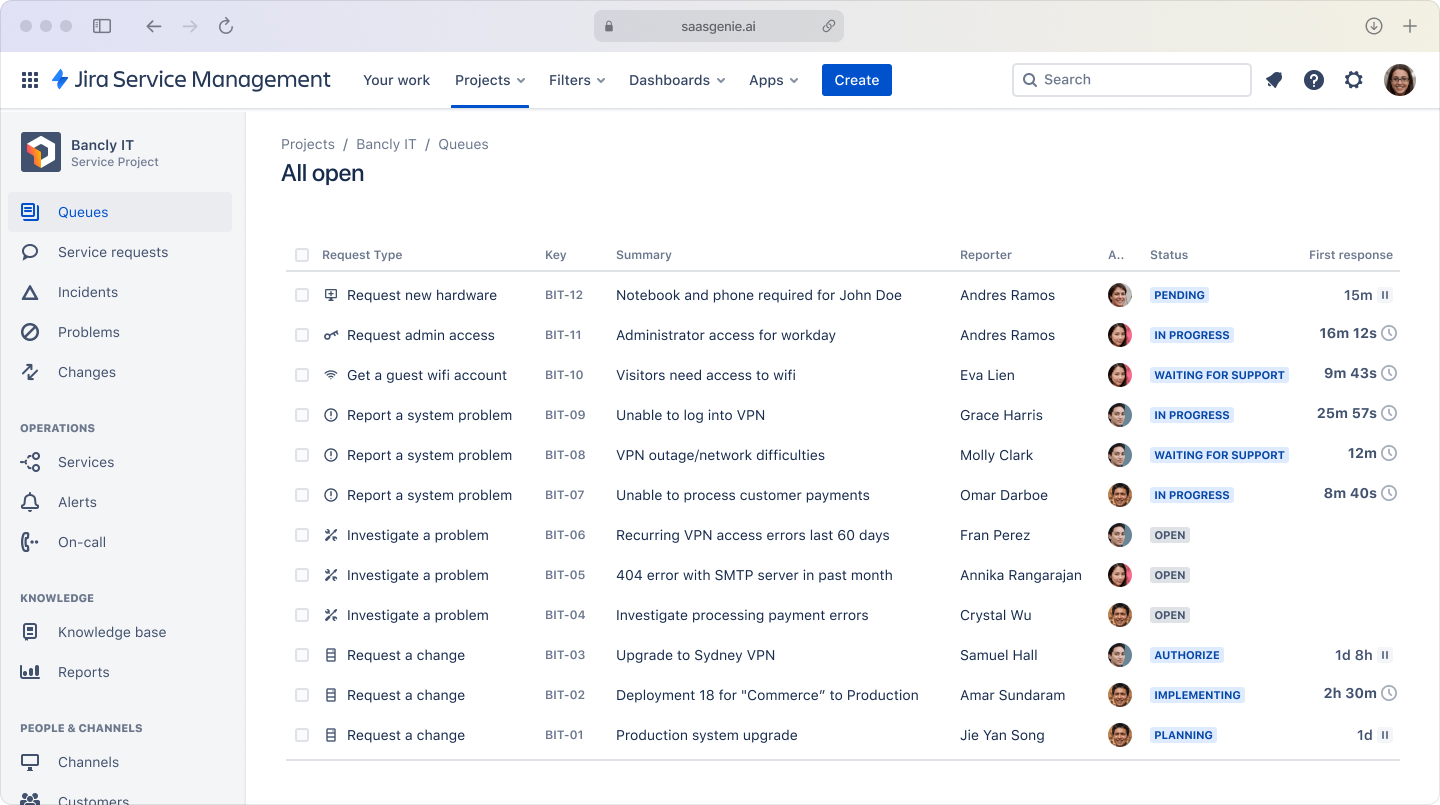
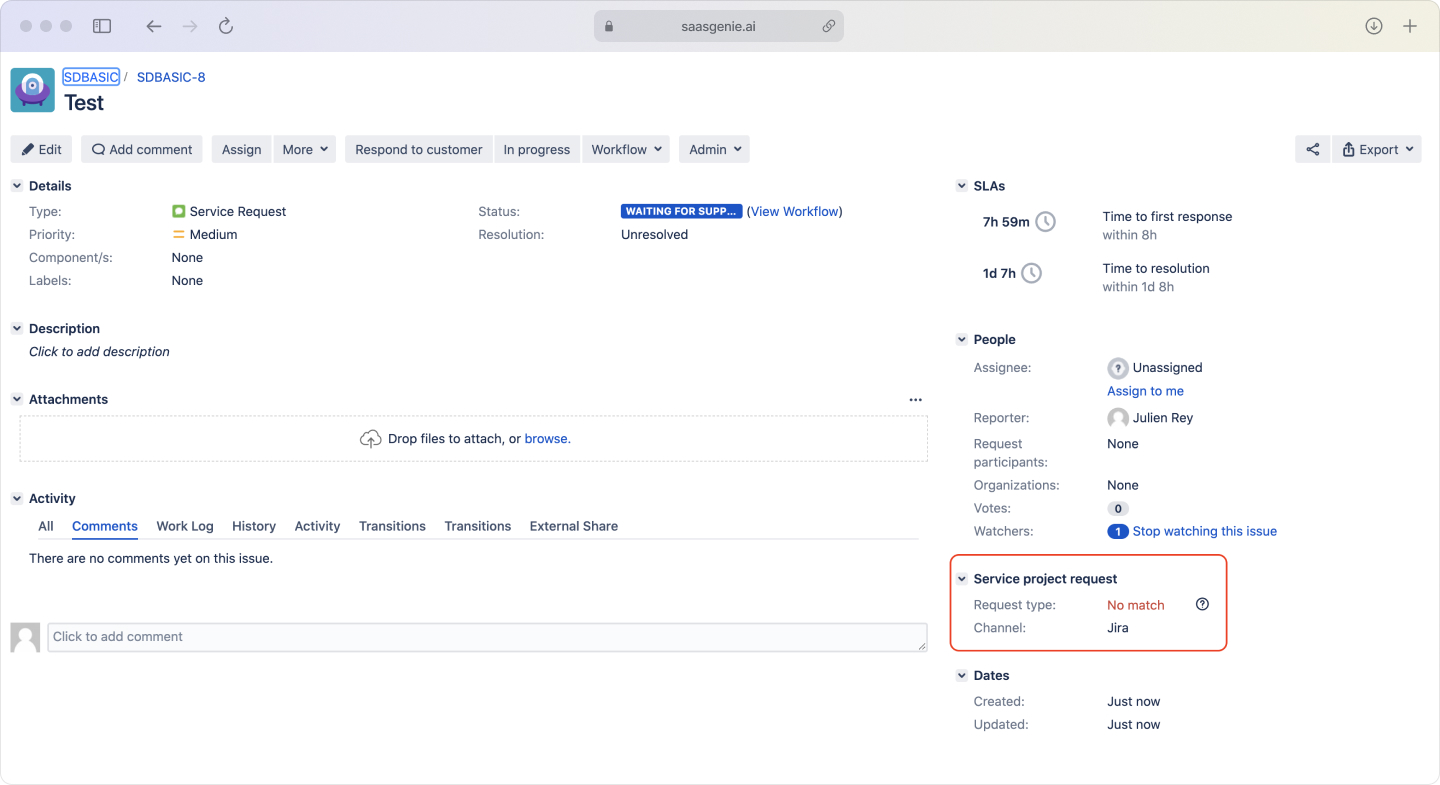
It does this with separate request types that drive different forms, fields, workflows, queues, SLAs, and automations. That clean split stops password-reset noise from drowning out real outages.
In the customer portal, each request type can have its own name and questions. In the agent view, each request type can map to a different issue type and workflow, which keeps incident handling and request fulfillment distinct.
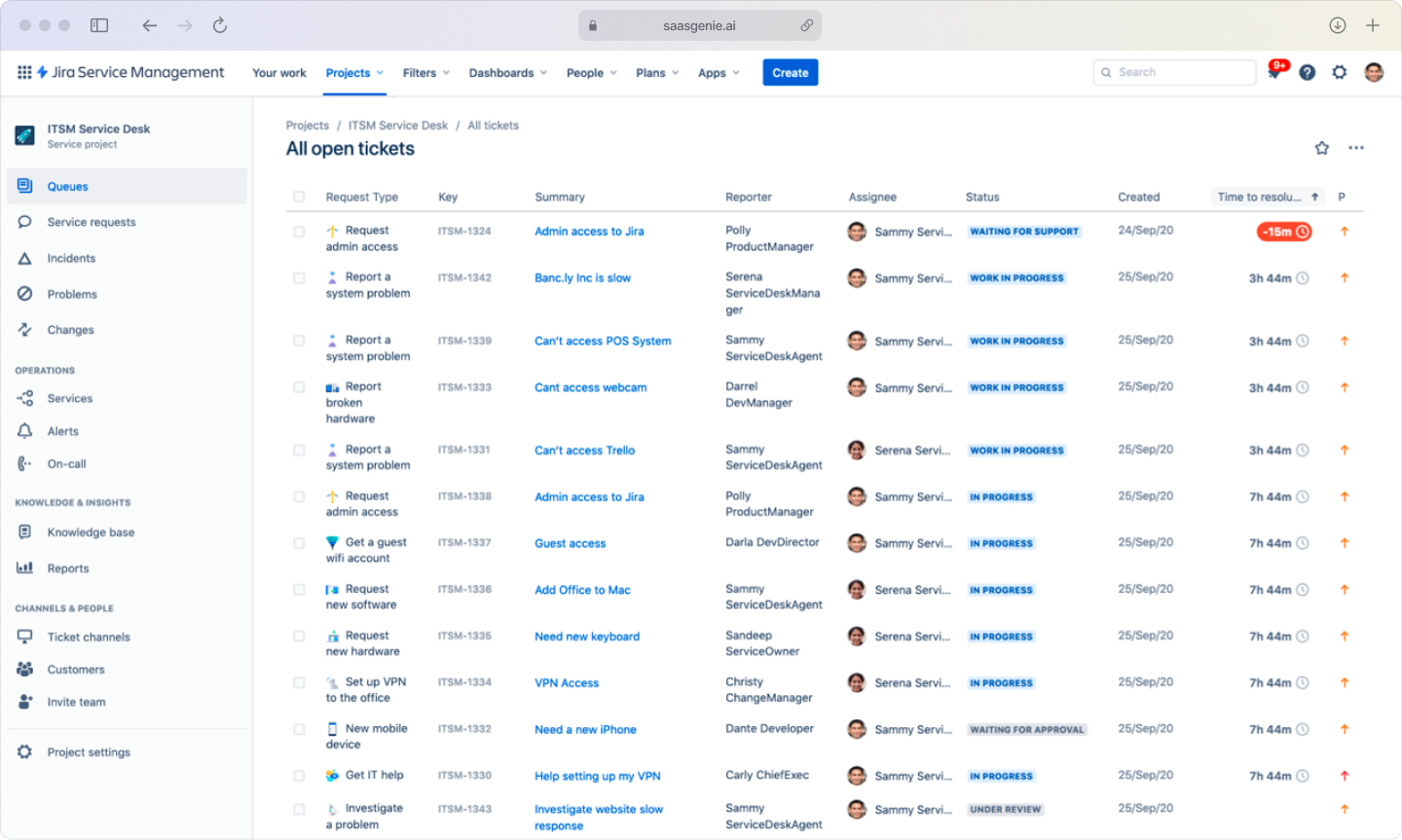
Incident management in Jira Service Management
JSM supports incident handling with tools built for time-sensitive response, including severity levels that label impact in a consistent way. Severity fields often connect to different SLAs, notifications, and escalation paths.
On-call scheduling and alerting can be handled through integration, which is part of the Atlassian platform. Monitoring tools can create alerts, and alerts can create or update incidents automatically.
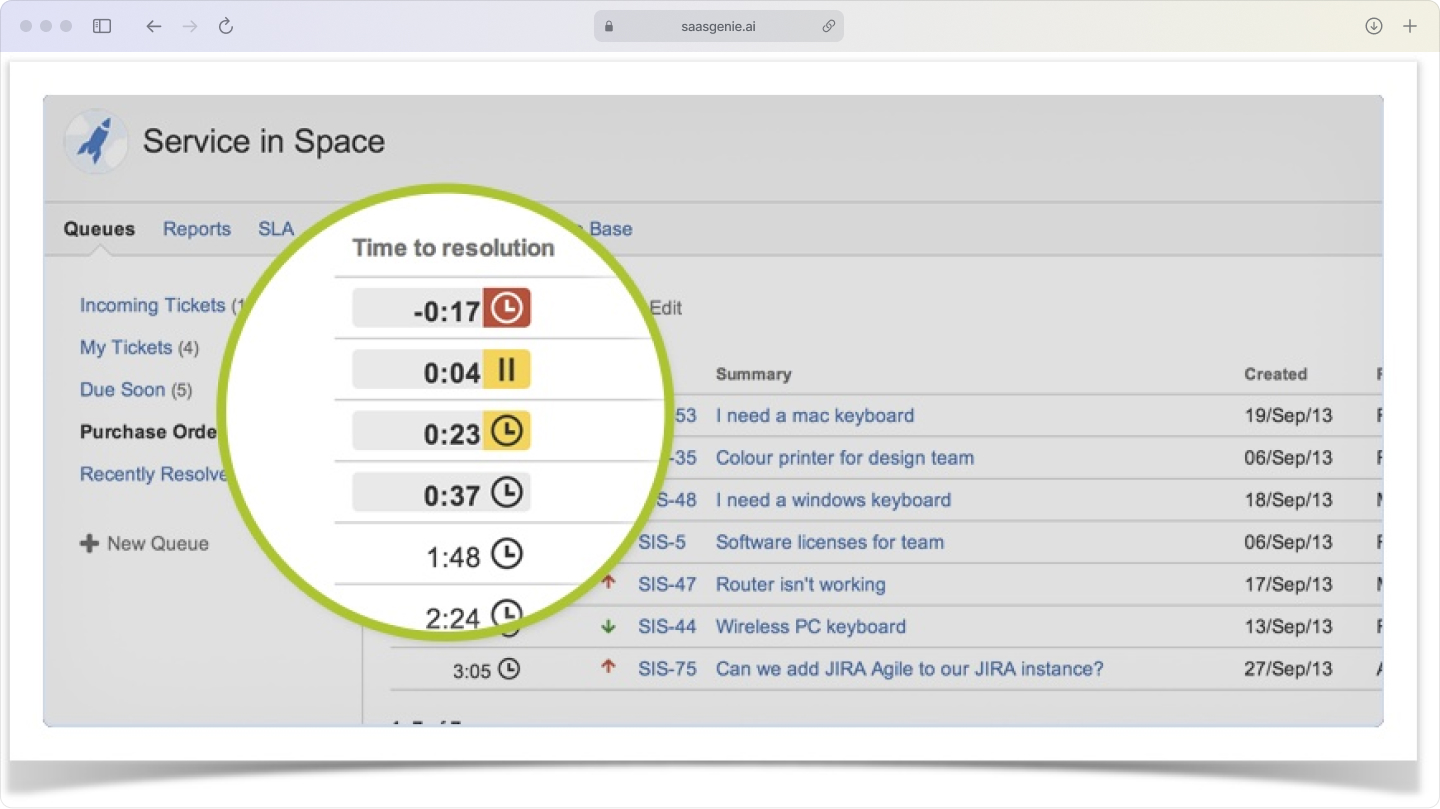
Service request fulfillment in Jira Service Management
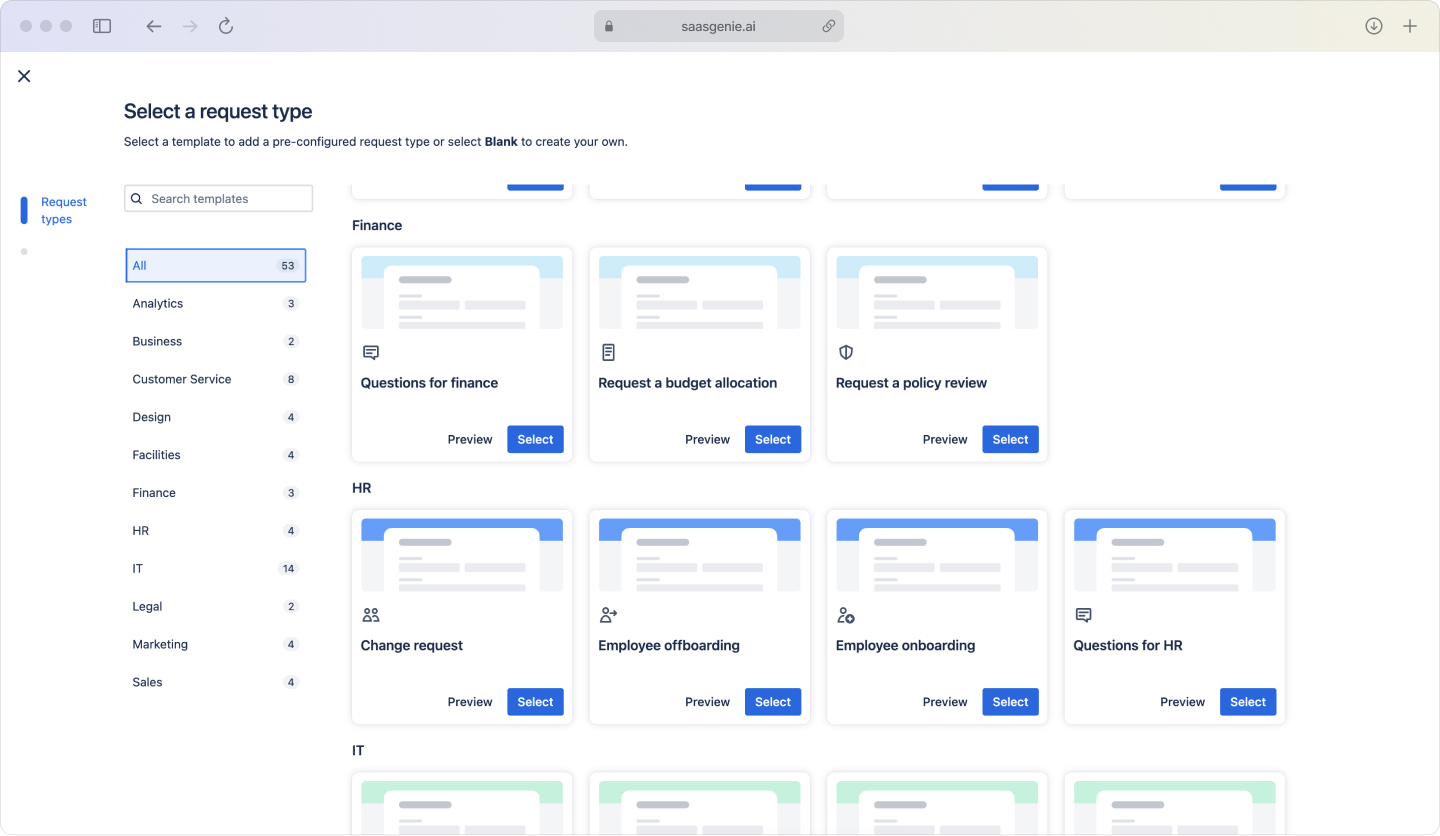
Service requests live in a service catalog, a menu of predefined options with their own forms and fulfillment paths.
Common catalog items
- Access to an app or shared drive
- New or upgraded software
- Hardware like laptops or monitors
- General "help me with..." requests
Typical approvers
- Direct manager for budget or role fit
- System owner for security
- Finance for purchases over the spending limit
Approval workflows can be attached to service request types. Approvals can come from roles such as managers, system owners, or finance, depending on the request item.
Common challenges when classifying incidents and service requests
Classification often feels unclear in real ticket queues. Real user reports mix symptoms, requests, and guesses about causes in the same message.
End-user confusion during ticket submission
Most employees describe an outcome, not a category. They drop text like:
- "Email is not working."
- "The laptop is acting weird."
- "Need a new printer set up."
No one is thinking in ITIL terms at that moment; they just want help.
Portal language can be written in plain terms that match user intent:
- "Something is not working" instead of "Incident."
- "I need something new" instead of "Service Request."
- Short guided questions like "What stopped working?" or "What item are you requesting?"
Gray area tickets that can be either
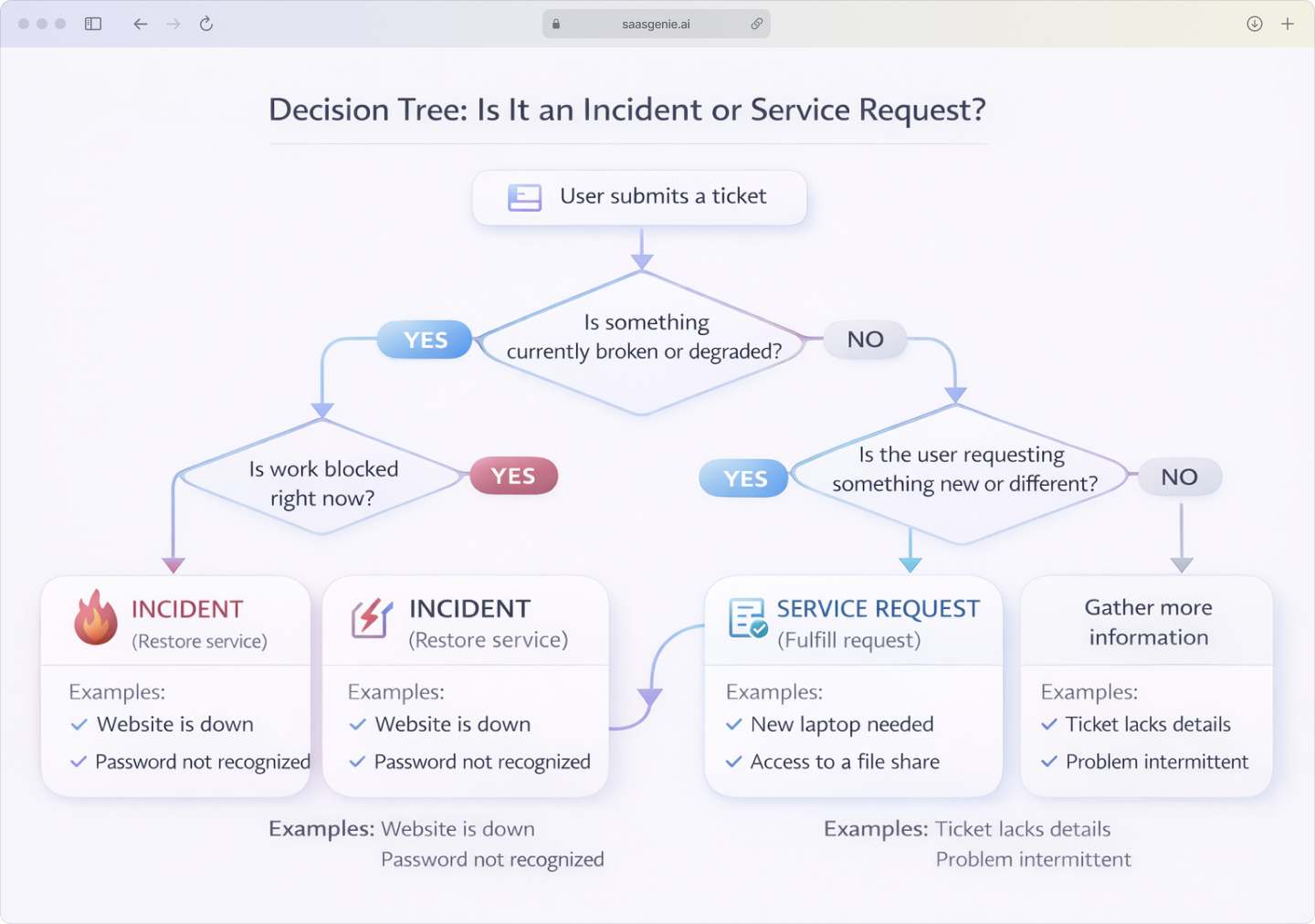
Some tickets contain a symptom and an implied request at the same time. "My laptop is slow" can mean performance degradation, or it can mean a request for replacement hardware.
A simple framework separates the two using intent and current service status. If the current work is blocked by a service quality drop, the ticket fits incident handling. If the user is asking for a new item or a change, the ticket fits the request for fulfillment.
Best practices for managing incidents and service requests in Jira
The key to success is separation from the start. Configure Jira Service Management with distinct request types, workflows, and SLAs so each category gets appropriate handling.
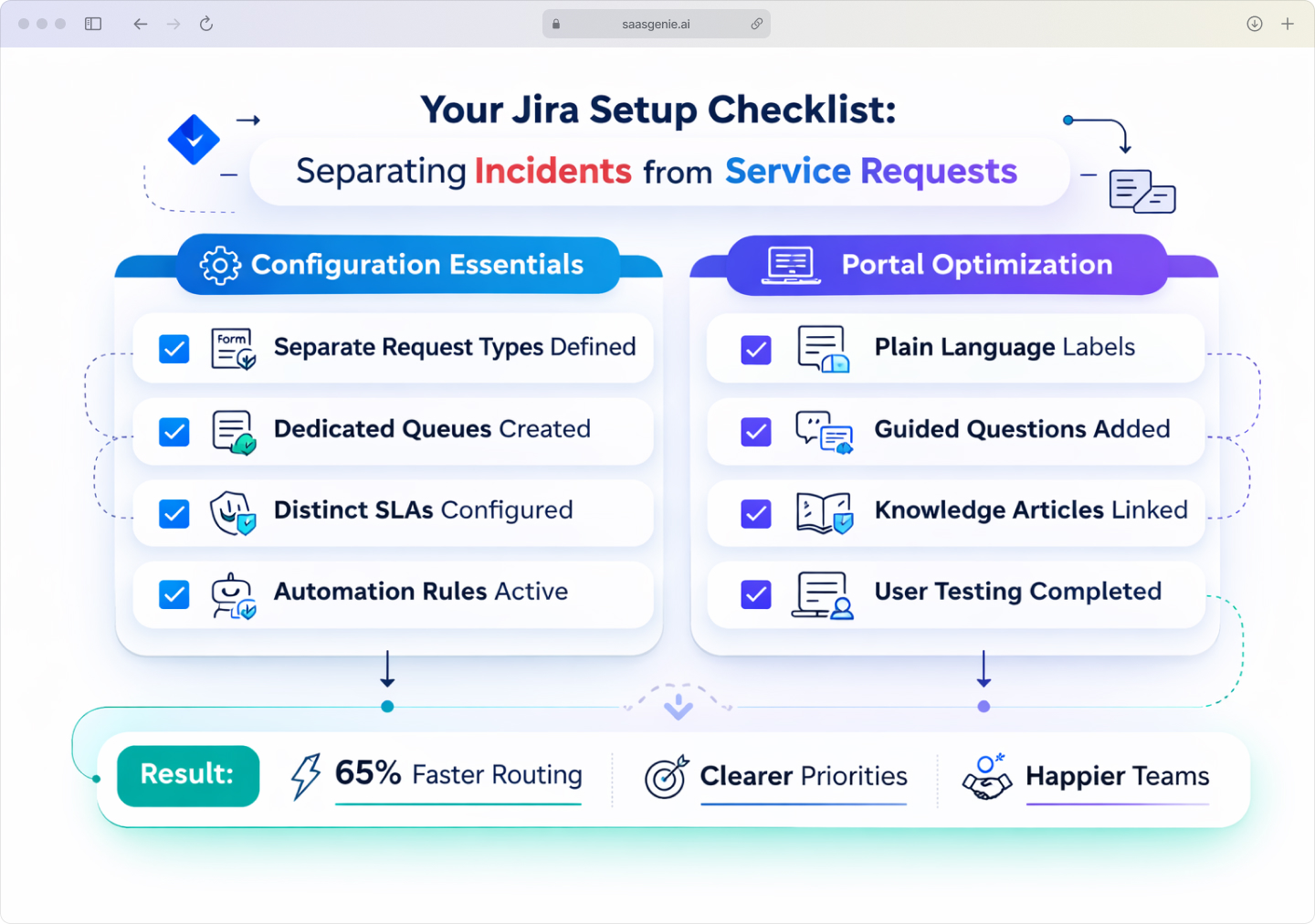
Essential configuration steps:
- Define separate request types with different forms and required fields.
- Create dedicated queues so each contains one kind of work.
- Configure distinct SLAs around response vs fulfillment targets.
- Use automation rules for smart routing based on request type, joining the 65% of organizations already automating incident management.
Portal optimization tips:
- Use plain language labels that describe the situation clearly.
- Add guided questions that match user observation patterns.
- Link knowledge articles to appear during ticket submission for common issues.
Ready to configure your incident and service request workflows
Getting the split right comes down to solid configuration, separate request types, purpose-built workflows, focused queues, and SLAs that make sense.
We help teams build exactly that inside Jira Service Management, from portal questions to automation rules that do the heavy lifting. If you'd like to see how tidy the desk can look, grab a free strategy chat with saasgenie crew here. Coffee is optional; good ideas are guaranteed.

Ready to streamline your ITSM workflows?
Contact us for a free strategy consultation.