.webp)


Implementing Problem Management in Jira Service Management 2026
Many organizations experience the same technical issues over and over. These recurring issues can slow down teams and disrupt business operations. Identifying the causes behind these patterns is called problem management.
Jira Service Management is a platform designed for IT service teams to track, manage, and resolve service requests and incidents. It includes tools for implementing structured problem management, following widely accepted ITIL (Information Technology Infrastructure Library) practices.
Your team fixes the VPN connection on Monday, patches the same issue on Tuesday, and by Friday, you're troubleshooting it again.

Sound familiar?
Meet Jira problem management software: your detective toolkit that stops playing defense and starts finding the real culprits behind your recurring headaches.
What is problem management in Jira Service Management?
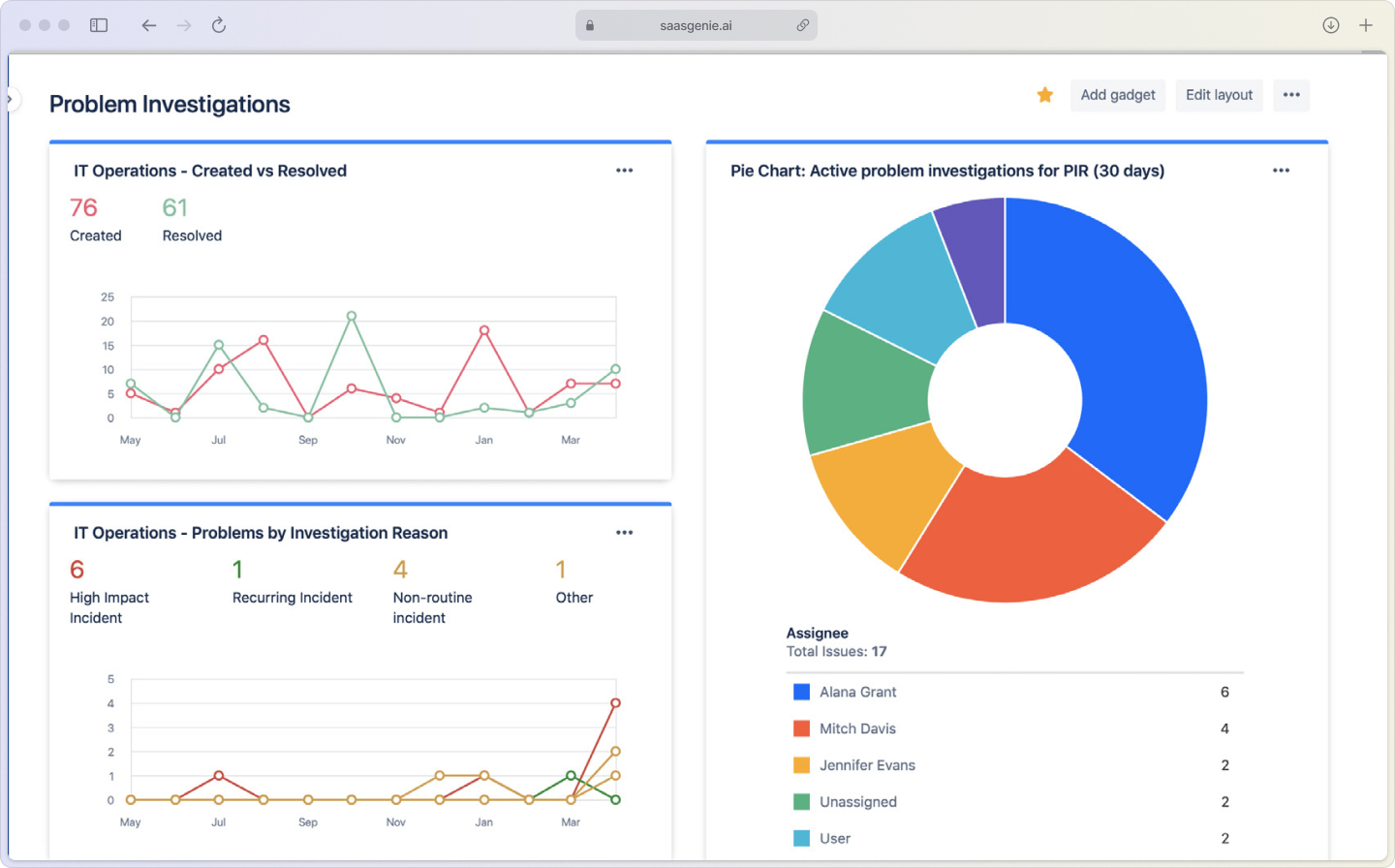
Problem management is an ITIL practice focused on identifying and eliminating the root causes of recurring incidents. Think of it as the difference between mopping up water from a leaky pipe versus actually fixing the pipe.
Jira Service Management (JSM) is Atlassian's service desk platform that handles everything from password resets to major outages. What makes JSM special for problem management is its built-in workflows that connect incidents to their underlying causes.
Here's how the key terms break down:
- Problem: The underlying cause of one or more incidents.
- Known error: A problem with a documented root cause and workaround.
- Root cause analysis: The process of digging deep to find why incidents actually happen.
When your email server crashes three times in two weeks, that's three incidents.
Is the faulty memory module causing those crashes?
That's your problem.
Problem management vs. incident management in Atlassian tools
Here's where people get confused.
Incident management is like calling 911. You want the fastest possible response to get things working again. Problem management is like hiring a detective to figure out why the emergency happened in the first place.
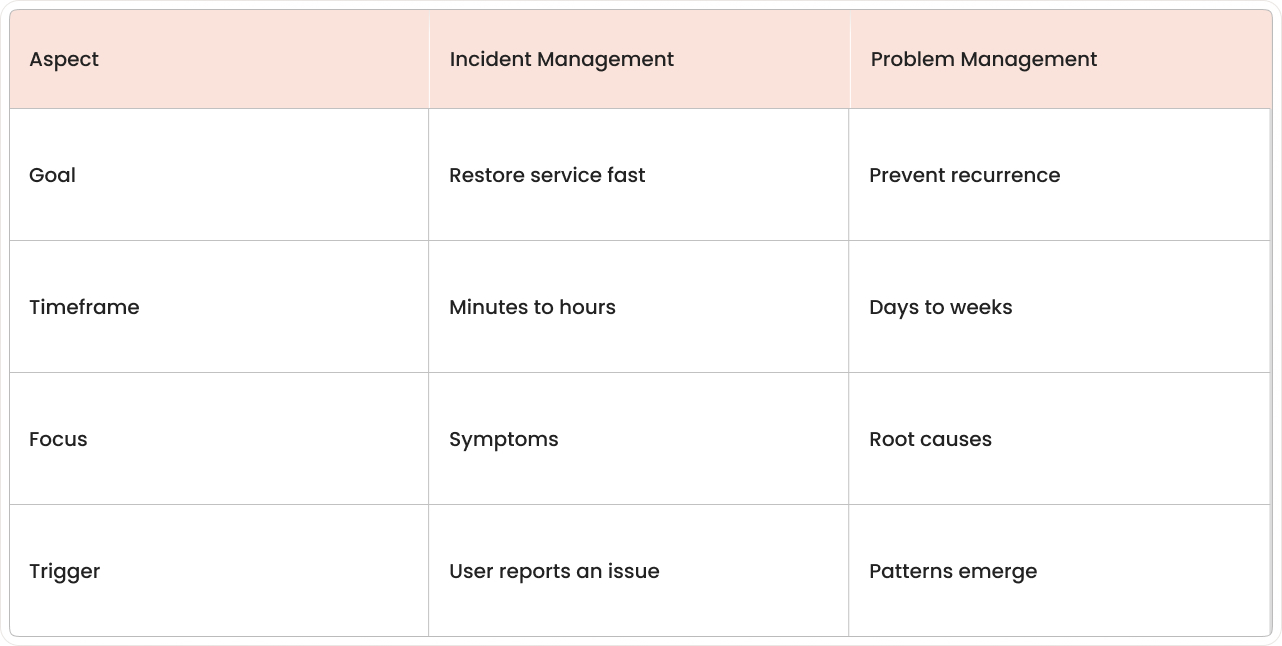
How incidents trigger problem investigations
In Jira management, incidents and problems work together like breadcrumbs leading to the real issue.
When you see the same type of incident popping up repeatedly or when a single incident causes major business disruption, that's your cue to open a problem record.
JSM's automation can actually watch for these patterns.
Set it up to create a problem automatically when similar incidents happen three times in a month.
When to escalate from incident to problem
Not every incident deserves a full investigation. Save problem management for issues that either keep coming back or cause significant business impact, with downtime now costing organizations $4,537 per minute. If your team spends more time on workarounds than actual work, that's problem territory.
How JSM links problems and incidents together
JSM uses issue linking to connect related incidents to a single problem record. This creates a clear paper trail showing which incidents stem from the same root cause, super helpful when you're presenting findings to leadership or planning fixes.
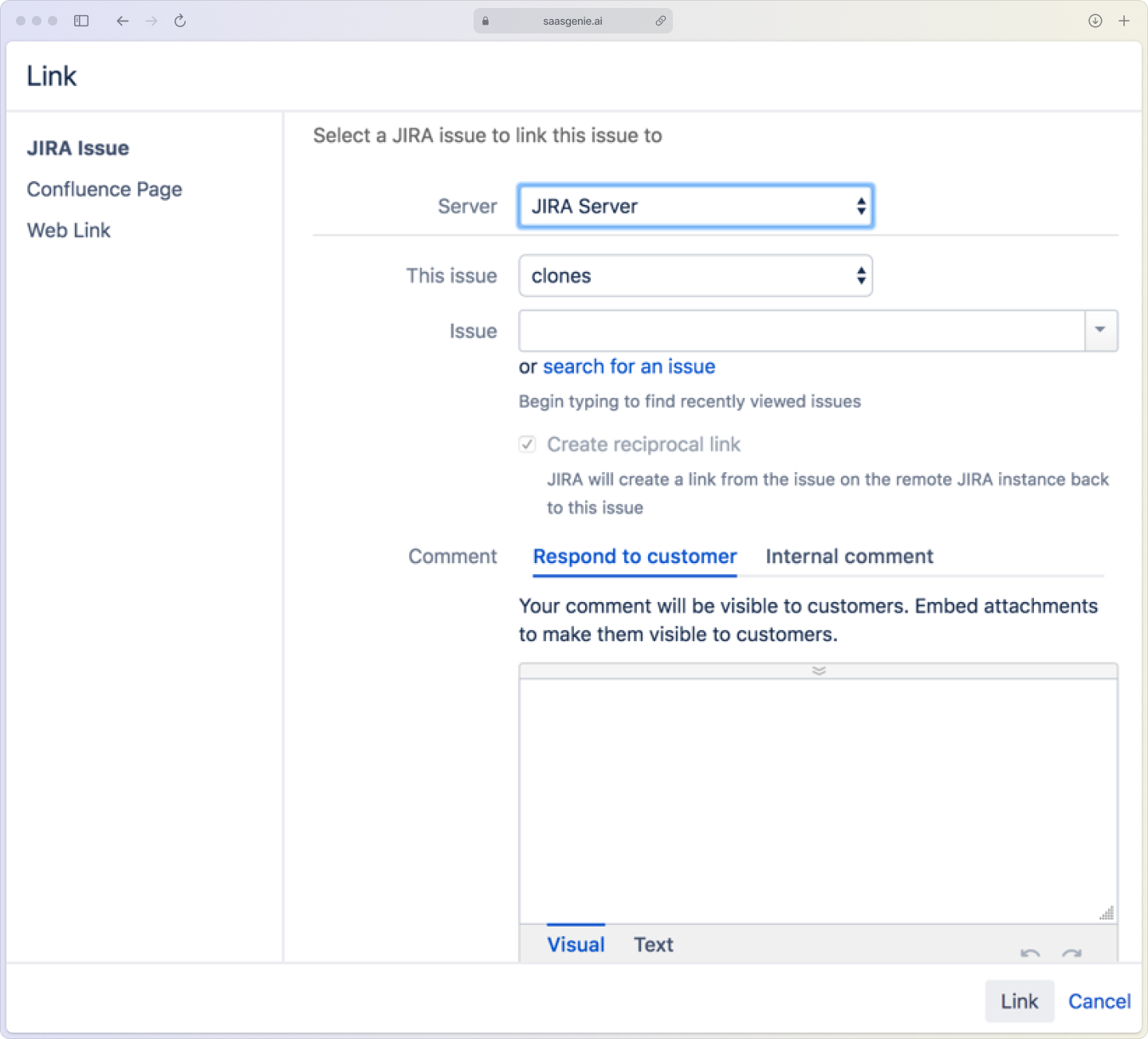
How ITIL problem management works in JSM
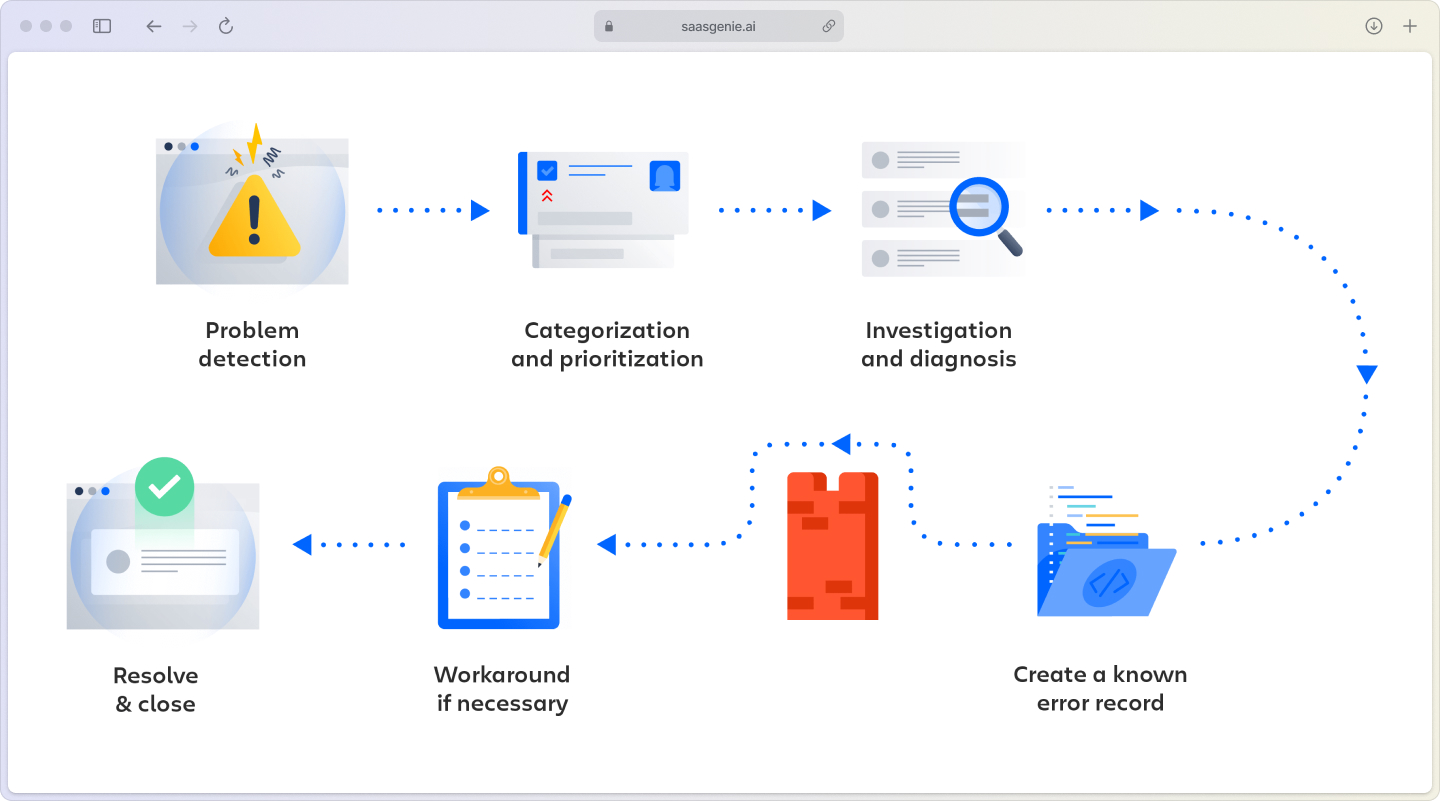
ITIL provides the playbook, and JSM provides the tools to execute it. The process flows through five main stages, each supported by specific JSM features.
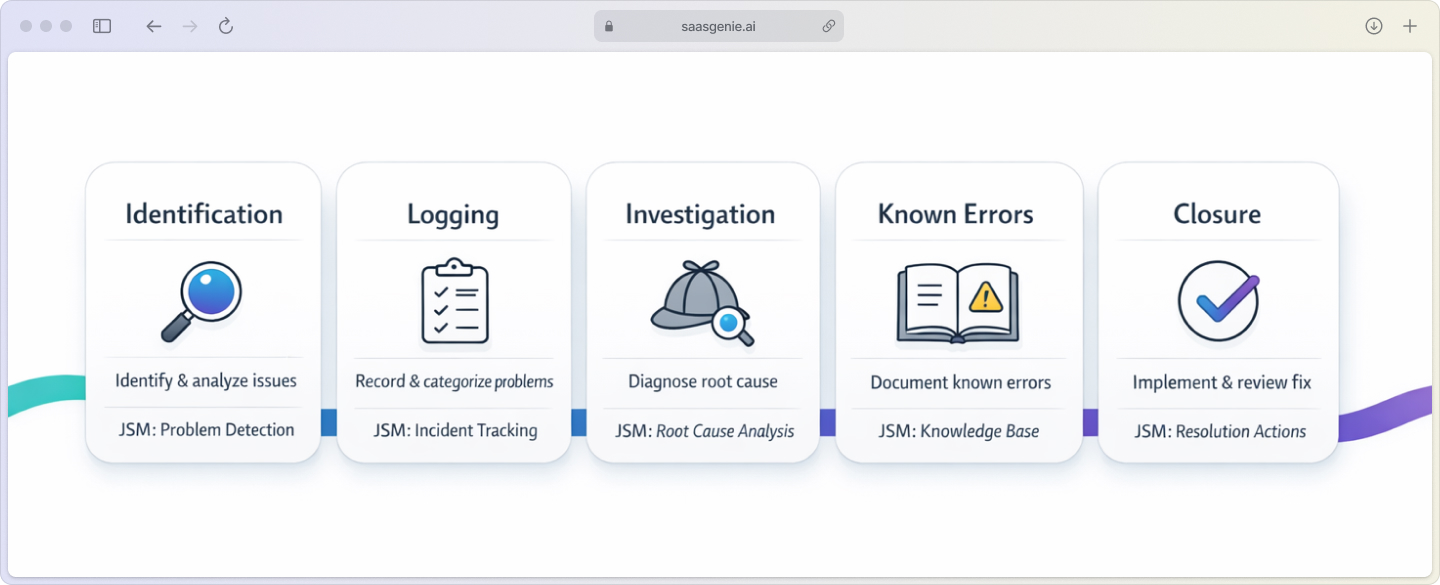
Problem identification
Teams spot problems through trend analysis, post-incident reviews, or proactive monitoring. In JSM, you can set up dashboards that highlight incident patterns, like seeing five "email slow" tickets in the past week.
Problem logging and categorization
Once identified, create a problem record in JSM with proper categorization and priority. Use custom fields to capture details like affected services, business impact, and initial symptoms.
Root cause investigation and analysis
This is where the detective work happens. JSM supports investigations through custom fields for tracking progress, comment threads for team collaboration, and file attachments for evidence like log files or screenshots.
Known error documentation
When you find the root cause but can't fix it immediately, document it as a known error. JSM can store workarounds and link them to the problem record, creating your organization's known error database.
Problem resolution and closure
After implementing the permanent fix, verify it works and close the problem record with full documentation. This creates valuable knowledge for future reference.
How to set up problem management in Jira Service Management
Setting up problem management in JSM involves configuring the platform to support your team's investigation and resolution workflow.
The good news?
You don't need to be an Atlassian wizard to get started.
Whether you're tackling this yourself or working with implementation partners like saasgenie, the setup follows a logical sequence that builds on JSM's native capabilities. Most teams can have a basic problem management workflow running within a few days, though fine-tuning automation and integrations typically takes a couple of weeks, depending on your environment's complexity.
Want a visual walkthrough?
This video guide walks you through the entire setup process step-by-step.
Enable problem management in your JSM project
Navigate to project settings and add "Problem" as an issue type. This creates the foundation for tracking problem records alongside your regular incidents and service requests.
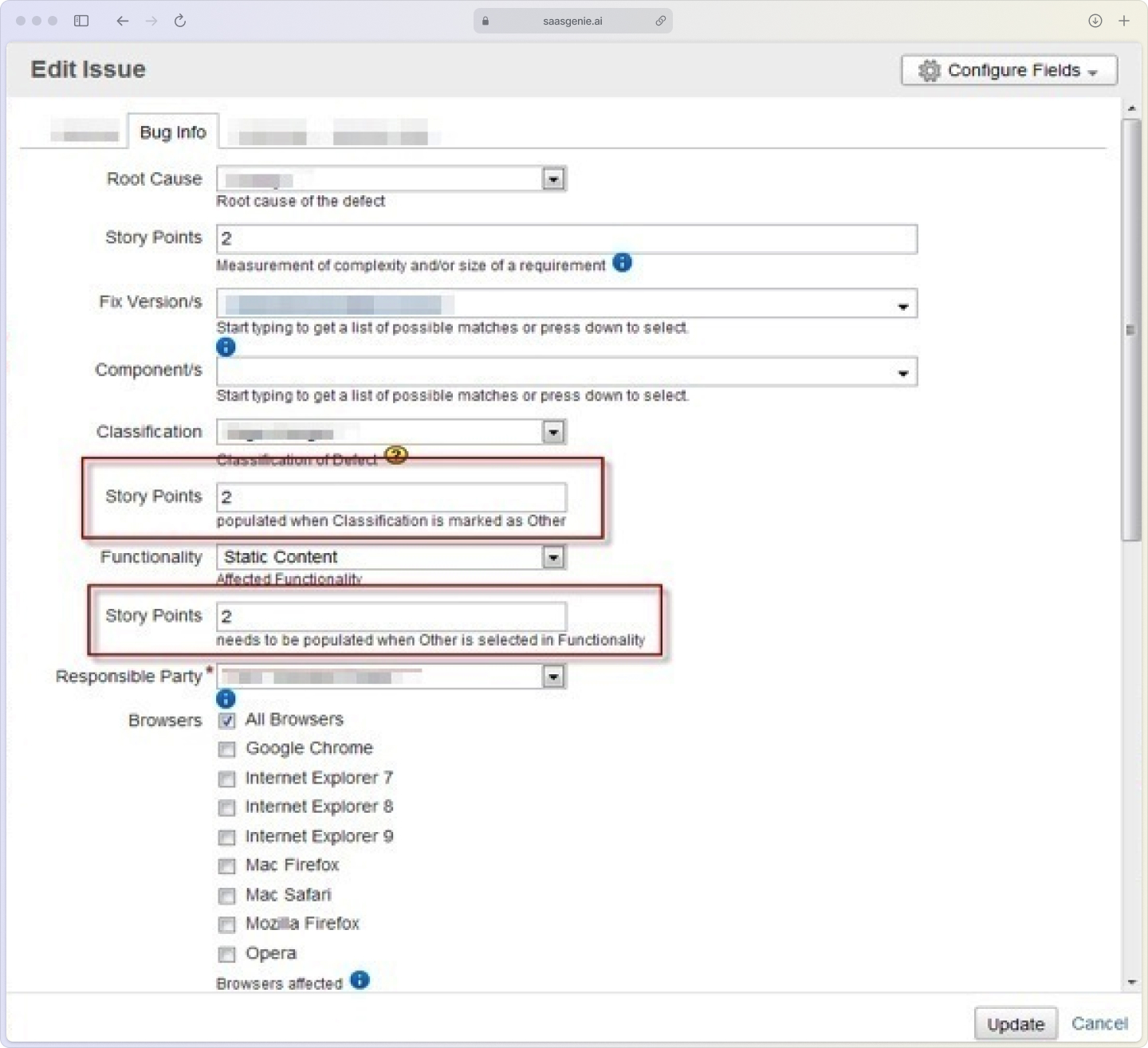
Configure problem issue types and custom fields
Add custom fields that capture essential problem data:
- Root cause: Text field for documenting findings.
- Affected services: Multi-select field linking to your service catalog.
- Business impact: Dropdown with options like High, Medium, Low.
- Workaround: Text area for temporary solutions.
Create problem categories and priority levels
Set up categories that match your environment: Network, Applications, Hardware, Security. Priority levels help teams focus on problems with the biggest business impact first.
Set up problem-to-incident linking rules
Configure issue linking so agents can easily connect incidents to problems. Use relationship types like "caused by" or "relates to" for clear documentation.
Define SLAs for problem resolution times
Create service level agreements that set expectations for how quickly problems get investigated and resolved. Different priority levels can have different timeframes.
Connecting problem management to change and knowledge management
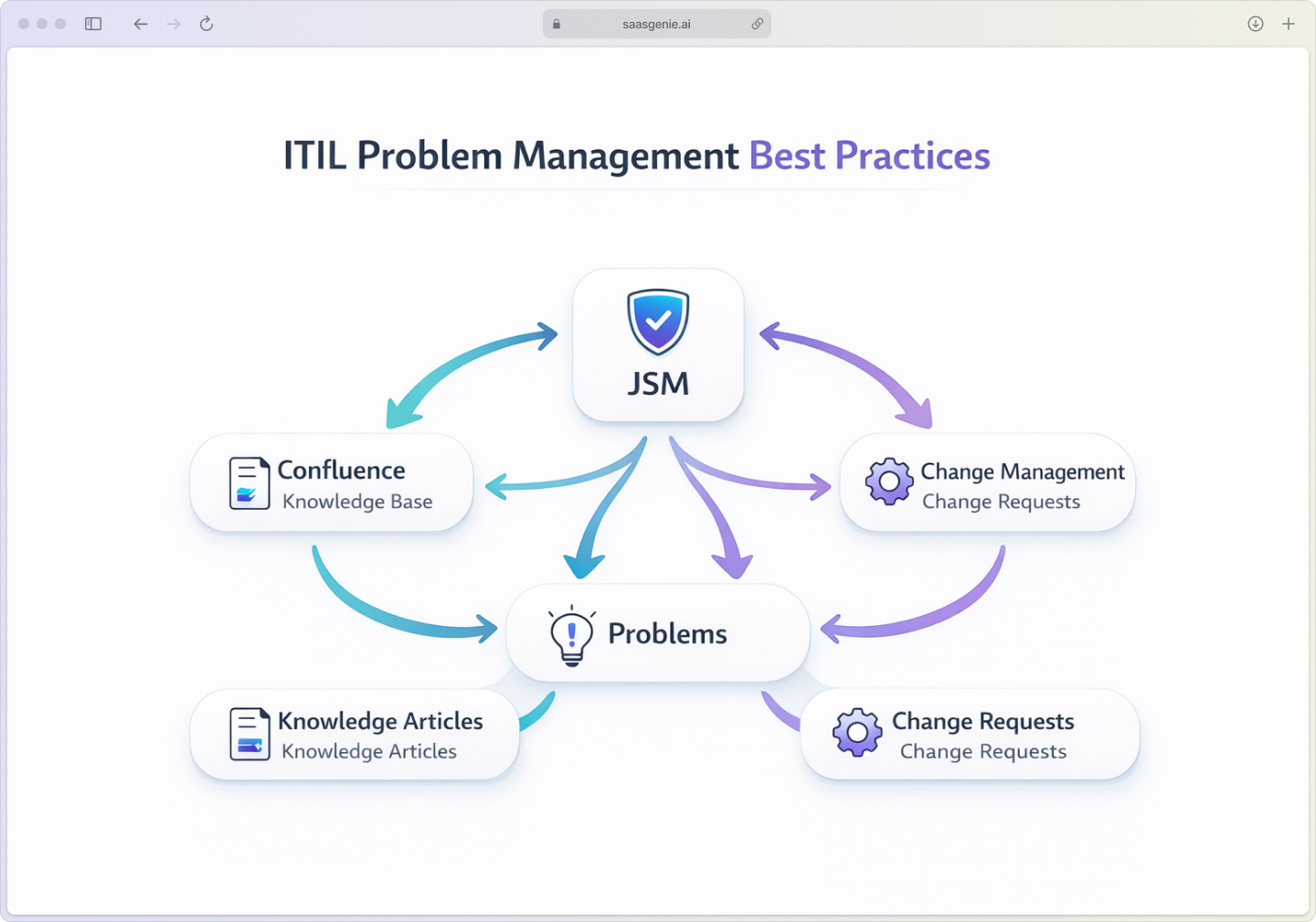
Problem management works best when integrated with other ITIL practices. Most permanent fixes require changes, and lessons learned become valuable knowledge.
Linking problems to change requests in JSM
When your problem investigation reveals that fixing the root cause requires system changes, create linked change requests. This maintains traceability from problem identification through implementation.
Building your known error database
Use JSM's filtering capabilities to create views of problems with documented root causes and workarounds. For richer knowledge management, integrate with Confluence to publish known errors as searchable articles.
Capturing lessons learned in Confluence
After resolving major problems, document what happened, why it happened, and how to prevent similar issues. Store these insights in Confluence, where teams can easily find and reference them.
Problem management automation and AI in Jira Service Management
JSM's automation capabilities can eliminate manual work and help identify patterns that humans might miss, with 86% of enterprises now implementing ITSM automation.
Automating problem creation from recurring incidents
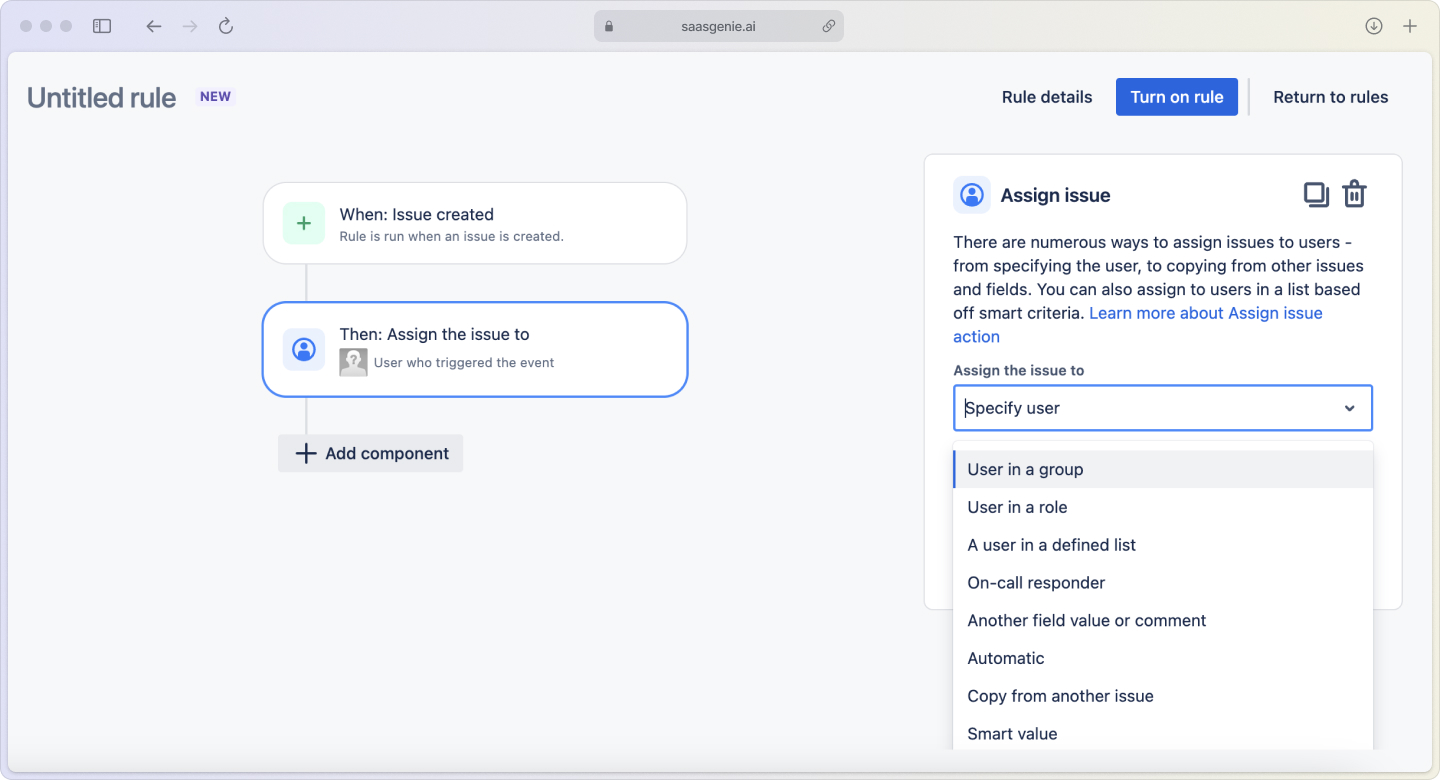
Set up automation rules that monitor for incident patterns. When similar incidents occur multiple times within a defined period, automatically create a problem record and link the related incidents.
Using AI to suggest root causes
JSM's AI analyzes historical data to suggest likely causes for new problems. While not perfect, these suggestions can point investigation teams in the right direction and reduce resolution times by up to 50%.
Setting up automated escalations and notifications
Configure automation to notify stakeholders when problems remain unresolved past SLA thresholds. Automatic escalations ensure nothing falls through the cracks.
Common problem management implementation mistakes to avoid
Learning from others' mistakes can save you time and frustration during implementation.
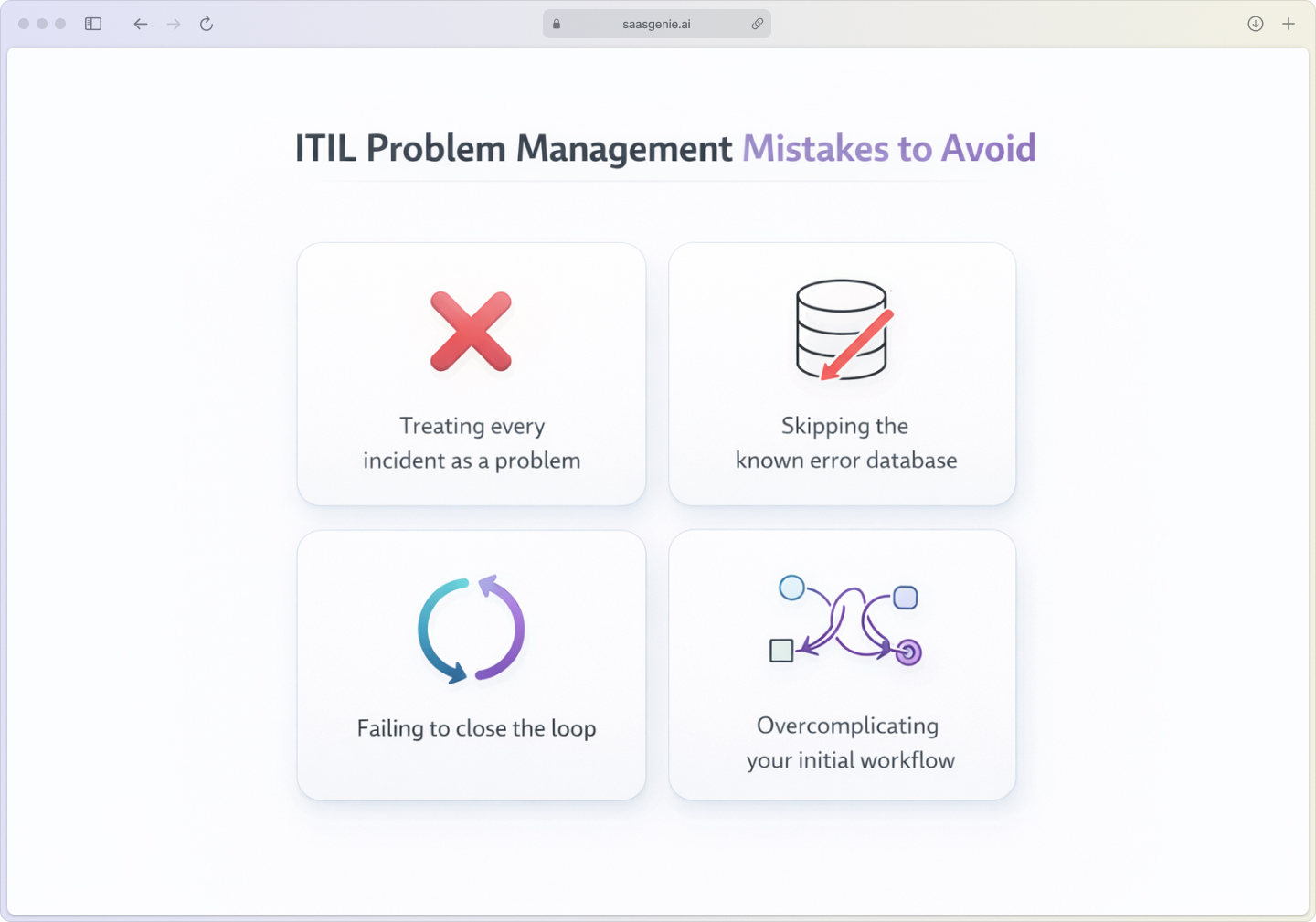
Treating every incident as a problem
This creates noise and overwhelms teams. Focus problem management on recurring issues or incidents with significant business impact.
Skipping the known error database
Even when permanent fixes aren't immediately available, documenting known errors helps teams apply consistent workarounds and avoid repeated investigations.
Failing to close the loop on resolved problems
After implementing fixes, verify they actually work and formally close problem records. This maintains data quality and provides accurate reporting.
Overcomplicating your initial workflow
Start with a simple workflow: Open, Investigating, Resolved, and Closed. Add complexity later as your team's maturity grows.
How to measure problem management success in JSM
Track metrics that show whether problem management is actually reducing recurring issues and improving service quality.
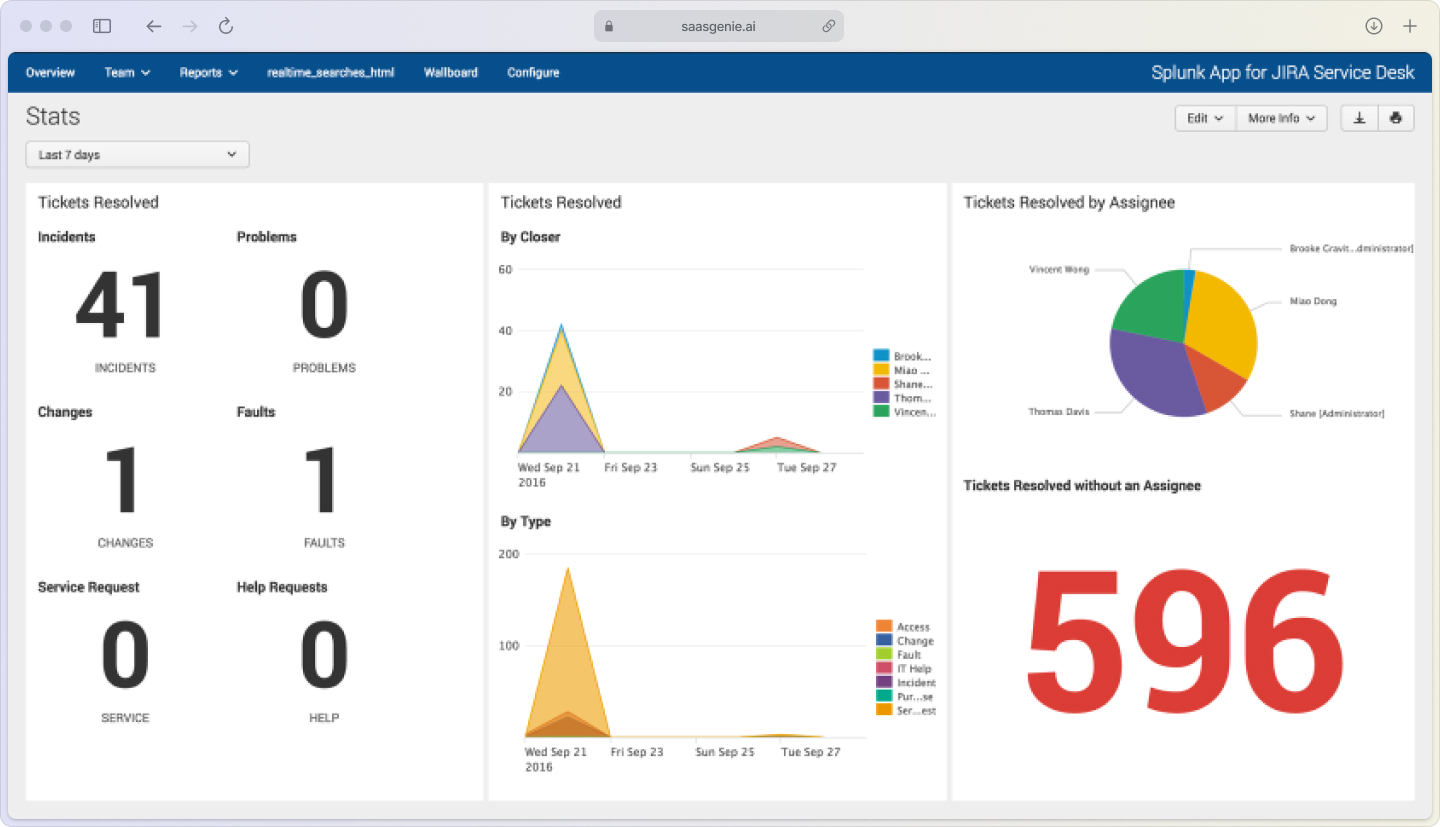
Key metrics to monitor:
- Problems identified vs resolved: Shows whether you're keeping up with your backlog
- Reduction in recurring incidents: The ultimate measure of problem management success
- Mean time to identify root cause: Indicates investigation efficiency
- Knowledge articles created from problems: Reflects knowledge capture maturity
Get expert help with your Jira Service Management implementation

saasgenie specializes in implementing Jira Service Management for organizations looking to modernize their IT service management practices. As certified Atlassian partners, we help teams set up problem management workflows, configure automation, and integrate with existing tools.
Our rapid deployment approach gets teams up and running quickly while following ITIL best practices. We've helped organizations reduce recurring incidents by implementing structured problem management processes in JSM.

Ready to stop playing whack-a-mole with recurring issues?
Contact us for a free consultation on implementing problem management in your environment.