.webp)




Freshservice Problem Management: ITIL Best Practices 2026
IT teams often address issues as they appear, but this approach can mean the same problems keep coming back.
Let's explore how problem management works within the ITIL framework, especially when using Freshservice. Freshservice is a cloud-based IT service management platform that brings ITIL best practices to life.
We'll cover the difference between tackling incidents as they arise versus solving the deeper, underlying causes.
Say your service desk starts seeing a spike in "can't access shared drive" tickets every Monday morning.
Instead of treating each report as a standalone incident, Freshservice can automatically group them under one problem record. Your team can then investigate the pattern, perhaps it's a backup job that's locking files overnight, and fix the root cause rather than applying the same temporary workaround twenty times over.
The ITIL approach to problem management is structured around finding and addressing the root cause of issues, not just their immediate effects. Freshservice provides the tools and workflows to implement this discipline effectively, making it a key part of sustainable IT operations and service delivery.
Understanding problem management in ITIL and how Freshservice supports it makes it easier to distinguish between short-term fixes and long-term solutions. This article also explains the terms and steps used by ITIL, making problem management clearer for anyone starting out with Freshservice.
Simply put, problem management isn't about solving problems; it's about ensuring IT teams have fewer problems to solve. And Freshservice gives you the platform to make that happen.
What is ITIL problem management?
ITIL problem management is a process designed to identify and manage the underlying causes of incidents in IT services. Its main focus is to prevent recurring issues by investigating why incidents happen and taking steps to eliminate the root cause.
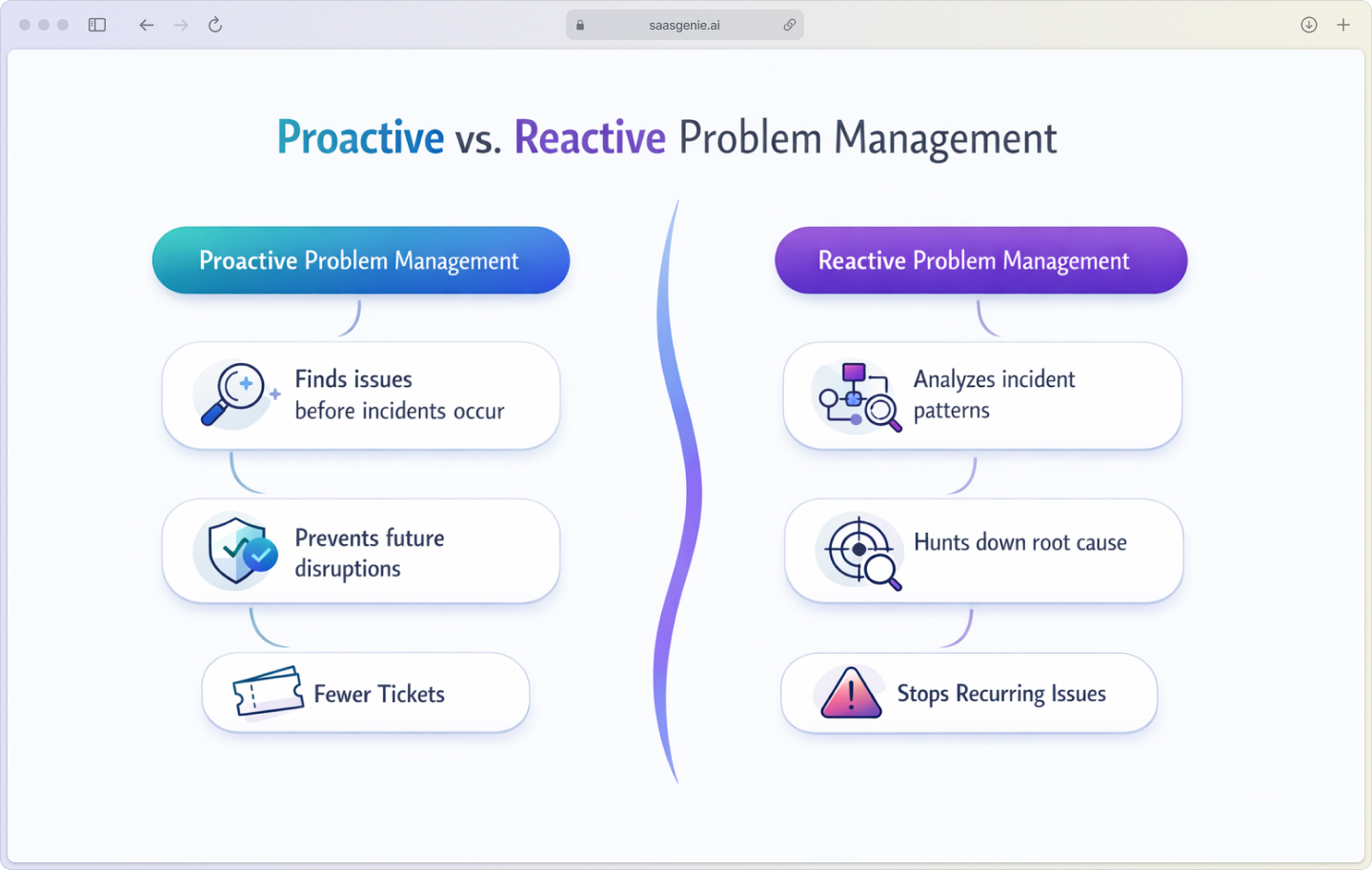
In practice, teams tackle problems in two complementary ways:
- Proactive problem management finds and fixes issues before they can spark new incidents.
- Reactive problem management jumps in once a pattern of incidents appears and hunts down the shared root cause.
Knowing which mode you're in helps you choose the right tools and level of urgency.
Think of it like being a detective for your IT systems. While incident management is like calling the fire department to put out fires, problem management is like figuring out why the fires keep starting in the first place.
Key terms you'll encounter:
- Problem: The unknown underlying cause of one or more incidents.
- Known error: A problem with a documented root cause and workaround.
- Workaround: A temporary fix that reduces the impact of incidents while a permanent solution is being developed.
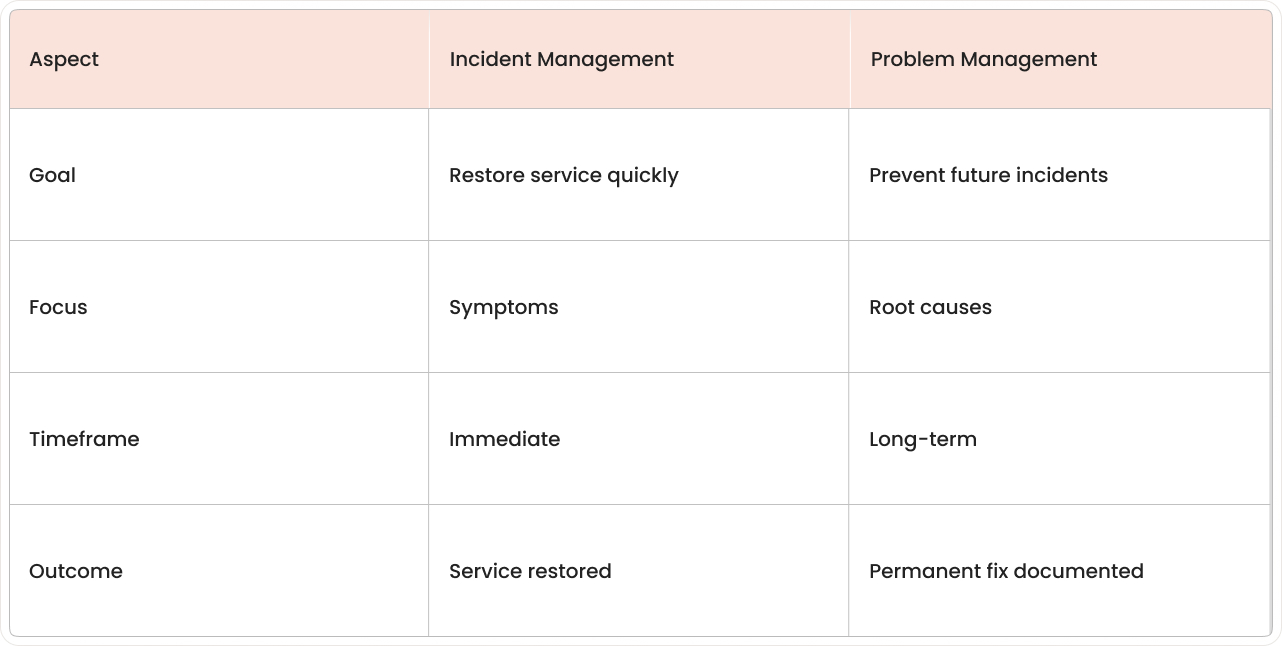
Problem management in ITIL is distinct from incident management. While incident management restores normal service operation as quickly as possible, problem management seeks to prevent incidents from happening again by addressing their source.
Problem management vs incident management
Understanding the difference between these two processes is crucial for anyone working in IT service management.
Incident management is like emergency medicine; you treat the symptoms to get the patient stable. Problem management is like preventive medicine; you find out what's causing the illness and work to prevent it from happening again.
We've seen teams get confused about when to escalate an incident to a problem. A good rule of thumb: if you're fixing the same issue for the third time, it's probably time to dig deeper into the root cause.
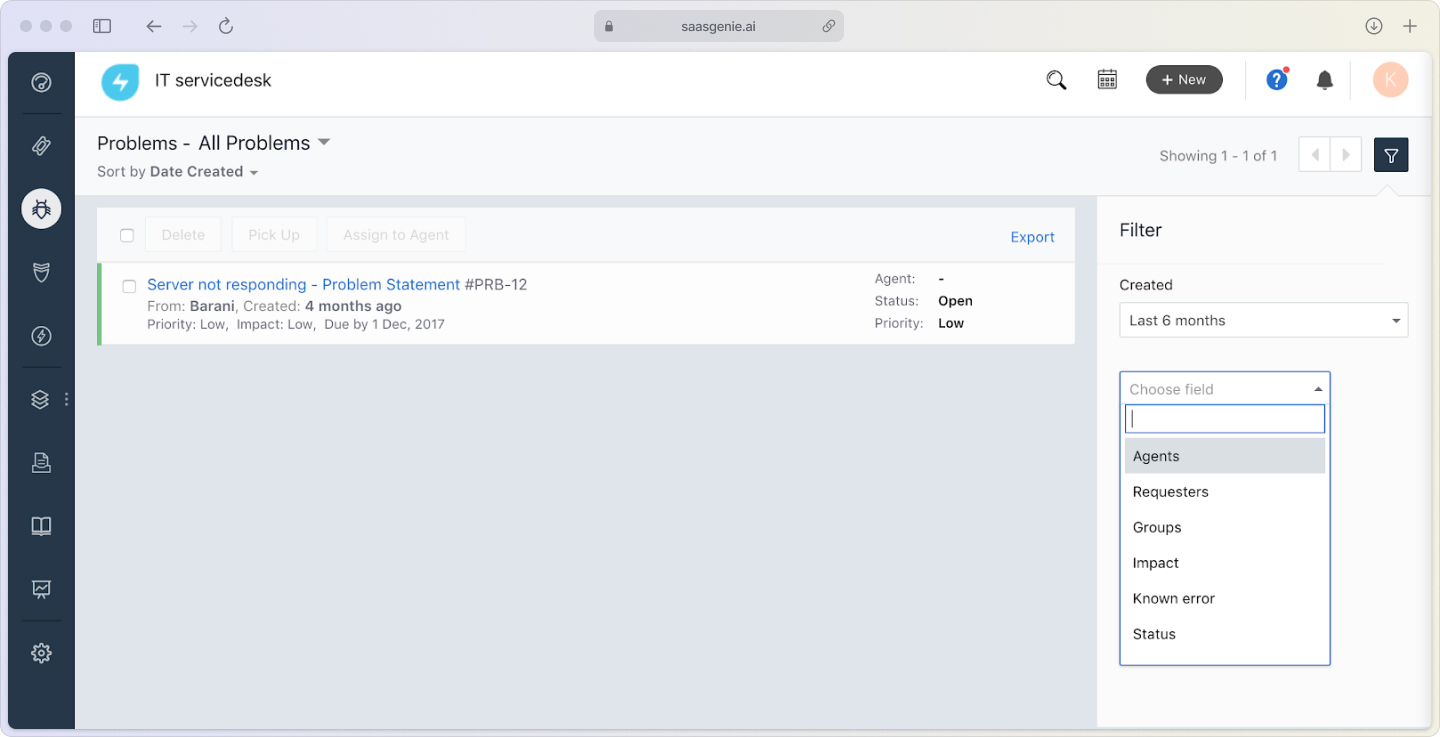
Here's a quick win: tag any repeat incidents and link them to a problem record. You can do this without changing your existing incident flow, just connect the dots as you go.
Why problem management matters for your IT operations
Problem management exists for one simple reason: stop issues before they snowball.
Reduced incident recurrence: Problem management works by finding and fixing the source of problems, which prevents the same incidents from happening over and over again. This lowers the amount of time systems are unavailable and decreases the volume of repeat tickets for the service desk, addressing the fact that over 13% of incidents are repeats.
Improved service quality: Proactive problem management creates IT services that work more reliably and consistently. Stable systems help end users do their work without frequent interruptions.
Better resource allocation: When fewer incidents repeat, technical teams spend less time fixing the same issues. This allows them to focus on projects or improvements that provide more value to the business, helping organizations avoid the over $700 billion per year lost to downtime in North America.
Stronger knowledge documentation: Problem management includes recording details about problems, workarounds, and solutions in what's called the known error database (KEDB). This documentation provides a reference that helps IT staff solve future issues more efficiently.
The ITIL problem management process
This is the standard workflow most organizations follow for managing problems. Freshservice provides robust support for each step:
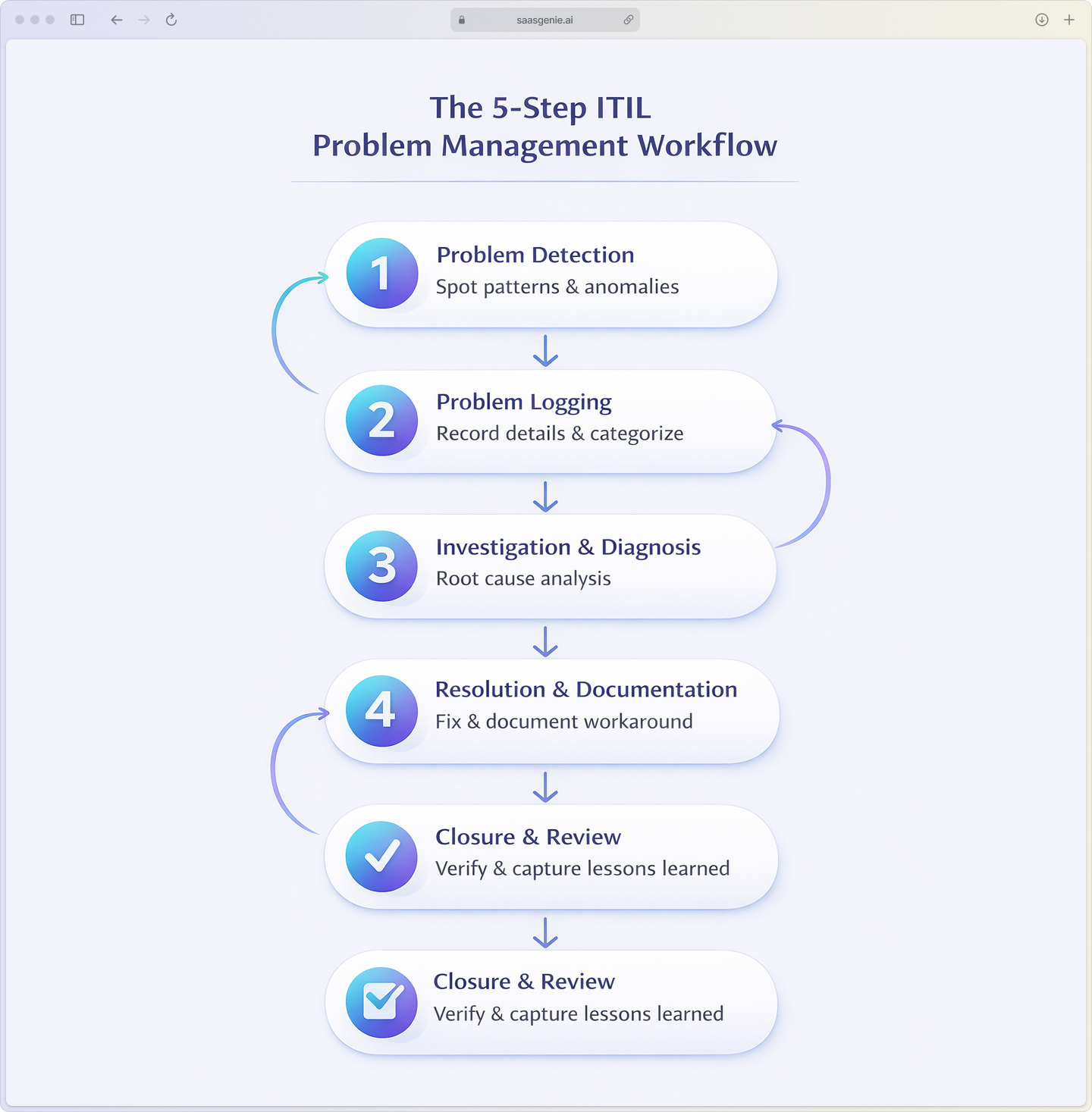
1. Problem detection
You can spot a potential problem when:
- Patterns appear in the incident queue.
- Monitoring tools flag unusual activity.
- A service desk agent realizes the issue isn't an isolated case.
Freshservice can be set up to automatically notice when incidents repeat, which helps start the problem management process without manual intervention.
2. Problem logging and categorization
After a problem is recognized, it gets recorded in the system with all important details. The information collected includes:
- Type of problem and its possible impact.
- Urgency level and priority.
- Any incidents that are related.
- Initial assessment of affected services.
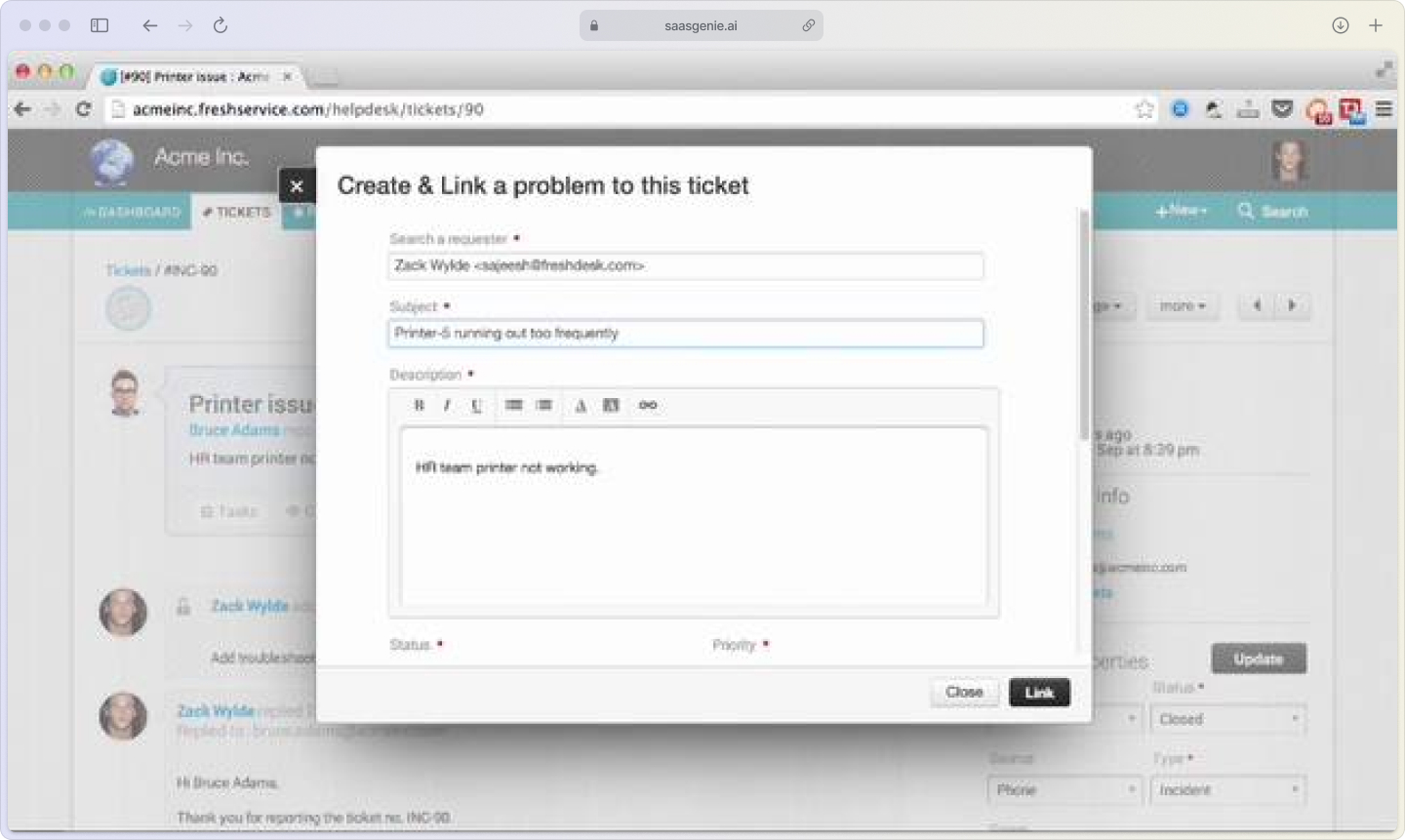
In Freshservice, related incident tickets are connected to the problem record to give a complete view of the issue's scope.
3. Investigation and diagnosis
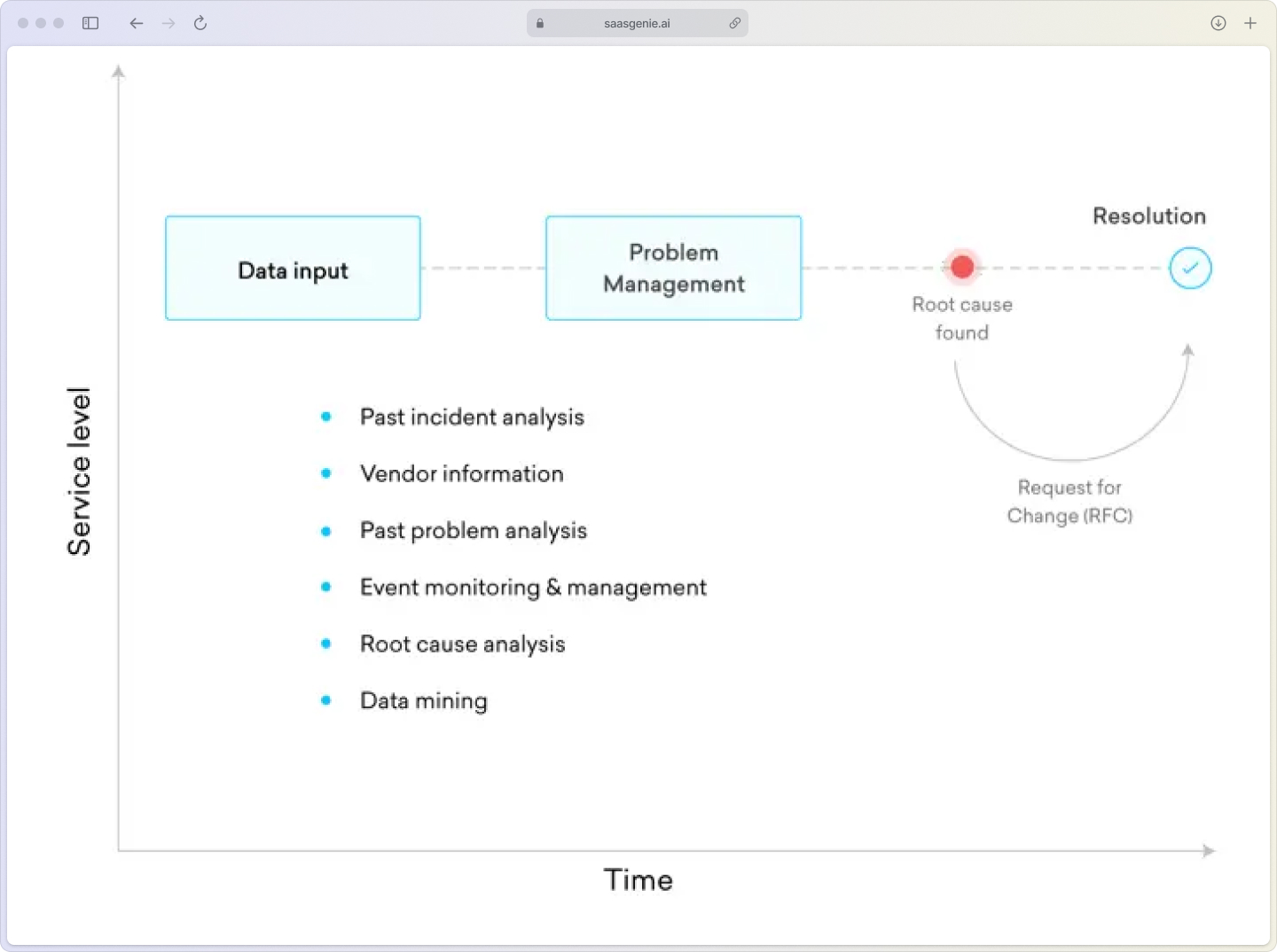
This step involves root cause analysis (RCA). Teams review system logs, check configurations, use the configuration management database (CMDB), and look at how different components are connected. The goal is to identify what led to the problem.
4. Resolution and workaround documentation
- Root cause
- Steps taken to resolve
- Workaround (if any)
- Links to related incidents or knowledge articles
5. Problem closure and review
After verifying that the fix or workaround has worked, the team formally closes the problem record. Organizations often review the process after closing the problem to note any lessons learned and to improve how they manage future problems.
Root cause analysis techniques that actually work
Root cause analysis (RCA) is the heart of effective problem management. Here are practical methods your team can use in Freshservice:
The 5 Whys method
This simple technique uses a series of questions to move past the immediate problem and reach the underlying cause. Start with a question about the incident, then each answer forms the basis of the next "why" question.
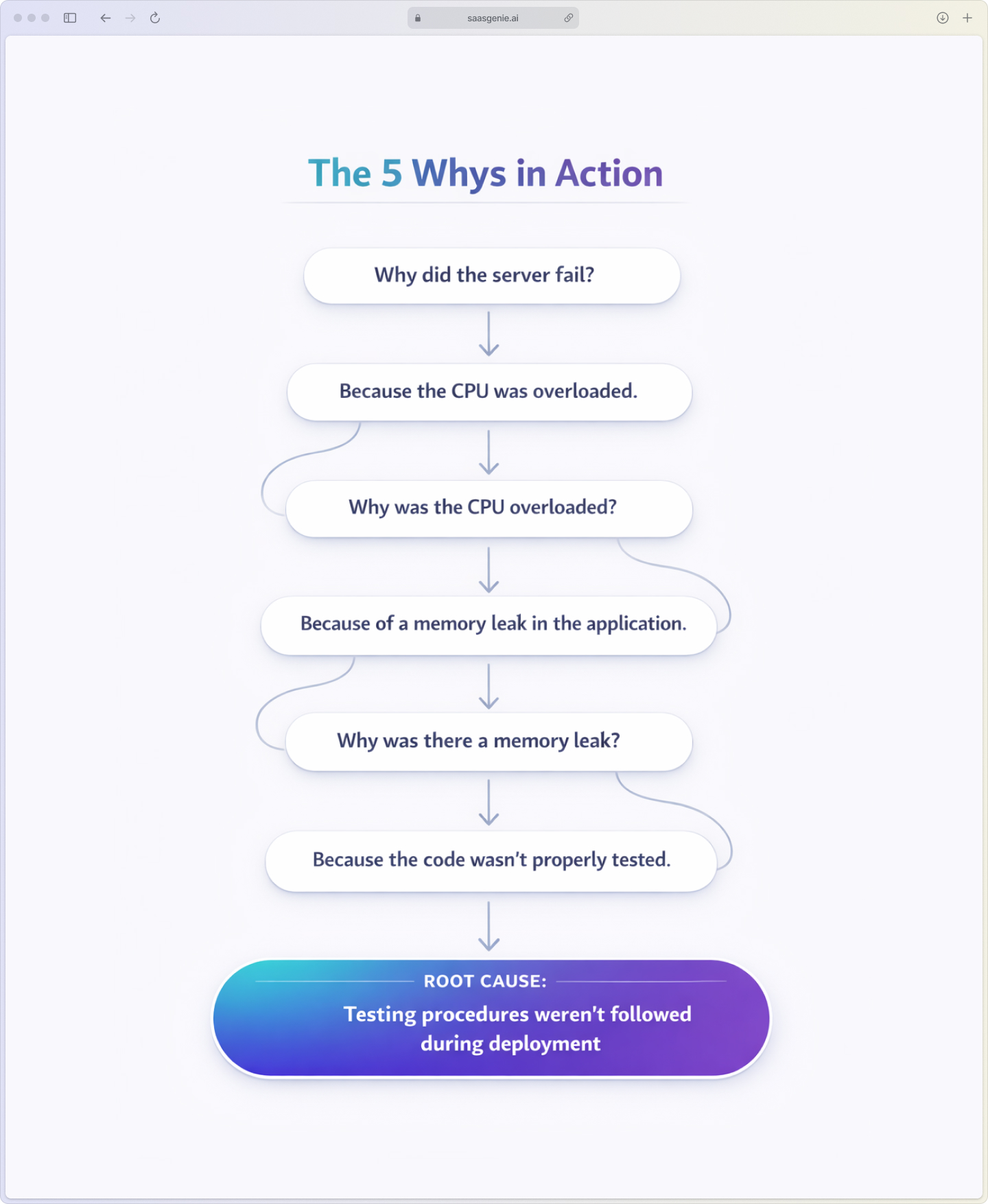
For example: "Why did the server fail?" → "Because the CPU was overloaded" → "Why was the CPU overloaded?" → "Because of a memory leak in the application" → and so on until you find the root cause.
Cause and effect analysis
Also known as a fishbone or Ishikawa diagram, this method organizes possible causes into categories:
- People: Training, skills, staffing issues
- Process: Procedures, workflows, documentation gaps
- Technology: Hardware, software, infrastructure problems
- Environment: Physical conditions, external factors
The team draws a diagram with the problem at the head and branches representing each category, then lists possible causes along each branch.
Collaborative brainstorming
Complex problems often span multiple technical domains. Bringing together people from different teams, networking, applications, and infrastructure helps identify causes that may not be obvious when working alone.
Freshservice's collaboration features, like shared ownership and discussion threads, make it easy to coordinate these cross-team investigations.
How problem management integrates with other ITIL processes
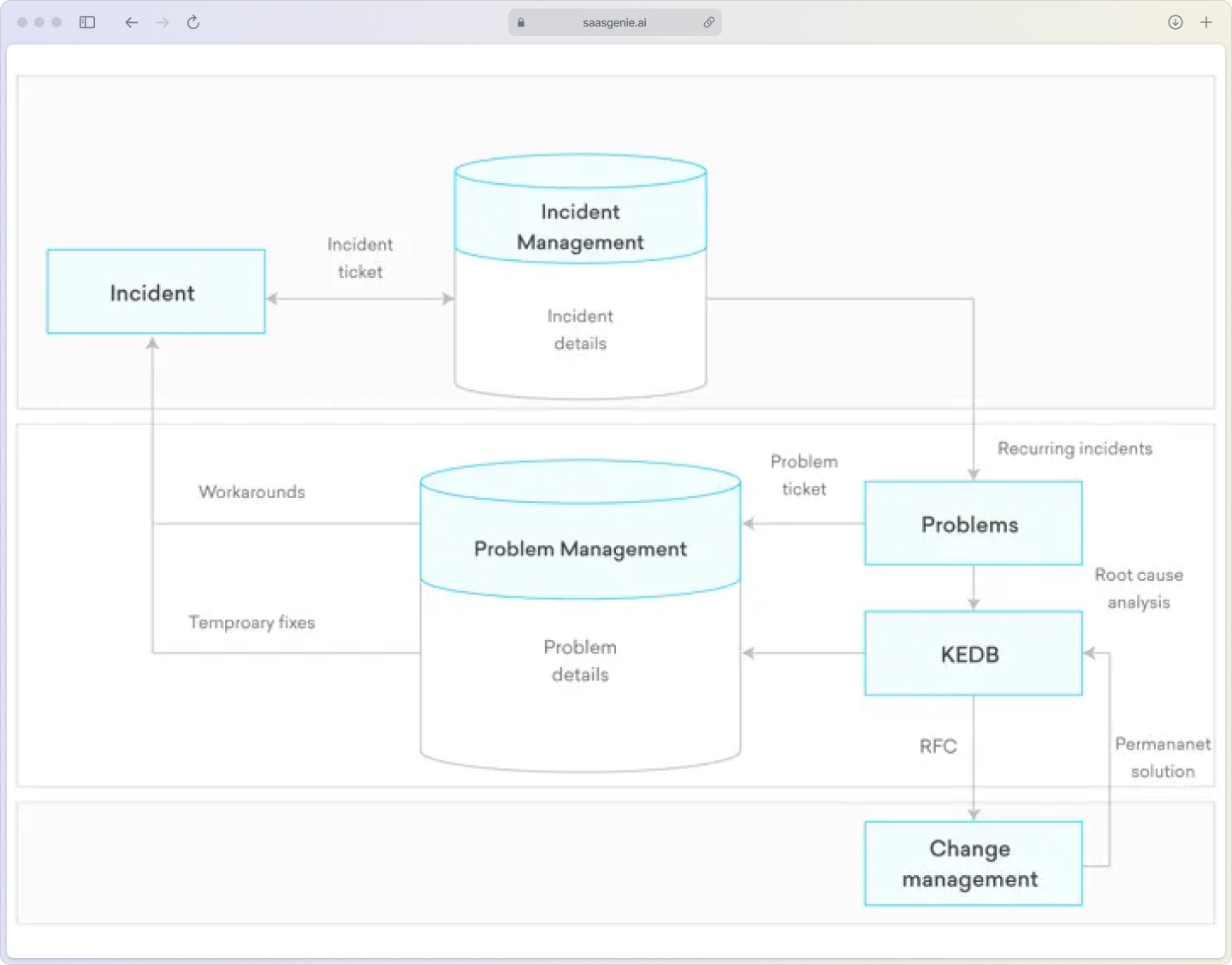
Problem management doesn't work in isolation. It connects with several other IT service management processes:
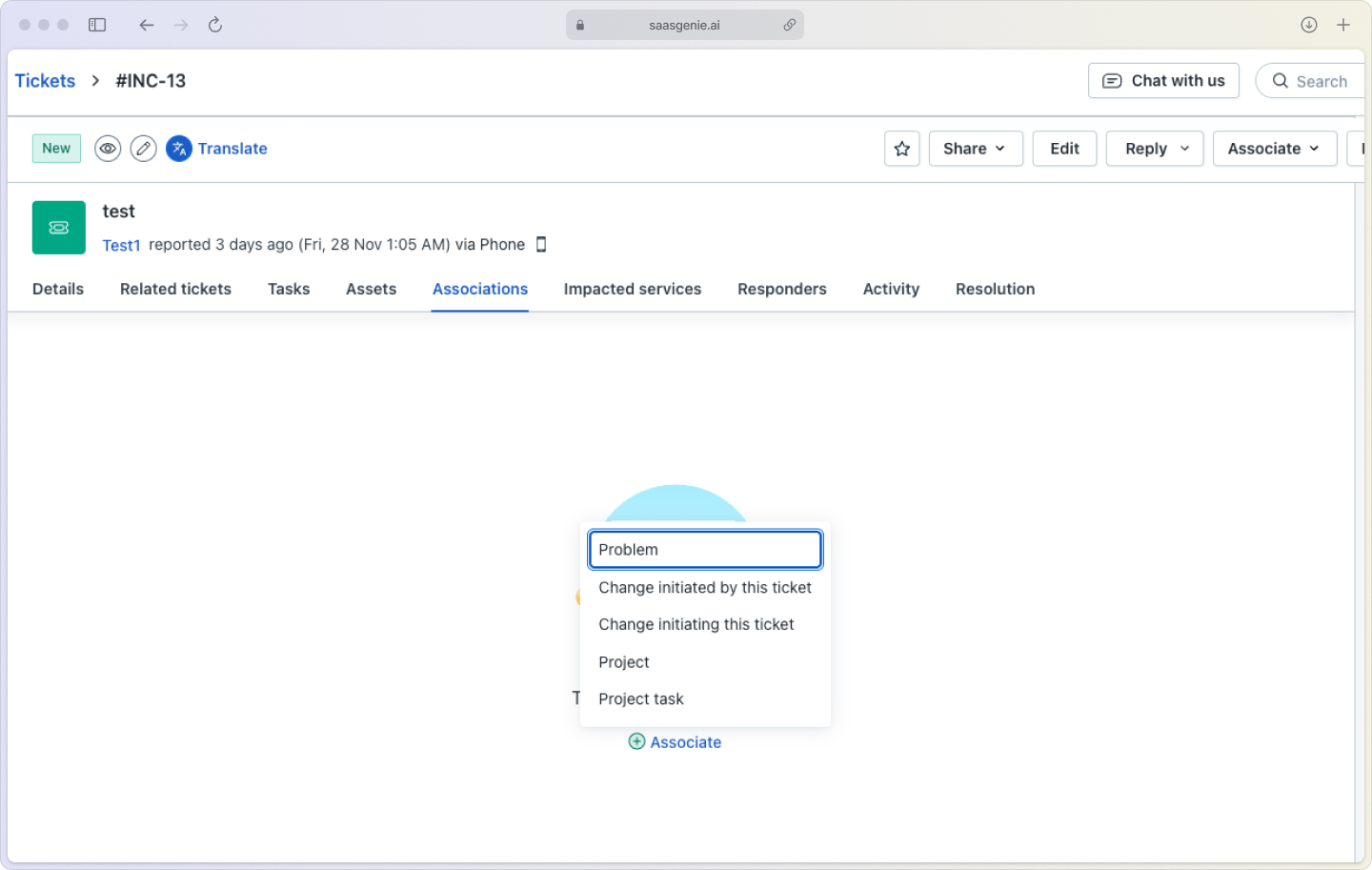
Incident management: When an incident can't be resolved with a simple fix, it often gets linked to a problem record. In Freshservice, incidents can be grouped under a single problem to show all related issues in one place.
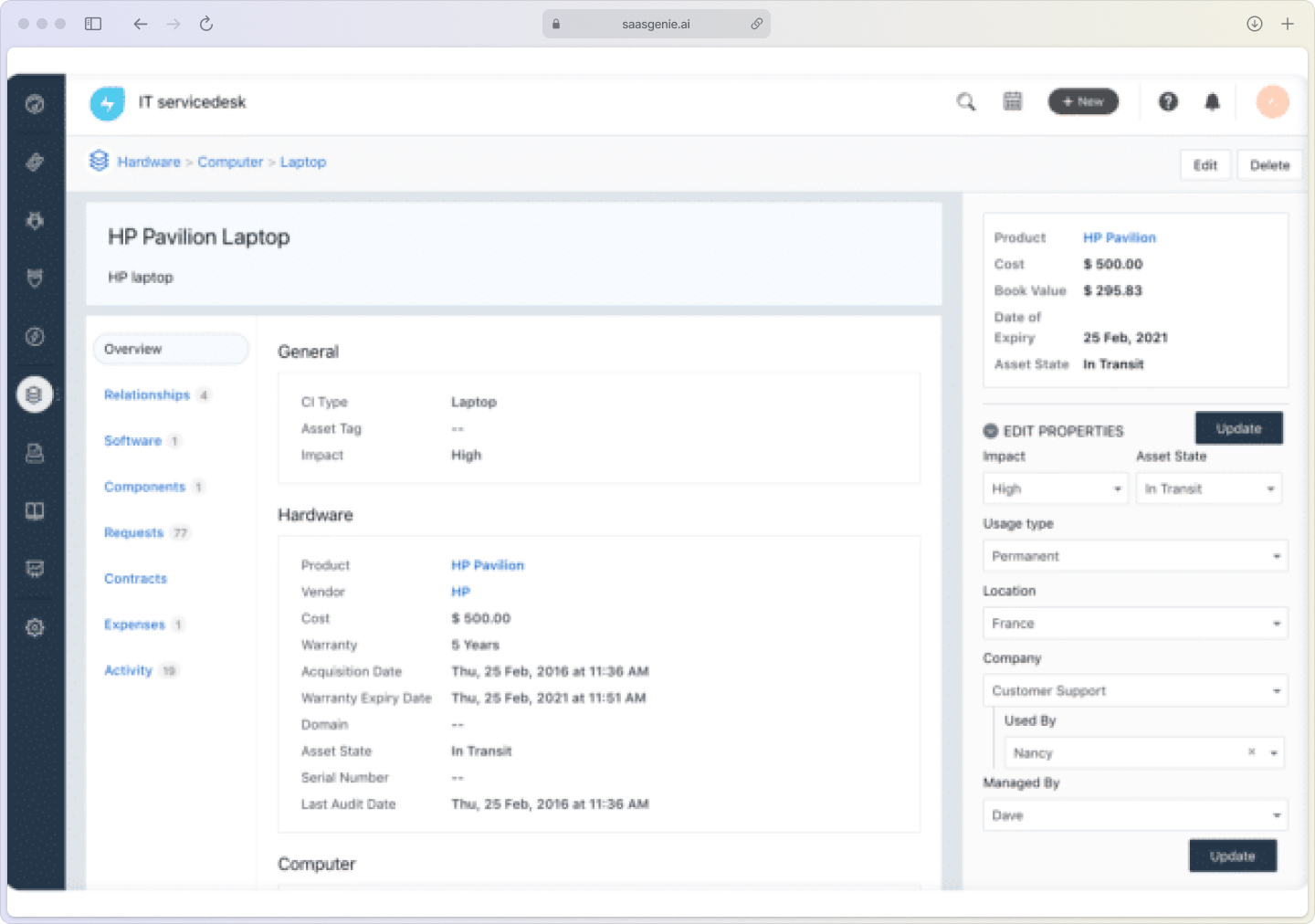
Change management: Solving a problem sometimes requires making changes to systems, applications, or processes. Problem tickets in Freshservice can be linked to change requests, ensuring that any fix goes through proper review and approval.
Configuration management: A Configuration Management Database (CMDB) stores information about IT assets and their relationships. During problem management, the CMDB helps teams find which configuration items are involved and what might be affected by a change.
Knowledge management: Problem management results in new information about solutions and workarounds. These details get added to the knowledge base, so when similar incidents happen in the future, service desk agents and users can find answers quickly.
Problem management best practices for Freshservice
Based on our experience implementing Freshservice for clients, here are practical tips that work:
Establish clear problem identification criteria: Some organizations use set rules to decide when a problem record gets created. Examples include "more than five related incidents in one week" or "any single incident with high business impact."
Document everything in your known error database: A known error database (KEDB) stores information about workarounds and permanent solutions. Recording every workaround and solution keeps knowledge available to everyone on the team. Freshservice provides tools to make this process straightforward.
Conduct regular problem reviews: Teams hold regular meetings, weekly or bi-weekly, to review open problems, study patterns, and choose which investigations to prioritize. Some organizations combine this review with their Change Advisory Board meetings.
Link problem tickets to change requests: When a solution involves a change to the IT environment, problem tickets get connected to change requests. This creates a record that follows the issue from discovery through approval and implementation.
Common problem management mistakes to avoid
Here are pitfalls I've seen teams fall into:
Confusing problems with incidents: Treating a problem as if it's an incident leads to focusing on short-term fixes instead of investigating the underlying cause. This approach often results in repeated issues because the root cause remains unresolved.
Skipping root cause analysis: Teams sometimes close problem records after applying a temporary workaround, without performing proper root cause analysis. Without this step, the actual reason for the problem isn't identified.
Neglecting the known error database: When workarounds and solutions aren't recorded in the known error database, valuable information gets lost. This means the same issues may require repeated investigation.
Working in silos: When teams like infrastructure, application, and network operate separately, they may overlook connections between different parts of the IT environment.
Key Freshservice problem management features
Freshservice offers several features that support the ITIL problem management process:
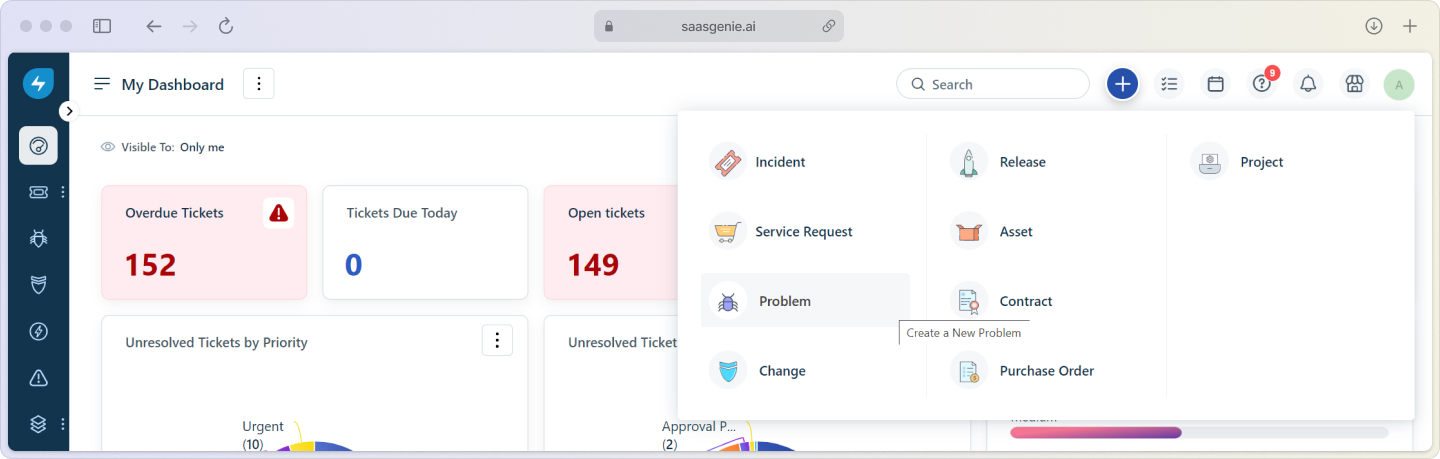
Automated problem detection and incident linking: Freshservice can scan incidents as they come in, look for repeating patterns, and flag them for further review. When similar incidents are detected, the system can suggest creating a problem ticket and linking all related incidents together.
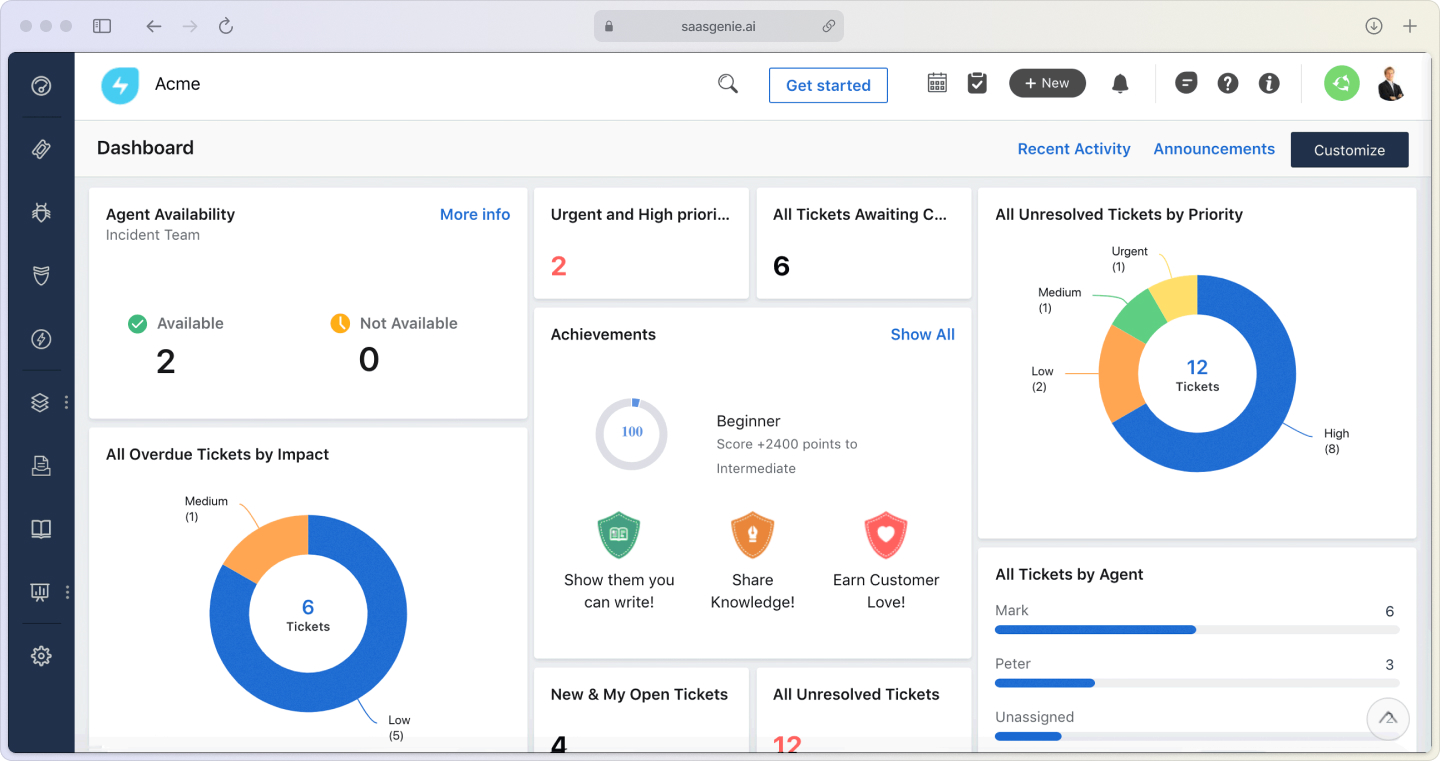
Built-in root cause analysis tools: Freshservice provides a timeline view that shows all activities related to a problem from start to finish. The system connects related records—incidents, changes, and assets—making it easy to follow the flow of information.
Known error database management: You can create known error articles directly from resolved problem tickets. These articles contain workarounds and permanent solutions, stored in a searchable database that can be linked to future incidents.
Workflow automation and analytics: Freshservice allows teams to set up automation rules for handling problem tickets. These rules can route problems to the correct team, send updates, and manage follow-up steps. Analytics tools display problem trends and provide reports on problem management progress.
AI and automation in problem management
I like to think of Freddy AI as our resident detective. While we sip our morning coffee, Freddy sifts through every incoming ticket, groups related incidents, and waves a flag when the same gremlin starts bothering multiple users or systems.
Predictive analytics analyzes past data to forecast when or where similar problems might occur. This allows IT staff to identify patterns and focus on issues before they develop into larger incidents.
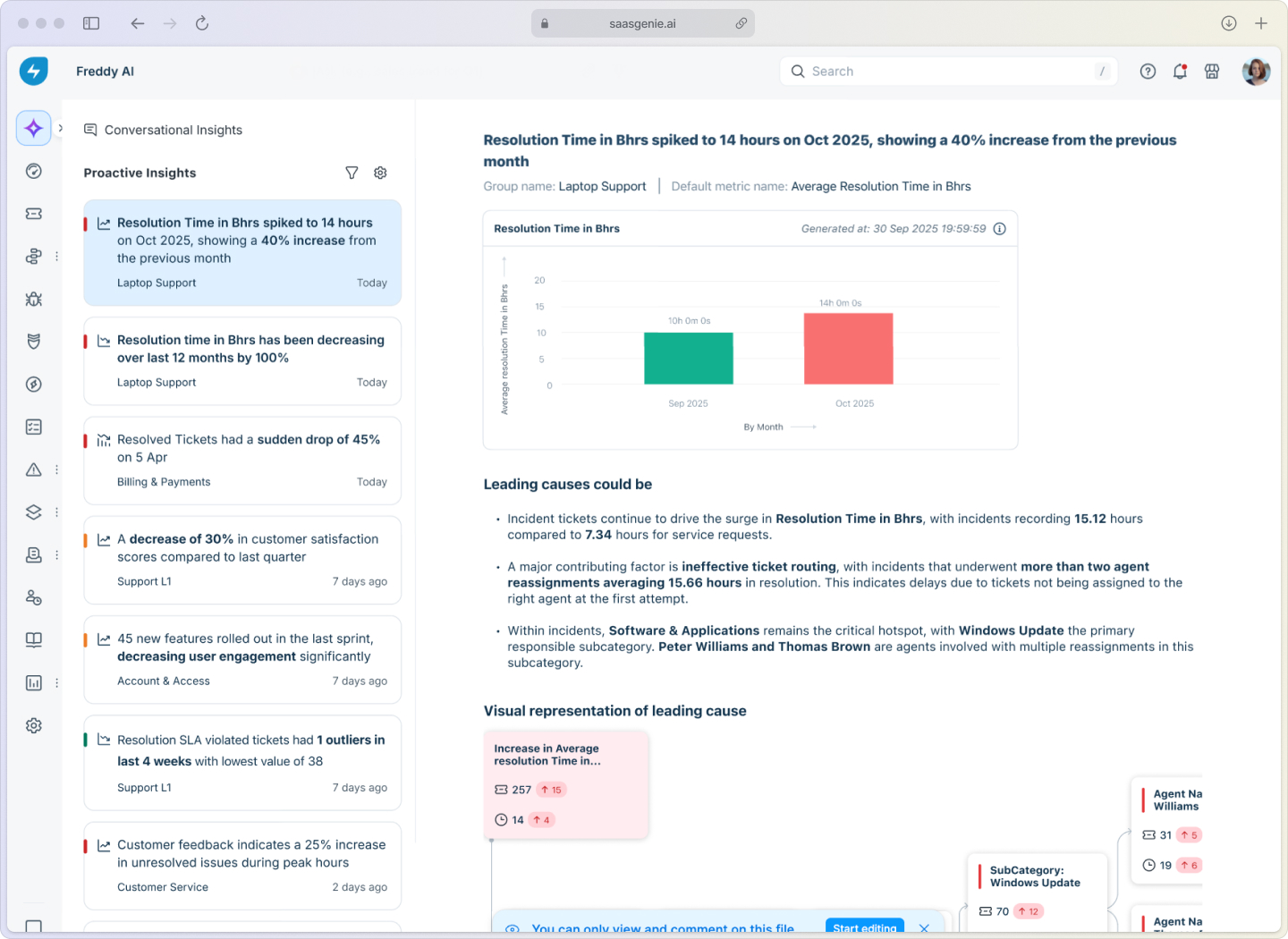
Freshservice uses AI to suggest possible causes and solutions for problems based on information from previous incidents, tickets, and knowledge articles. When a new problem is logged, the system can recommend relevant workarounds or past resolutions, contributing to the 50% reduction in MTTR that organizations using AIOps experience.
As Gartner notes, AI in IT service management is becoming essential for organizations looking to improve efficiency and reduce manual work.
Get expert help with your Freshservice problem management implementation

saasgenie works with organizations to set up or improve problem management in Freshservice.
Our certified consultants use their experience to configure the platform according to each organization's requirements and define clear problem management processes.
We help with tasks like setting up problem workflows, linking incidents to problems, and ensuring knowledge gets captured in the system. We also guide teams through implementing automation, analytics, and reporting features.

Ready to optimize your problem management process?
Contact us for a consultation.