




15 Top Customer Experience Platforms for 2026
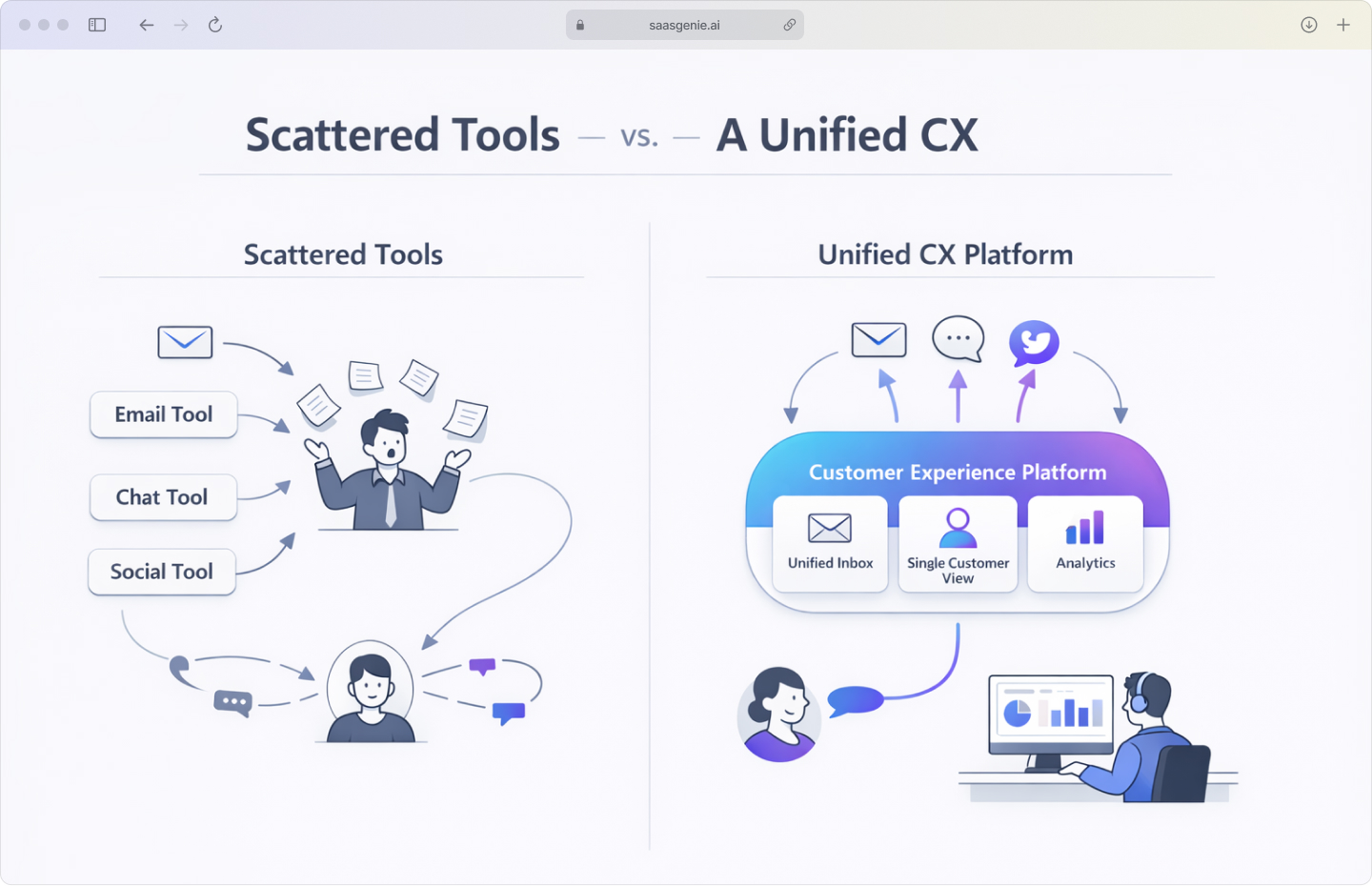
These days, customers ping us everywhere: email, chat, socials, the trusty phone, even a late-night self-service ticket. If those chats are scattered across different tools, following the story feels like chasing loose papers in the wind.
That is where CX tool selection gets complicated for first-time buyers. Many platforms use similar language, but they do not all organize customer conversations, data, and workflows in the same way.
Some tools focus on one task, such as live chat or surveys. A customer experience platform covers a wider part of the journey, so teams can see interactions, feedback, and service activity in one place.
This article looks at customer experience platforms from a practical angle. The goal is to explain what a CX platform is, what it includes, and how it differs from other software categories.
What is a customer experience platform?
When we talk about a customer experience platform, we mean software that pulls every customer interaction, email, chat, social media, phone, and feedback into one place. It brings communication channels, customer records, and reporting together so teams can manage the full experience in one system.
In simple terms, a CX platform gives teams one place to follow the customer journey. That includes questions before a purchase, support requests after a purchase, and feedback about the experience.
A CX platform is different from a point solution because it does not focus on only one task. A point tool may handle chat, ticketing, or surveys alone, while a customer experience management platform connects those activities into one broader view.
Common parts of a customer experience platform include:
- Unified inbox: Combines email, chat, social media, and phone interactions in one view.
- Customer data: Stores interaction history, preferences, and profile details for each customer.
- Analytics: Tracks metrics such as customer satisfaction, response times, and conversation trends.
- Automation: Handles repeated tasks such as ticket routing, status updates, and follow-up workflows.
Why CX platforms matter for business growth
Customer experience affects whether people stay with a business or leave after one bad interaction. Fast replies, clear communication, and accurate support often lead to repeat purchases and fewer lost customers.
Growth is often easier to achieve when existing customers continue buying over time, with 5% retention increases yielding 25-29% revenue growth. A customer experience management software helps teams track service quality, resolve issues earlier, and reduce the friction that pushes customers away.
Customer experience software also improves internal coordination. When teams share the same customer history and performance data, handoffs are clearer, and service errors are less common.
In crowded markets, products and prices are often similar across companies. Customer experience becomes a practical difference, especially when buyers compare response times, issue resolution, and ease of getting help.
Must-have features in customer experience software
When evaluating customer experience tools, here is the checklist we use to confirm that a platform covers the main operational parts of CX. Each feature supports a different part of customer communication, service delivery, and reporting.
Omnichannel conversation management
Omnichannel communication means customer conversations stay connected across email, chat, social media, messaging apps, and phone support. A customer can start in one channel and continue in another without losing context, though only 33% of companies offer fully integrated omnichannel support.
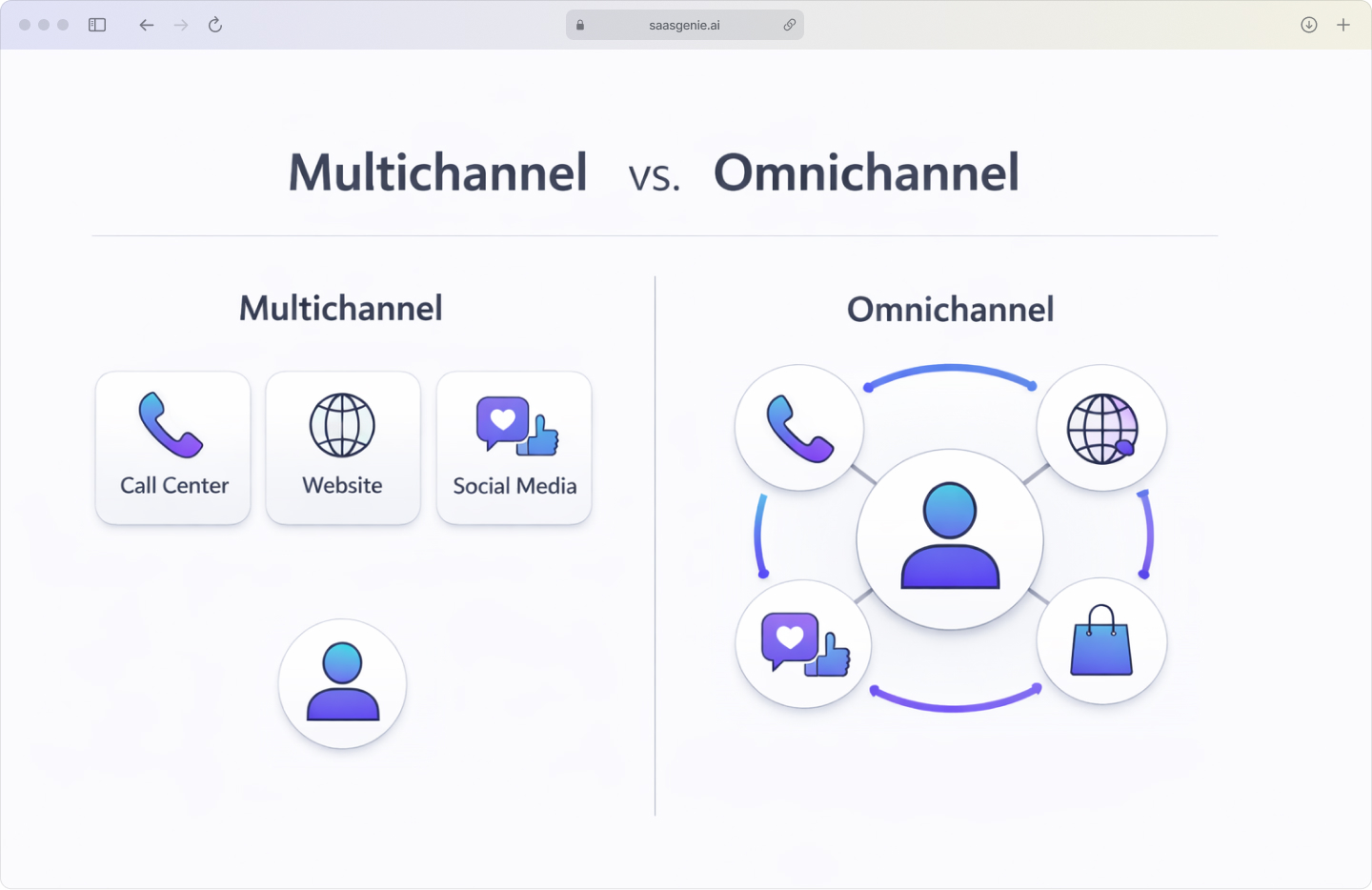
The platform records the conversation as one interaction history instead of separate threads in separate tools. Agents see the full exchange, which reduces repeated questions and broken handoffs.
AI chatbots and virtual agents
AI customer experience software uses chatbots and virtual agents uses chatbots and virtual agents to handle simple requests such as order status questions, password help, appointment changes, and basic troubleshooting. They work at any time of day and respond based on rules, knowledge articles, and language models.
Some systems also pass the conversation to a human agent when the issue becomes more complex. In stronger platforms, the bot shares the conversation summary so the customer does not restart from the beginning.
Customer journey mapping and analytics
Customer experience analytics platforms show the steps a person takes while interacting with a company across sales, support, onboarding, and follow-up. This helps teams see where delays, confusion, or drop-offs happen.
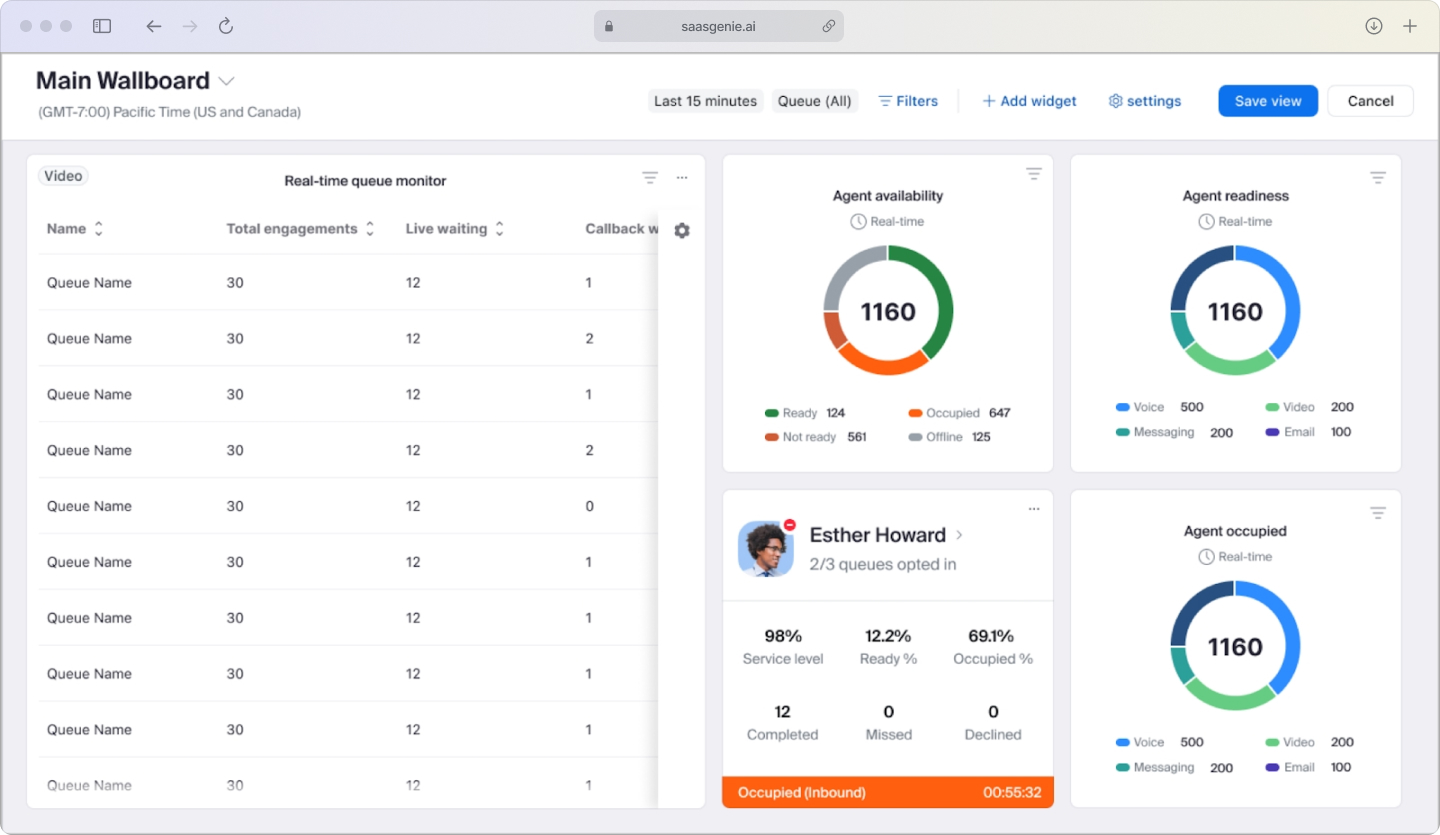
Analytics adds measurement to that map. Teams can track response times, repeat contact rates, customer satisfaction, and common points where service quality falls.
Self-service portal and knowledge base
A self-service portal gives customers one place to search for answers, submit requests, and check status updates. A knowledge base stores articles, FAQs, setup steps, policies, and troubleshooting instructions.
When the content is organized well, customers can solve common issues without waiting for an agent. Teams also use the same articles during live conversations, which keeps answers more consistent.
Workflow Management
We always look for built-in workflow tools that remove repetitive hand-offs. A good CX platform lets you set rules for ticket creation, approvals, and escalations so issues move forward automatically instead of sitting in limbo.
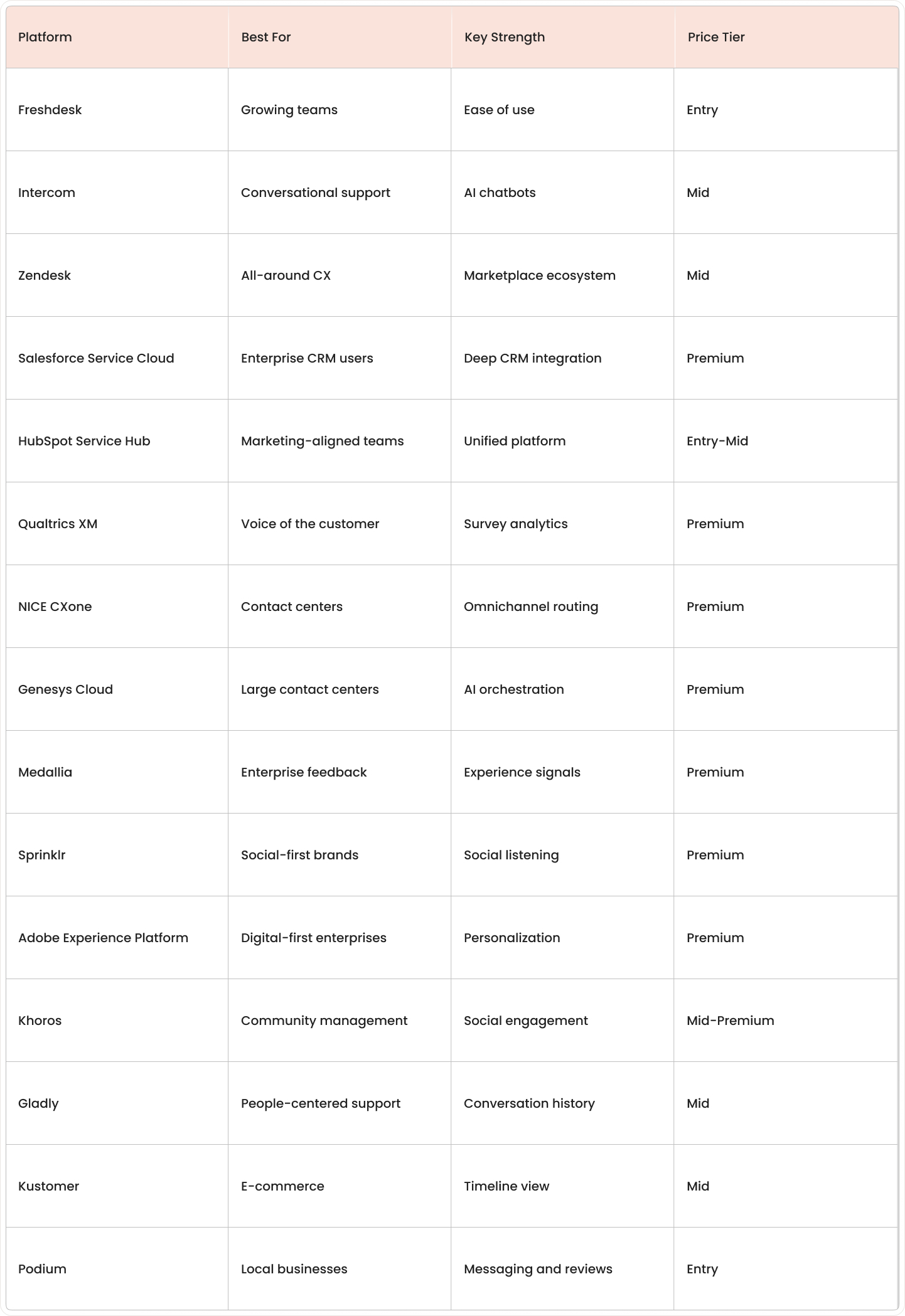
Top 15 customer experience platforms at a glance
This comparison table provides a quick overview of the 15 platforms reviewed below. The pricing tiers are approximate and can vary based on deployment scope, user count, add-ons, and contract structure.
Best customer experience platforms reviewed
This section covers the platforms that come up most often when I work with clients on CX implementation planning. The focus is practical fit: which teams each platform serves best, what it handles well, and where limitations usually show up during real-world use.
Freshdesk
Freshdesk works well for growing support teams that need structured ticketing, omnichannel coverage, and self-service without a six-month buildout. I see it chosen most often by companies that want a clean interface, fast onboarding, and room to scale without heavy customization upfront.
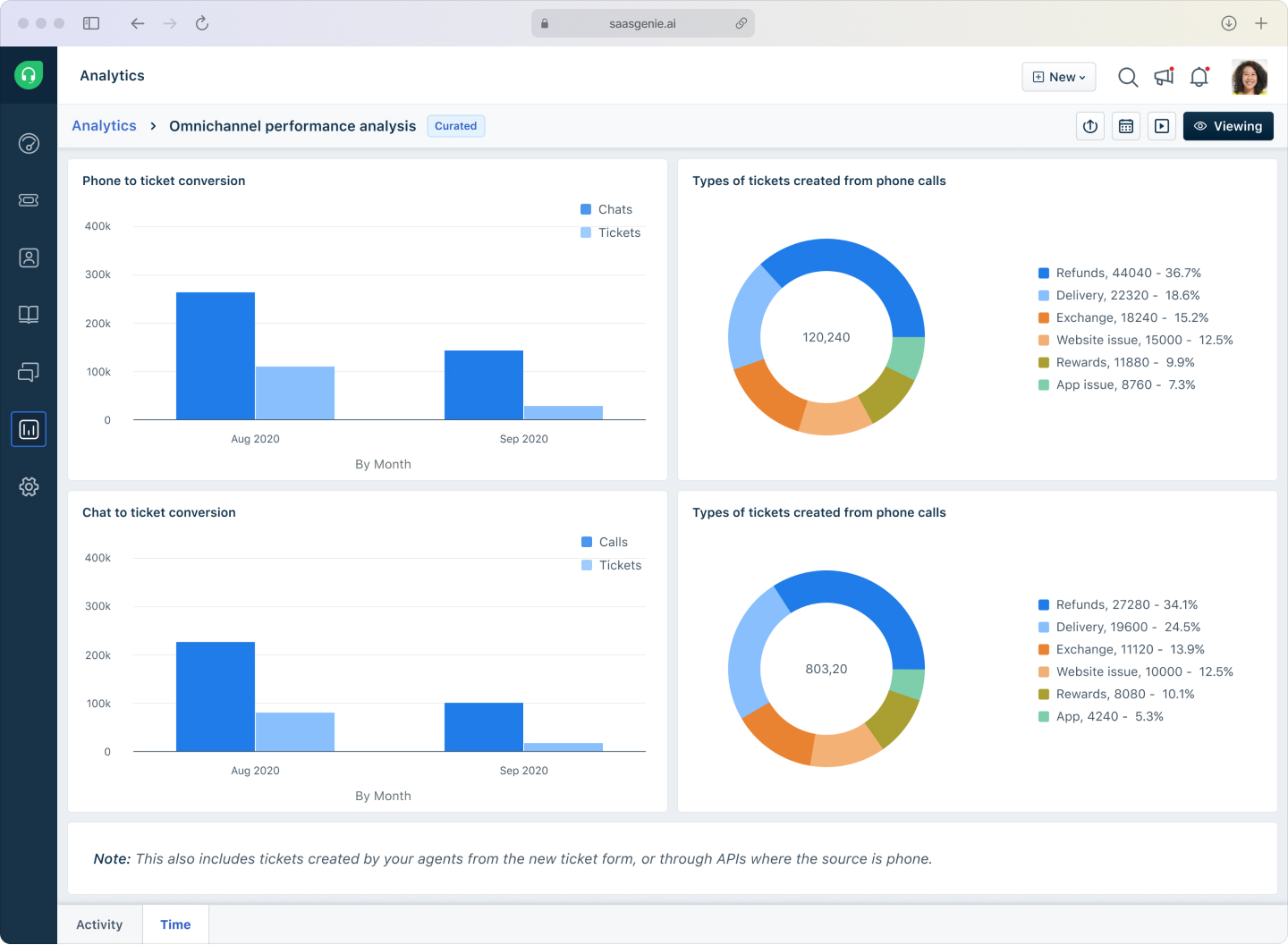
As a certified Freshworks partner, I have helped teams deploy Freshdesk when speed, clarity, and steady expansion matter more than deep workflow engineering at launch.
Intercom
Intercom is built around conversational support. It fits software companies, digital service teams, and subscription businesses that handle high volumes of real-time chat, in-app messaging, and proactive outreach.
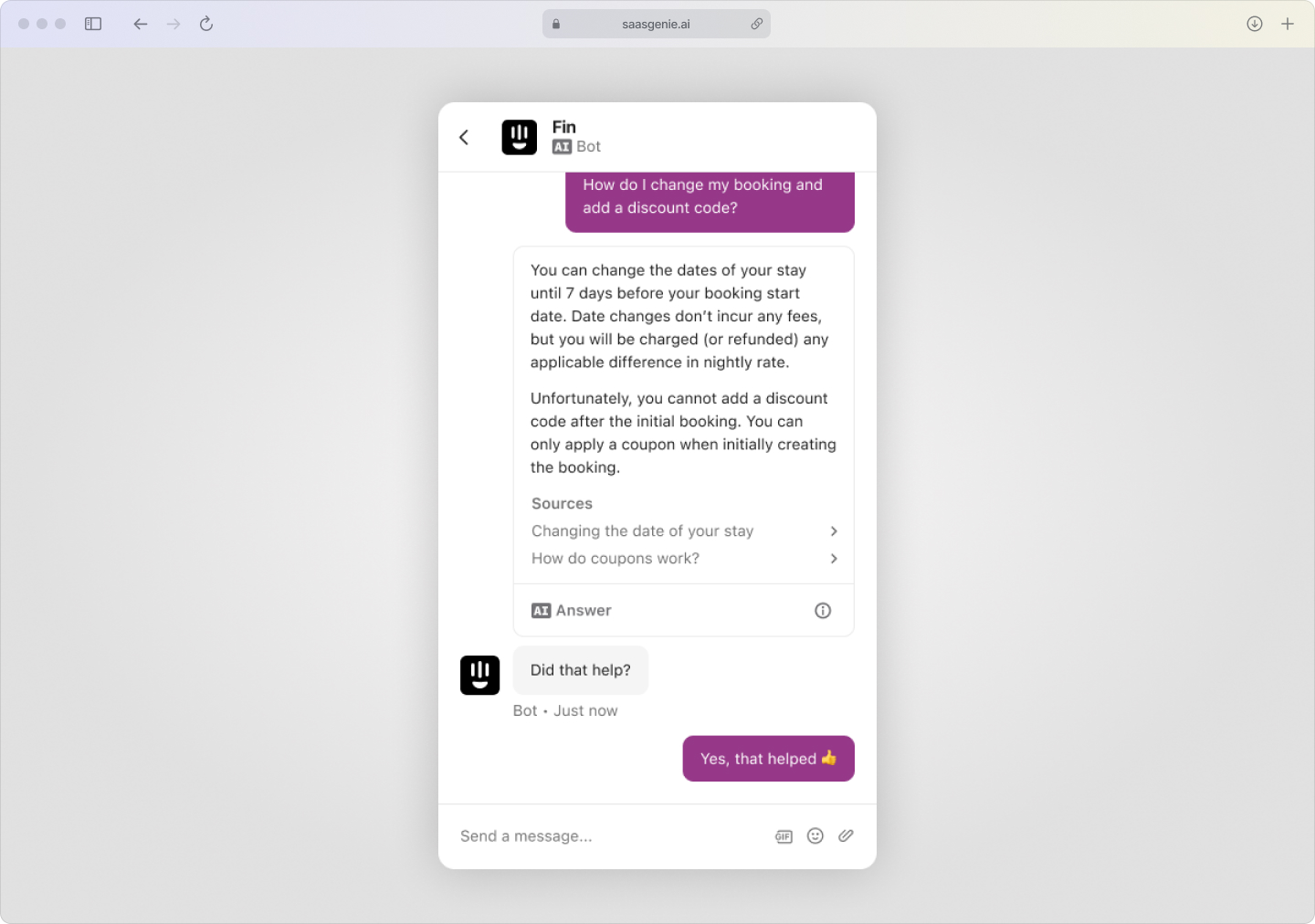
Its strongest area is AI-assisted messaging and chatbot-led support flows. As a certified Intercom partner, I recommend it when messaging is a core support channel, not an afterthought.
Zendesk
Zendesk appears in most evaluations where teams want broad feature coverage, a large app marketplace, and flexibility to build custom workflows. It handles omnichannel support, ticketing, knowledge management, and reporting in one system.
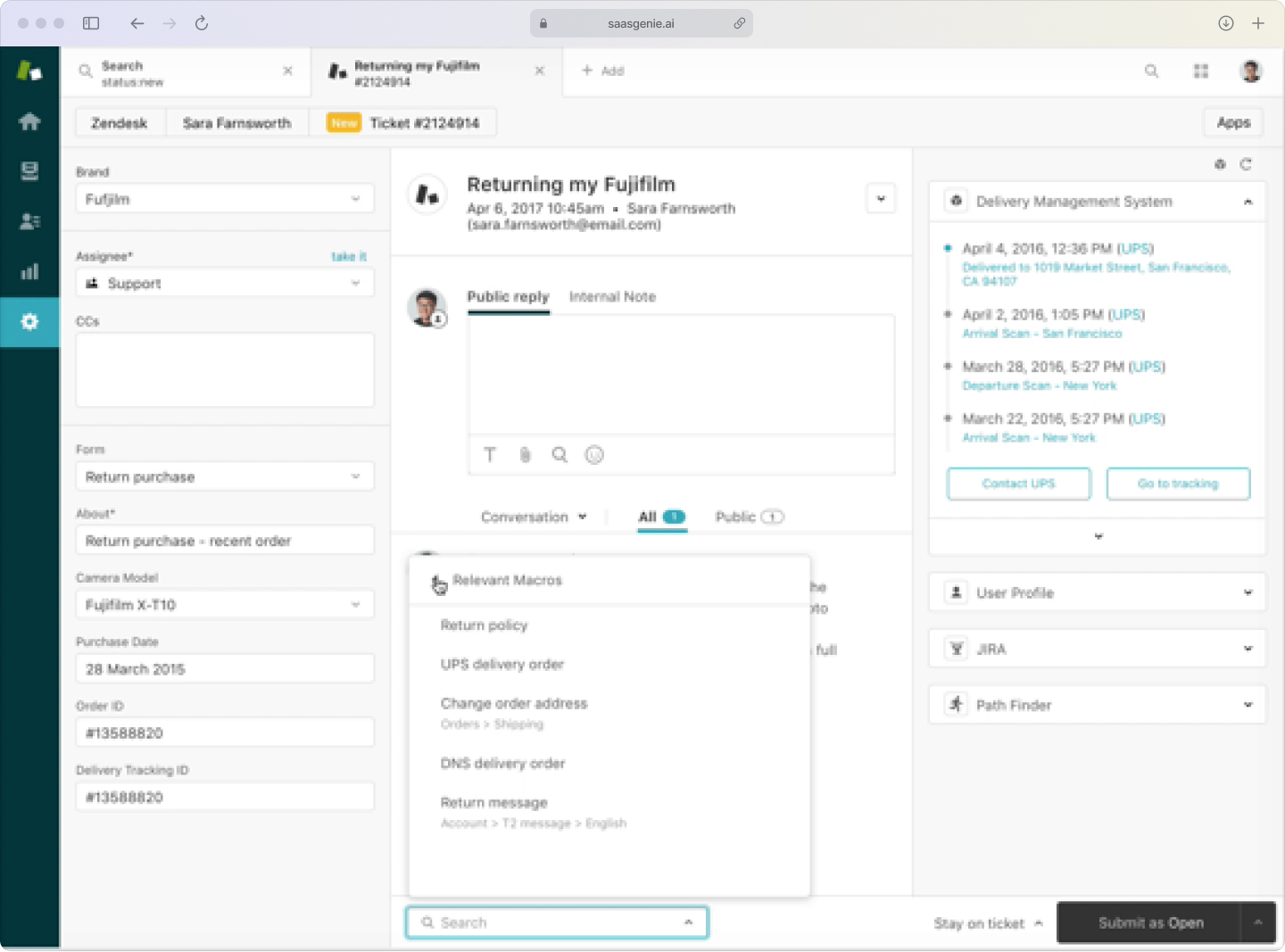
It tends to fit organizations with the time and internal resources to configure the platform around detailed service workflows. Setup complexity is higher than entry-level tools, but the ceiling for customization is also higher.
Salesforce Service Cloud
Salesforce Service Cloud makes the most sense for organizations already running customer data, sales pipelines, and reporting inside the Salesforce ecosystem. Service capabilities are tightly integrated with CRM records, which gives support teams full visibility into account history, open deals, and cross-functional activity.
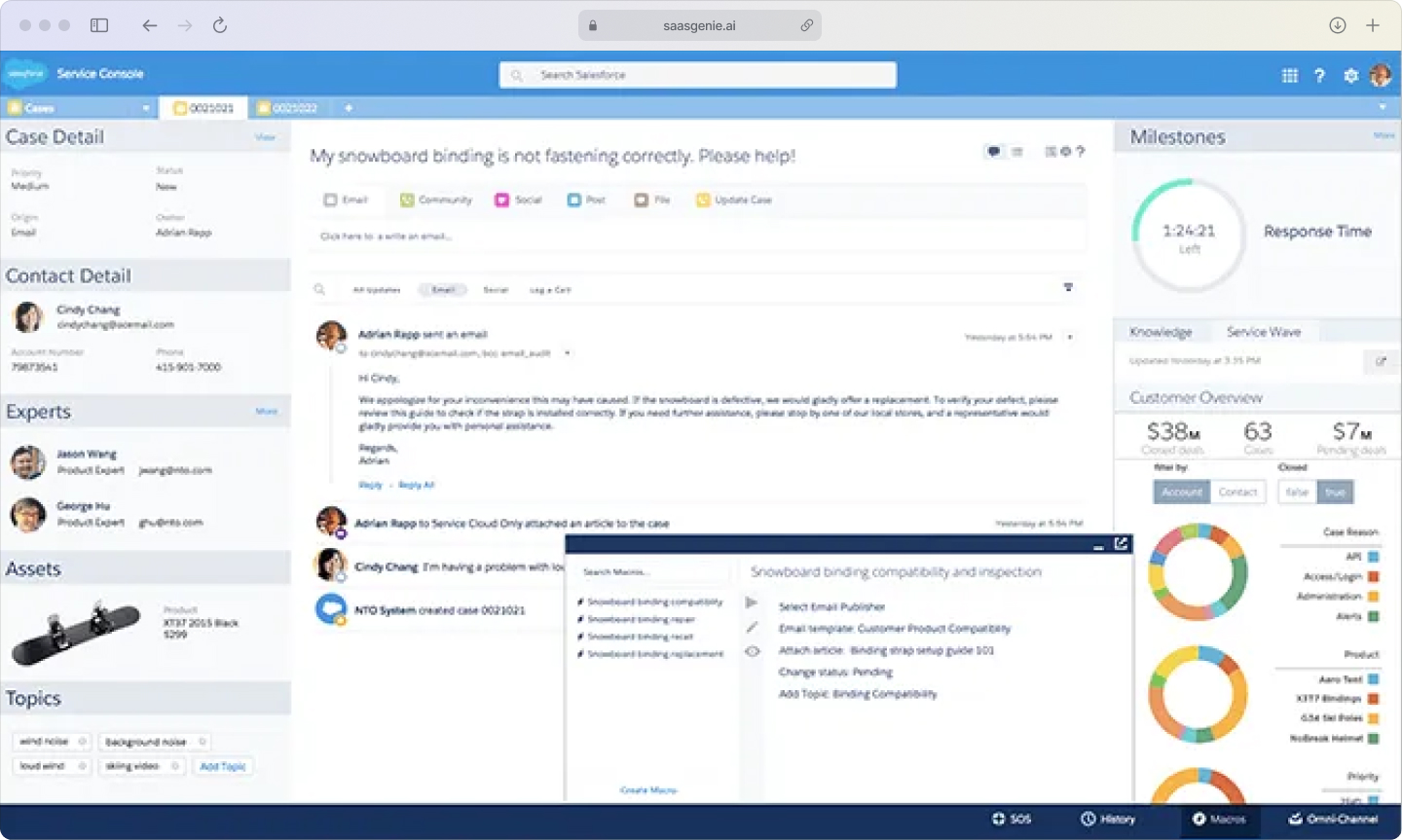
This structure works best in larger environments with complex account management, multi-team handoffs, and a need for unified customer context across departments.
HubSpot Service Hub
HubSpot Service Hub is often chosen by companies already using HubSpot for marketing or sales. It keeps service activity inside the same platform, which simplifies ticket-to-contact linking, shared reporting, and cross-team visibility.
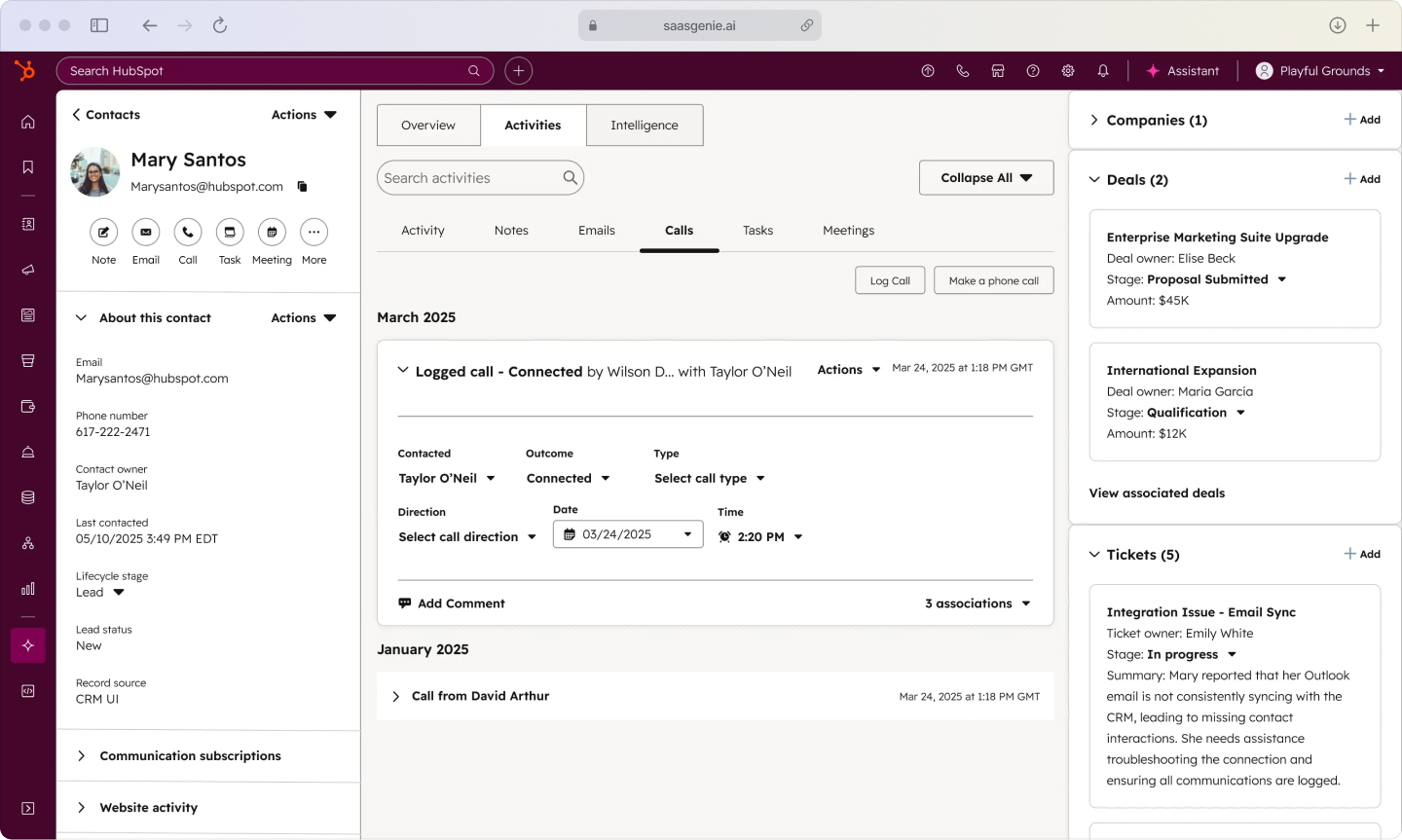
We see it fit best with growing businesses that want one unified system across marketing, sales, and support rather than stitching together separate tools.
How to choose the right CX platform
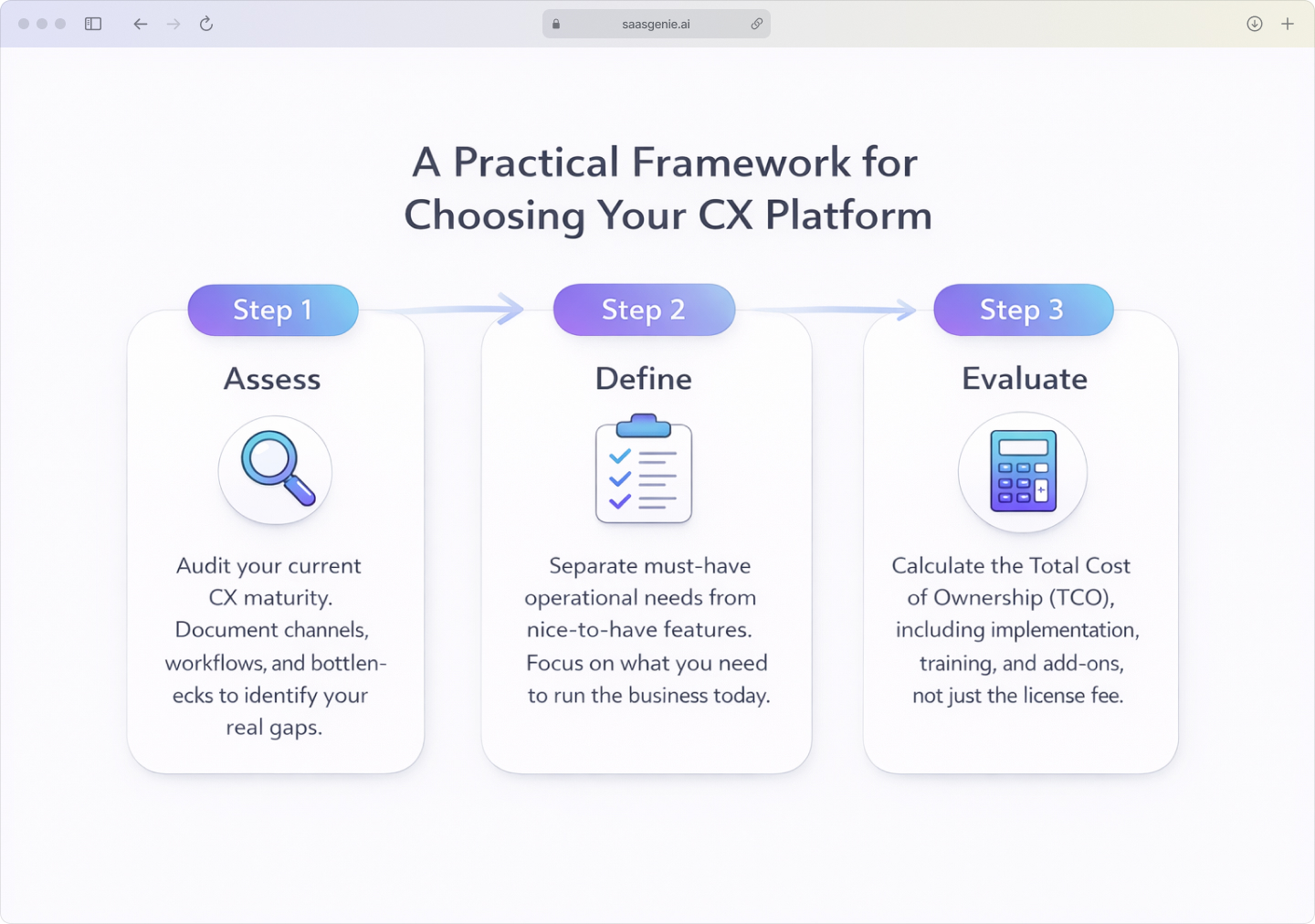
A practical CX tool selection process works best when the platform is evaluated against real service operations, not only product demos. The framework below is the one we use with clients to compare tools in a structured way.
Assess your current CX maturity and gaps
A useful first step is a simple audit of the current customer experience setupA useful first step is a simple audit of the current customer experience setup. That includes channels in use, response workflows, reporting practices, integrations, and common service bottlenecks.
The goal is to document where customer interactions break down:
- Duplicate conversations across channels
- Slow handoffs between teams
- Weak reporting capabilities
- Limited visibility into customer history
Define must-have vs nice-to-have capabilities
Feature lists become difficult to compare when every vendor offers a long set of options. A simpler method is to separate functions into two groups: core requirements and optional additions.
Core requirements are tied directly to daily operations:
- Channel support and routing logic
- Reporting and analytics capabilities
- Self-service portal functionality
- Integration capabilities and access controls
Optional additions are features that may be useful later but are not central to the first rollout, such as advanced AI, workforce planning tools, or highly specialized analytics.
Evaluate the total cost of ownership
The listed subscription price is only one part of the full cost. Total cost of ownership includes licensing, setup work, configuration time, training, support, administration, and future expansion.
Some platforms look affordable at the contract stage but become expensive once add-ons, API usage, premium support, and implementation work are included.
Common CX tool selection mistakes to avoid
Several CX tool selection mistakes appear early in the buying process and create problems later during setup or daily use.
- Buying on brand alone: A big logo is not a guarantee of fit.
- Ignoring setup effort: Slick demos can hide six-month buildouts.
- Skipping real-world demos: Test with your own workflows, not canned examples.
- Overlooking training: Plan time for agents, managers, and admins to learn new habits.
- Forgetting integrations: Map every data hand-off before you sign a contract.
AI and automation in customer experience tools
Artificial intelligence now plays a larger role in customer experience platforms than it did a few years ago. In 2026, AI in CX tools usually appears in four areas: conversations, predictions, routing, and agent support.
Conversational AI and chatbot intelligence
Modern chatbots do more than follow a fixed script with a few button choices. Many use natural language processing, or NLP, to read the meaning of a question and match it with the right answer or action.
For example, a customer might type, "My order still hasn't arrived, and we think the address was wrong." A conversational AI system can detect the topic, recognize urgency, connect the message to an order record, and guide the next step.
Predictive analytics and customer insights
Predictive analytics uses past and current data to estimate what may happen next. In customer experience management platforms, this often includes spotting customers who may leave, identifying accounts with repeated problems, or forecasting support demand.
The system looks for patterns in behavior such as frequent complaints, long wait times, lower survey scores, or repeat contacts in a short period.
AI-powered agent assistance
AI-powered agent assistance works alongside human support staff during a live interaction. These tools are often called copilots because they support the agent without fully replacing the agent's role.
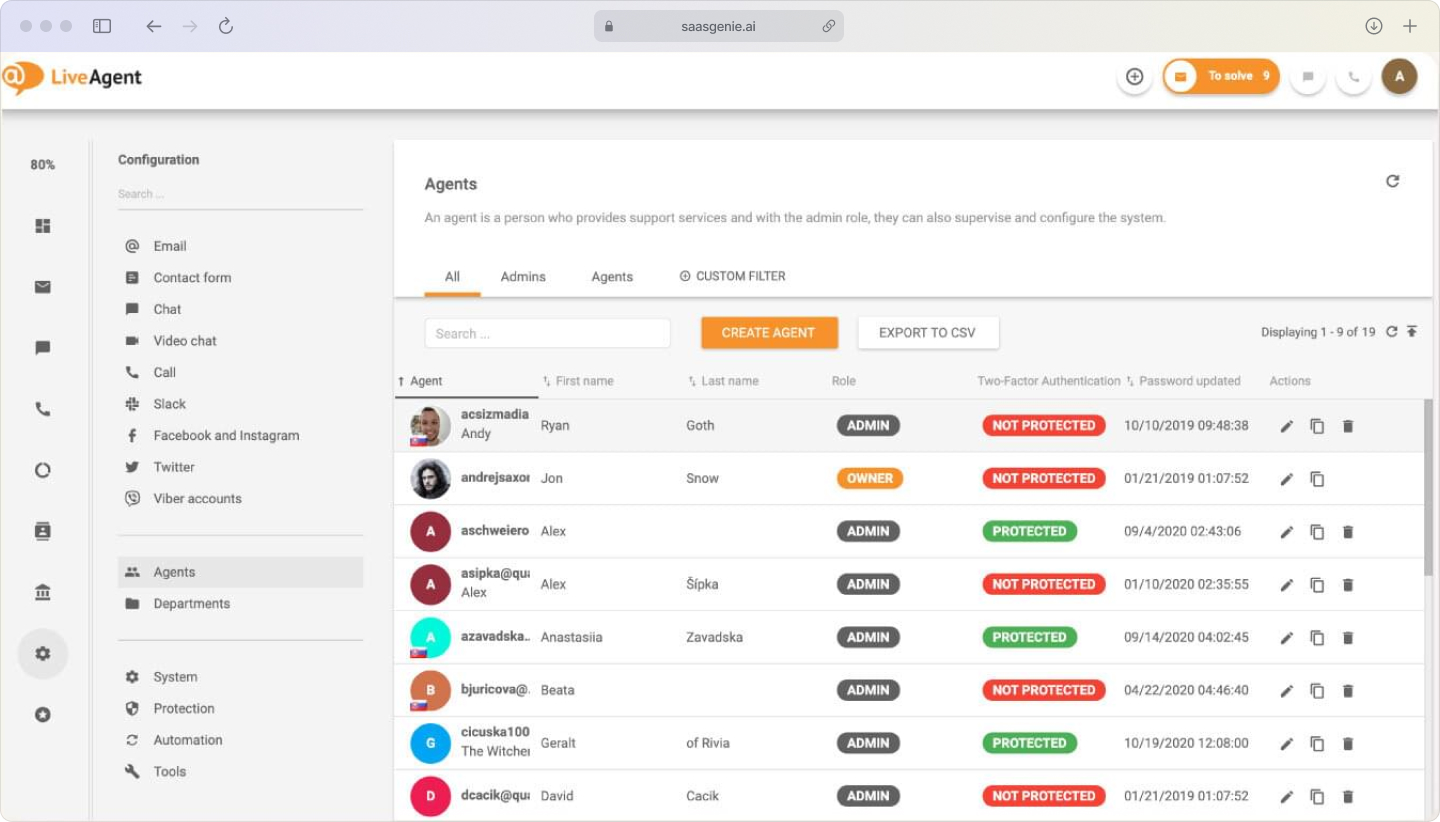
A copilot can read the incoming message and suggest possible replies based on past cases, knowledge base articles, and account details.
CX platform implementation best practices
CX platform implementation involves system setup, data transfer, workflow design, user training, and post-launch support. A smooth rollout usually depends on planning, testing, and clear ownership across technical and operational teams.
Data migration planning
Data migration is the process of moving records from an old system into a new CX platform. Records may include contacts, companies, tickets, chat logs, knowledge articles, tags, notes, and attachments.
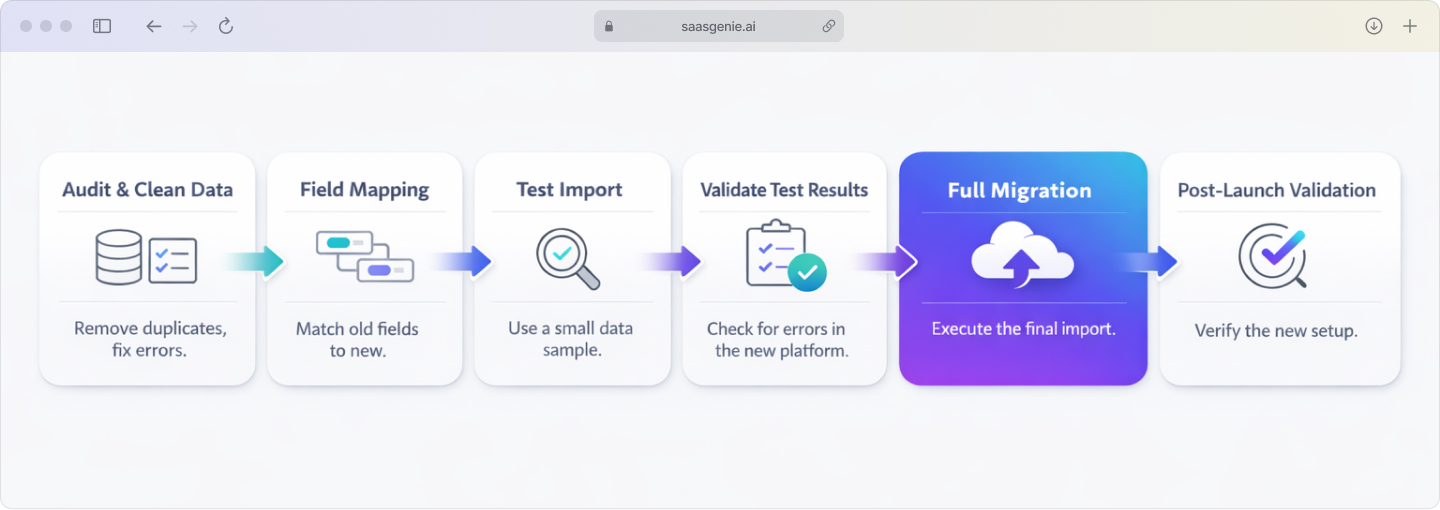
Migration planning starts with field mapping:
- Match each data field in the old platform to the correct field in the new platform.
- Clean up duplicate contacts, outdated tags, missing values, and inconsistent status labels.
- Test imports to confirm timestamps, attachments, and permissions appear correctly.
Change management and user adoption
Change management focuses on how people adjust to the new platform in their daily work. A technically correct setup can still fail if agents, managers, and admins do not understand the new workflows.
User adoption often depends on role-based training:
- Agents: Learn queue handling, customer replies, notes, and knowledge use.
- Managers: Focus on dashboards, team performance, and case review.
- Admin users: Cover permissions, automations, field rules, channels, and integrations.
Get expert help selecting your CX platform

saasgenie works with businesses that are reviewing customer experience platforms and planning service operations around them. The work usually covers platform evaluation, implementation planning, migration support, workflow design, and integration mapping.
saasgenie works across both service and conversational support environments. The selection process is approached by comparing business requirements, process design, and system fit rather than relying only on feature lists.

Ready to get started?
If you are evaluating platforms or planning a CX implementation, you can book a free consultation with our team here.