.webp)




Jira Service Management Explained: Features and Benefits 2026
Jira Service Management is a cloud-based IT Service Management (ITSM) platform from Atlassian that helps teams handle requests, incidents, problems, changes, and assets in one place. It's designed to connect IT support work with development work when both teams use Atlassian tools, while providing modern features like AI-powered automation and self-service portals.
Ever watched support agents juggle 47 browser tabs while someone's laptop sits broken for three days because the ticket got lost in an email thread?
With organizations handling 10,675 tickets monthly, this chaos is all too common.
Meet Jira Service Management (or JSM, as the cool kids call it): a digital command center that turns ticket chaos into organized workflows and gives every request a clear path from "help me" to "problem solved."
No boring feature lists here. This guide walks through how JSM doesn't just manage tickets, it connects support teams with dev teams, automates the repetitive stuff, and turns frustrated users into self-sufficient problem-solvers. Along the way, real insights from Atlassian's own research and user feedback show what actually works.
Fast-forward to 2026: JSM has evolved beyond basic ticketing. ITIL-aligned workflows come ready to use. AI features help route tickets and suggest solutions. No-code automation handles routine tasks without waiting for developer help. And it's not just for IT—HR, facilities, and other service teams can use the same platform.

What is Jira Service Management?
Jira Service Management is Atlassian's service desk and IT service management platform that organizes incoming requests into tickets and routes them through structured workflows. Think of it as a team's digital inbox that automatically sorts, prioritizes, and tracks every request until it's resolved.
Instead of hunting through email threads or Slack messages, JSM captures every request as a ticket with context, ownership, and clear next steps.
A laptop breaks? Someone needs software access? Submit once through a portal, get automatically routed to the right person, and track progress in real time.
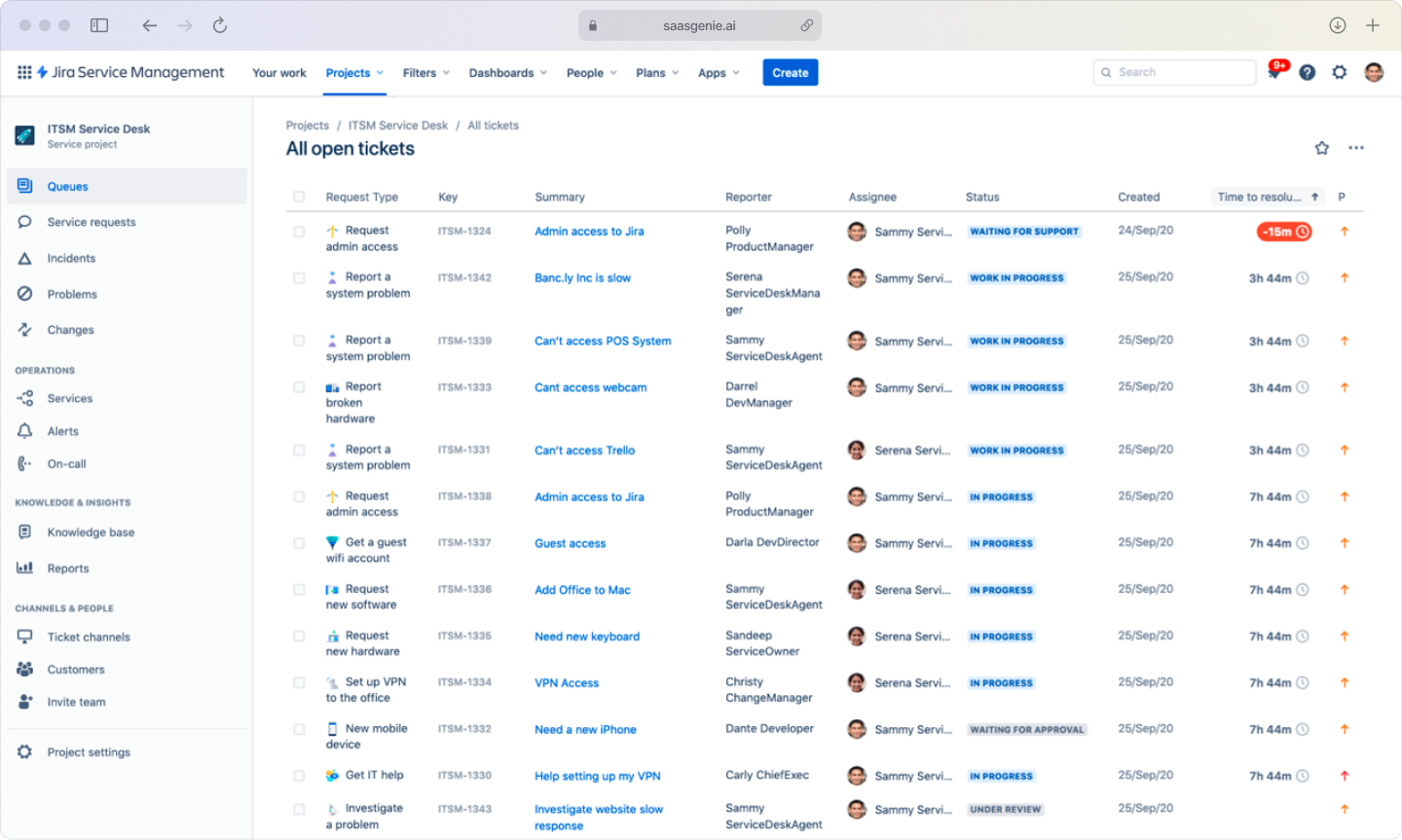
JSM stands for Jira Service Management, the shortened name that appears in menus, documentation, and conversations. Atlassian originally called this product "Jira Service Desk" but rebranded it to reflect broader capabilities beyond basic help desk functions.
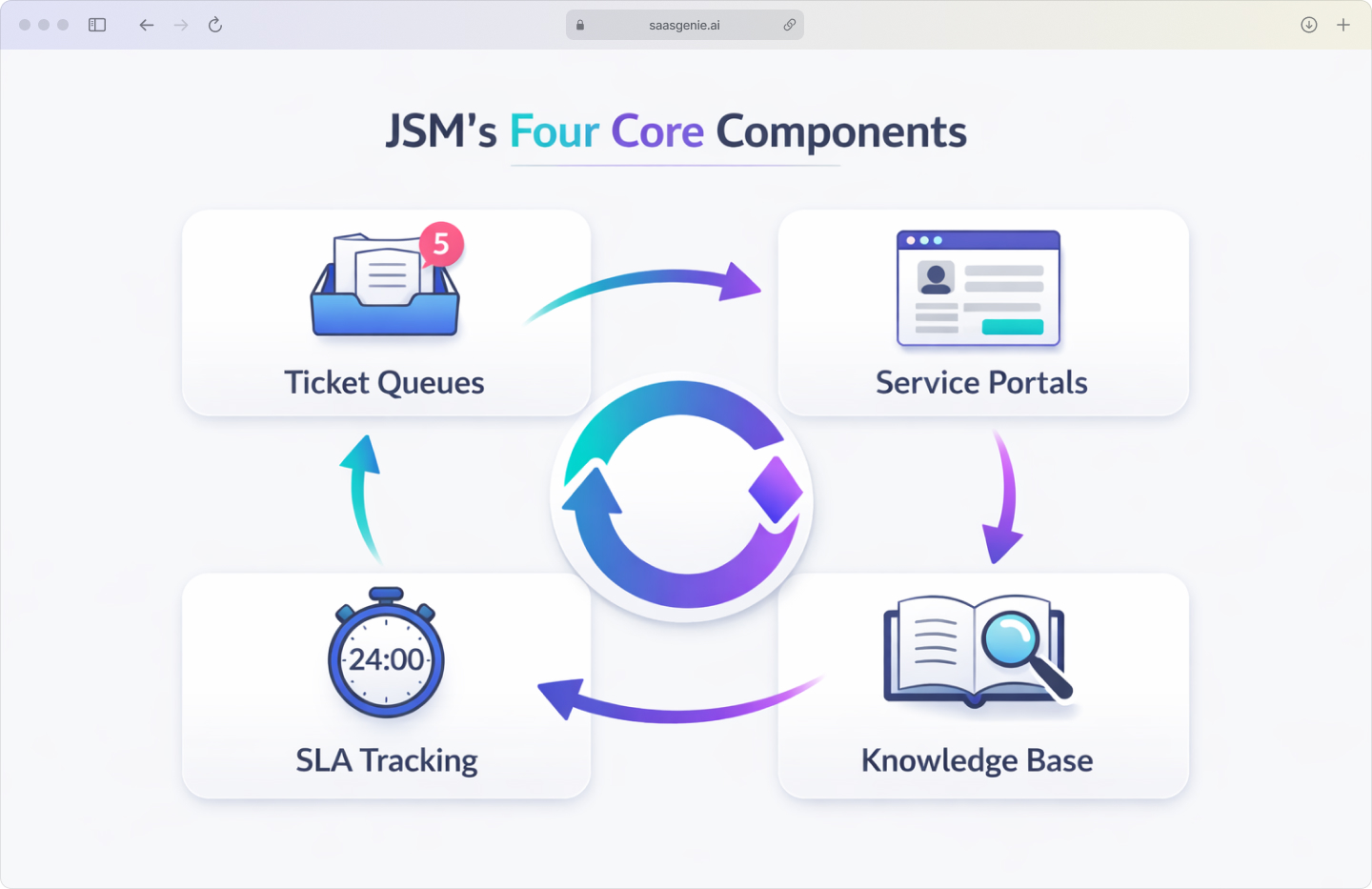
Core components include:
- Ticket queues: Requests from email, chat tools, the portal, and every other channel get bundled into one prioritized queue, so teams always know what to tackle next.
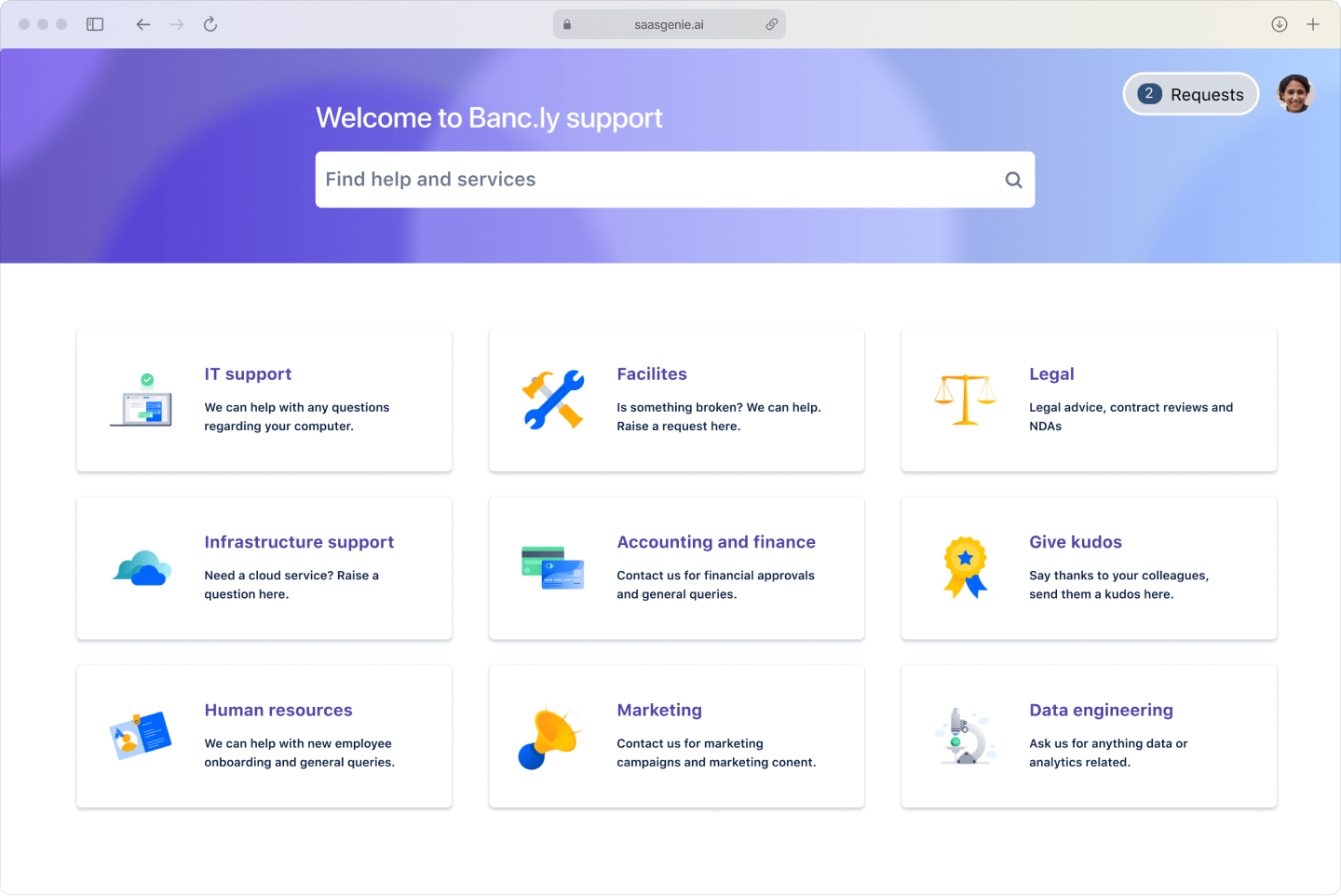
- Service portals: User-friendly interfaces where people submit requests.
- SLA tracking: Automatic timers that ensure requests meet response targets.
- Knowledge base: Self-service articles that help users solve problems independently.
The platform runs on the same foundation as Jira Software, which means support tickets can connect directly to development work when a bug fix or feature request is needed.
What JSM stands for and how it evolved from Jira Service Desk
The name "Jira" comes from "Gojira", the Japanese word for Godzilla. Atlassian developers used this as an internal nickname for their original bug-tracking tool, and "Jira" became the shortened version that stuck.
Atlassian rebranded from "Jira Service Desk" to "Jira Service Management" to signal expanded functionality. The original service desk focused mainly on ticket handling, while JSM includes full ITSM capabilities like incident management, problem management, change management, and asset tracking.
ITSM (IT Service Management) refers to all the activities involved in designing, delivering, supporting, and improving IT services. This includes everything from password resets to managing major system changes.
The rebrand reflected Atlassian's goal to compete with enterprise ITSM platforms while maintaining the simplicity that made Jira popular with development teams.
Jira Software vs Jira Service Management
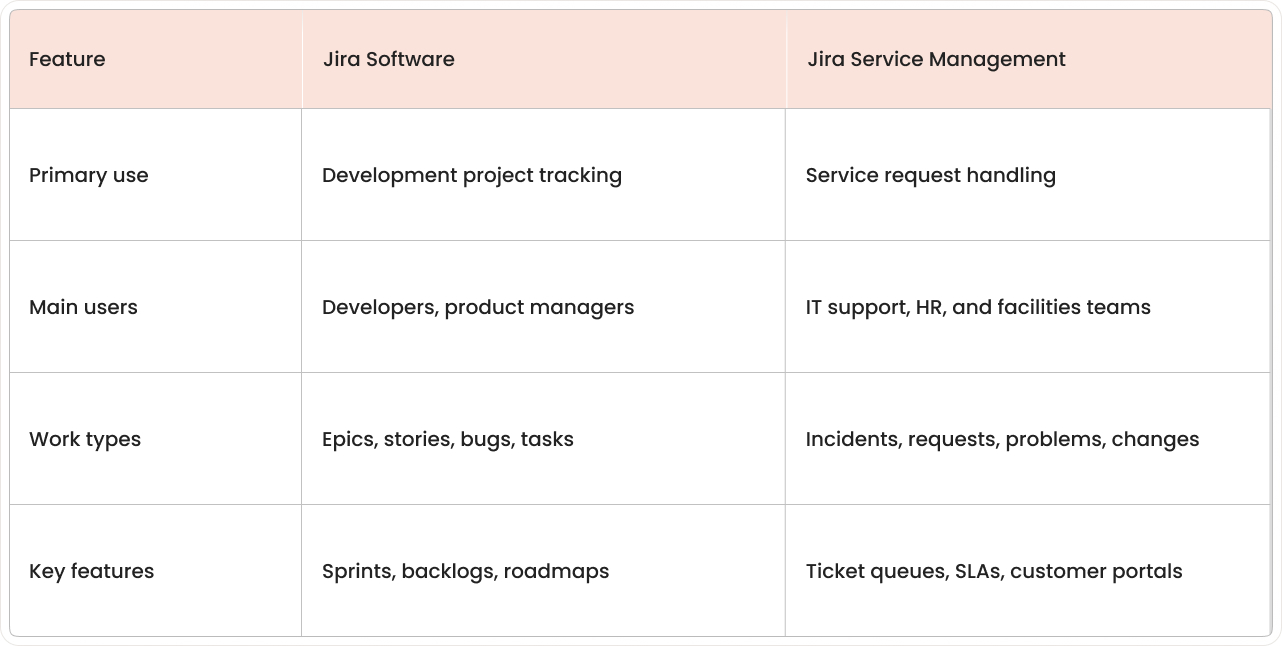
Both products share the same Jira foundation but serve different purposes. Jira Software focuses on planning and tracking development work, while JSM handles incoming service requests and support workflows.
When to use Jira Software
Development teams use Jira Software to manage product backlogs, plan sprints, and track bugs through resolution. The focus is on coordinating work within the team and delivering features or fixes on schedule.
When to use JSM
Teams use JSM when they need to respond to requests from others, whether employees need IT help or customers report an issue. The focus is on responding quickly, meeting SLAs, and resolving tickets efficiently.
How do both products work together
Since both run on the Jira platform, a support agent can link a JSM ticket to a development task in Jira Software when a request requires code changes. This connection keeps both teams informed without duplicating information across separate systems.
For example, when a user reports a software bug through JSM, the support agent can create or link to a bug ticket in the development team's Jira Software project, maintaining visibility for everyone involved.
Core JSM features for service teams
JSM includes features designed around ITIL practices, a widely-used framework for managing IT services effectively. ITIL (IT Infrastructure Library) provides best practices for incident management, problem management, change management, and other service processes.
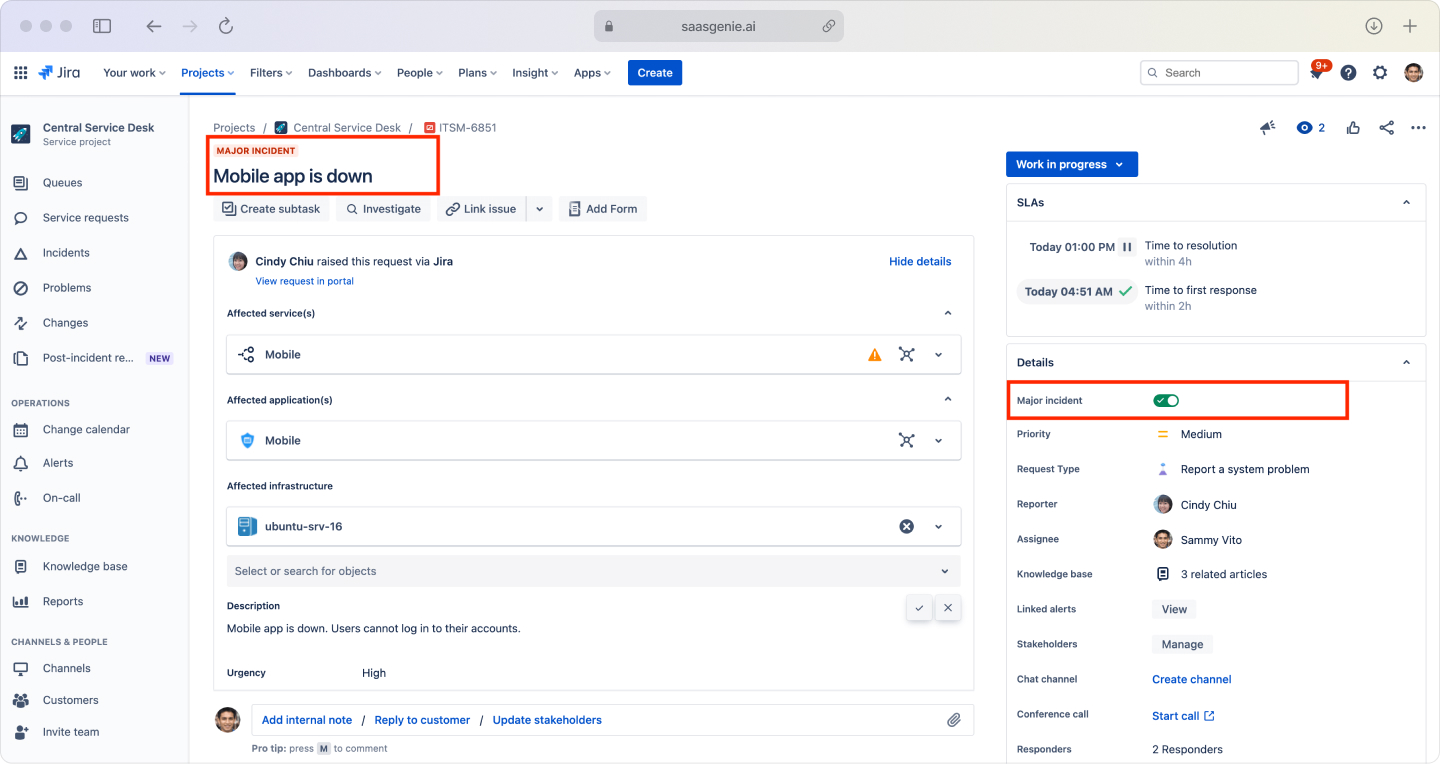
Incident management
Incident management focuses on restoring service quickly when something breaks unexpectedly. JSM provides tools for alert intake, on-call scheduling, and AI-powered suggestions based on previous resolutions.
The platform can connect with monitoring tools so alerts and related tickets land in one place, helping teams track response times and coordinate during outages.
Service request management
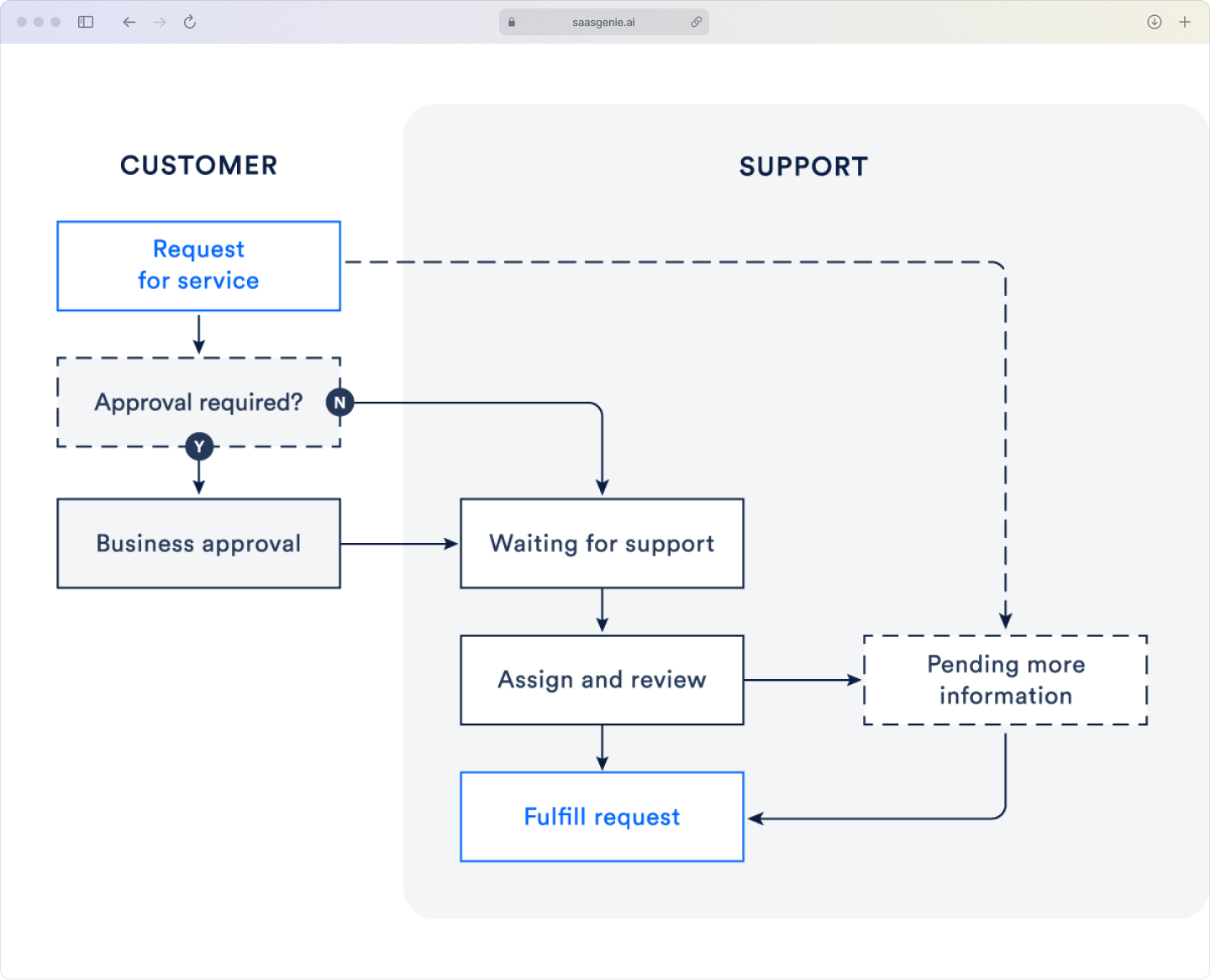
Service request management handles planned requests like software access, equipment orders, or account changes. Users submit requests through customizable forms, and JSM routes them through approval workflows when needed.
The built-in self-service portal lets teammates help themselves first, cutting down repetitive tickets and giving agents breathing room.
Teams can create different request types with specific fields to capture the right information upfront, reducing back-and-forth communication.
Problem management
Problem management identifies and fixes the root causes behind recurring incidents. JSM allows teams to link multiple incident tickets to a single problem record, document findings, and track permanent fixes.
This helps prevent the same issues from happening repeatedly and builds organizational knowledge over time.
Asset and configuration management
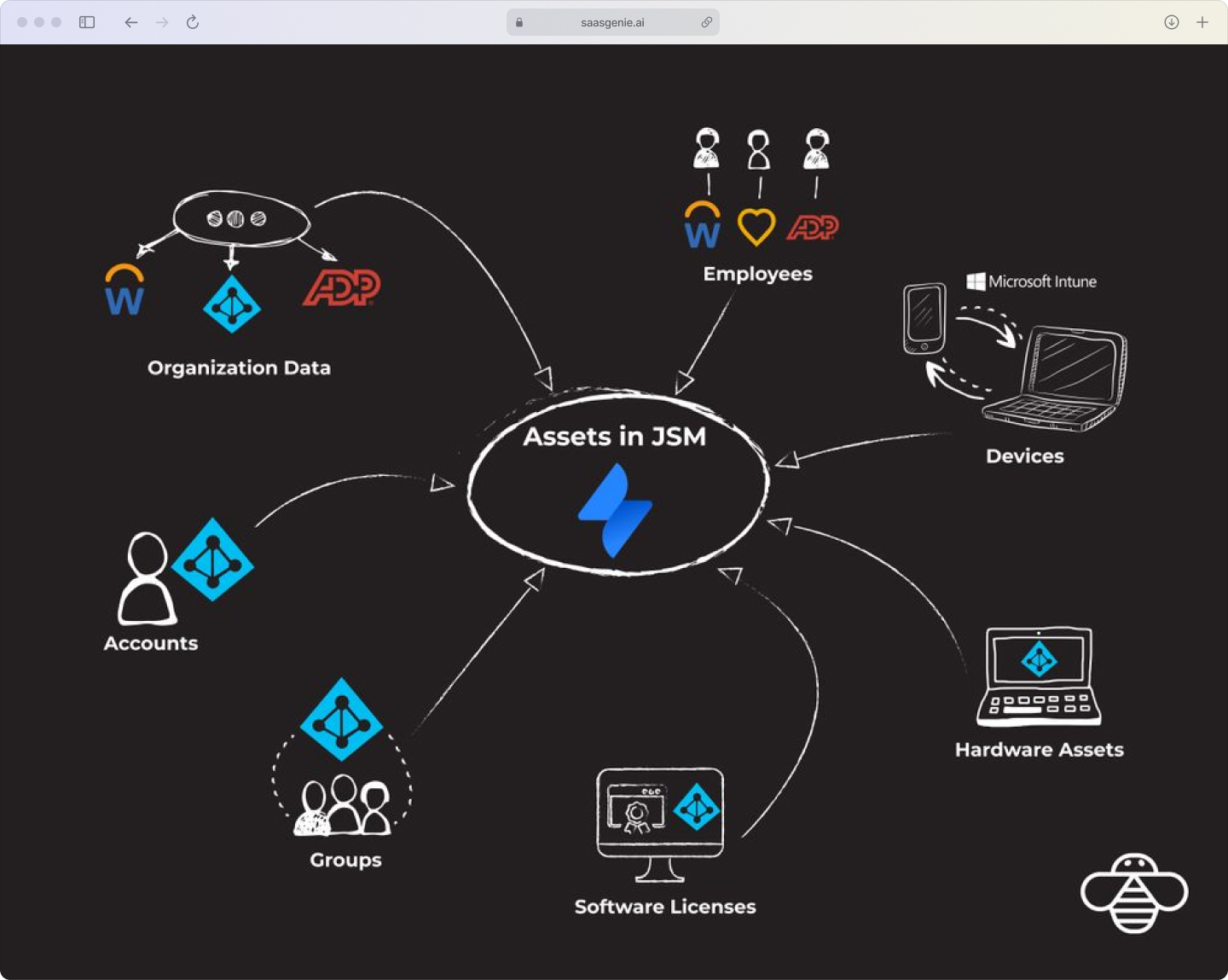
JSM includes a CMDB (Configuration Management Database) that tracks hardware, software, and other IT assets along with their relationships. This supports impact analysis during incidents and provides audit trails for compliance. Even better, Assets now ships with the Standard plan, so teams can map dependencies without springing for an Enterprise tier.
Key asset tracking capabilities:
- Hardware inventory: Laptops, servers, network equipment, with location and ownership details.
- Software licenses: Applications, subscriptions, and usage monitoring.
- Relationship mapping: Dependencies between services, applications, and infrastructure.
- Change history: Complete audit trails for all asset modifications.
For a deeper dive into setting up these relationships, check out our guide on JSM asset and configuration management.
AI and automation in JSM
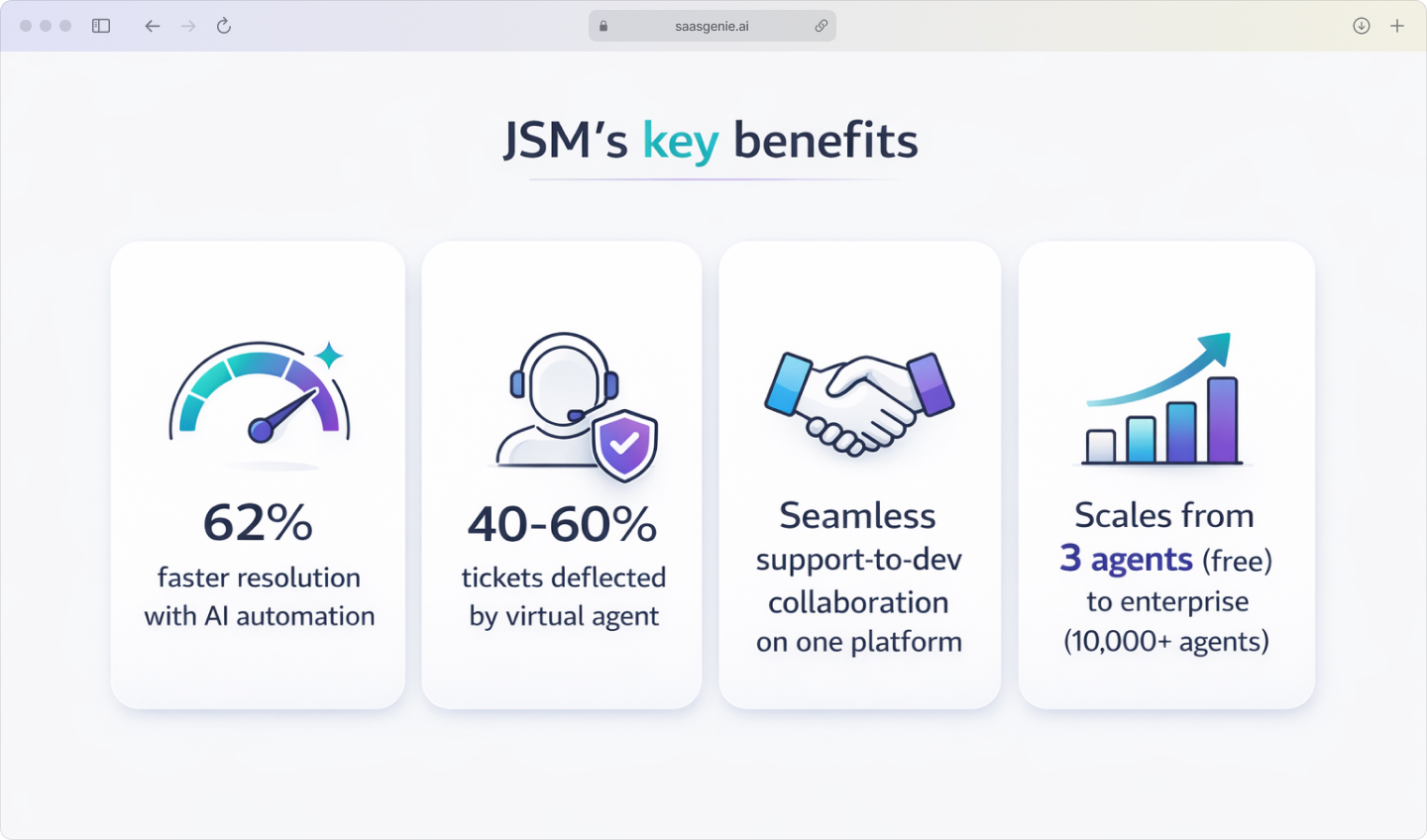
JSM's AI capabilities, called Atlassian Intelligence, help automate routine tasks and provide intelligent suggestions during ticket handling. These features reduce resolution time by 62% and help agents resolve issues faster.
Virtual service agent
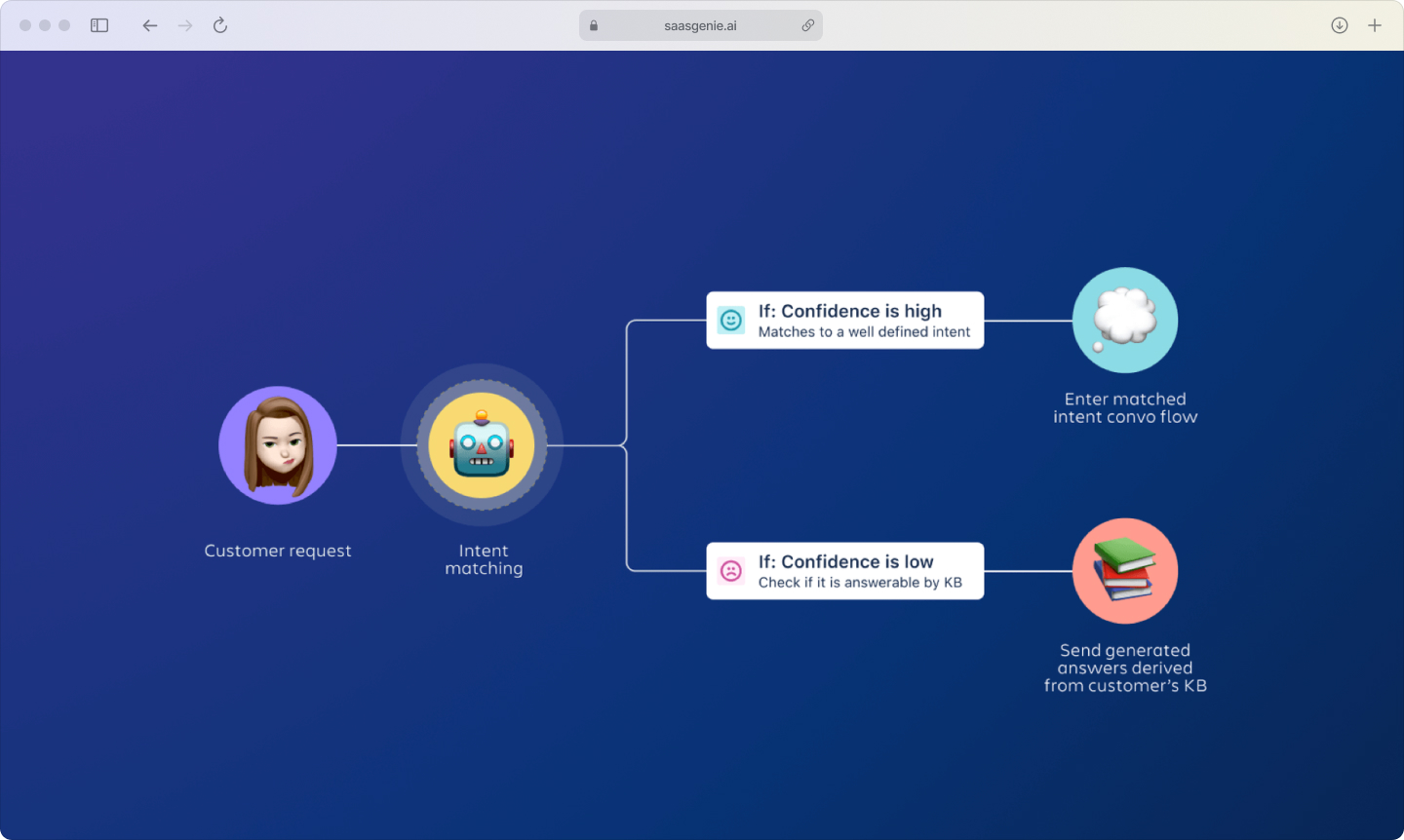
Powered by Atlassian Intelligence, the virtual agent lives inside Slack or Microsoft Teams, handles the easy requests, gathers details for tougher ones, and hands them to agents pre-filled so they can jump straight to the fix.
The virtual agent can understand request intent and either resolve simple issues automatically or collect information before creating a ticket for human review, with AI-powered systems achieving 40-60% ticket deflection.
No-code automation
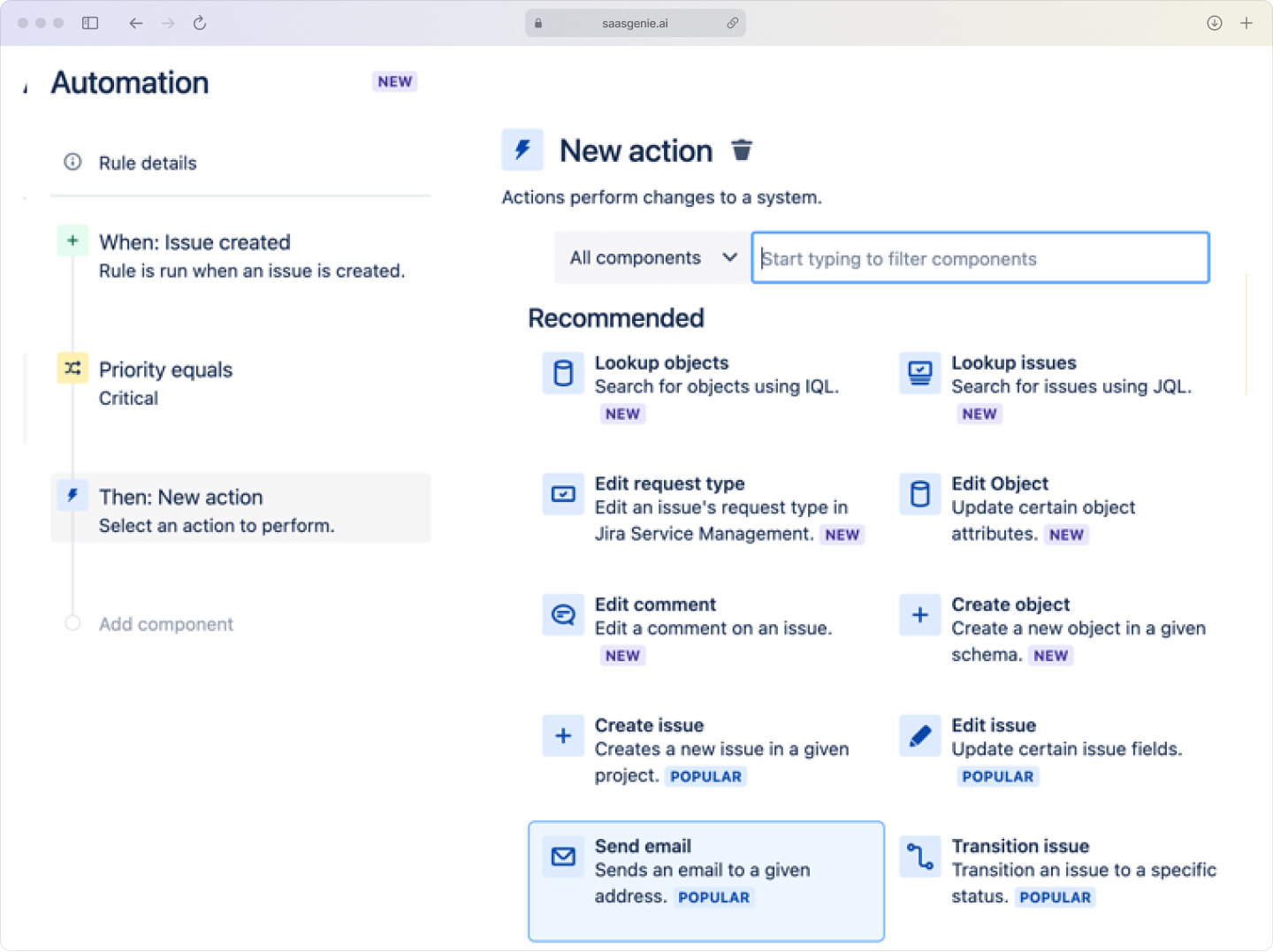
The platform includes a visual automation builder that lets teams create "if-this-then-that" rules without coding. Common automations include auto-assigning tickets based on category, sending status updates, and escalating overdue requests.
Popular automation examples:
- Auto-assignment: Route password reset requests to specific agents
- Status notifications: Send updates when tickets change status
- Escalation rules: Alert managers when SLA deadlines approach
- Auto-closure: Close resolved tickets after user confirmation
Intelligent routing and categorization
JSM uses natural language processing to analyze ticket content and automatically categorize requests, set priority levels, and route to appropriate teams. This reduces manual triage work and improves consistency.
Teams that benefit from JSM
While JSM originated in IT, its flexible design works for any team that handles incoming requests and follows structured processes.
IT support teams
IT teams use JSM for day-to-day support work like password resets, software installation, hardware issues, and system outages. The platform helps track ownership, response times, and resolution steps for every request.
Development and DevOps teams
Engineering teams often use JSM when incidents require code changes or involve deployment issues. JSM can connect incident records with development work items, maintaining context across both support and engineering activities.
HR and employee services
HR teams can manage employee requests like onboarding tasks, benefits questions, and policy inquiries through structured workflows, joining the 66% of organizations that now use employee portals for HR documents and resources. Confidential request types can be separated from general requests using role-based permissions.
Facilities and operations
Facilities teams handle maintenance requests, workspace changes, and equipment issues through the same ticket structure, providing employees with consistent service experiences across different departments.
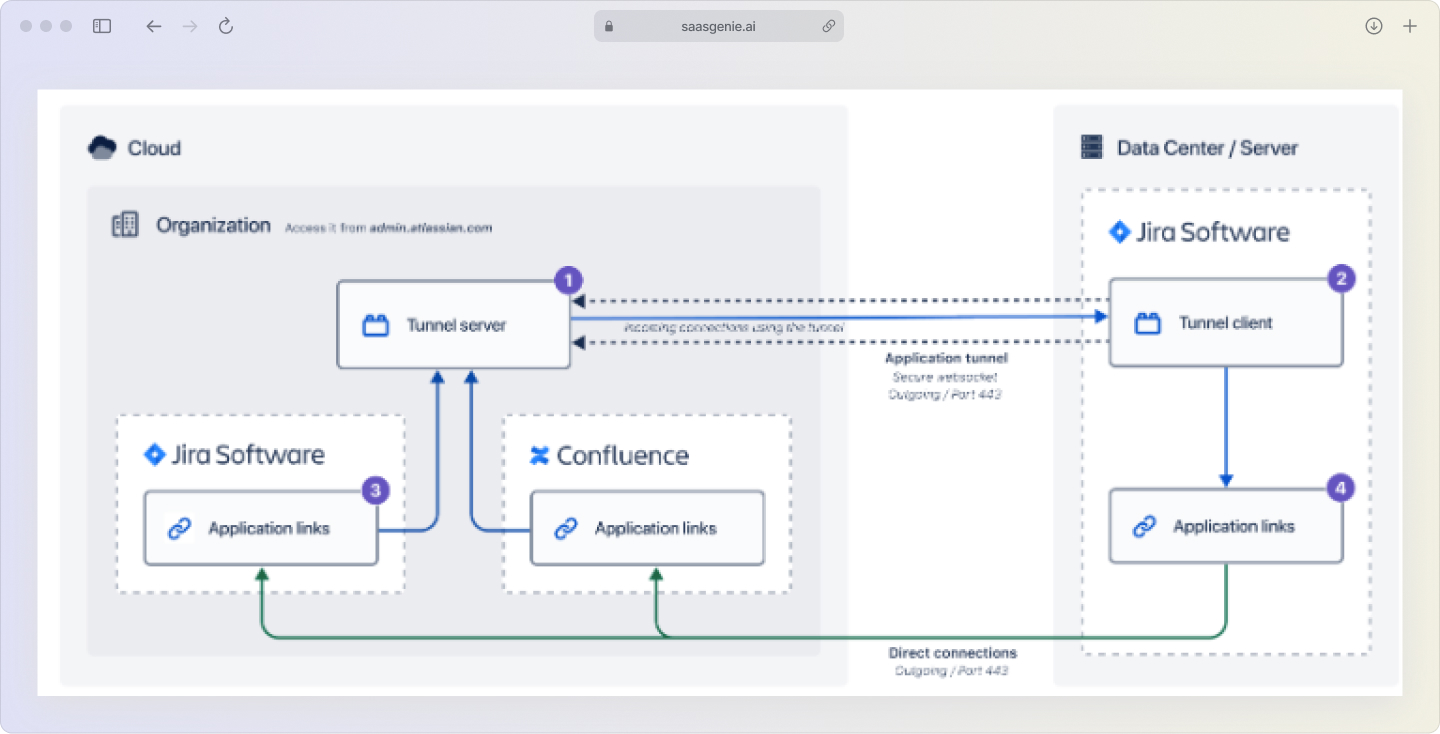
JSM Cloud vs Data Center deployment
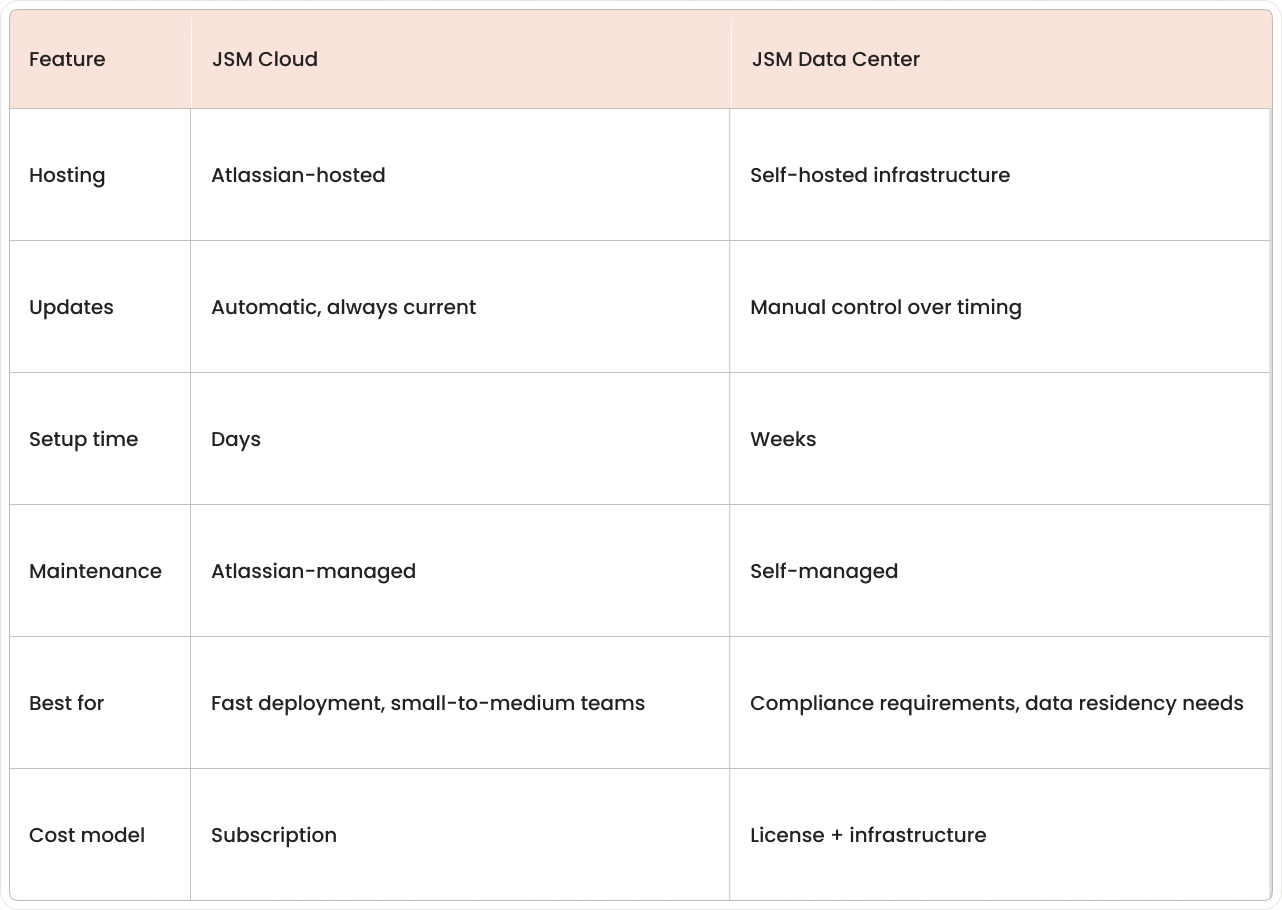
JSM Cloud is the software-as-a-service version hosted by Atlassian with automatic updates and built-in scalability. Data Center is the self-hosted option for organizations that need more control over their infrastructure and data location.
Key differences:
- Cloud: Managed by Atlassian, automatic feature updates, quick setup.
- Data Center: Self-hosted, controlled update timing, custom infrastructure requirements.
Most organizations choose Cloud for faster implementation and lower maintenance overhead, while Data Center fits environments with specific compliance or data residency requirements.
Cloud vs. Data Center Comparison Table:
Benefits of choosing JSM
JSM provides several advantages for teams evaluating service management platforms:
Faster resolution times: AI suggestions and automation rules reduce the time between ticket creation and resolution by eliminating manual routing and providing relevant solution recommendations.
Better team collaboration: Since JSM runs on the Jira platform, support tickets can connect directly to development work, keeping both teams informed without switching between separate tools.
Flexible workflows: The platform supports multiple service teams with different request types, approval processes, and permissions while maintaining consistent reporting across the organization.
Scalable growth: JSM works for small teams on the free plan and large enterprises with complex global requirements, allowing organizations to expand usage as needs evolve.
Getting started with JSM implementation

Most teams begin with a free trial to explore basic ticket handling, request forms, and automation capabilities. This evaluation phase typically focuses on one team and a limited set of request types.
Early planning involves defining scope (incident management only vs. full ITSM), identifying the first user group, and setting up basic workflows like request forms, SLA targets, and agent permissions.
Common implementation steps:
- Portal setup: Create request forms and categories for common needs.
- Workflow configuration: Define approval steps and routing rules.
- Integration planning: Connect email, chat tools, and monitoring systems.
- Knowledge base: Build self-service articles for frequent questions.

For structured deployments, many organizations work with certified Atlassian partners like saasgenie to handle configuration, data migration, and user adoption.
A free consultation is available at https://www.saasgenie.ai/contact-us.

Ready to implement JSM without the guesswork?
Our certified Atlassian experts can map your workflows, plan integrations, and get your team up and running fast.